How to Stop a Schedule?
How to Stop a Schedule?
Note: This is usually performed by the Work Supervisor role or anyone given access to. Once the stop schedule is being triggered, no future work orders will be created. However, those scheduled work orders that have already been created will not be affected.
To Stop a Schedule
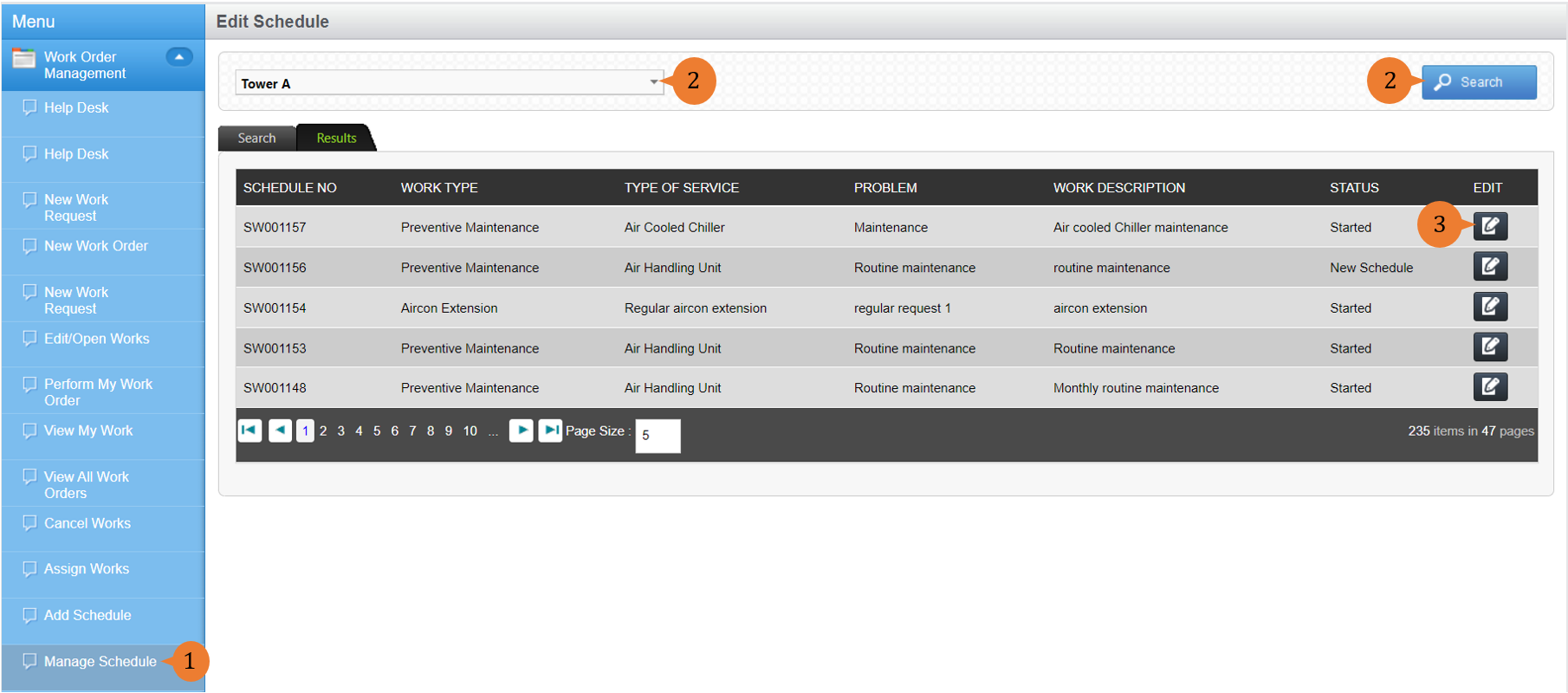
- Select Manage Schedule under Work Order Management module from the menu.
- Select a Location from the location tree and run a Search. A list of Schedules for this Location will be displayed.
- For the Schedule you wish to Stop, select the EDIT icon
 .
.
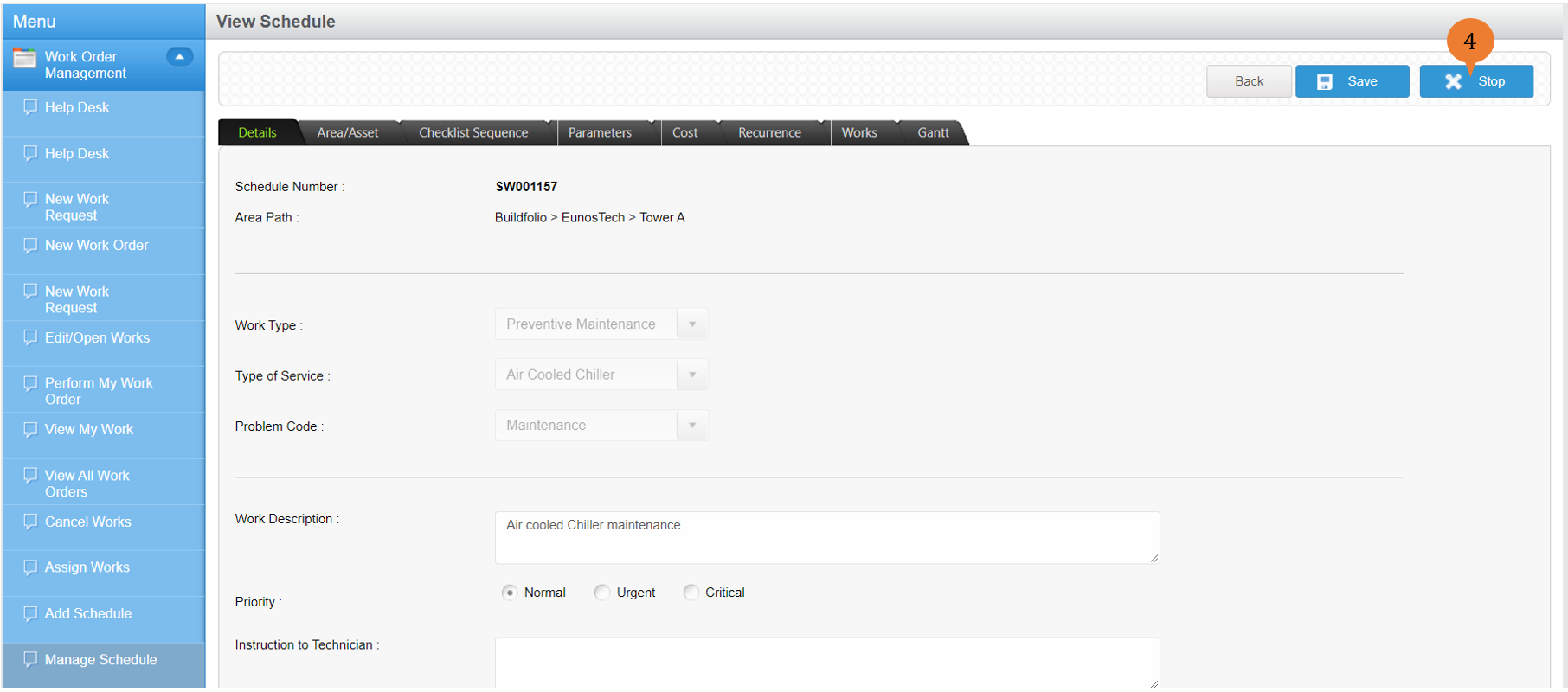
- To Stop the Schedule, select Stop.
- A dialogue box will appear to prompt you to confirm. To Stop the Schedule, select OK.

When the Schedule is successfully stopped, a success message will appear below the page title.

More on this topic
- For more step-by-step guides to Adding and Managing Schedules, see Add and Manage Schedules.