Navigating Buildfolio on web browser
Jump to
- Navigating Buildfolio on web browser
- Navigating BUILDFOLIO II mobile app
Log in to Buildfolio 
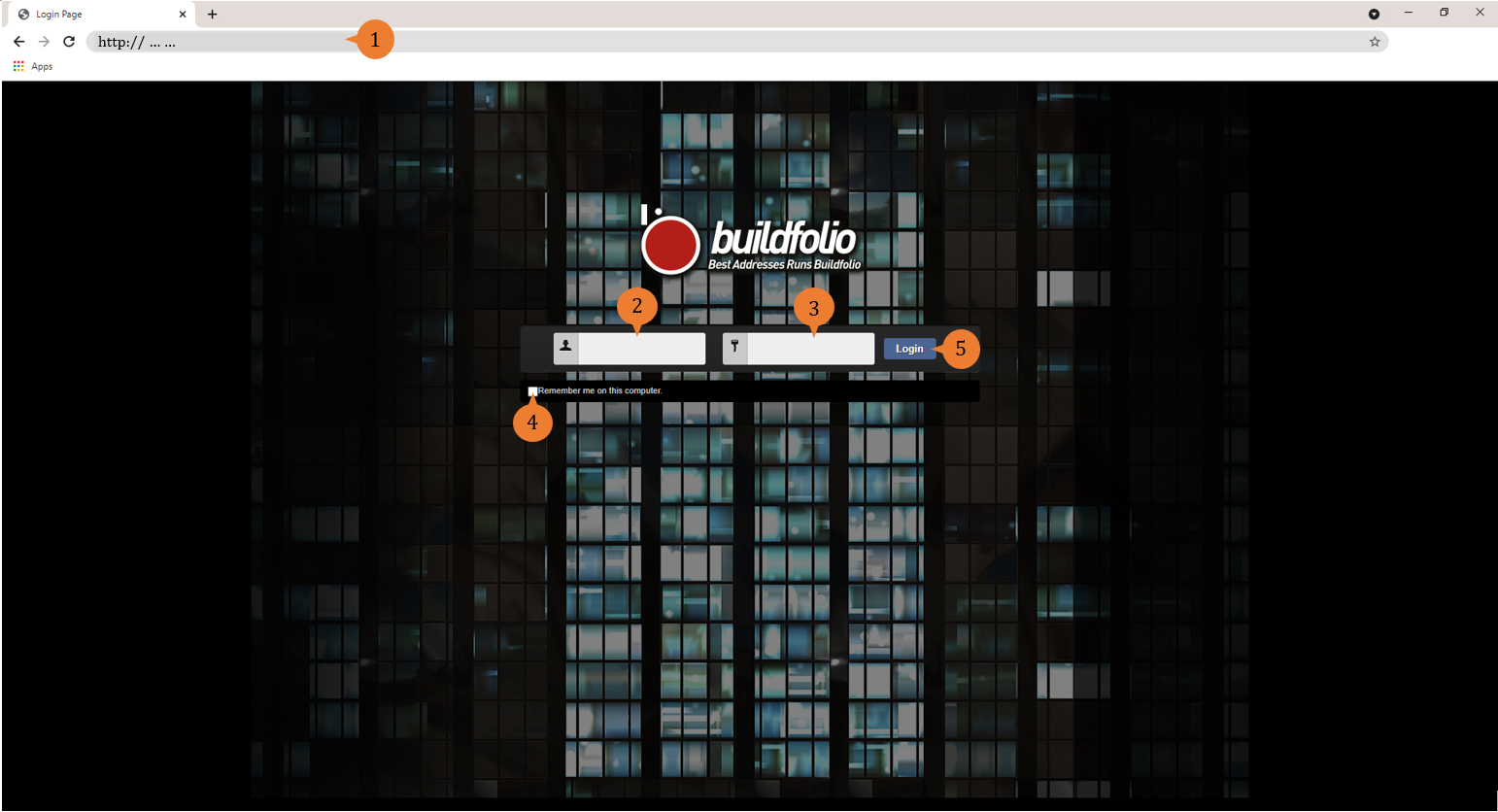
- To use Buildfolio on web browser, enter the assigned URL in the Address Bar of your browser. You will arrive at the login page.
- To log in, enter your Login Name
- Enter your Password
- (optional) To remain logged in, select Remember me on this computer. With this, you do not need to re-enter your login details every time you use Buildfolio.
- Select Login.
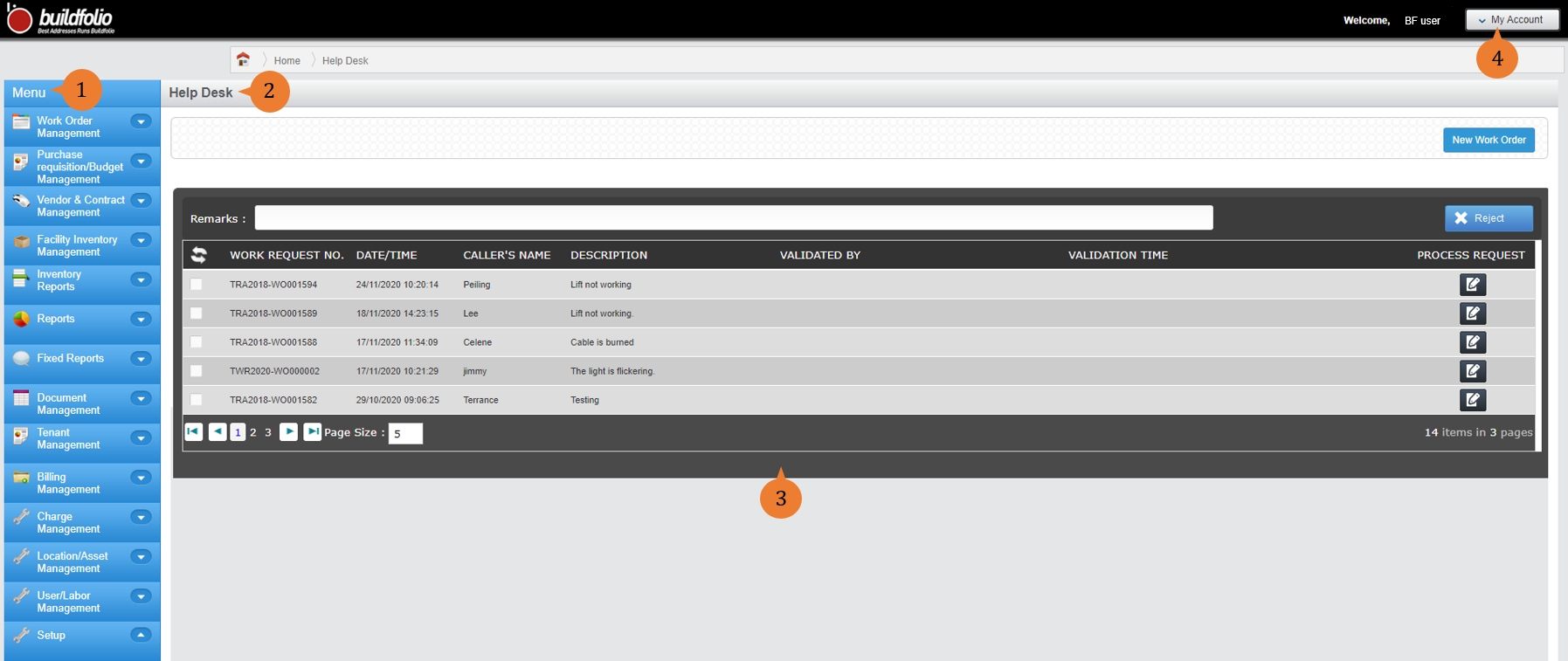
Upon successful login, you will see:
- Menu (1): To navigate between the modules, expand the module in Menu to select the action you wish to complete.
- Page Title (2): indicating which page you are on. Error or success messages will also appear below the Page Title for every action completed.
- Work Space (3): where most of the work is done.
- My Account (4): a drop down menu with, among others, Settings, where you can edit your user profile such as Login Name and Password and Logout.
Log out of Buildfolio
To log out of Buildfolio
- Select My Account (4) > Logout.
Unless you have selected Remember me on this computer when logging in (step 4), you may simply close your browser to log out.
More on this topic
- For a step-by-step guide to navigating Buildfolio on your mobile devices, see Navigating BUILDFOLIO II mobile app.
- For more step-by-step guides to using each module, see Buildfolio’s Knowledge Base