How to Manage Craft?
How to manage Craft? 
To manage Craft
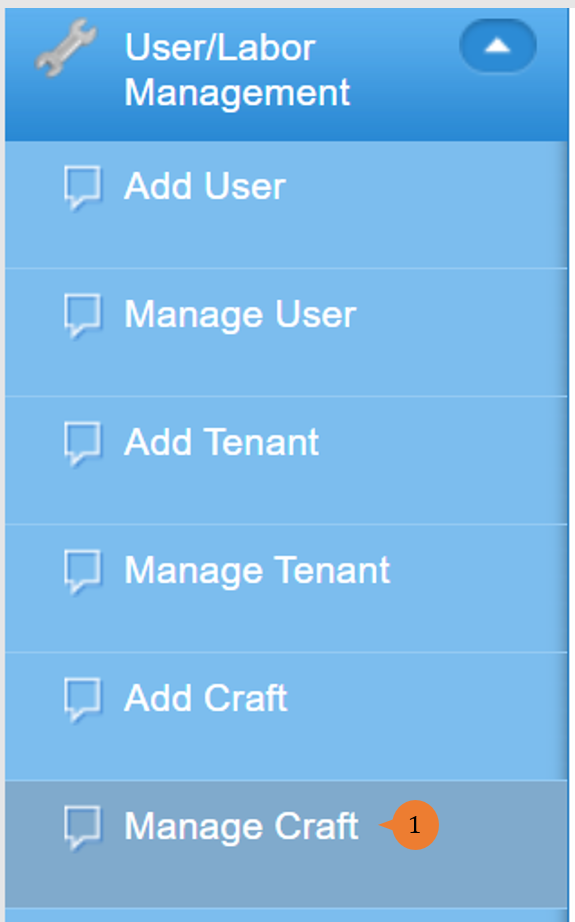
- Select Manage Craft under User/Labour Management from the Menu.
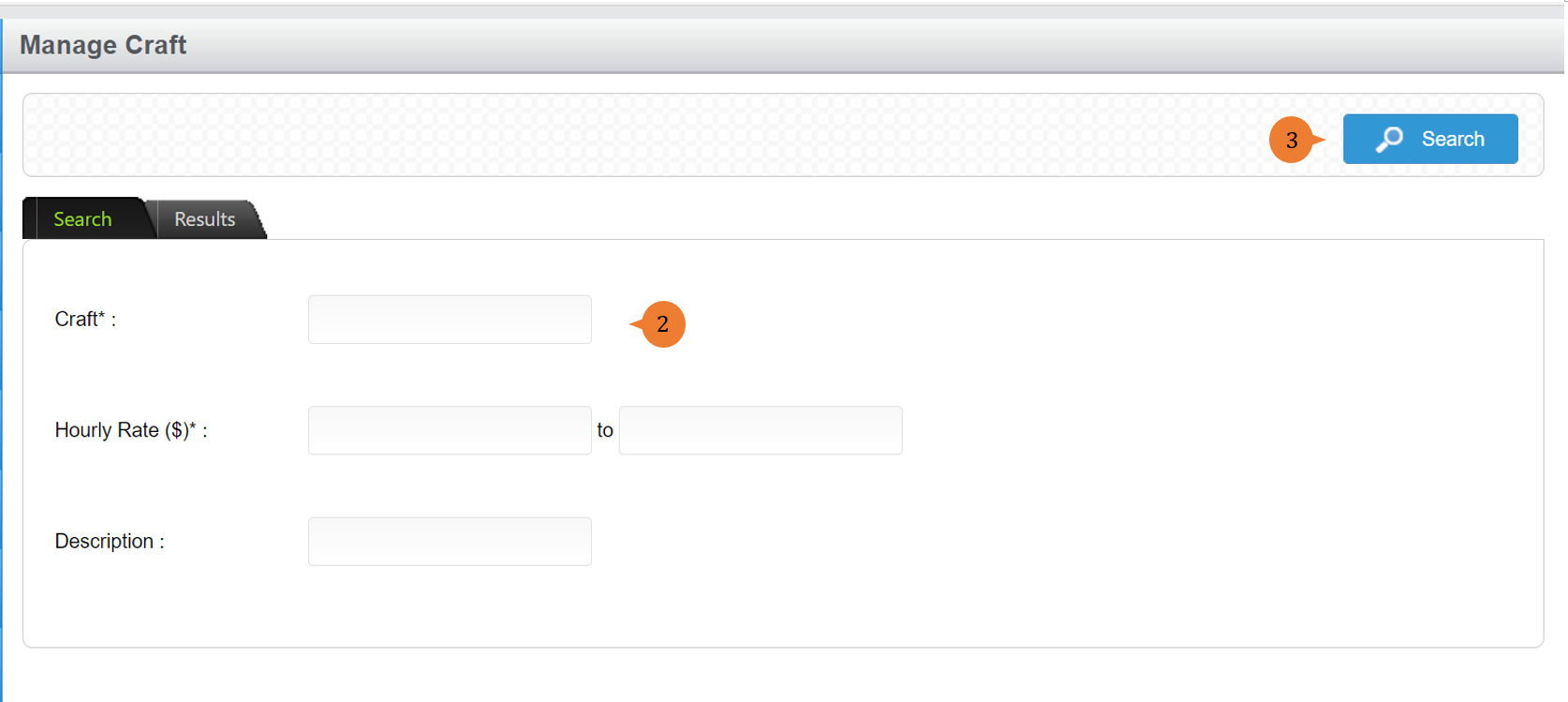
- Input the Craft name, hourly rate and description if you would like to limit your search results.
- Click on the Search button.
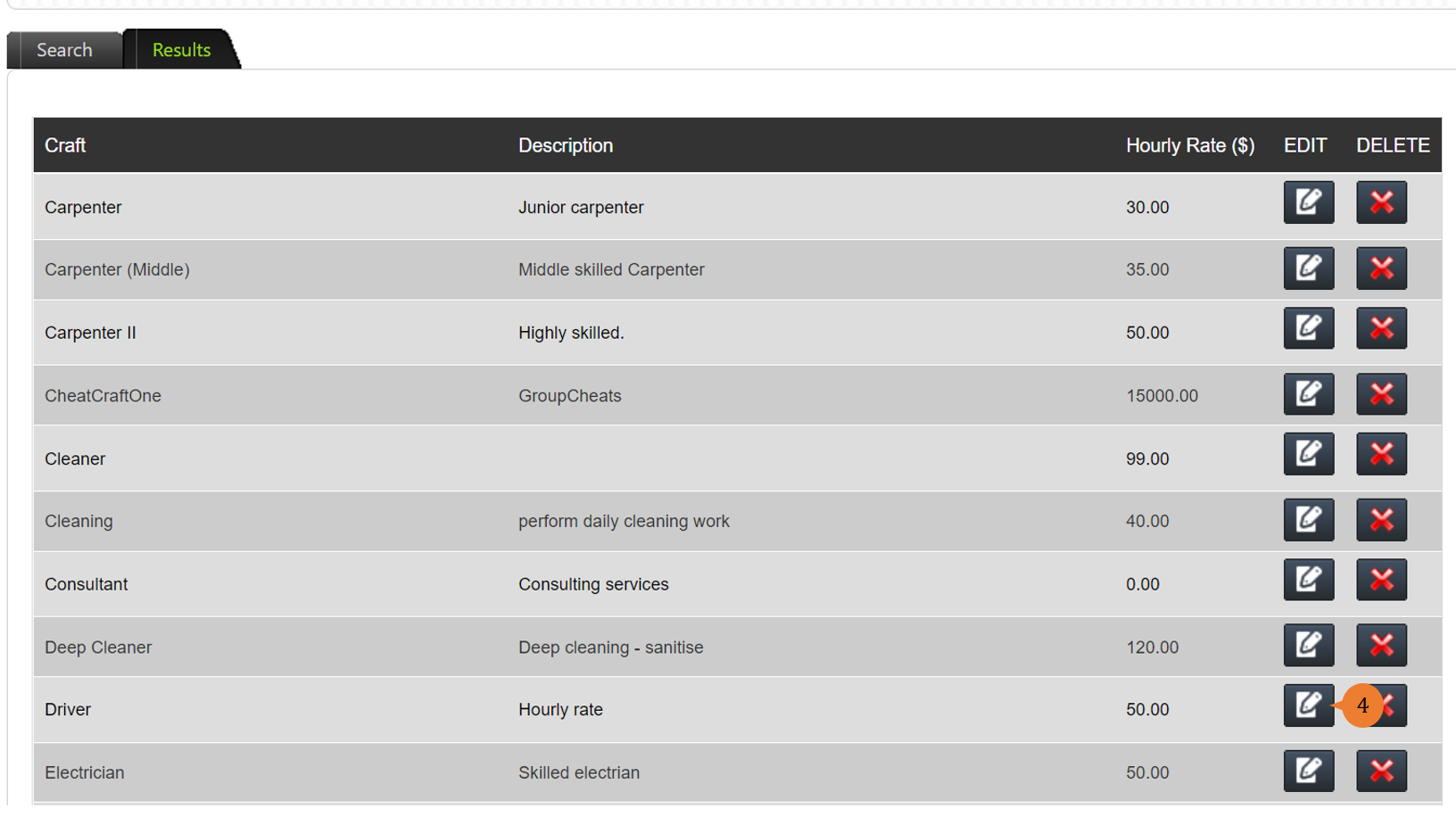
- Click on the Edit button for the craft that you would like to amend.
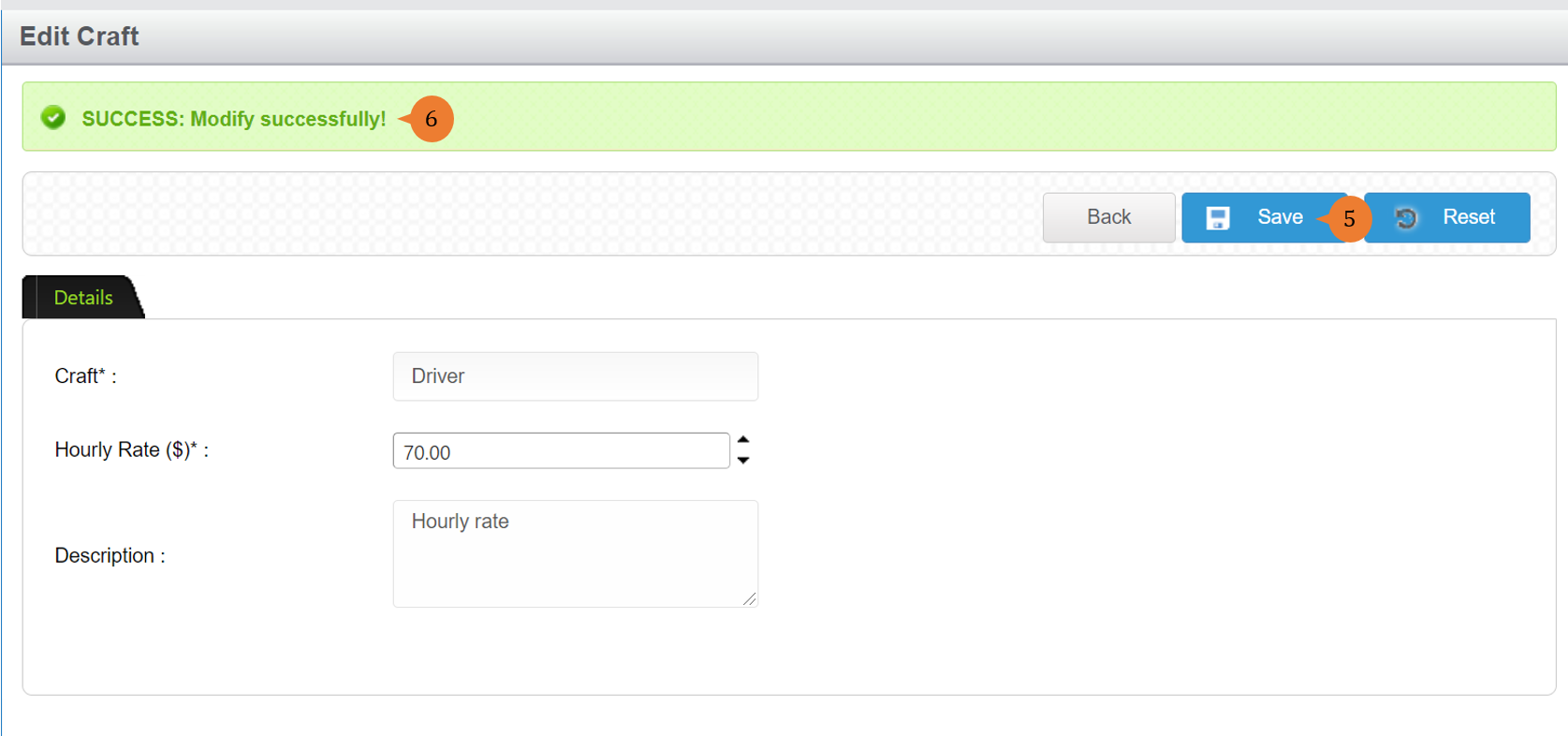
- Amend the fields according and click on the Save button.
- When the craft is successfully amended, a success message will appear below the page title.
More on this topic
- For step-by-step guides to managing access rights, see How to Manage Access Rights?.
- For step-by-step guides to using the User/Labour Management module, see User/Labour Management Module.