How to create a new Work Request?
Jump to
How to create a new Work Request? 
To create a new Work Request
-
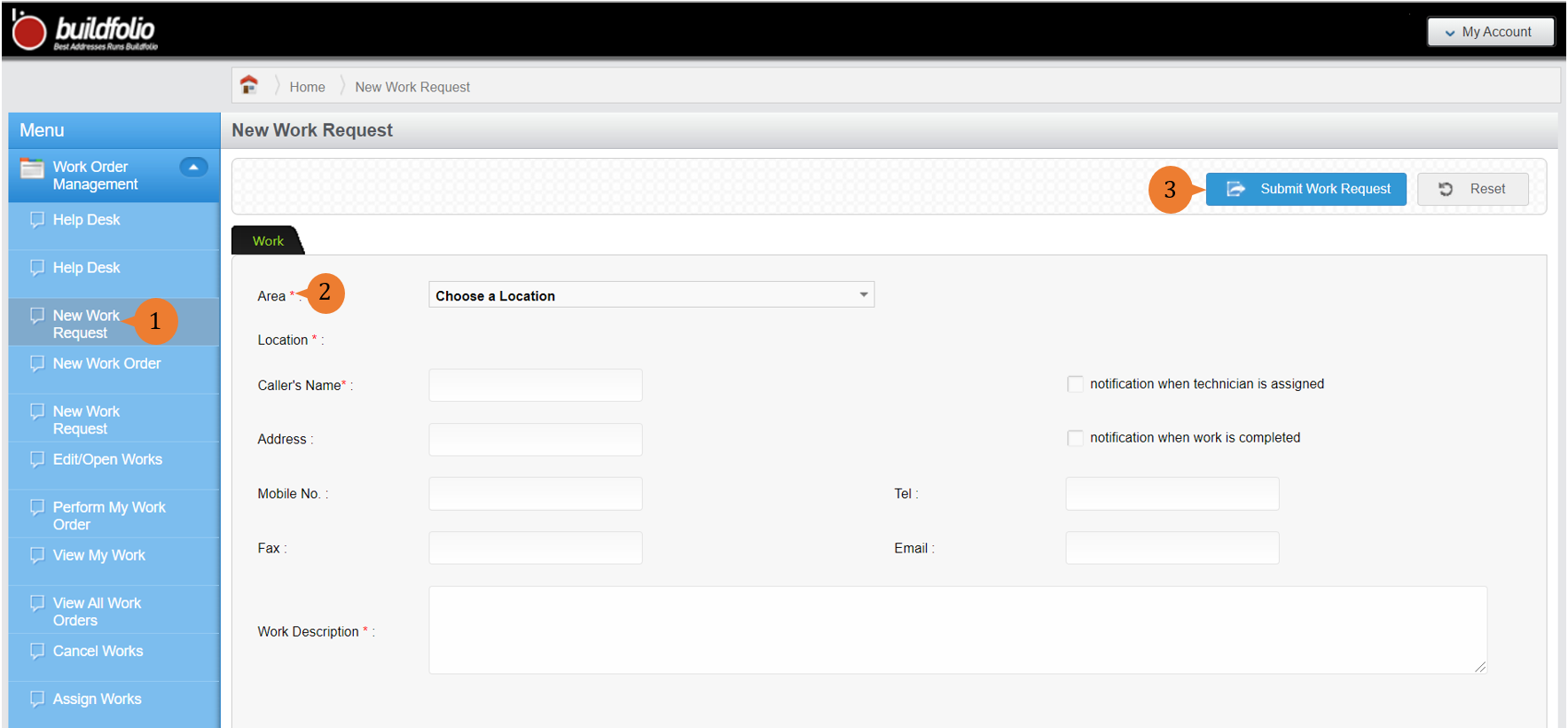
- Select New Work Request under Work Order Management from the Menu.
- Fill in the compulsory fields marked with *.
- Select Submit Work Request.
-
- A dialogue box will appear to prompt you to confirm your submission. To submit your Work Request, select OK.

When the Work Request is successfully submitted, a success message will appear below the page title. Take note of the Work Request number.
How to turn a Work Request into a Work Order?
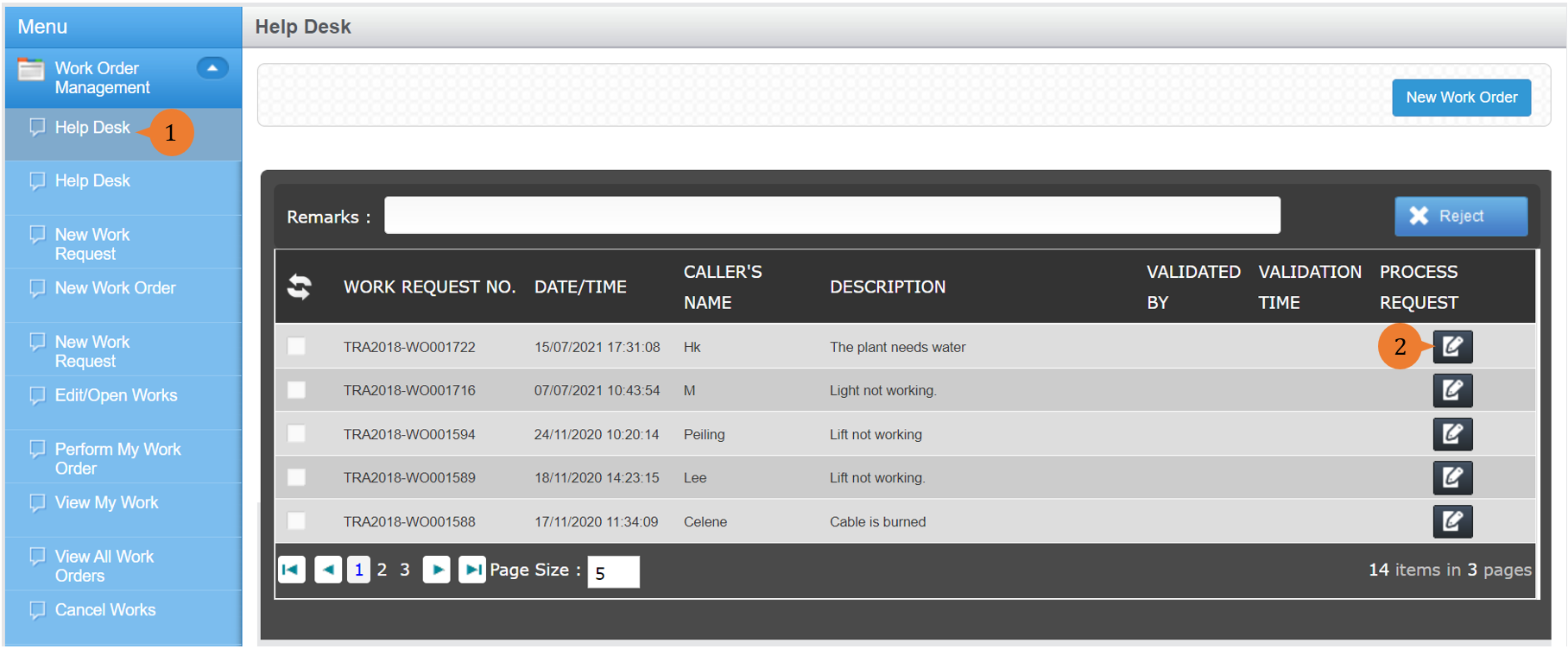
Help Desk processes all incoming work requests. In other words, all work requests submitted to Buildfolio will be consolidated and displayed under Help Desk.
To turn the submitted Work Request into a Work Order
-
- Select Help Desk under Work Order Management from the Menu.
- For the relevant Work Requests in the Helpdesk page, select the Process Request icon
 .
.
- Under the Fault tab, fill in the compulsory fields marked with *.
- Select Process Work Request.
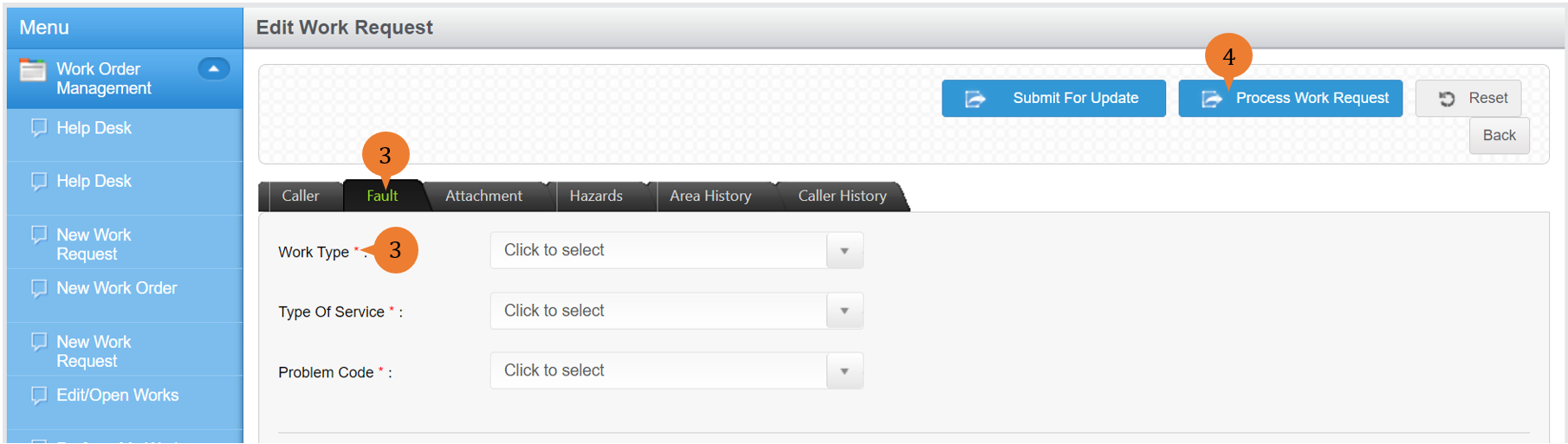
When the Work Request is successfully turned into a Work Order, a success message will appear below the page title. The Work Request is now a Work Order pending the assignment of a technician by a supervisor.

More on this topic
- For a step-by-step guide to creating a new Work Order without creating a new Work Request, see How to create a new Work Order
- For a step-by-step guide to creating a new Work Order via Help Desk with Wizard Mode, see How to create a new Work Order via Help Desk with wizard mode.
- For more step-by-step guides to using Work Order Management module, see Work Order Management Module.