How to create Rates Book?
Jump to
How to create a Rate Book on the web browser?
Note: This is usually created by the procurement team.
To create a new Rate Book
- Select Add Rates Book under Vendor & Contract Management from the Menu.
- Select the organization or area that the rate book is for.
- Input the Rate Book name in the Book Description field.
- Click on Add Organization/Area button to add the selected organization/area. A successful message will be shown.
- To create the rate book, click on Add Rate button.
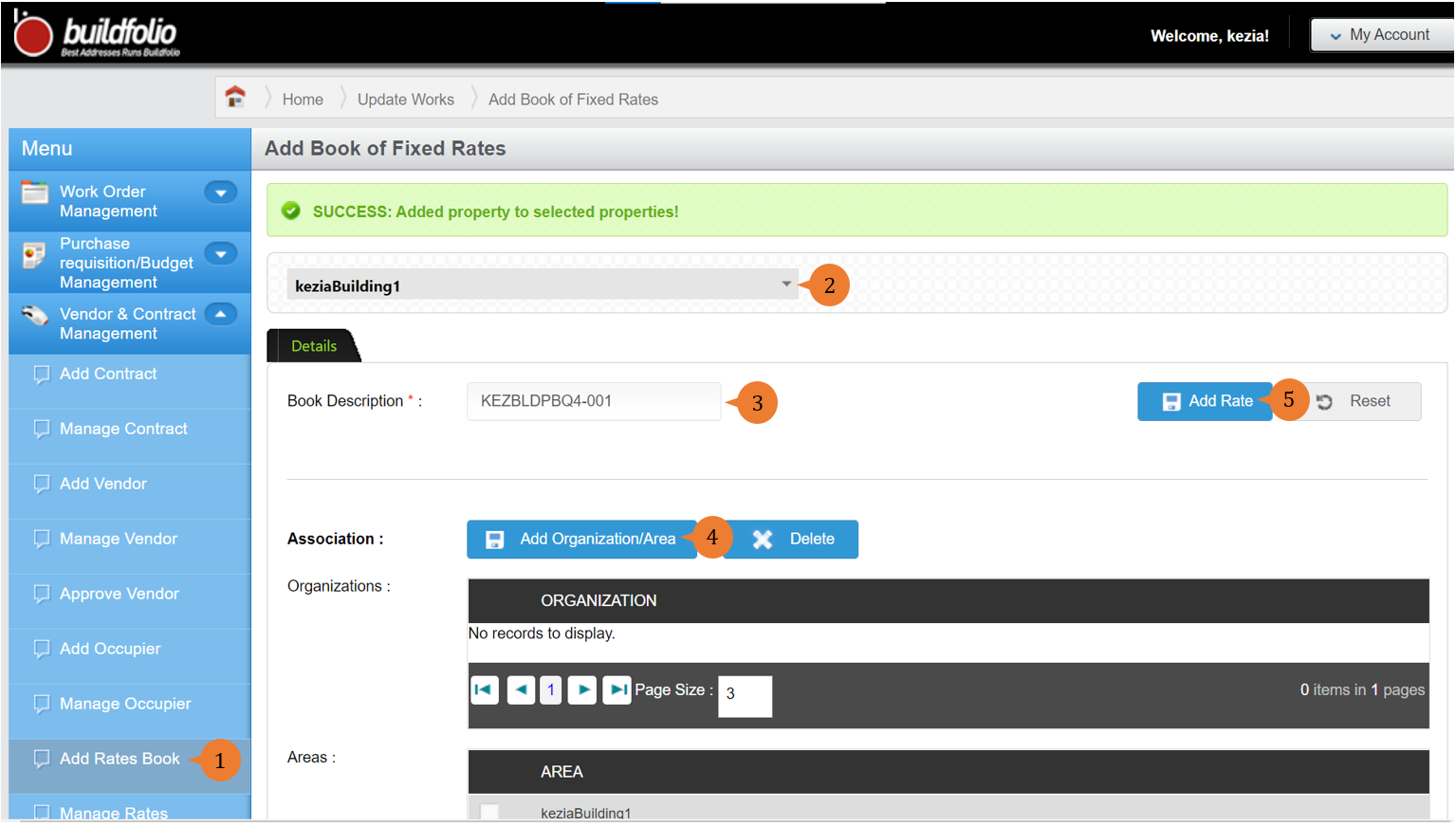
- Once the rate book is created, a successful message will appear under the header.

More on this topic 
- For a step-by-step guide to manage rate books, see How to manage Rates Book on the web browser?.
- For step-by-step guides to using Vendor & Contract Management module, see Vendor & Contract Management Module.