Generating Vendor Report
How to generate a vendor report?
Vendor Report will show the list of vendors and their information such as their name, contact information, vendor type and so on.
To generate a vendor report
- Select Vendor under Report from the Menu.
- Select and input the search criteria to shorten the list of search results.
- Click on the Search button.
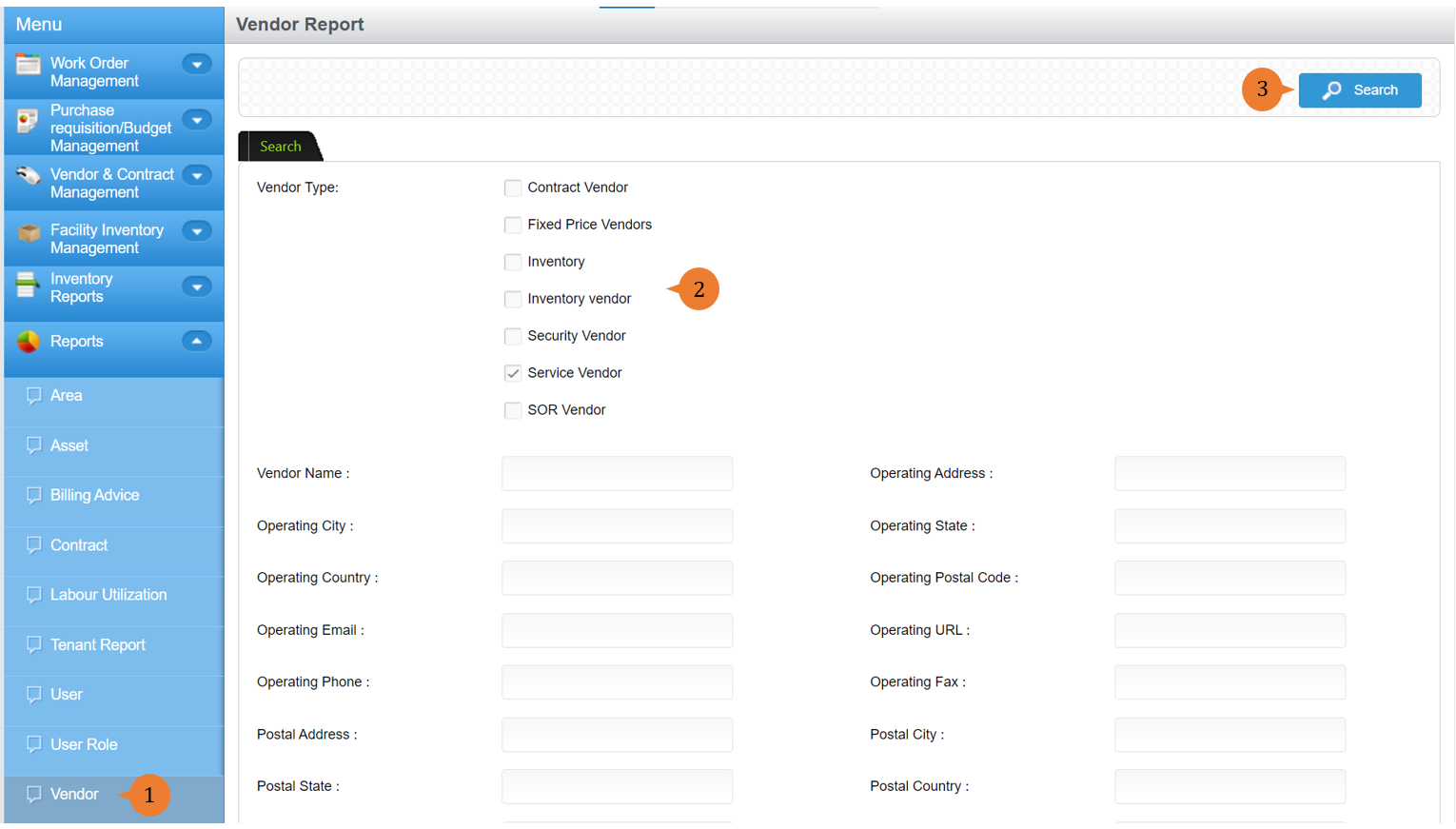
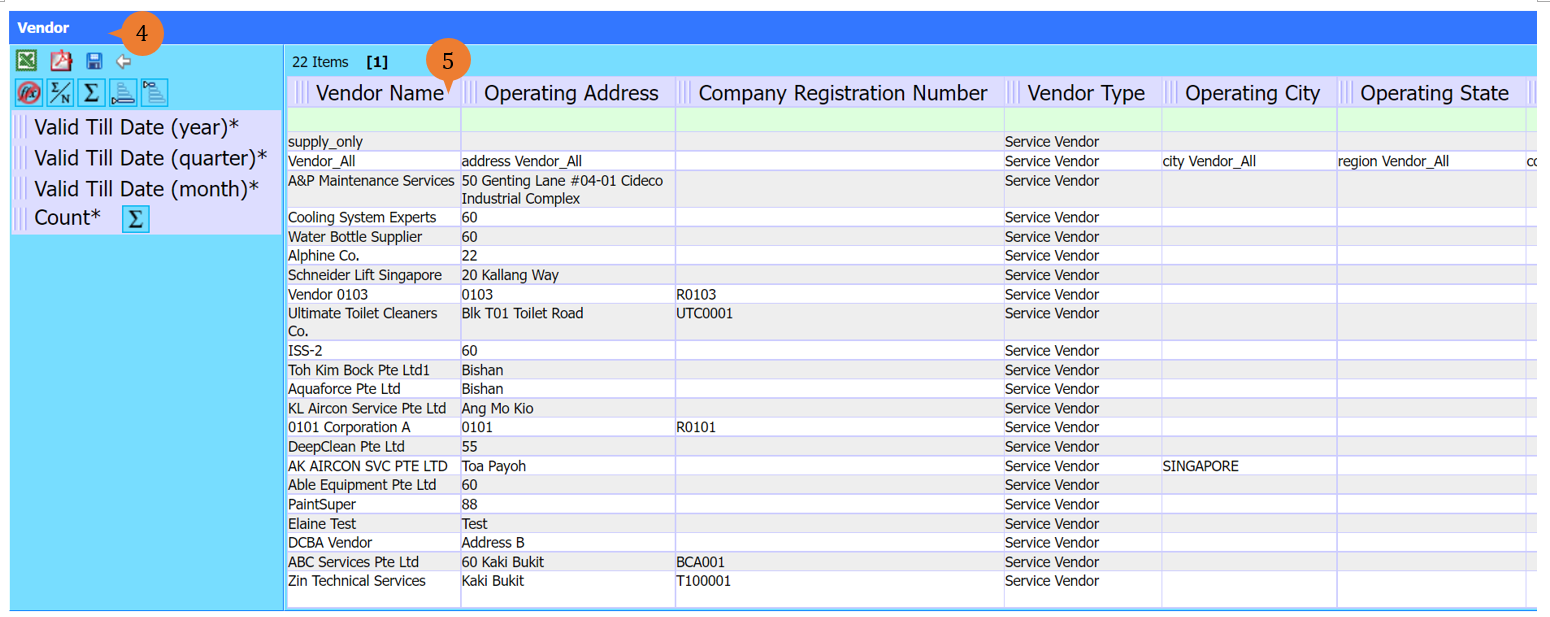
- A new tab will appear that contains the vendor report based on the search criteria.
- The report will entail the following:
- Vendor Name
- Operating Address
- Company Registration Number
- Vendor Type
- Operating City
- Operating State
- Operating Country
- Operating Postal Code
- Operating Email
- Operating URL
- Operating Phone
- Operating Fax
- Postal Address
- Postal City
- Postal State
- Postal Country
- Postal Code
- Postal Email
- Postal URL
- Postal Phone
- Postal Fax
- Regulatory Accreditation
- Approval Status
- Valid Till Date
More on this topic 
- For step-by-step guides to using the Reports module, see Reports Module.