How to Manage Property?
Jump to
How to add Organisation? 
The organisation can be the company that will be managing a portfolio of buildings.
To add Organisation
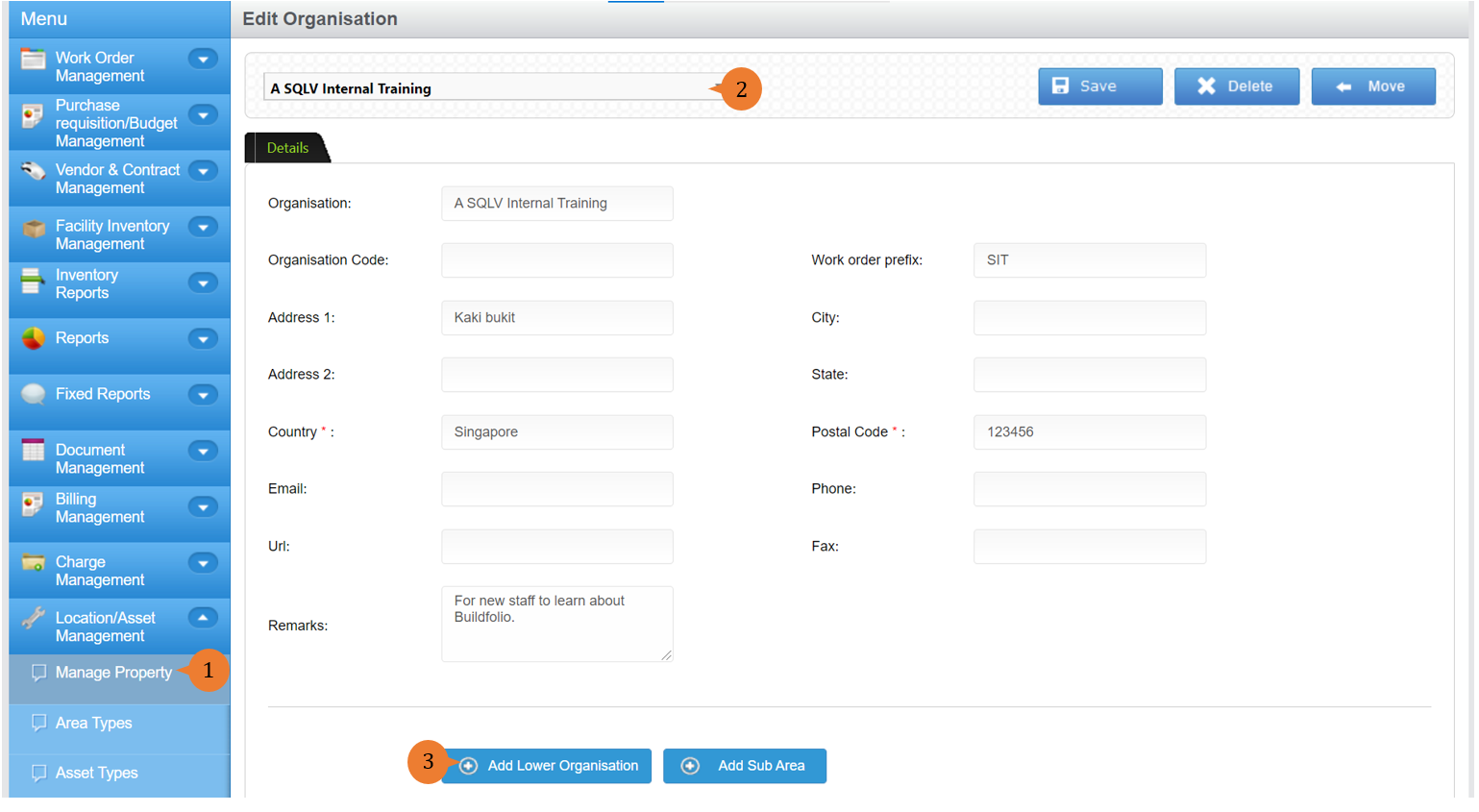
- Select Manage Property under Location/ Asset Management from the Menu.
- Select the location.
- To add lower organisation, click on the Add Lower Organisation button.
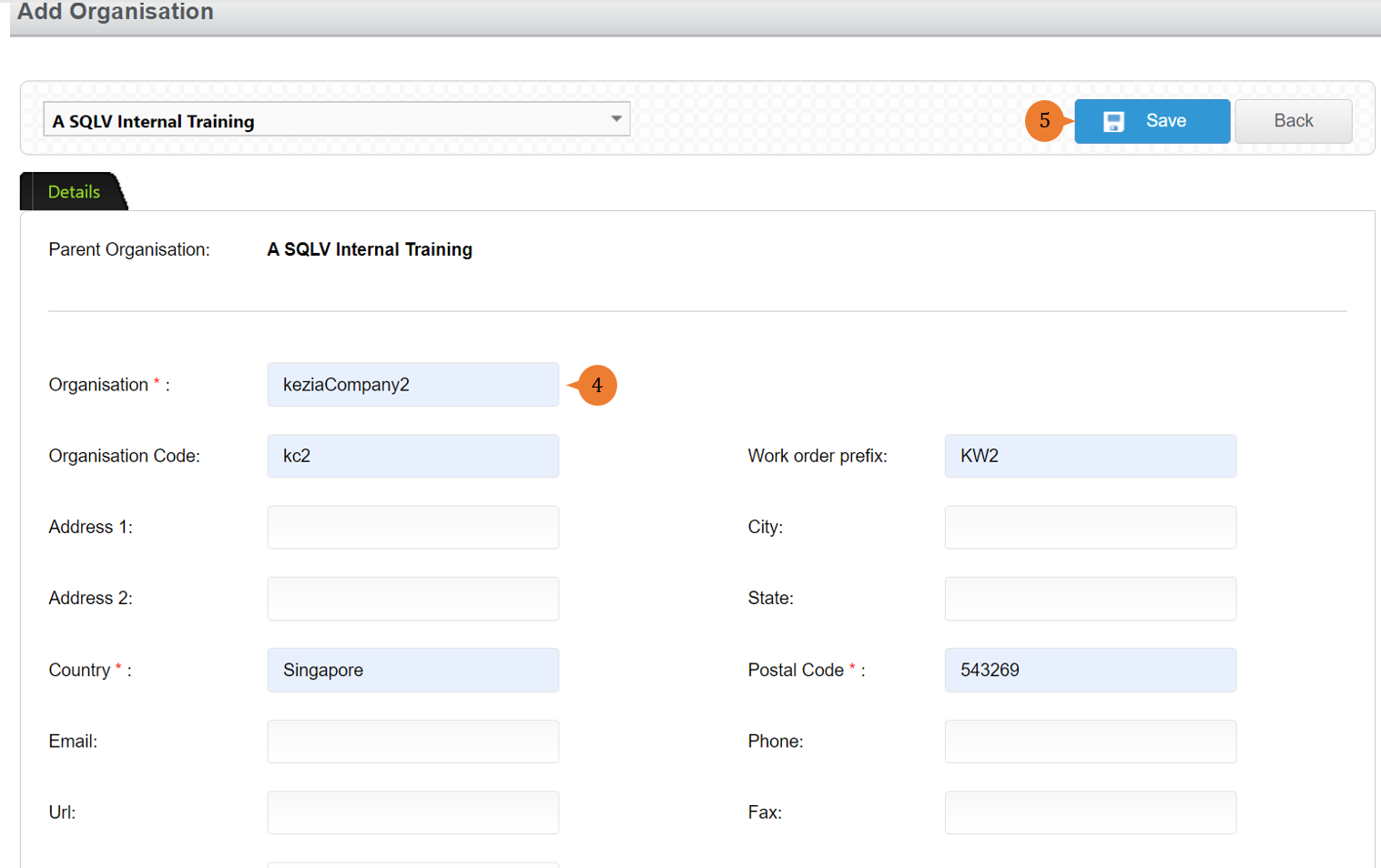
- Input all the * fields and the work order prefix.
- Click on the Save button.
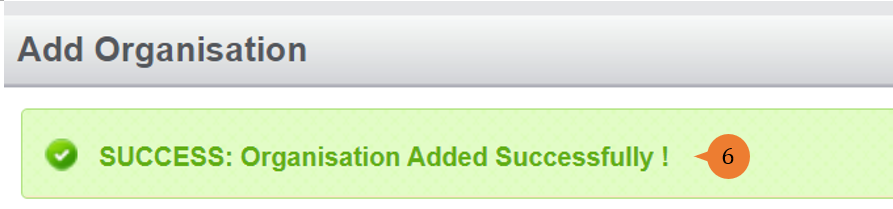
- When the Organisation is successfully added, a success message will appear below the page title
How to add Sub Area?
Sub Area to the organisation is all the building portfolios that the organisation managed.
To add Sub Area
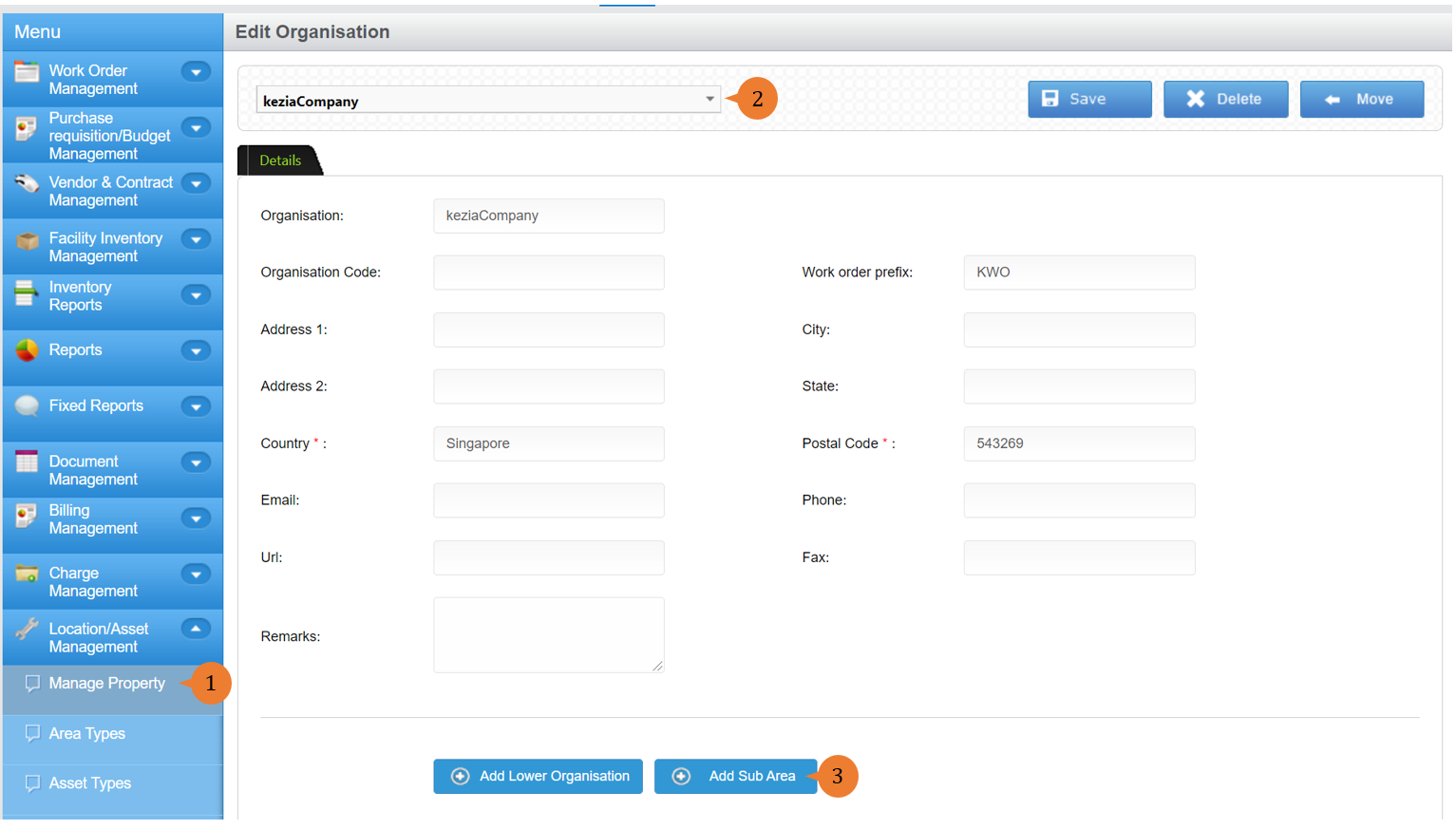
- Select Manage Property under Location/ Asset Management from the Menu.
- Select the organisation at the location field.
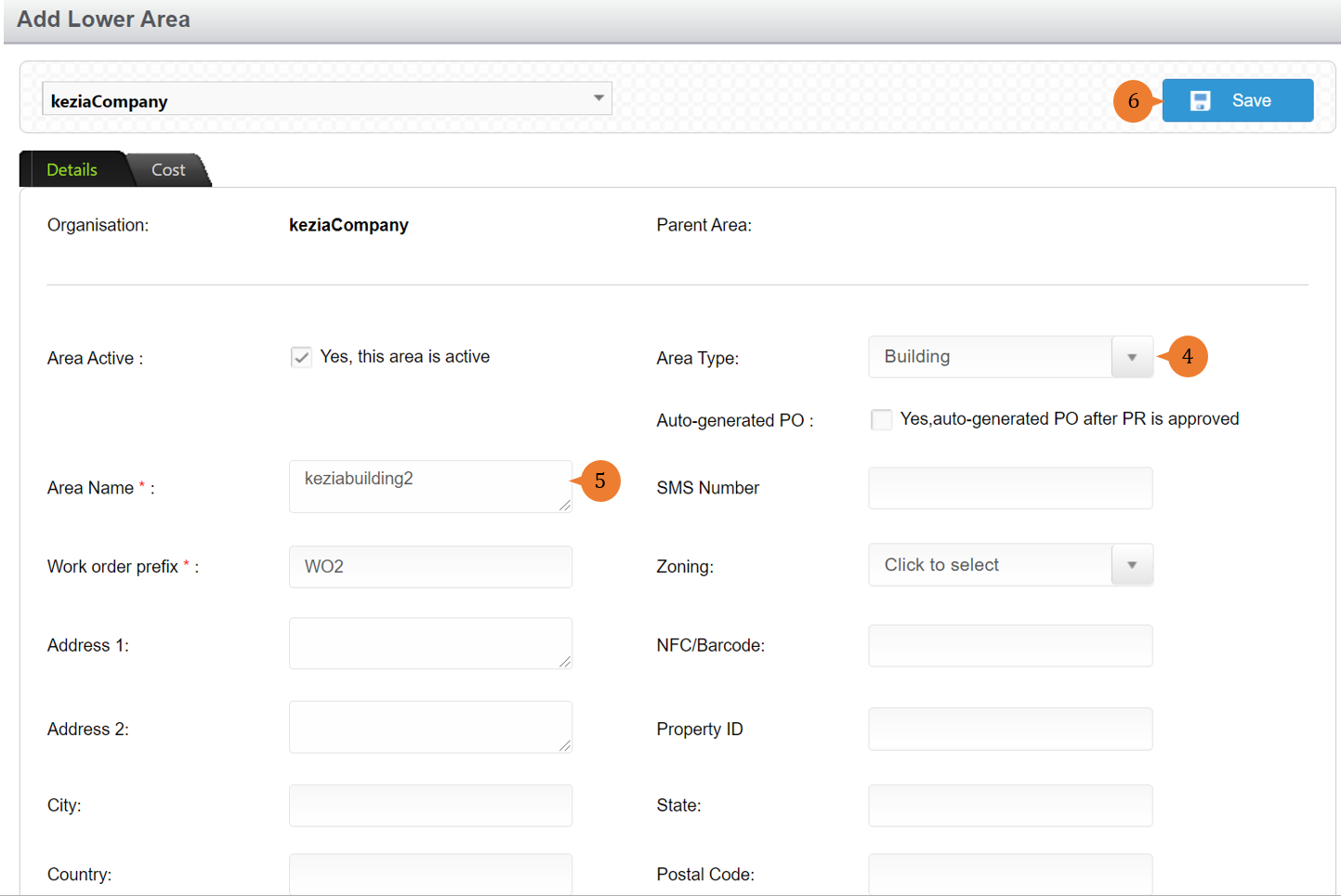
- To add a sub-area, click on the Add Sub-Area button.
- Select the Area Type to be Building.
- Input all the * fields.
- Click on the Save button.
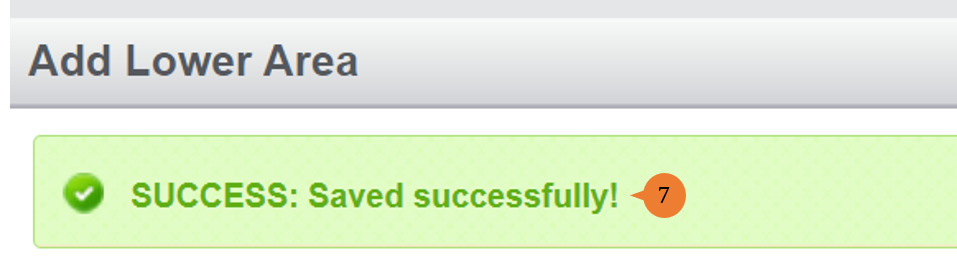
- When the Sub Area is successfully created, a success message will appear below the page title.
How to add Assets to Sub Area?
To add Assets to Sub Area
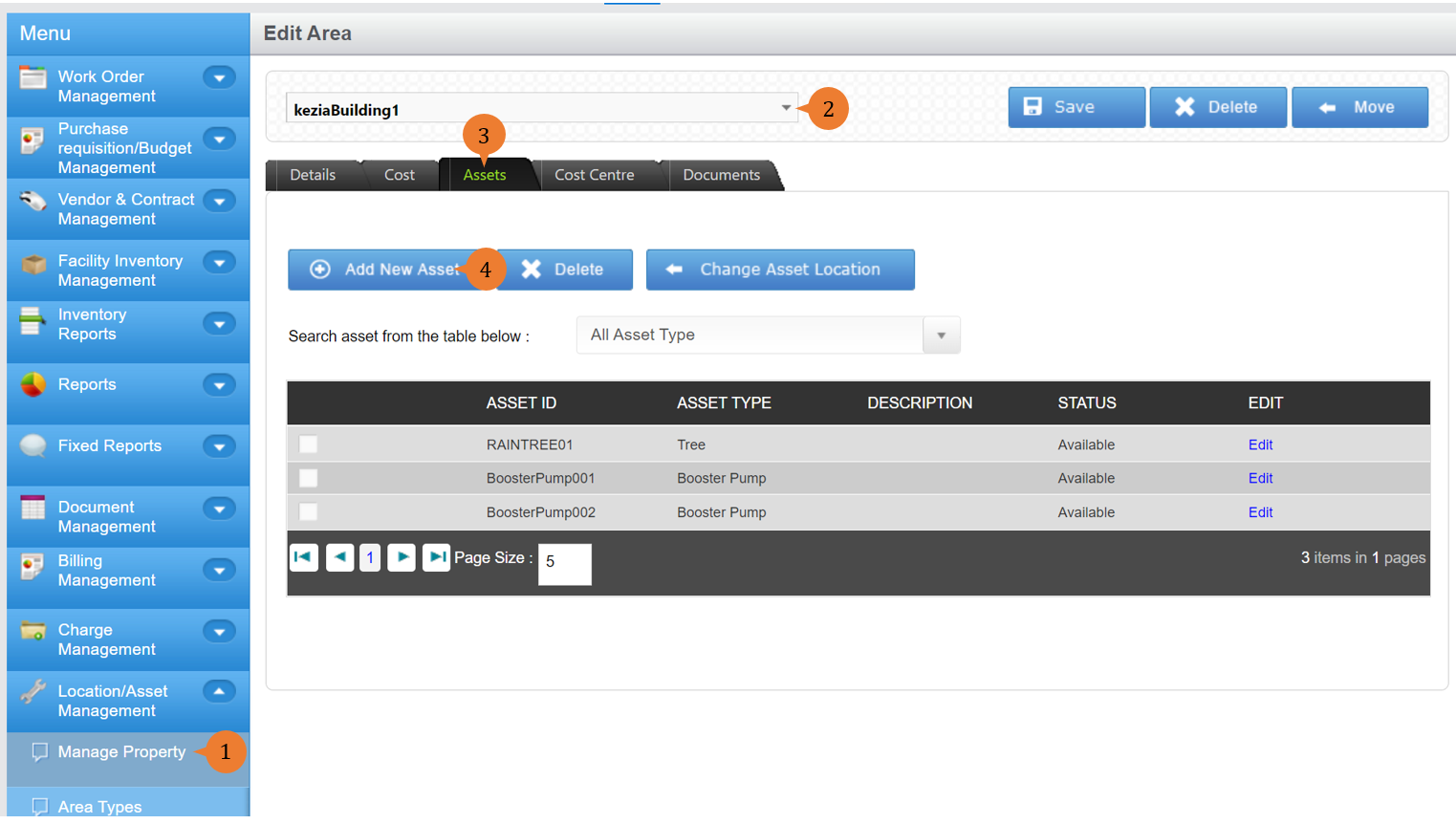
- Select Manage Property under Location/ Asset Management from the Menu.
- Select the building.
- To add assets to the building, click on the Assets tab.
- Click on the Add New Asset button.
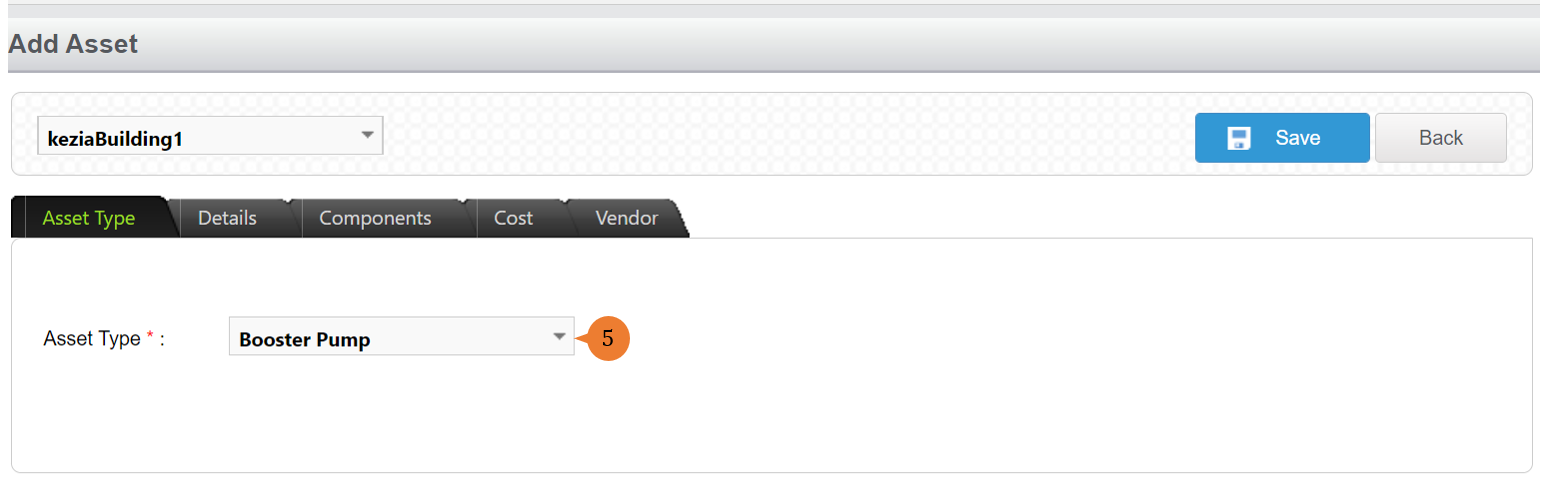
- Select the Asset Type in the Asset Type tab.
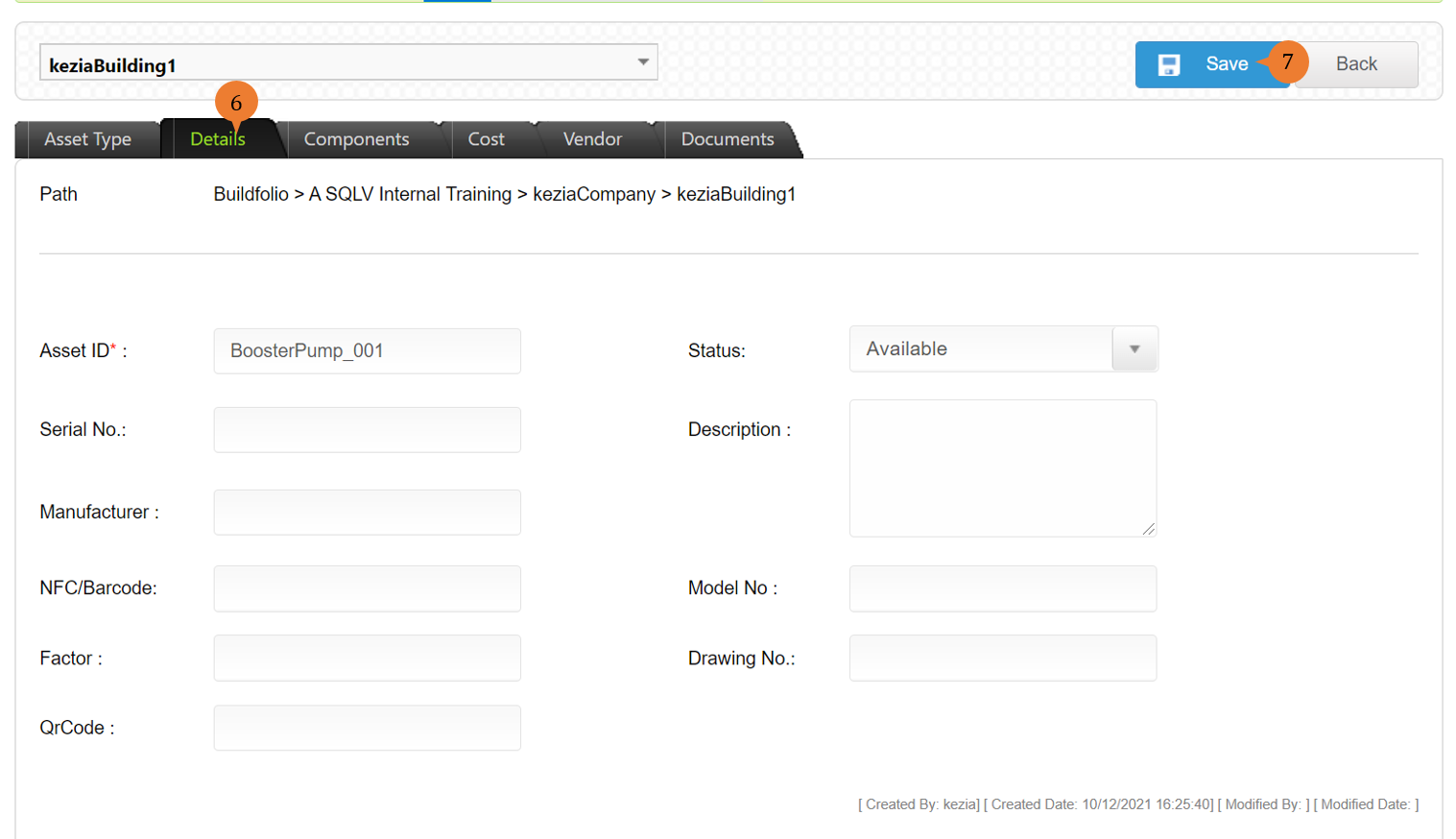
- Click on the Details page to input all the assets information with *. Proceed to other tabs to add in relevant information if necessary.
- Click on the Save button.
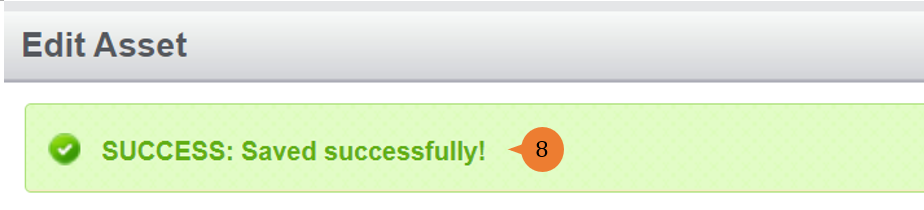
- When the Asset is successfully added, a success message will appear below the page title
More on this topic
- For step-by-step guides to using the Location/ Asset Management module, see Location/ Asset Management Module.