Generating Stock Movement Report
How to generate stock movement report?
Stock Movement Report will list out the stock quantity that goes in and out of the warehouse with the stock cost in-mind. This report is useful for both the procurement department and the facility manager to keep track of the stock quantity.
To generate stock movement report
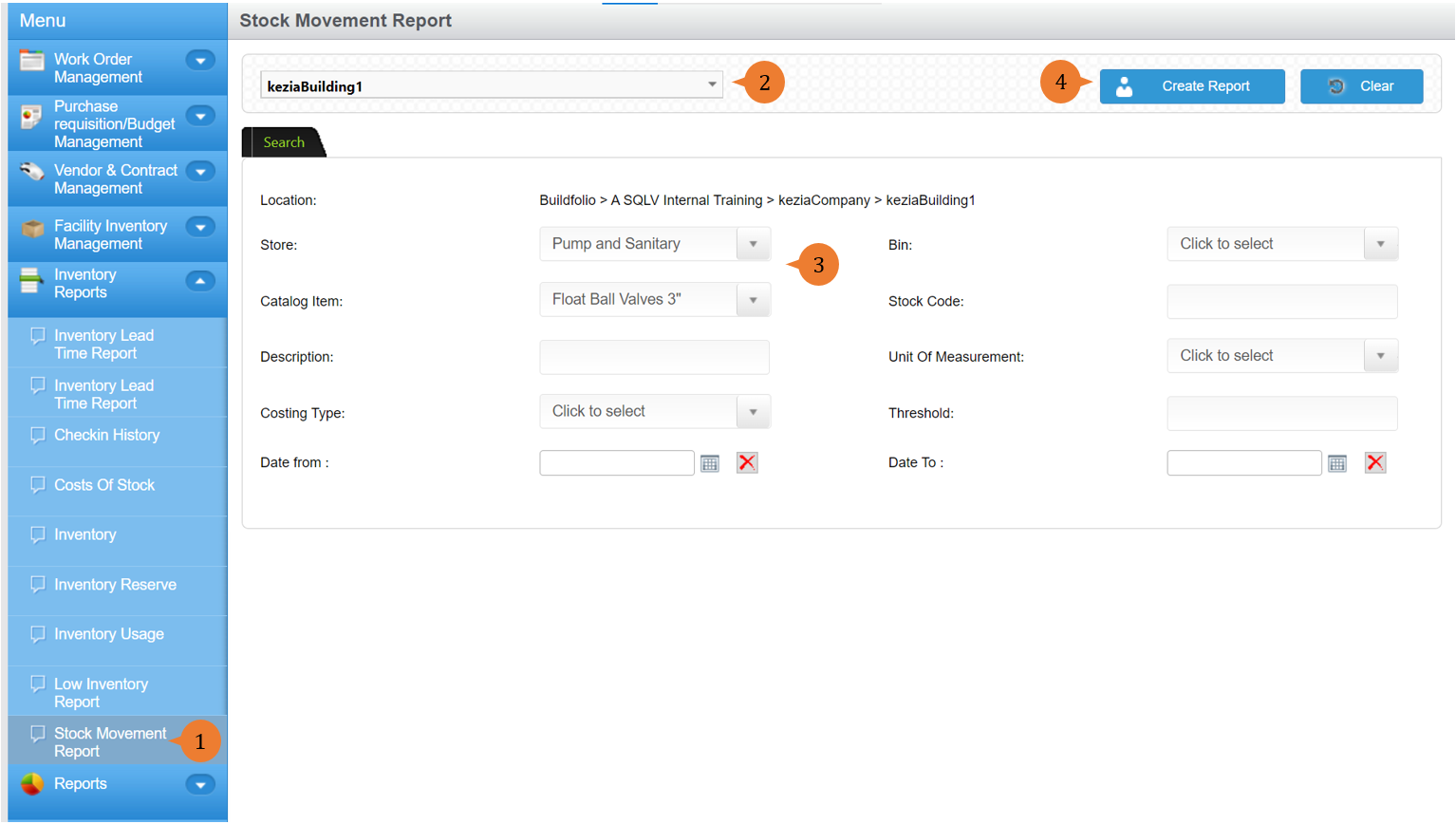
- Select Stock Movement Report under Inventory Reports from the Menu.
- Select the location that you wish to search the check-in history report for.
- Select the Store and item to limit the search results.
- Click on the Search button.
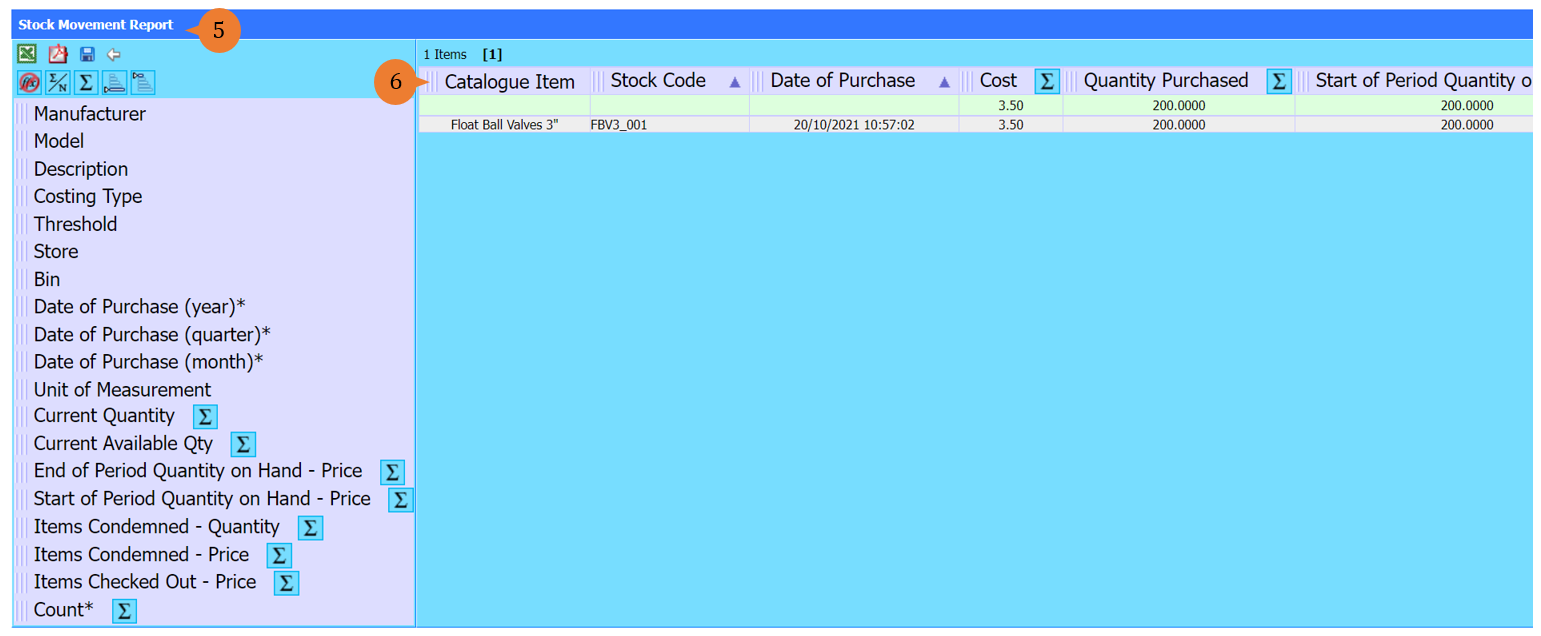
- A new tab will appear that contains the stock movement report based on the store selected.
- The report will entail the following:
- Catalog Item – The inventory stock name.
- Stock Code – The inventory stock code number.
- Date of Purchase – The date of the inventory stock item check-in into the store.
- Cost – The unit cost of the inventory stock item.
- Quantity Purchased – The quantity of the stock item being purchased.
- Start of Period Quantity on Hand – The total quantity of the stock item that is in the store at the start of the period.
- Checked Out Closed and Not Closed Quantity – The total quantity of the stock item that is already being or about to be used.
- Approved Condemned Quantity – The total quantity of the stock item that is being written off.
- Pending Condemned Quantity – The total quantity of the stock item that is pending written off.
- End of Period Quantity on Hand – The total quantity of the stock item that is in the store at the end of the period.
- Start of Period Available Quantity – The total quantity of the stock item that is available at the start of the period.
- Checked Out and Closed Quantity – The total quantity of the stock item that is being or about to be used.
- End of Period Available Quantity – The total quantity of the stock item that is available at the start of the period.
- Future Checked Out Quantity – The total quantity of the stock item that will be used for future work orders.
- Cancelled Quantity – The total quantity of the stock item reserved for cancelled work orders.
More on this topic 
- For step-by-step guides to using the Inventory Reports module, see Inventory Reports Module.