How to view stocktake?
How to view Stocktake?
Stocktake is usually done on a half-yearly basis to account for all the inventory items. It is usually created by the Procurement department.
To perform a stock take
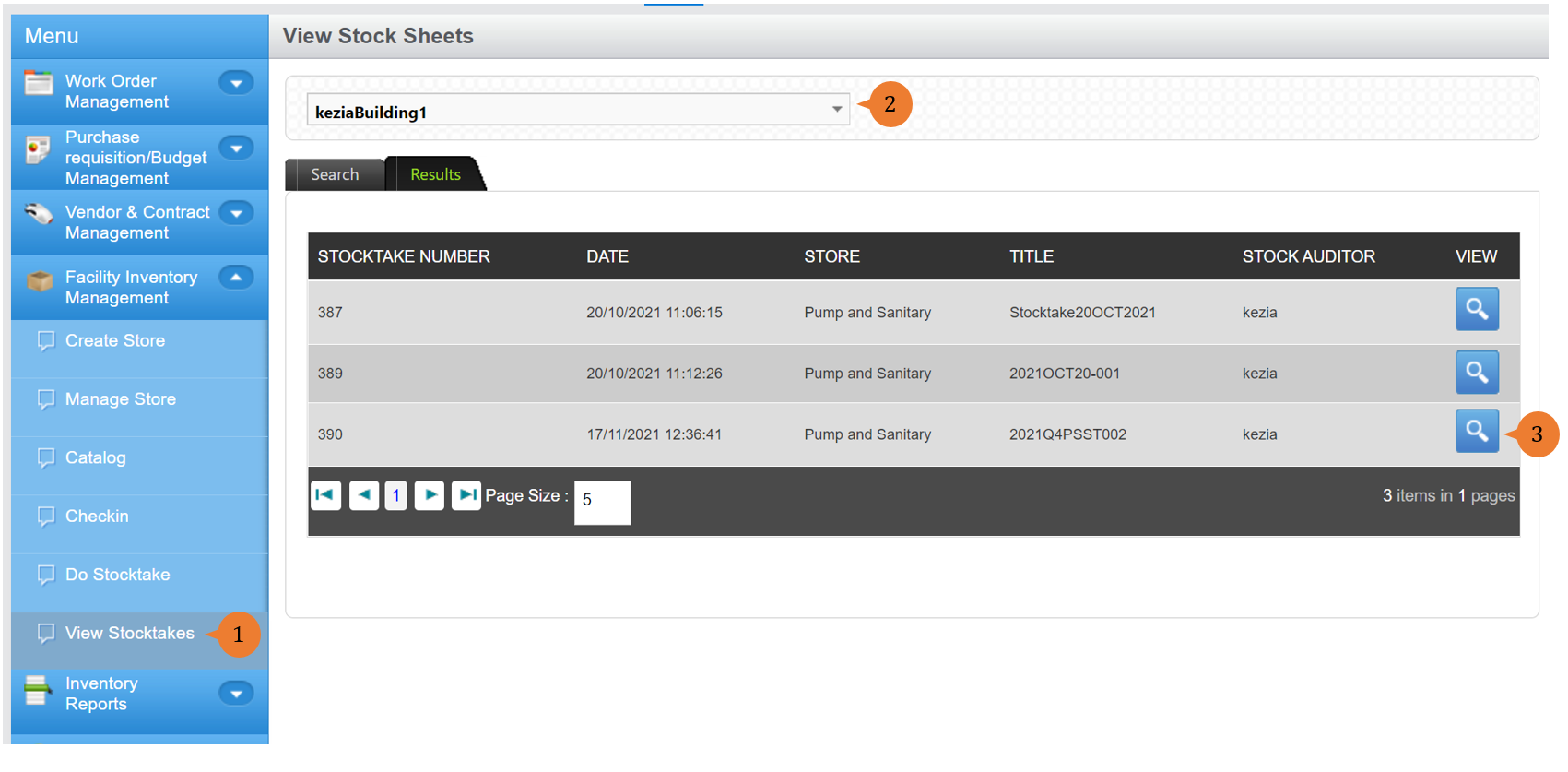
- Select View Stocktakes under Facility Inventory Management from the Menu.
- Select the location in Choose a location that you wish to create a store in.
- To view the stocktake record, click on the View button.
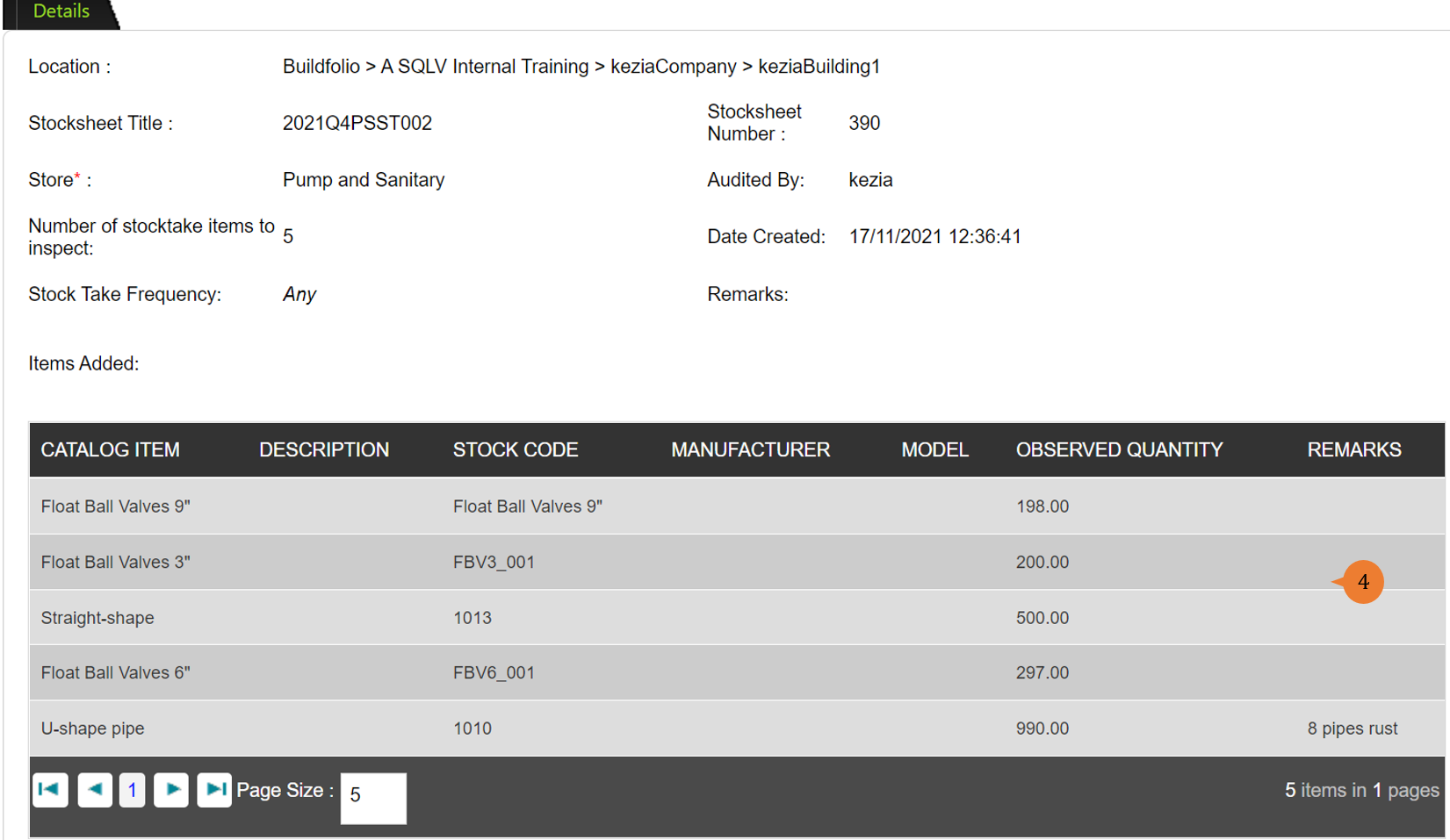
- To view the stocktake details of the observed quantity and remarks and also the stocktake information.
More on this topic 
- For a step-by-step guide to do stocktake, see How to do stocktake?.
- For a step-by-step guide to condemn inventory items, see How to condemn inventory items?.
- For step-by-step guides to using the Facility Inventory Management module, see Facility Inventory Management Module.