How to manage Credit Notes?
How to manage Credit Notes? 
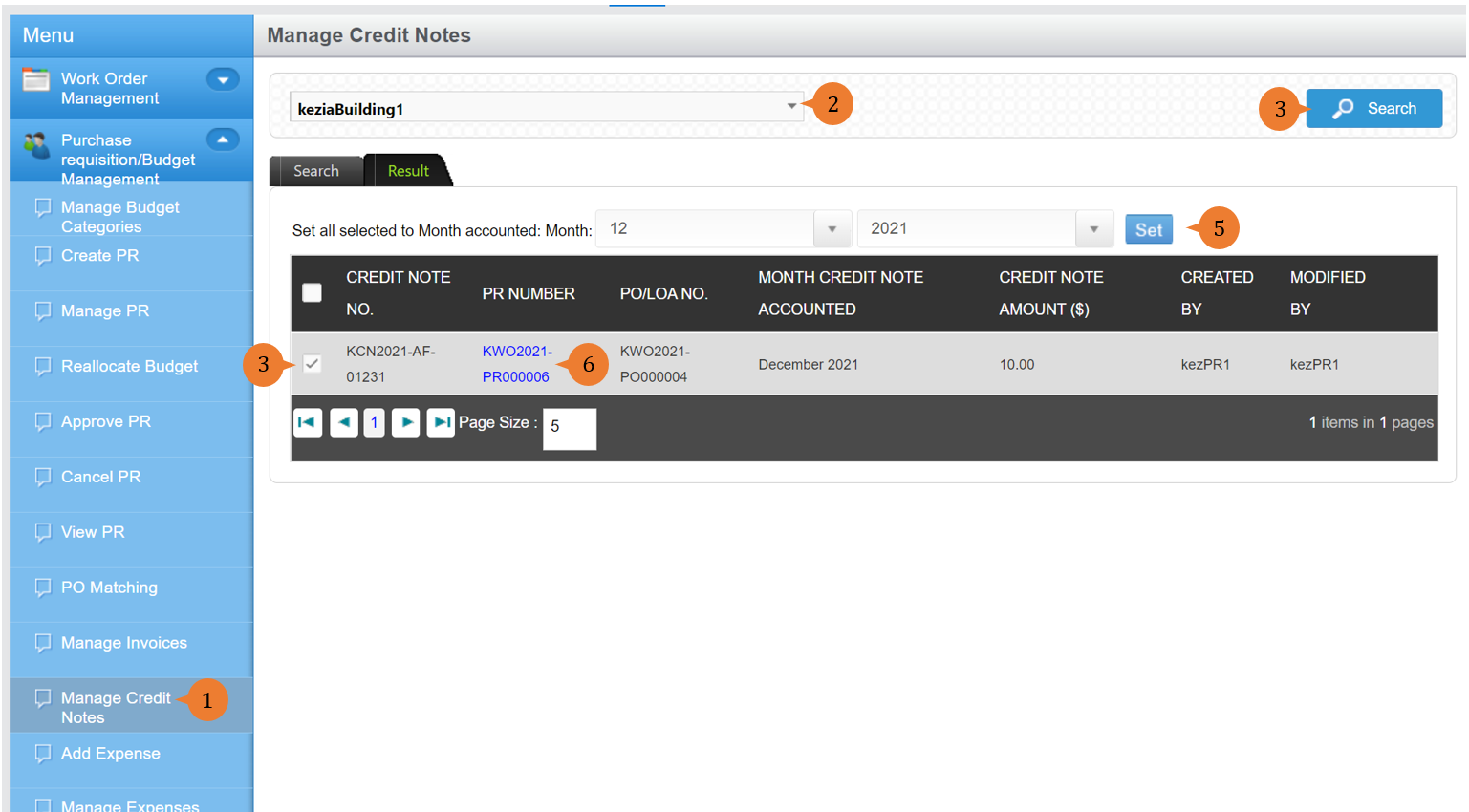
Manage Credit Notes is for users to assign a credit note to a future month if required for accounting purposes.
To manage credit notes
- Select Manage Credit Notes under Purchase requisition/Budget Management from the Menu.
- Select the location.
- Click on the Search button for the list of PR with credit notes to appear in the table.
- Select the Credit Note No. by ticking the check box.
- Set the Month and Year and click on the Set button that this record will be posted to.
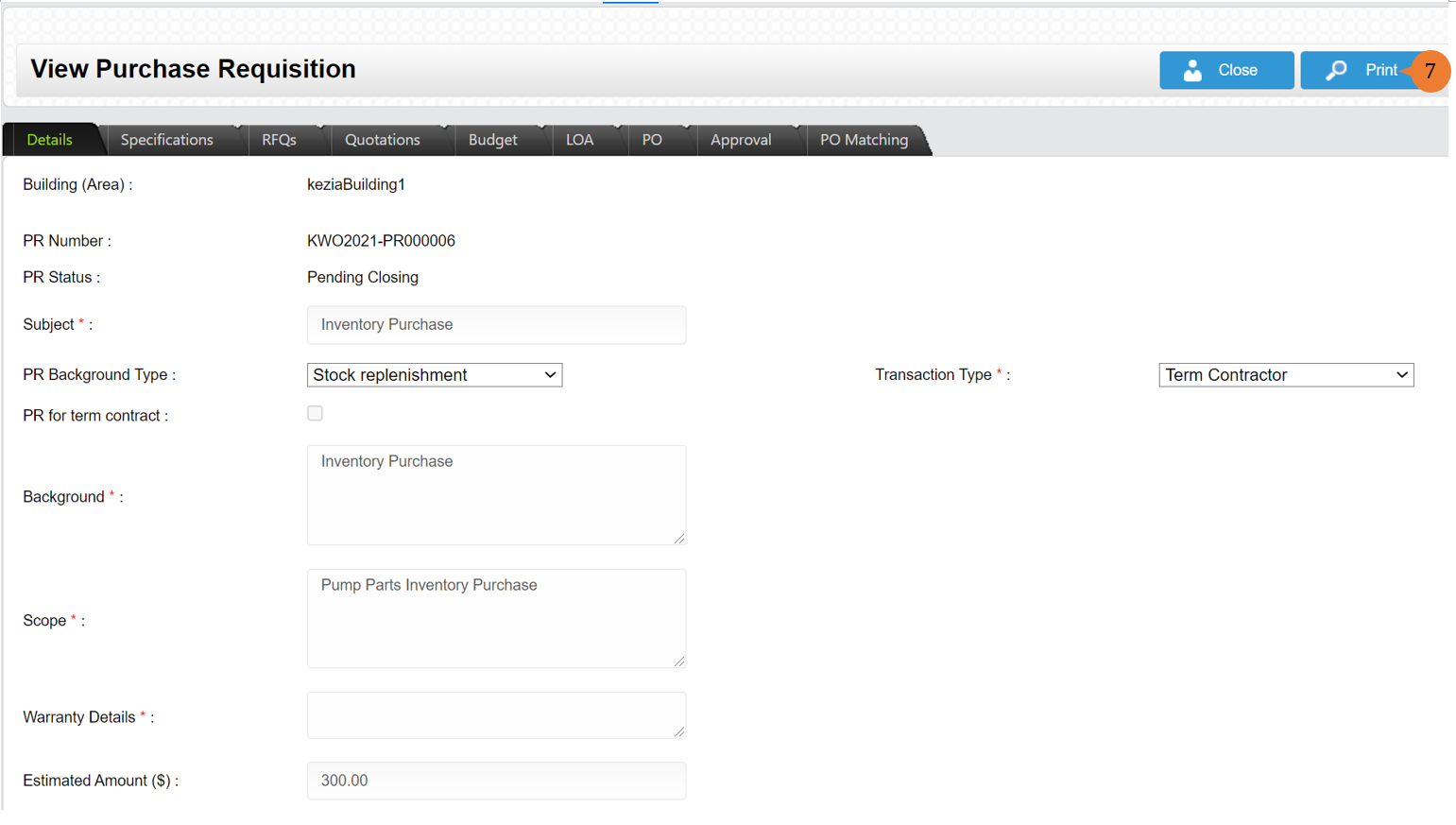
- Click on the PR Number that you will wish to view in detail.
- You can print the Purchase Requisition by clicking on the Print button.
More on this topic
- For step-by-step guides to using Purchase Requisition/Budget Management module, see Purchase Requisition/Budget Management Module.