Generating PM Programme Report
How to generate PM programme report?
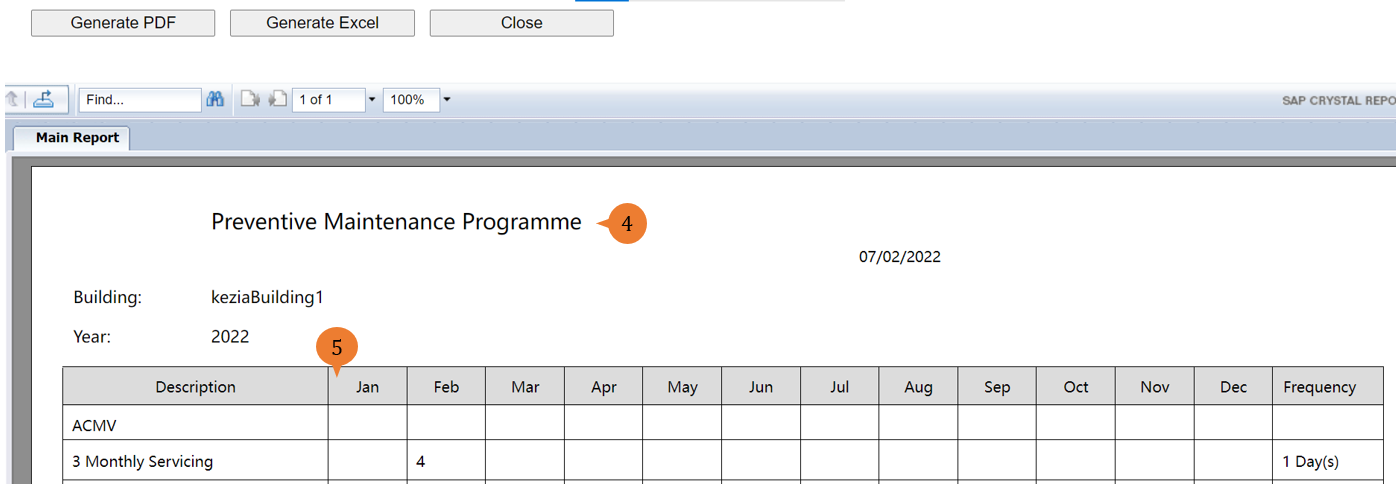
PM Programme Report will show the count of preventive maintenance schedule jobs for the month based on your chosen building and year.
To generate PM programme report
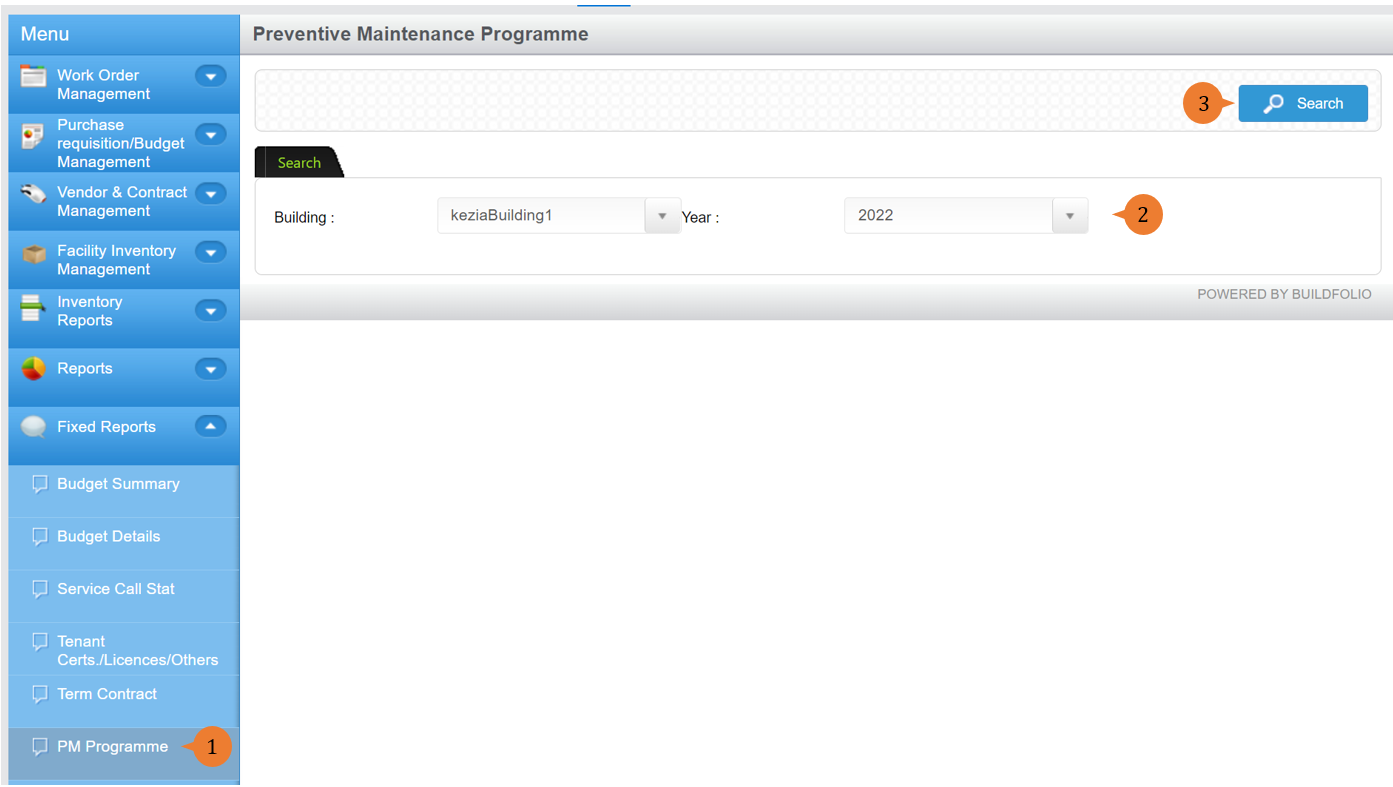
- Select PM Programme under Fixed Report from the Menu.
- Select the building and the year.
- Click on the Search button.
- A new tab will appear that contains the PM Programme report based on the search criteria.
- The report will entail the following:
- Description – Description of the Preventive Maintenance Schedule job.
- Frequency – The number of occurrences for this preventive maintenance schedule job.
More on this topic 
- For step-by-step guides to using the Fixed Reports module, see Fixed Reports Module.