How to Add Tenant?
Jump to
How to add Tenant? 
To add Tenant
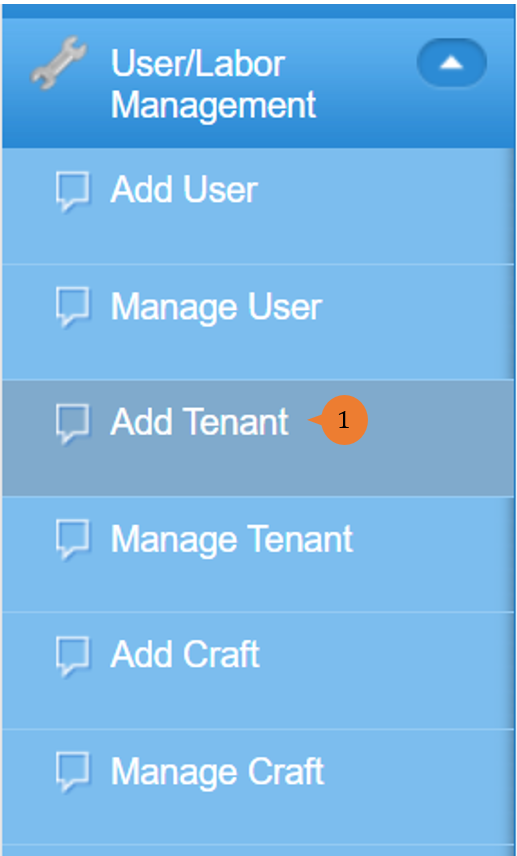
- Select Add Tenant under User/Labour Management from the Menu.
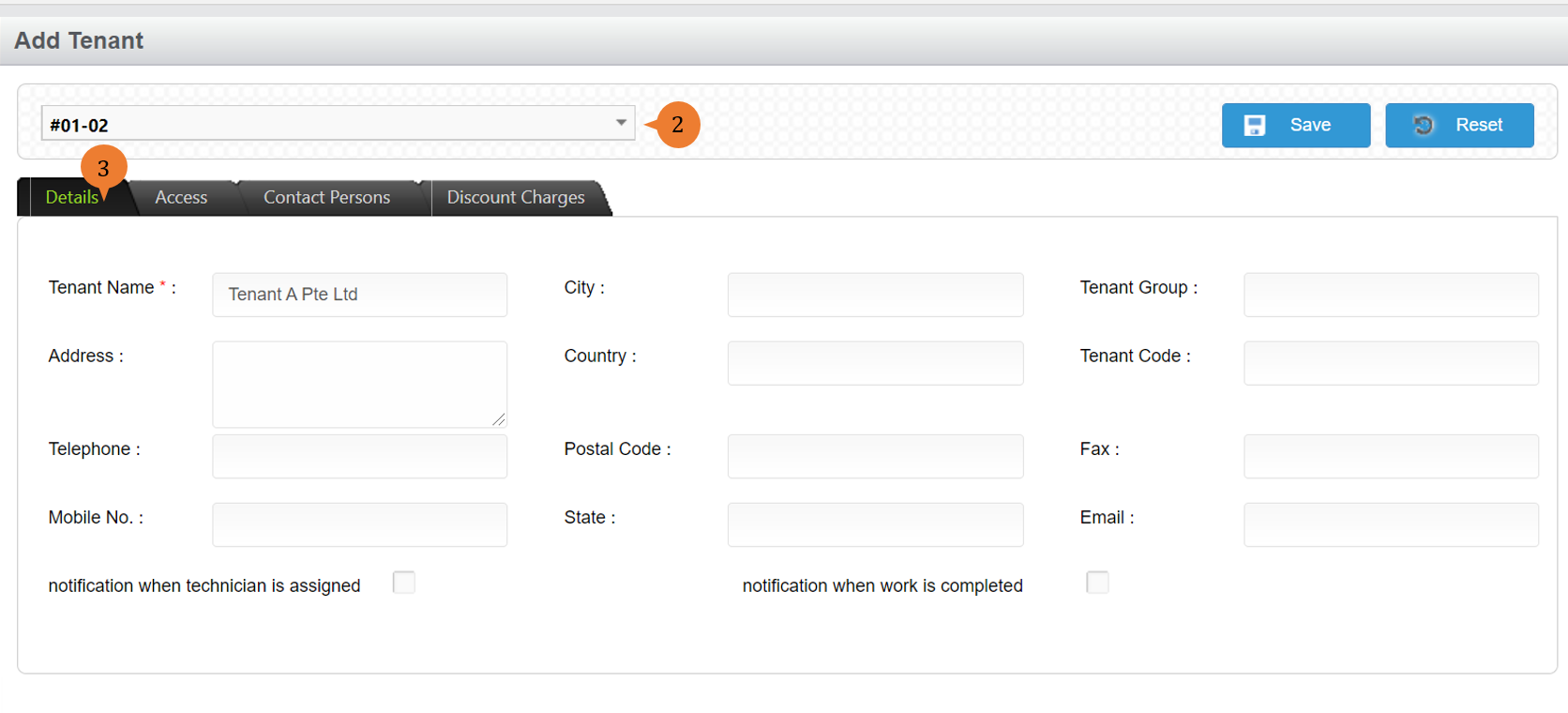
- Select the unit number in the location..
- In the Details page, input the * field and other information of the tenant.
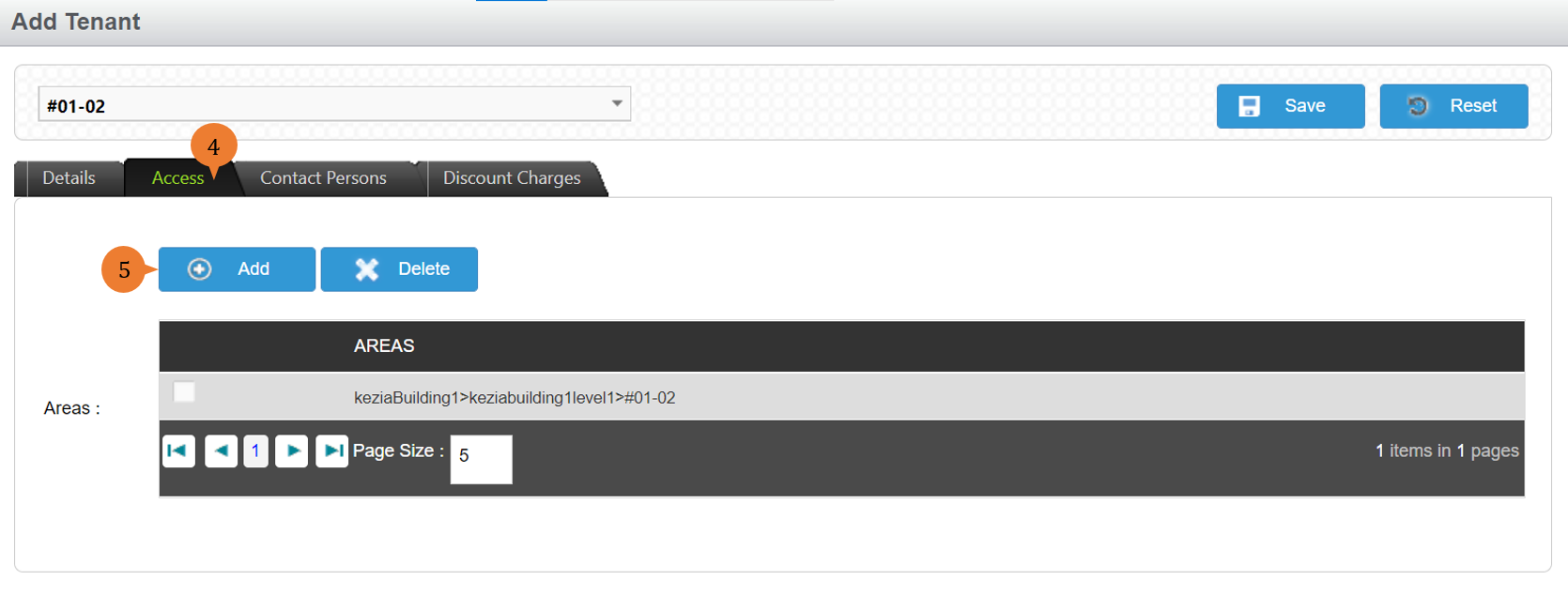
- Click on the Access tab.
- To add the unit number to this tenant, click on the Add button.
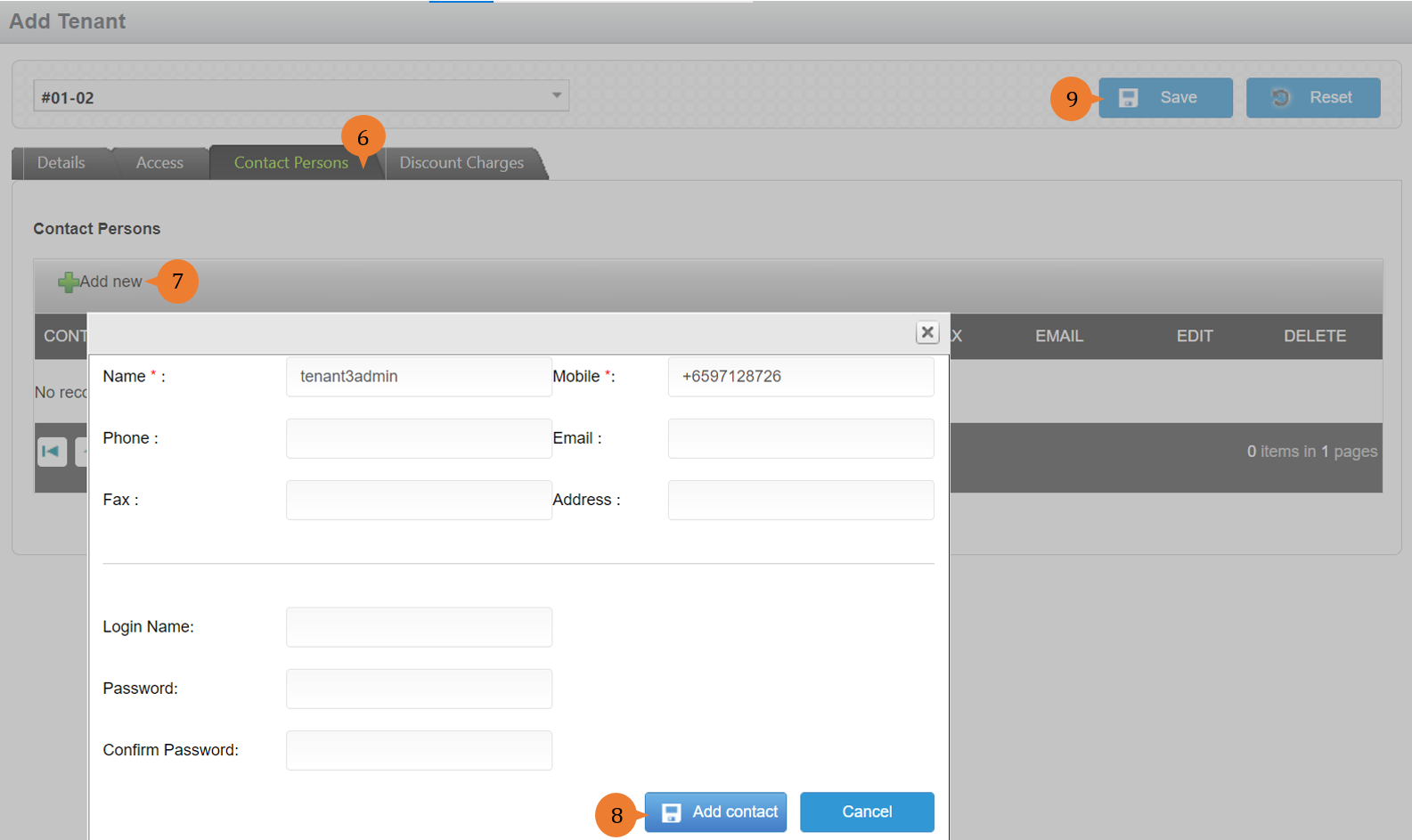
- To add Contact Persons, go to Contact Persons tab.
- Click on the Add New button.
- Input the * Fields. If you would like to give system access, fill in Login Name and Password fields. Click on the Add Contact button.
- Once done, click on the Save button to save all the data entered for the new Tenant.
More on this topic
- For step-by-step guides to managing tenants, see How to manage Tenant?.
- For step-by-step guides to using the User/Labour Management module, see User/Labour Management Module.