How to Add Checklist?
How to add Checklist? 
The checklist is created as a guideline for scheduled maintenance for the technicians to ensure that all the necessary checks are being carried out.
To add Checklist
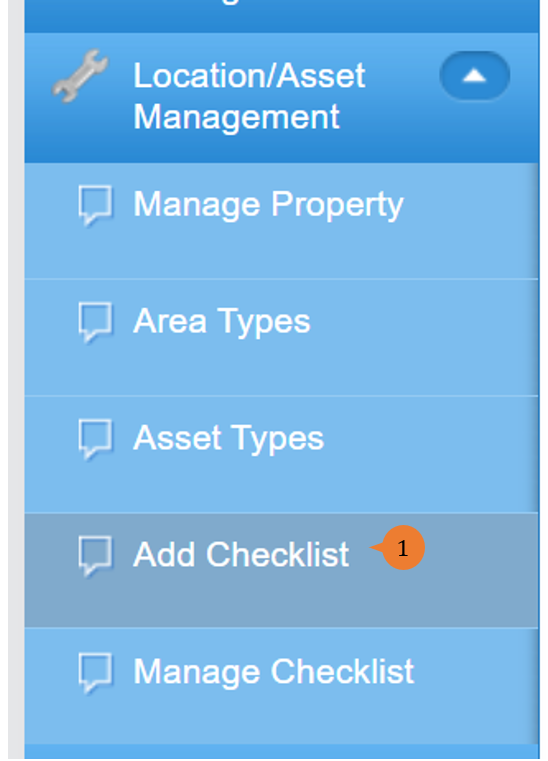
- Select Add Checklist under Location/ Asset Management from the Menu.
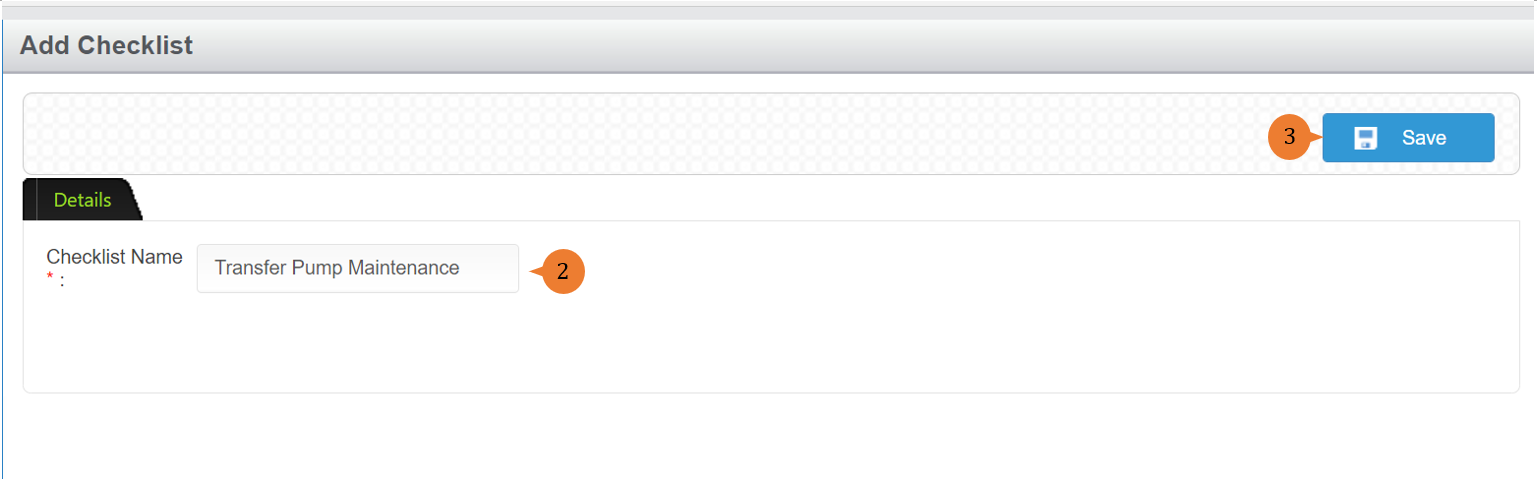
- Input the Checklist Name.
- Click on the Save button.
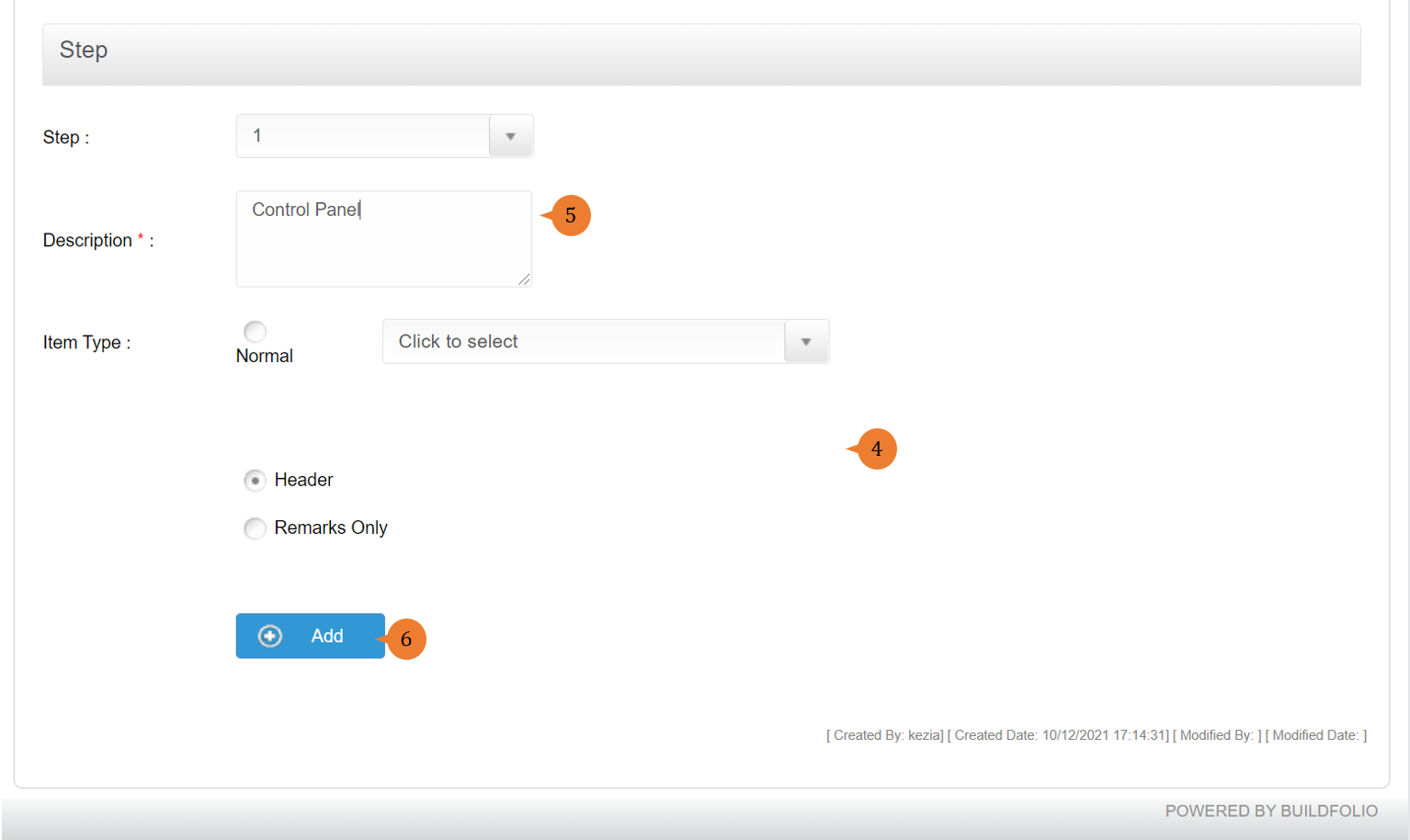
- To add checklist detail, go to the Step section, choose the item type. If the item type is normal, do select the type of question format.
- Input the description.
- Click on the Add button.
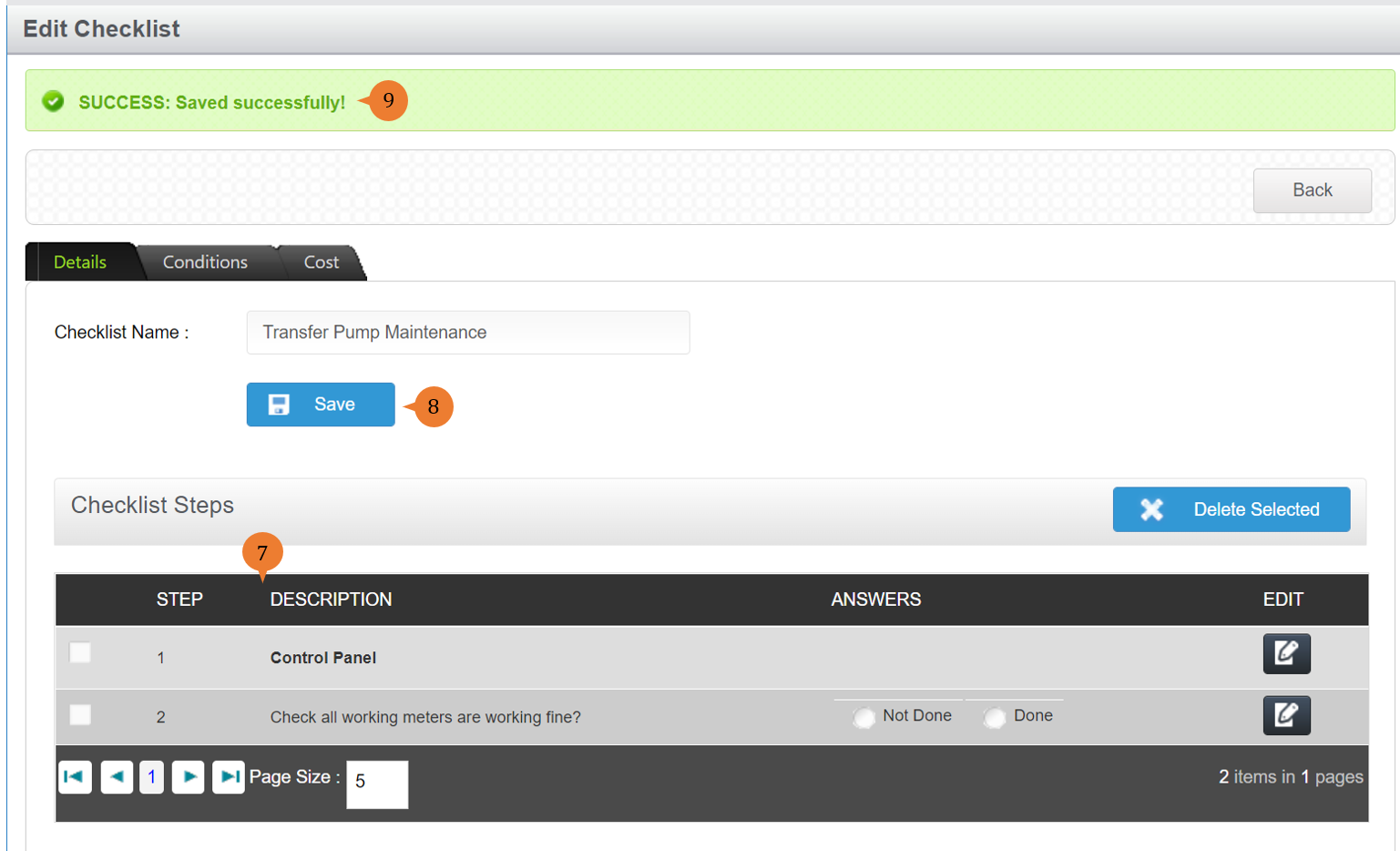
- Once the question is successfully added, it will appear in the Checklist Steps section.
- Continue to do so till the whole checklist is complete, click on Save to create the checklist.
- When the checklist is successfully added, a success message will appear below the page title
More on this topic
-
- For step-by-step guides to managing checklist, see How to manage checklist?.
- For step-by-step guides to using the Location/ Asset Management module, see Location/ Asset Management Module.