Generating Term Contract Report
How to generate term contract report?
Term contract Report will show the list of term contracts and its information in the system regarding to the building chosen such as the contract start date, end date, contract price etc.
To generate term contract report
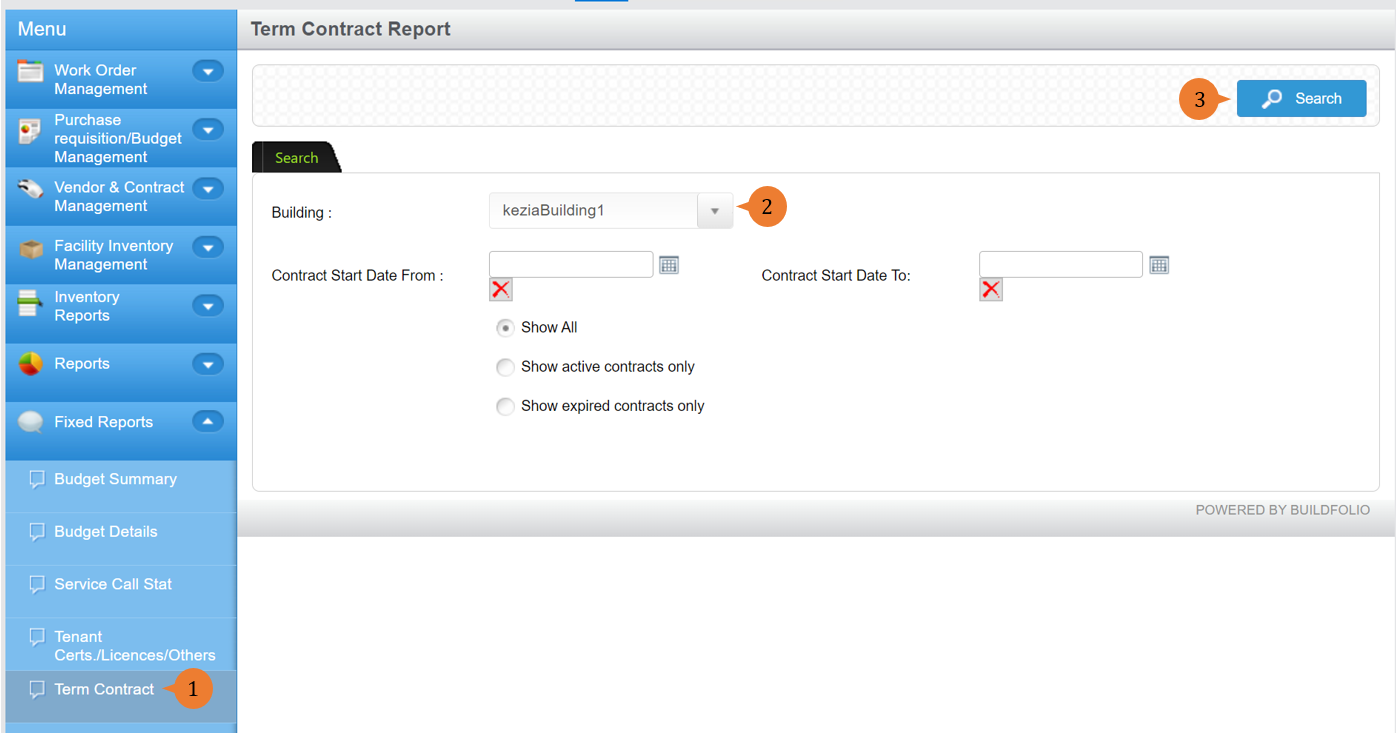
- Select Term Contract under Fixed Report from the Menu.
- Select the building and input any other search criteria.
- Click on the Search button.
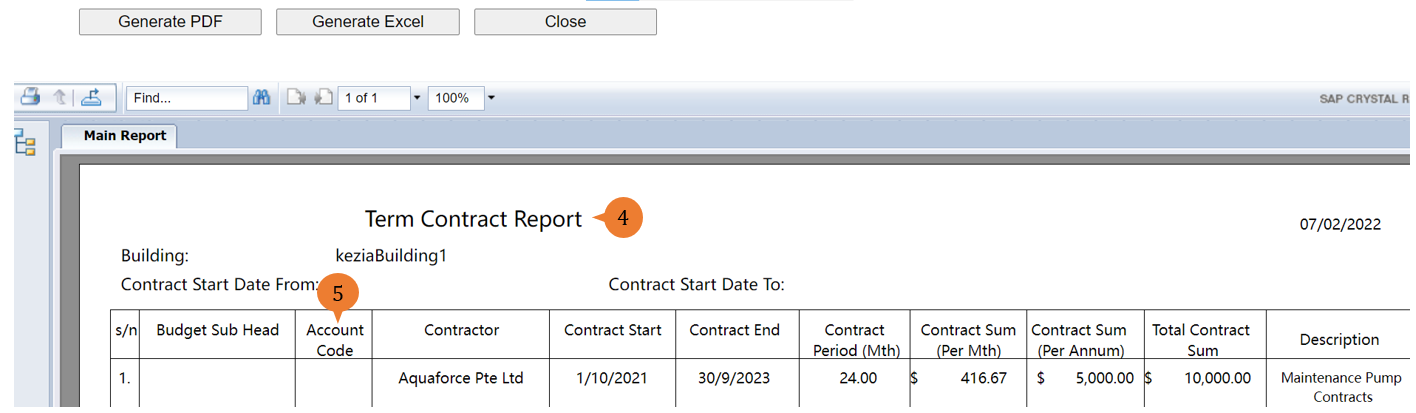
- A new tab will appear that contains the Term Contract report based on the search criteria.
- The report will entail the following:
- S/N – Sequential number for the list of term contract record it has
- Budget Sub Head – The budget category that this term contract belongs to.
- Account Code – The account code that this term contract will be using.
- Contractor – The contractor’s name that will be providing the products or services for this term contract.
- Contract Start – The start date of this term contract.
- Contract End – The end date of this term contract.
- Contract Period (Mth) – The total number of months for the contract period derived from the start and end date.
- Contract Sum (Per Mth) – The payment for this term contract on a monthly basis. This amount is derived from the total contract sum divided by the contract period.
- Contract Sum (Per Annum) – The payment for this term contract on a yearly basis. This amount is derived from the total contract sum divided by the number of years.
- Total Contract Sum – The total sum payable to the contractor for this term contract.
- Description – The description to illustrate what is the use of this term contract.
More on this topic 
- For step-by-step guides to using the Fixed Reports module, see Fixed Reports Module.