Generating Asset Report
How to generate asset report?
Asset Report will show the list of assets in the location chosen with its metadata such as model no, purchase date, warranty date and so on.
To generate an asset report
- Select Asset under Report from the Menu.
- Select the location that you wish to search for.
- Click on the Search button.
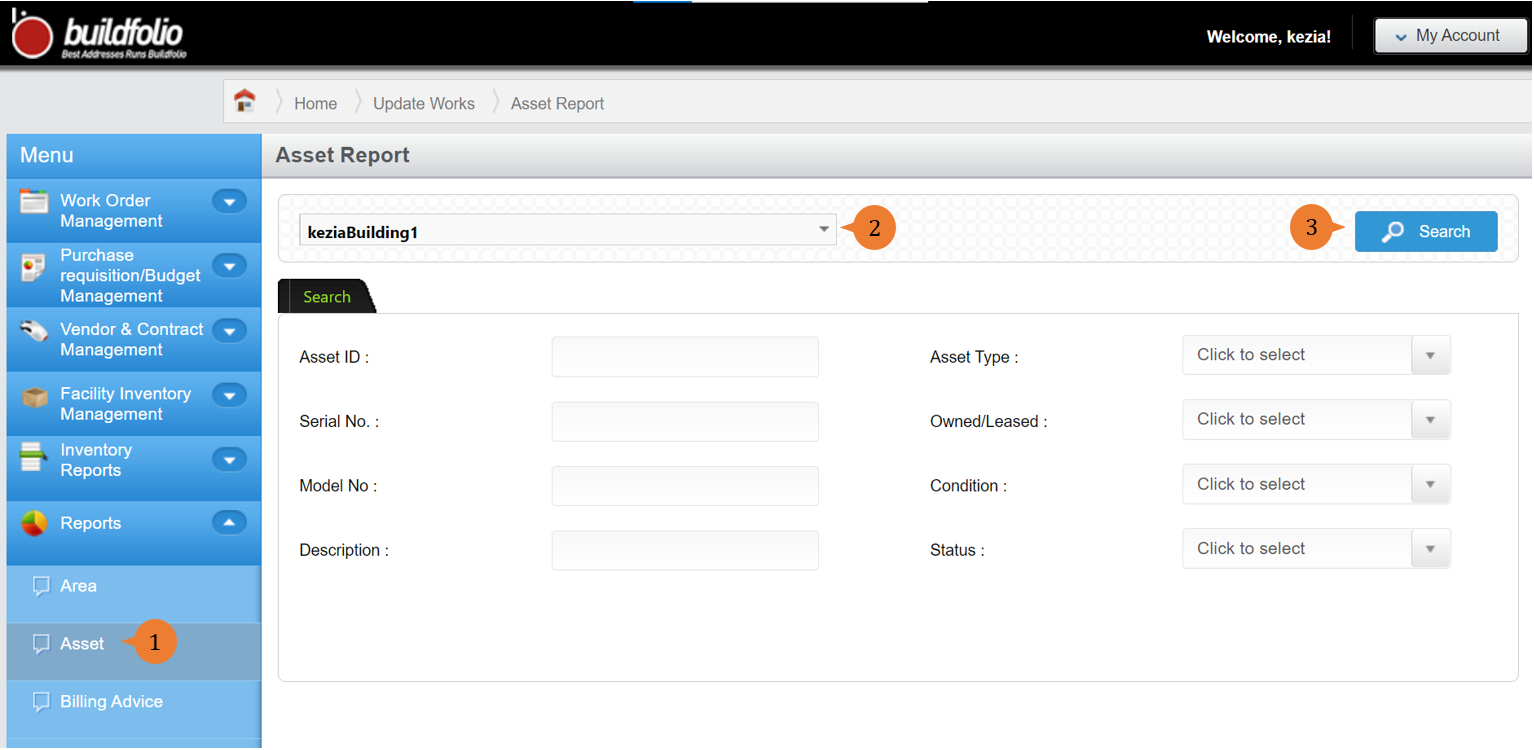
- A new tab will appear that contains the asset report based on the search criteria.
- The report will entail the following:
- Asset ID
- SerialNo
- Description
- ModelNo
- AssetType
- AssetCondition
- PurchaseDate
- PurchasePrice
- WarrantyExpiryDate
- LeaseStartDate
- LeaseEndDate
- AssetStatus
- Area
- SupplierName
- Manufacturer
- Depreciation
- Capacity
- LifeSpan
- Within/Exceeded Lifespan
- Ownership

More on this topic 
- For step-by-step guides to using the Reports module, see Reports Module.