How to reallocate Budget?
How to reallocate Budget? 
Budget re-allocation is usually performed by the Facility Manager to re-allocate funds from one category to another or from one sub-category to another. The reallocation of funds can also be from one sub-category to another in the same category.
To reallocate Budget
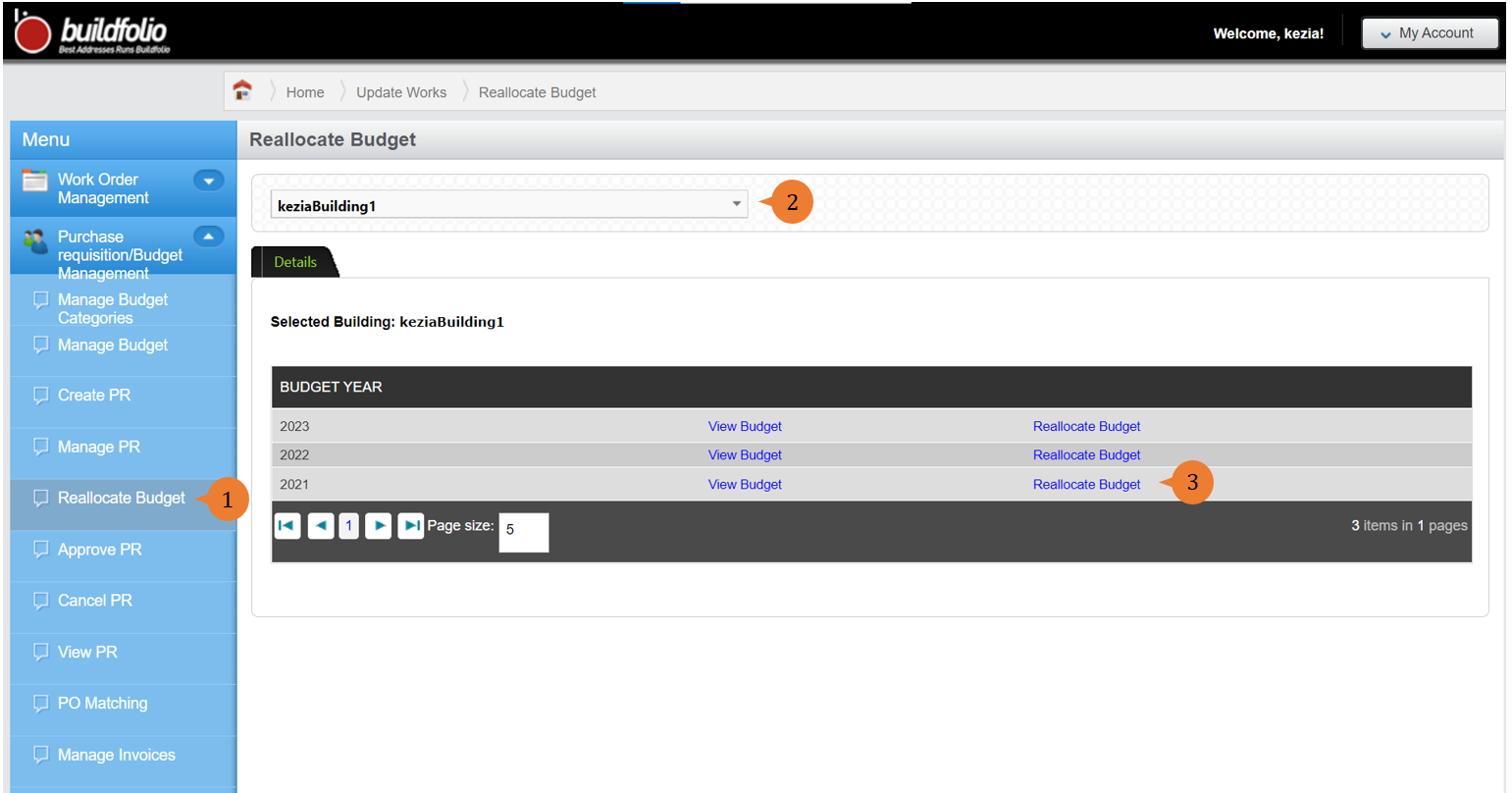
- Select Reallocate Budget under Purchase requisition/Budget Management from the Menu.
- Select the location that you wish to create a budget category for.
- To reallocate the budget, click Reallocate Budget.
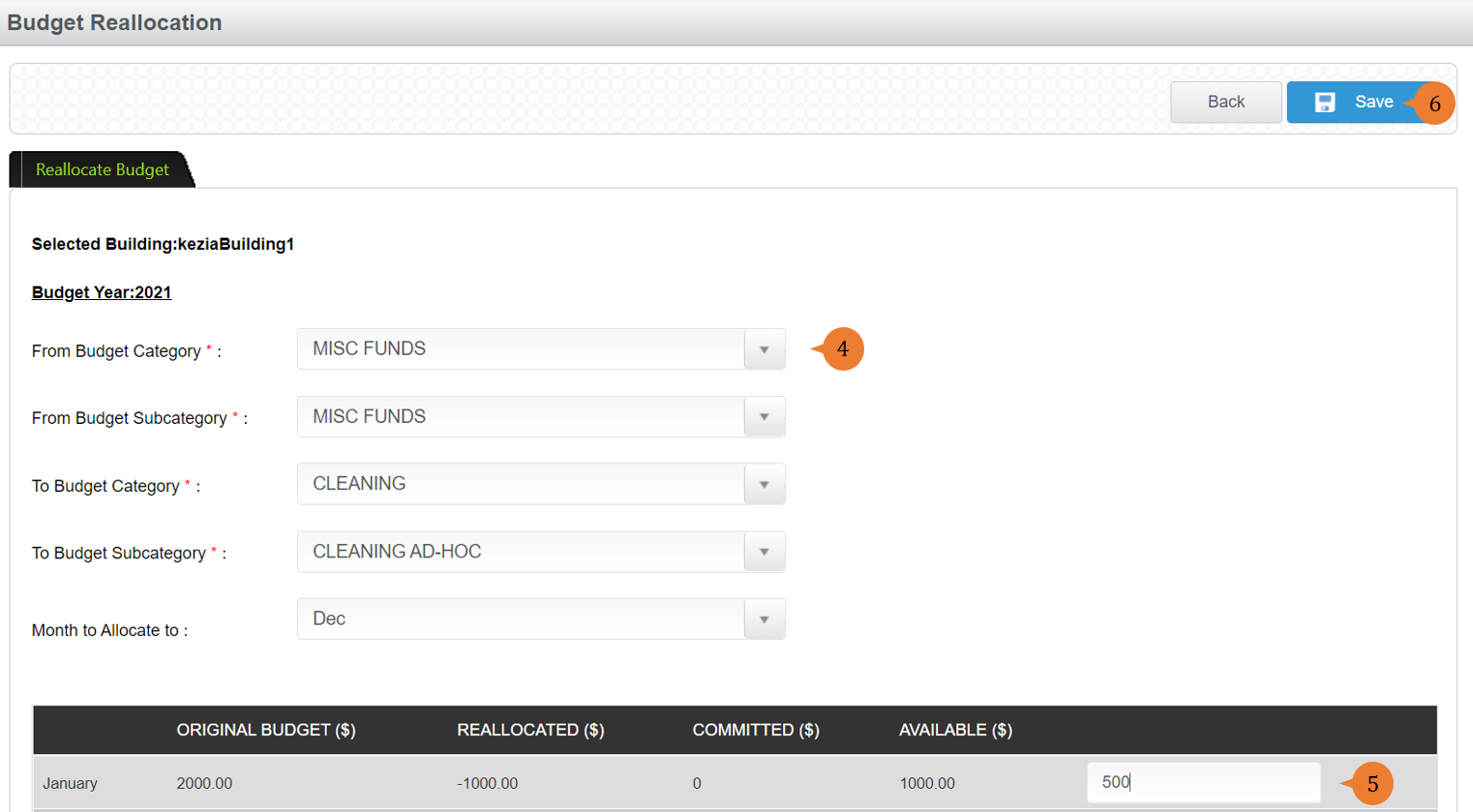
- Select all the * fields for the budget to show.
- Input the figure that you wish to re-allocate.
- To proceed with the reallocation, click on the Save button.
- When the Budget is successfully reallocated, a success message will appear below the page title

More on this topic
- For a step-by-step guide to add expenses, see How to add expenses?.
- For step-by-step guides to using Purchase Requisition/Budget Management module, see Purchase Requisition/Budget Management Module.