How to add and manage service levels?
How to add and manage service levels?
Service Level Agreement (SLA) defines the level of service you expect from a vendor, laying out the metrics by which service is measured. By setting the service levels, the system will trigger reminders and escalation alerts to the personnel and superior for action to be taken.
To add service level
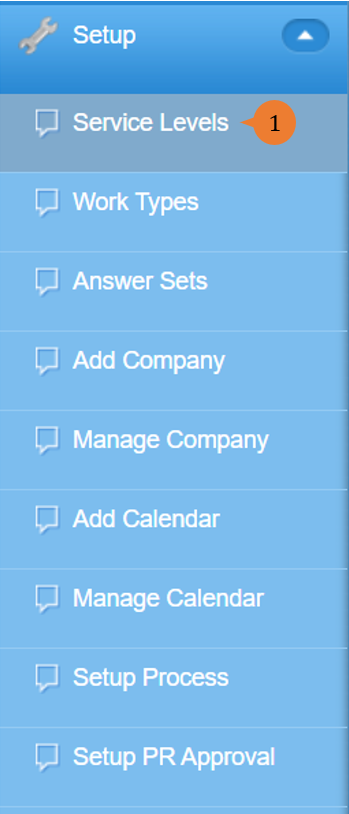
- Select Service Levels under Setup from the Menu.
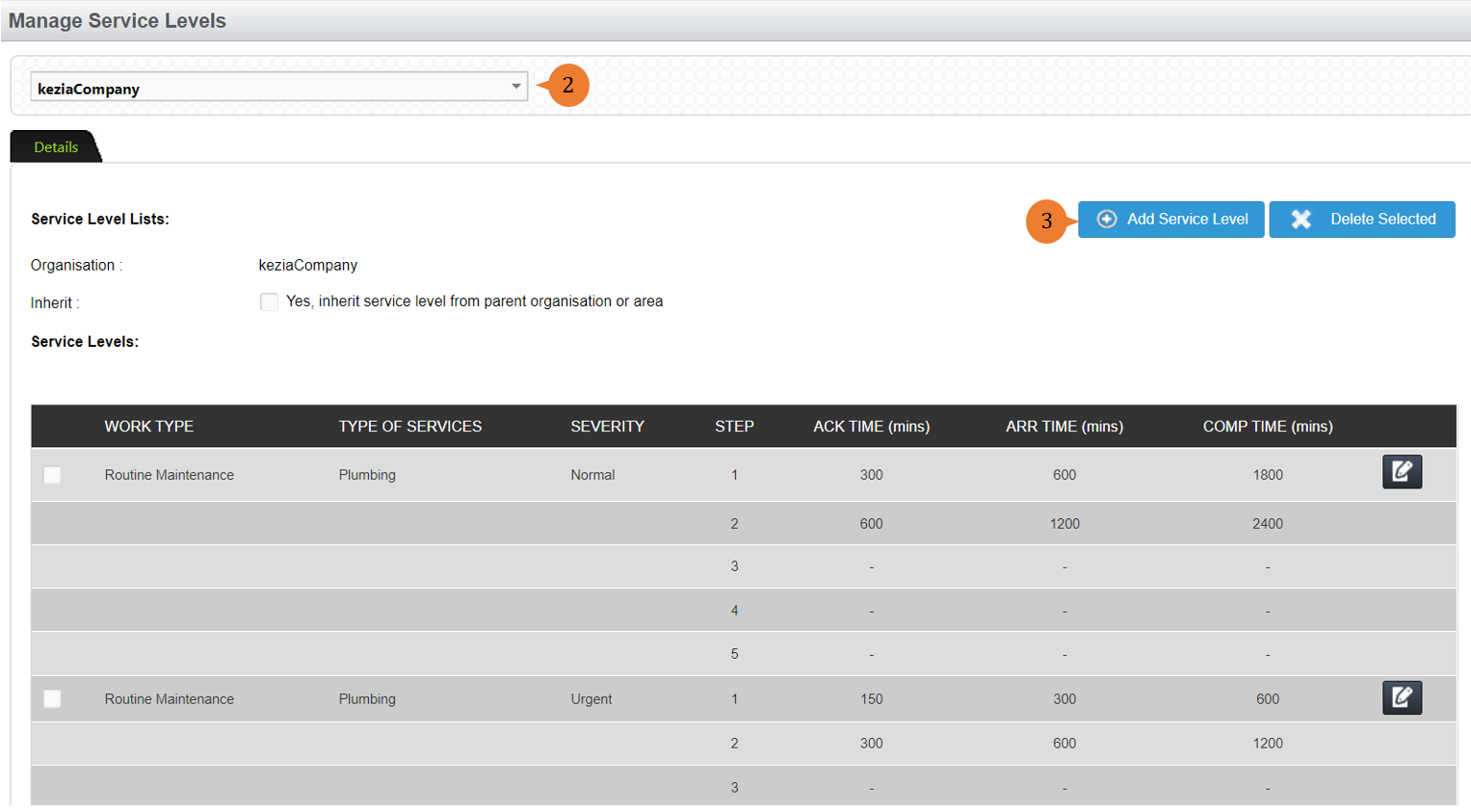
- Select the location.
- Click on the Add Service Level button.
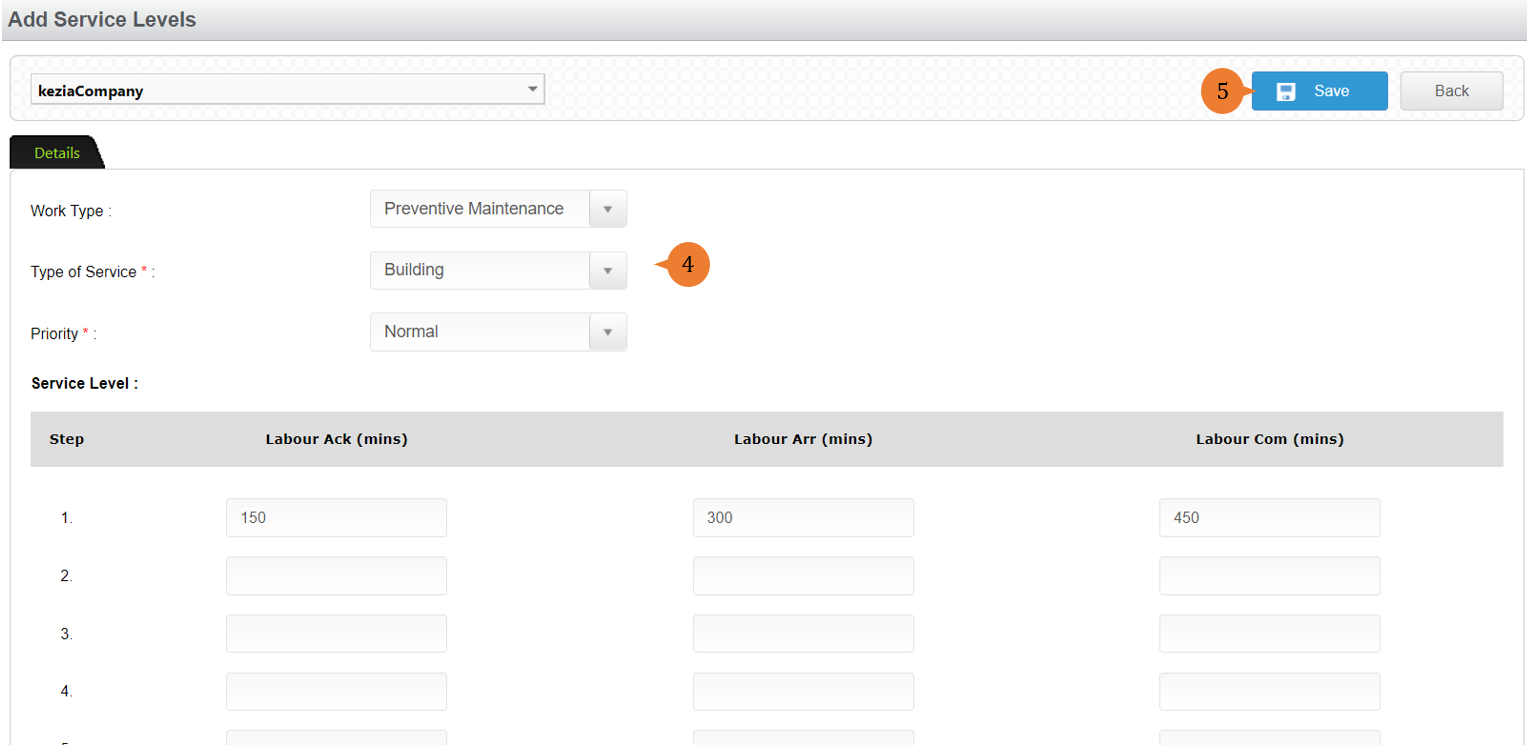
- Select the Work type, type of service, priority and response time including those for escalation.
- Click on the Save button.
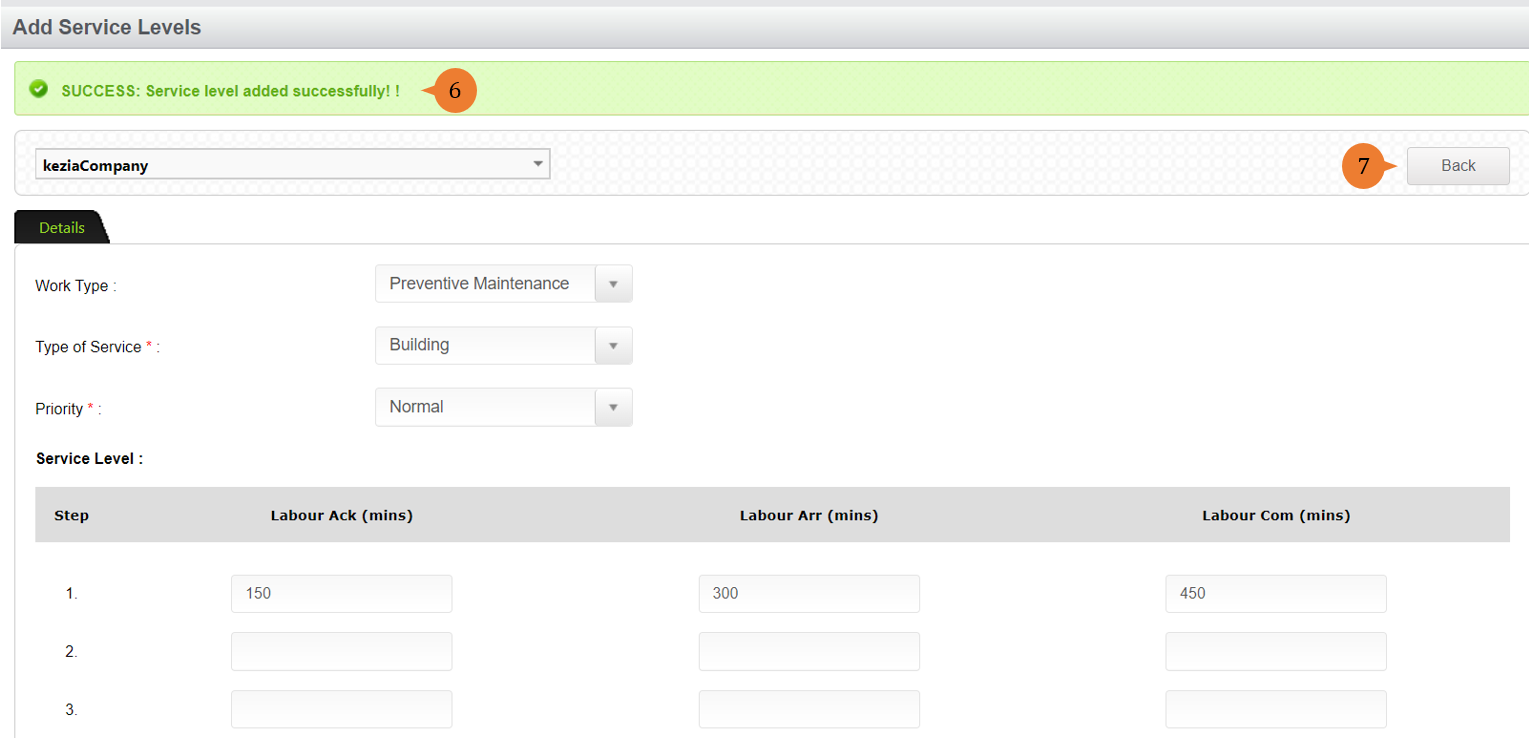
- When the service level is successfully saved, a success message will appear below the page title.
- Click on the Back button.
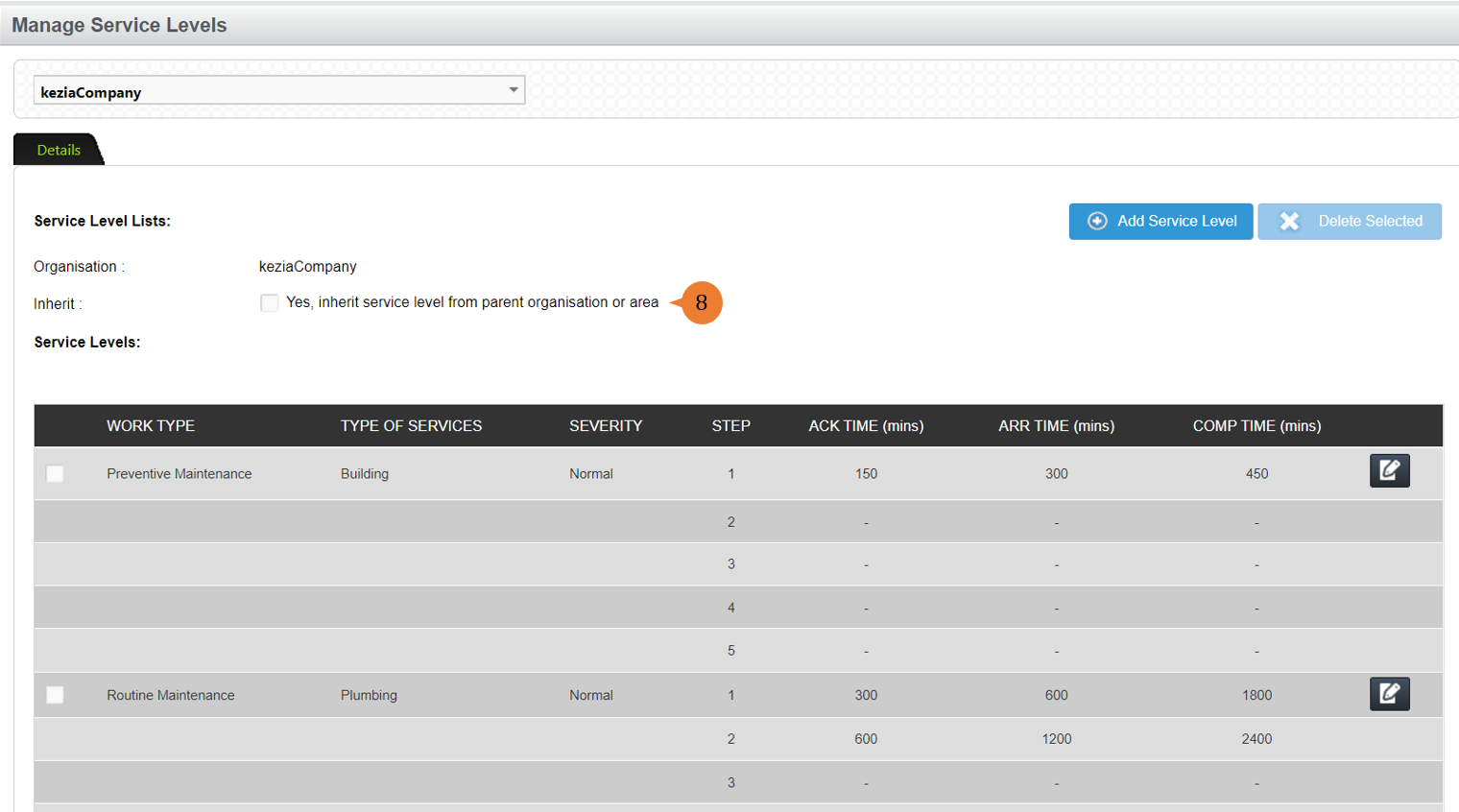
- Notes: When Inherit checkbox is ticked, the system will automatically propagate the service level of the parent organisation or area.
To edit service levels
- Select Service Levels under Setup from the Menu.
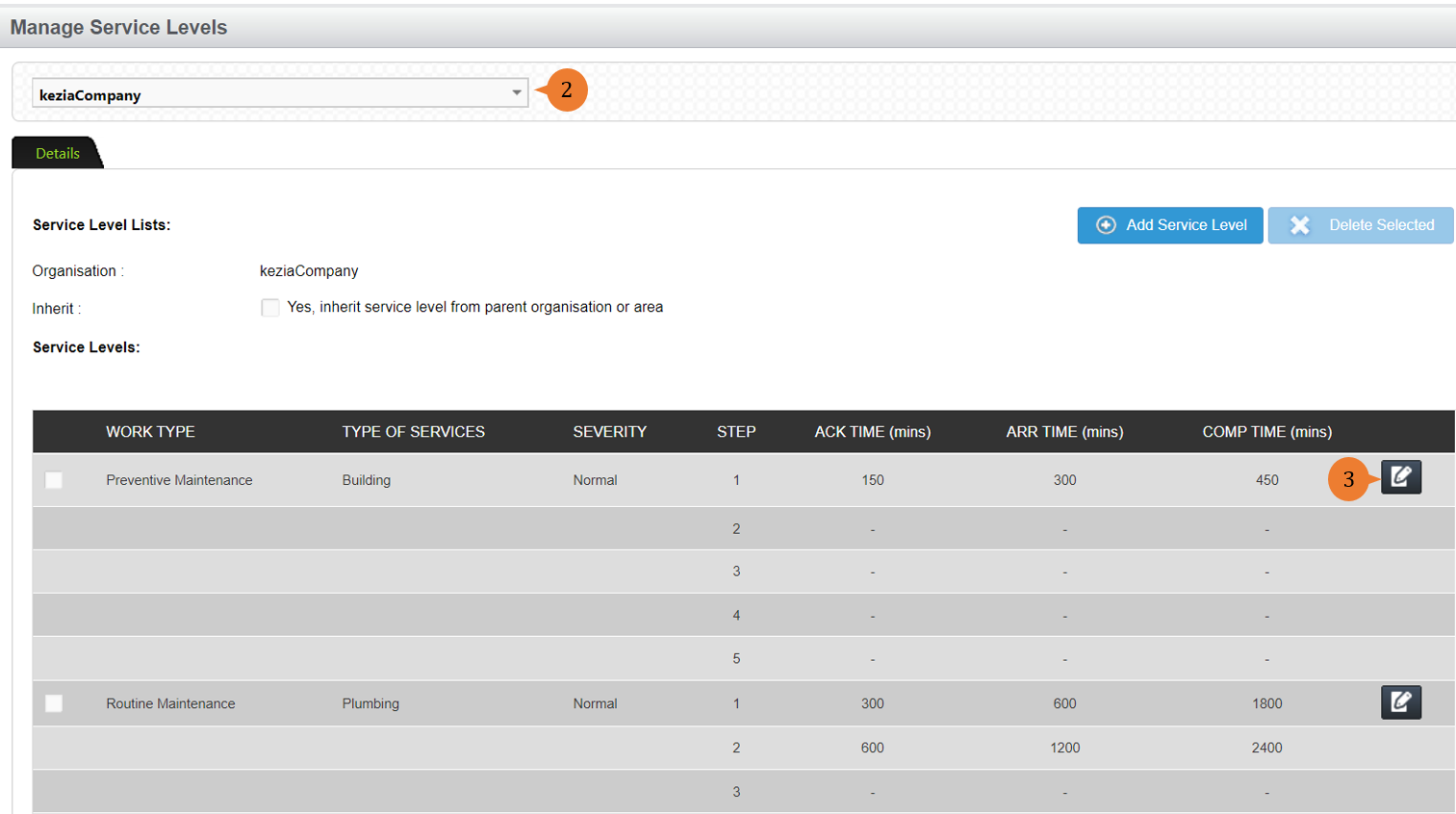
- Select the location.
- Click on the Edit button on the service level that you wish to amend.
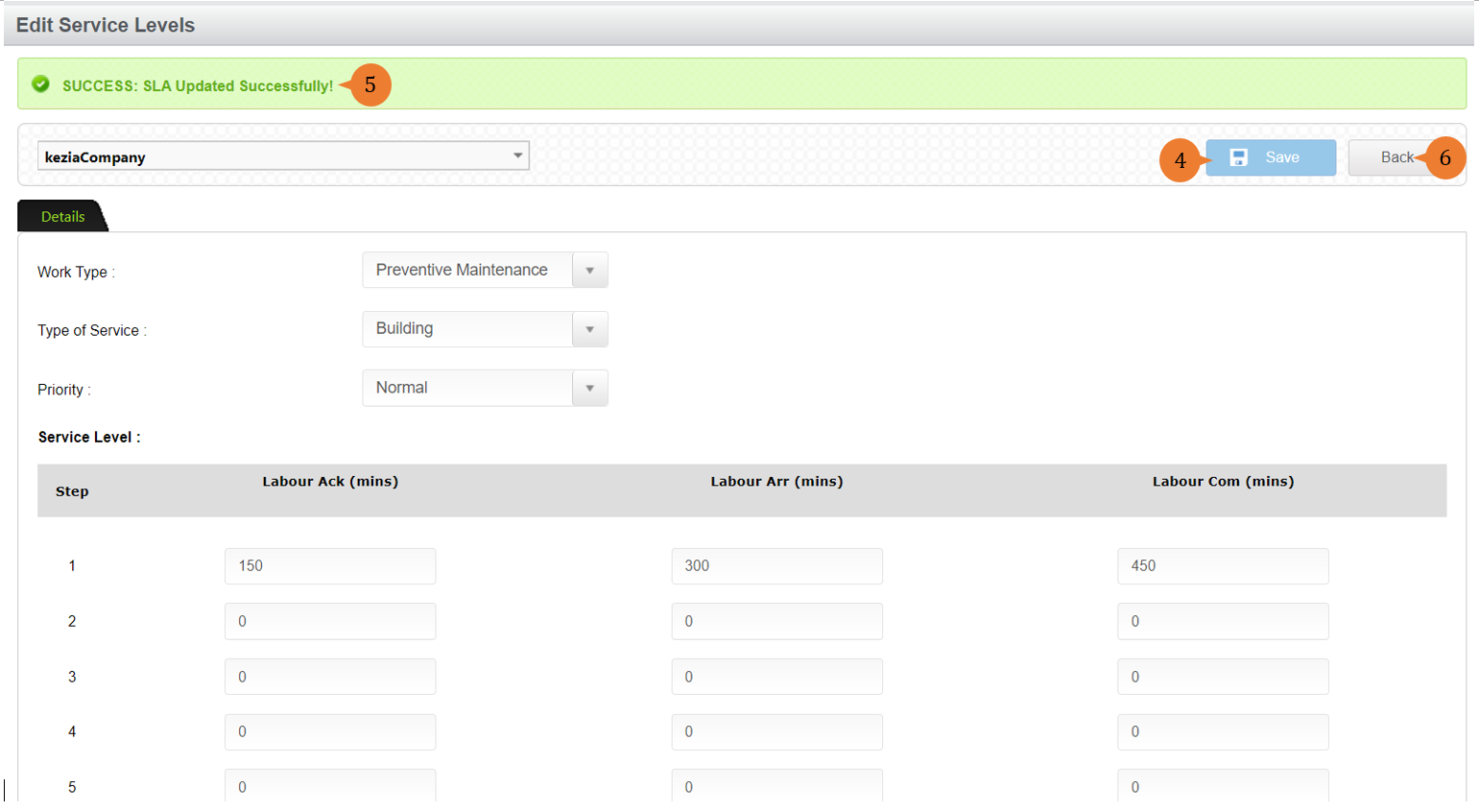
- Make the necessary amendments and click on the Save button.
- When the service level is successfully saved, a success message will appear below the page title.
- Click on the Back button to go back to the Service Level screen.
More on this topic 
- For step-by-step guides to using the Setup, see Set Up.