How to create Store?
How to create store?
The store is usually created by the Procurement department. It can be created to differentiate for the intended usage (eg. Service Trade like Cleaning Store) or based on physical location (eg. Carpark A Store).
To create a store
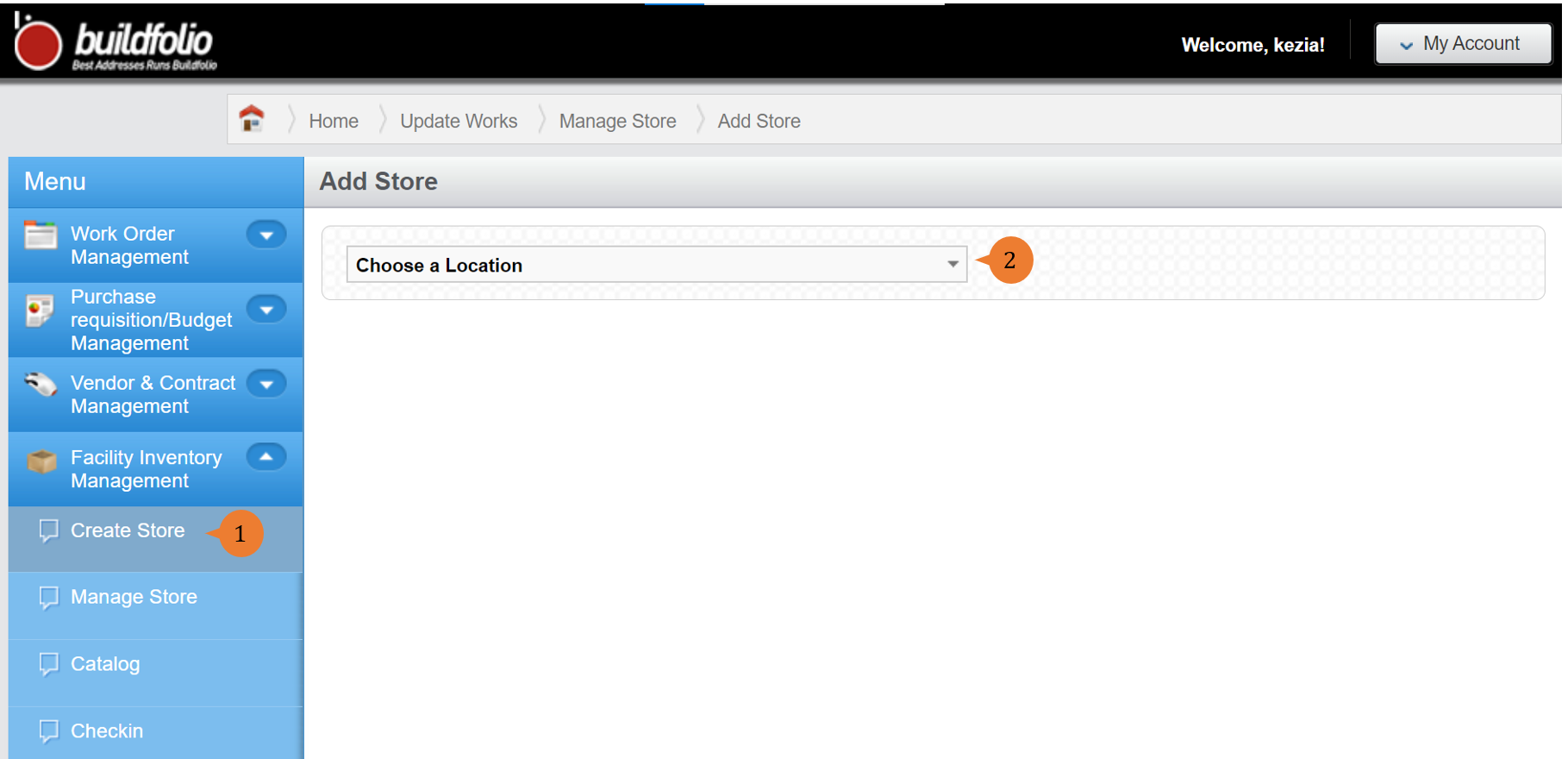
- Select Create Store under Facility Inventory Management from the Menu.
- Select the location in Choose a location that you wish to create a store in.
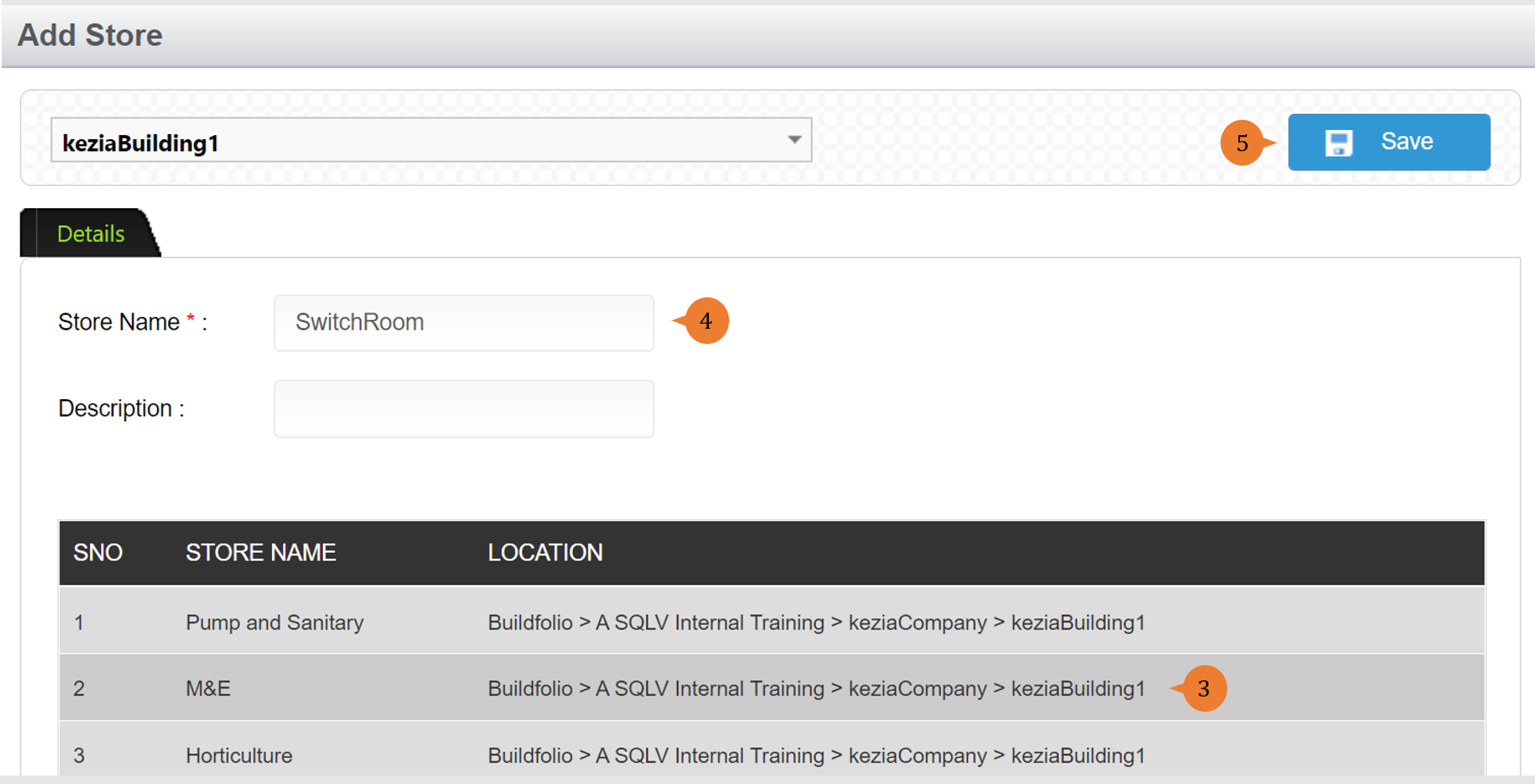
- The existing stores in the location will be shown in tabular form.
- Input the Store Name that you wish to create.
- Click on the Save button to create the store.
- Once the store is successfully created, a success message will appear below the page title.

More on this topic 
- For a step-by-step guide to manage store, see How to manage store?.
- For step-by-step guides to using the Facility Inventory Management module, see Facility Inventory Management Module.