Generating Aircon & Meter Billing Report
How to generate the aircon & meter billing report?
Aircon and meter billing report is extracted from Work Orders that are related to “Meter Reading” or “Aircon Extension”
To generate the aircon and meter billing report
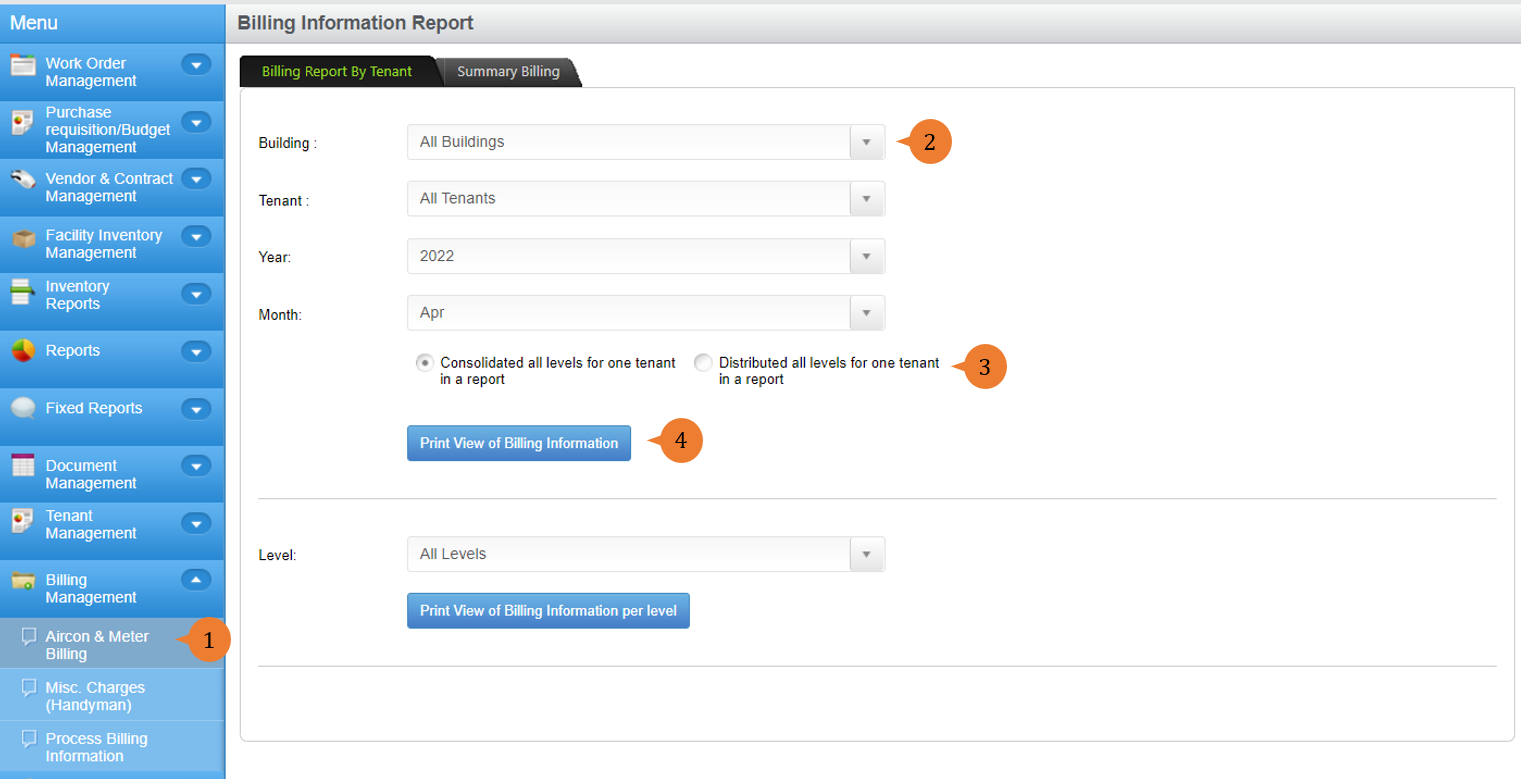
- Select Aircon & Meter Billing under Billing Management from the Menu.
- Select the building, tenant, year and month that you preferred.
- Select the way the report is presented, especially if the tenant occupies multiple levels:
- Consolidated all levels for one tenant in a report – The billing will be presented based on their category for all levels.
- Distributed all levels for one tenant in a report – The billing will be presented based on the category and for each level.
- Click on the Print View of Billing Information button.
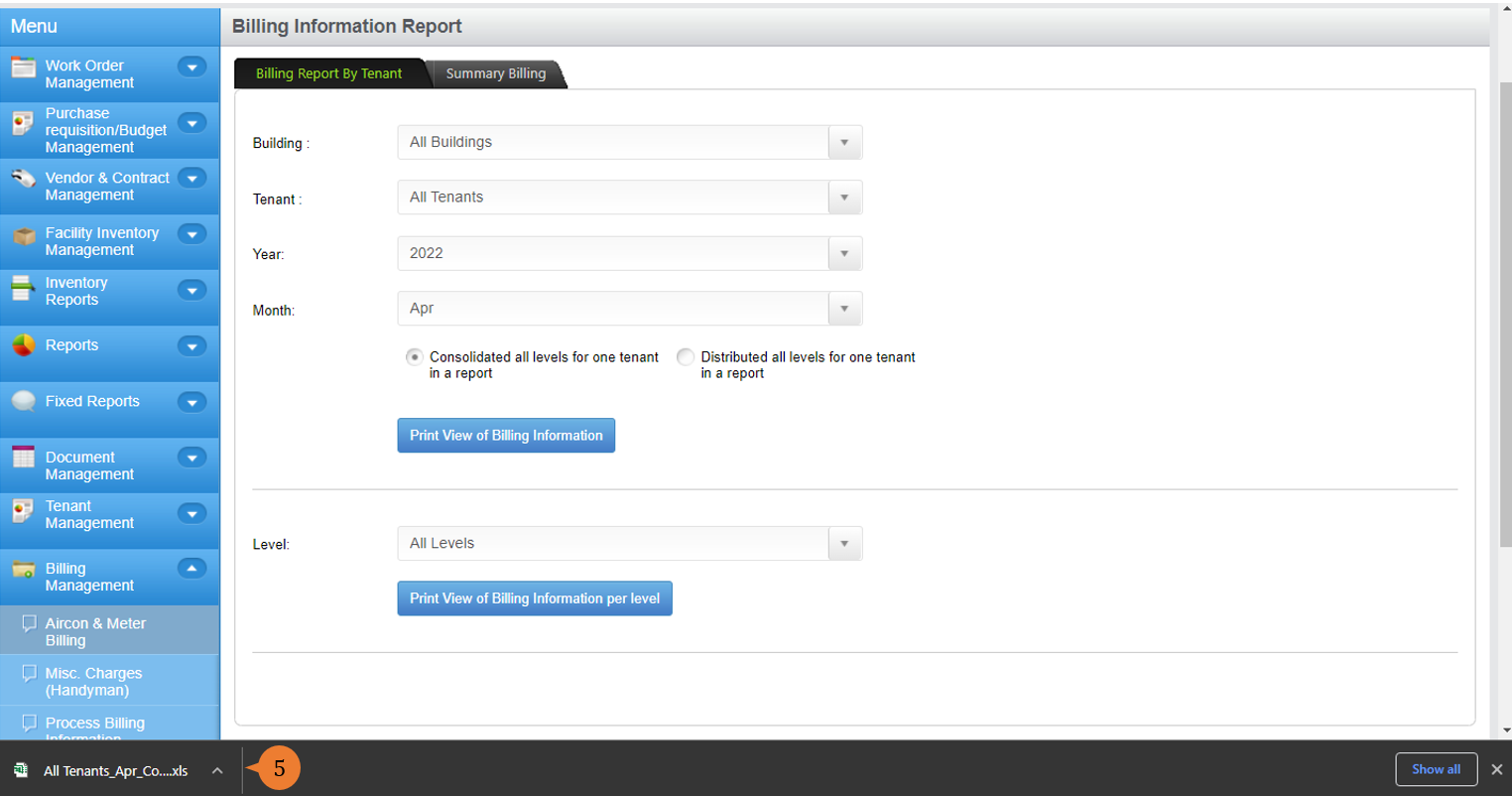
- Upon the excel is ready, double click on the excel to open the file.
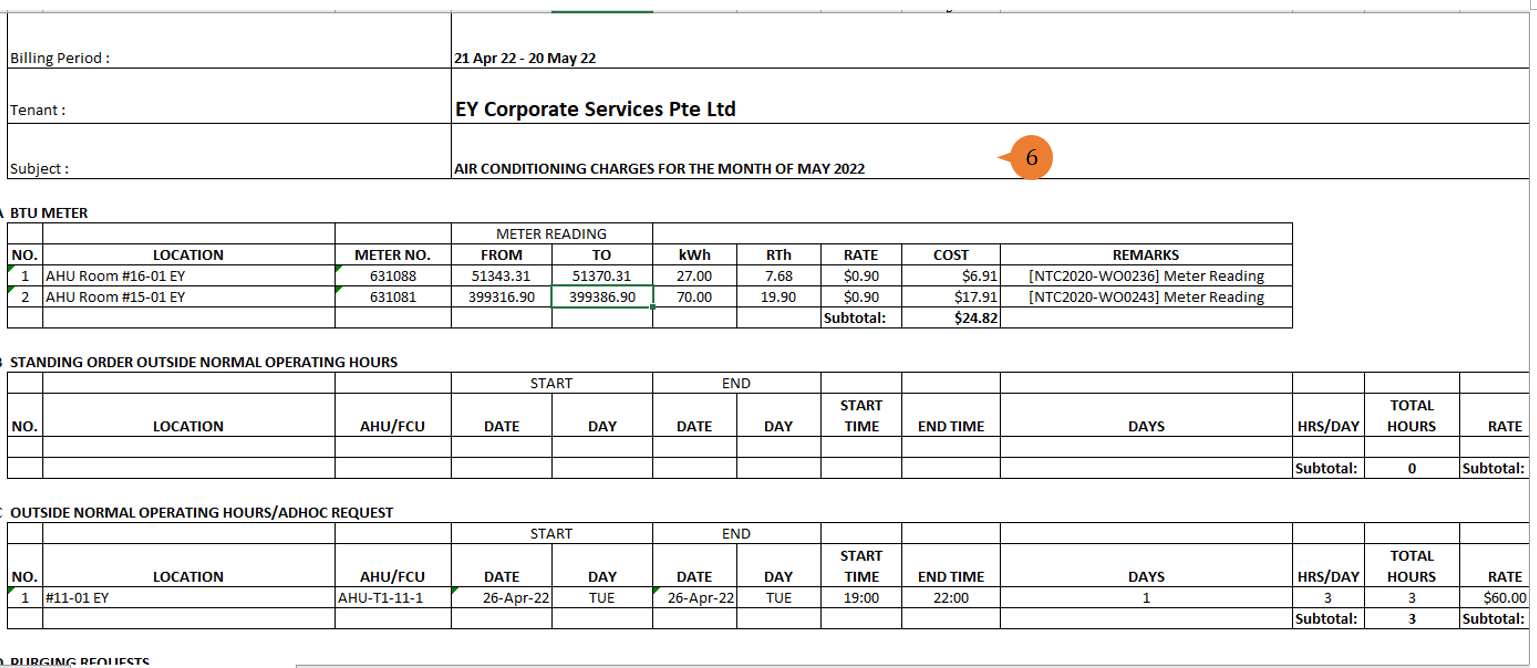
- The excel report will show those tenants that will require billing.
More on this topic 
- For step-by-step guides to using the Billing Management module, see Billing Management Module.