Generating Tenant Certs./Licences/Others Report
How to generate tenant certs./licenses/others report?
Tenant certs./licenses/others Report will show the list of certificates/licenses/others records of the tenant which most likely contain the expiry dates with reminders being triggered for renewal.
To generate tenant certs./licenses/others report
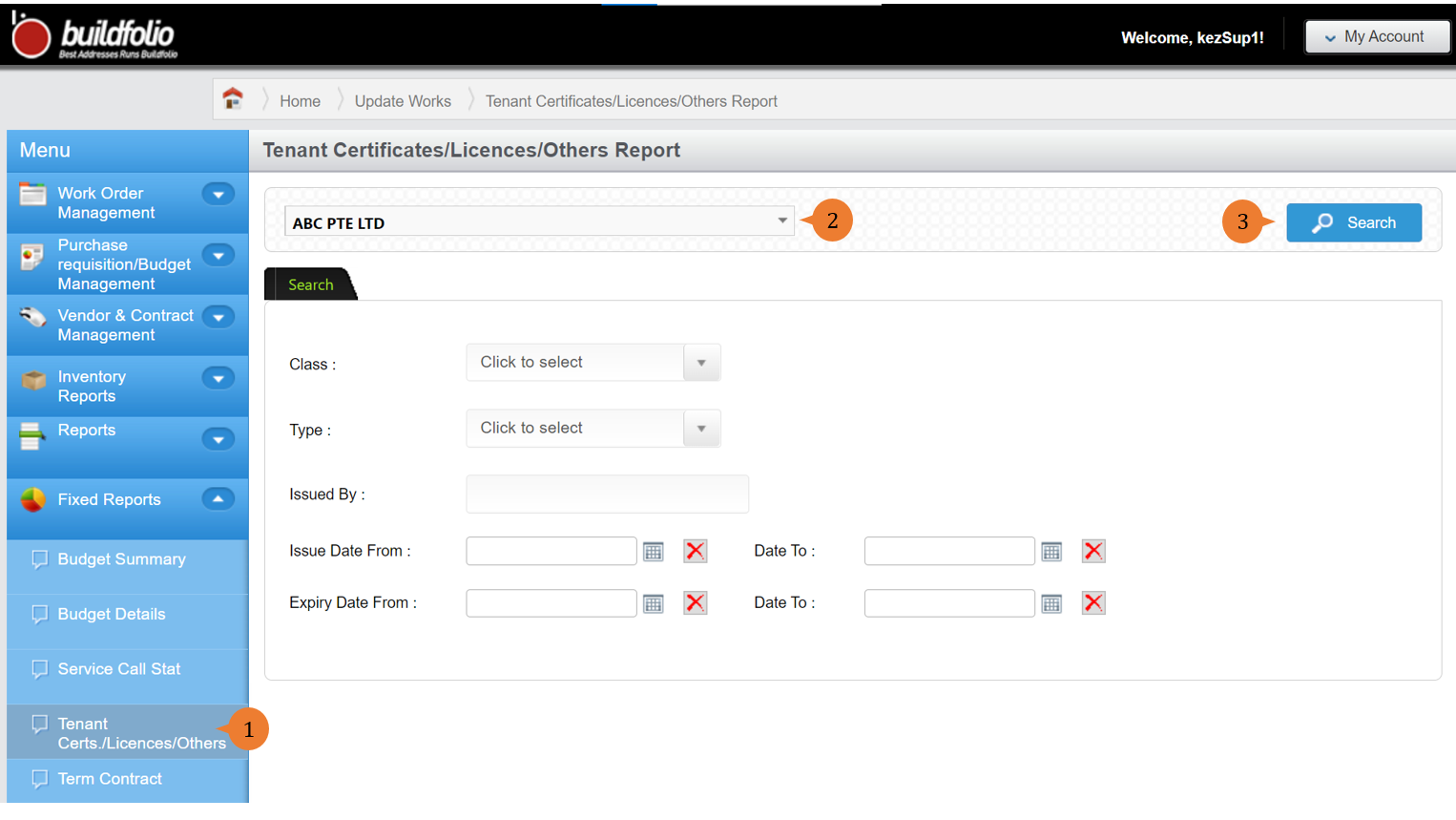
- Select Tenant Certs./Licenses/Others under Fixed Report from the Menu.
- Select the tenant and input any other search criteria.
- Click on the Search button.
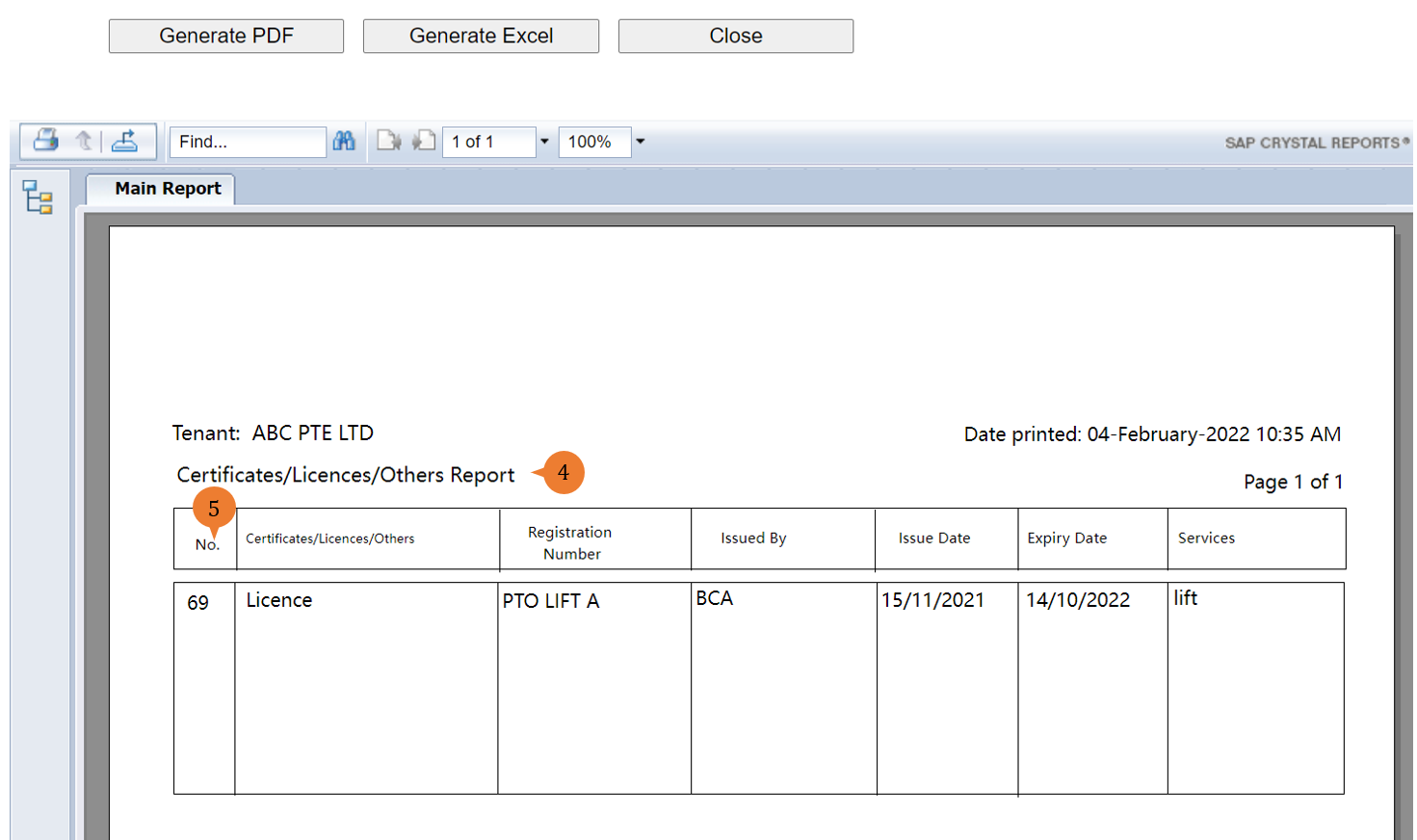
- A new tab will appear that contains the Tenant Certs./Licenses/Others report based on the search criteria.
- The report will entail the following:
- No – System generated numbers of all the certs/licenses/others record
- Certificates/Licenses/Others – Name of the certificates/licenses/others record
- Registration Number – The number of the certificates/licenses/others
- Issued By – The organisation that issued the certificates/licenses/others
- Issued Date – The date that the certificates/licenses/others is given
- Expiry Date – The date that the certificates/licenses/others is valid until
- Services – The description of what the certificates/licenses/others is used for
More on this topic 
- For step-by-step guides to using the Fixed Reports module, see Fixed Reports Module.