How to view Work Requests/Orders raised by me?
Jump to
How to view Work Requests/Orders raised by me on web browser?
Note: View My Work is designed for Facility Management team members to view the work requests/orders that are raised by each individual for tracking purposes.
To view all Work Requests/Orders raised by me
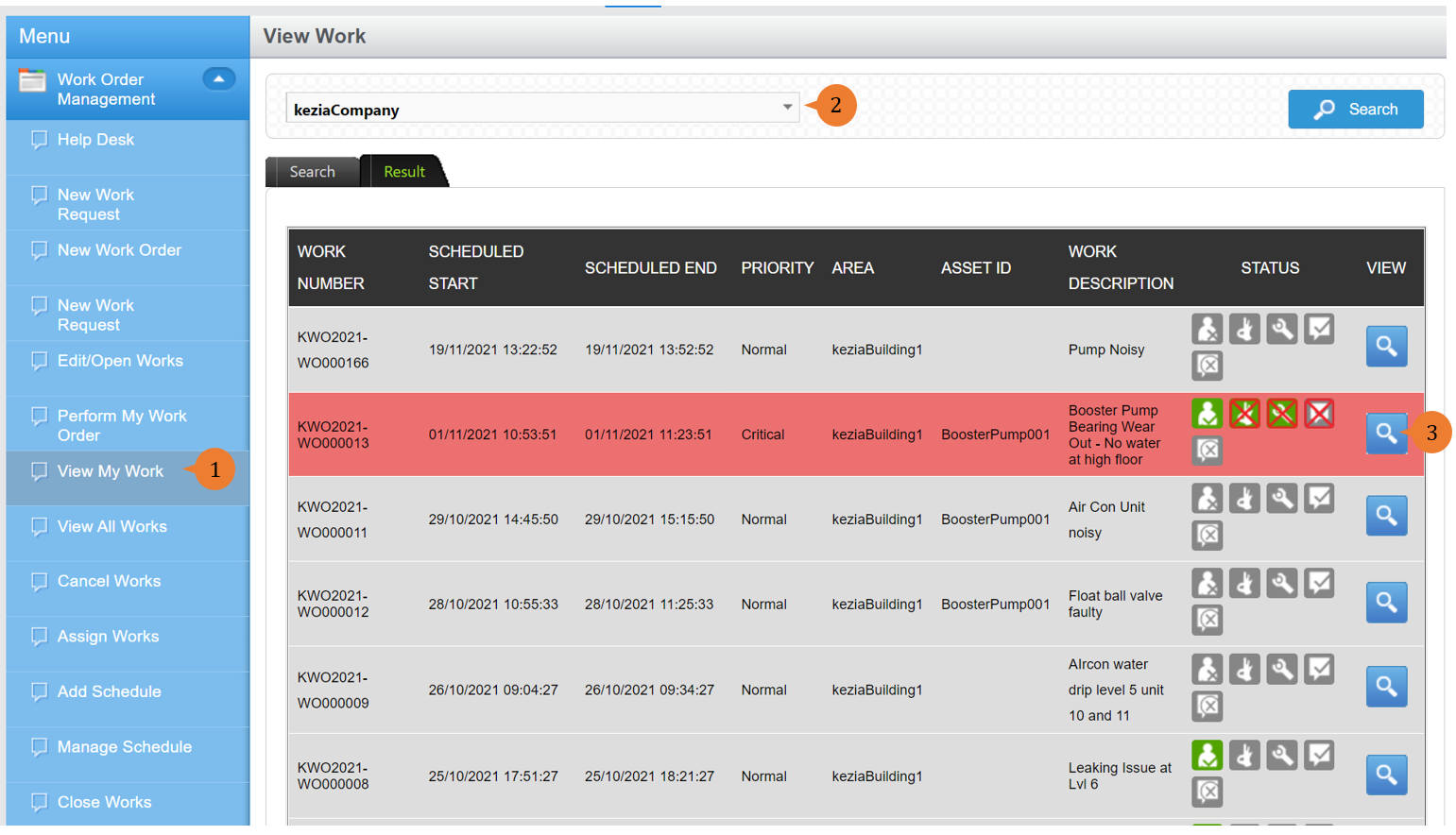
- Select View My Work under the Work Order Management module from the menu.
- Select the Location concerned and perform a Search. This will display all open work requests/ orders.
- To view the details of a Work Request/Order, select the VIEW icon
 .
.
More on this topic
- For a step-by-step guide to viewing Work Orders on BUILDFOLIO II mobile app, see How to view and filter Work Orders on BUILDFOLIO II mobile app?
- For step-by-step guide to viewing all Work Orders (including cancelled and closed ones), see How to view all Work Orders (including cancelled and closed ones).
- For a step-by-step guide to updating a Work Order, see How to update a Work Order.
- For more step-by-step guides to using Work Order Management module, see Work Order Management Module.