How to add and manage work types?
How to add and manage work types?
Work types are a list of work trades and the type of work to be carried out for the organisation’s operation.
To add work types
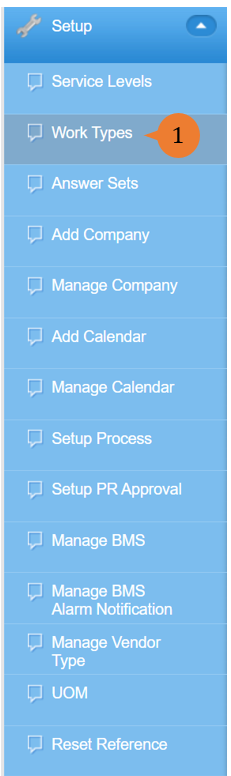
- Select Work Types under Setup from the Menu.
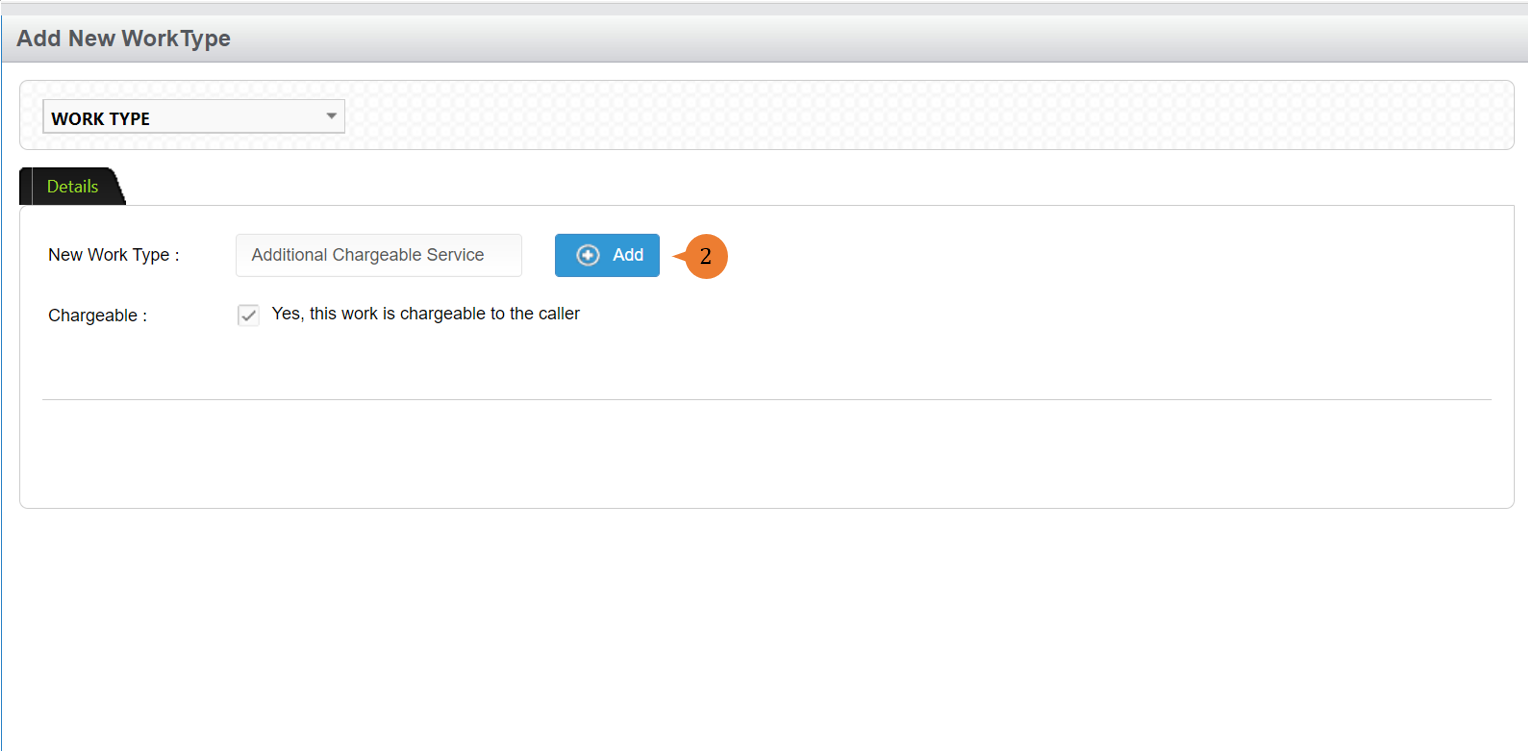
- Input the New Work Type name and click on the Add button.
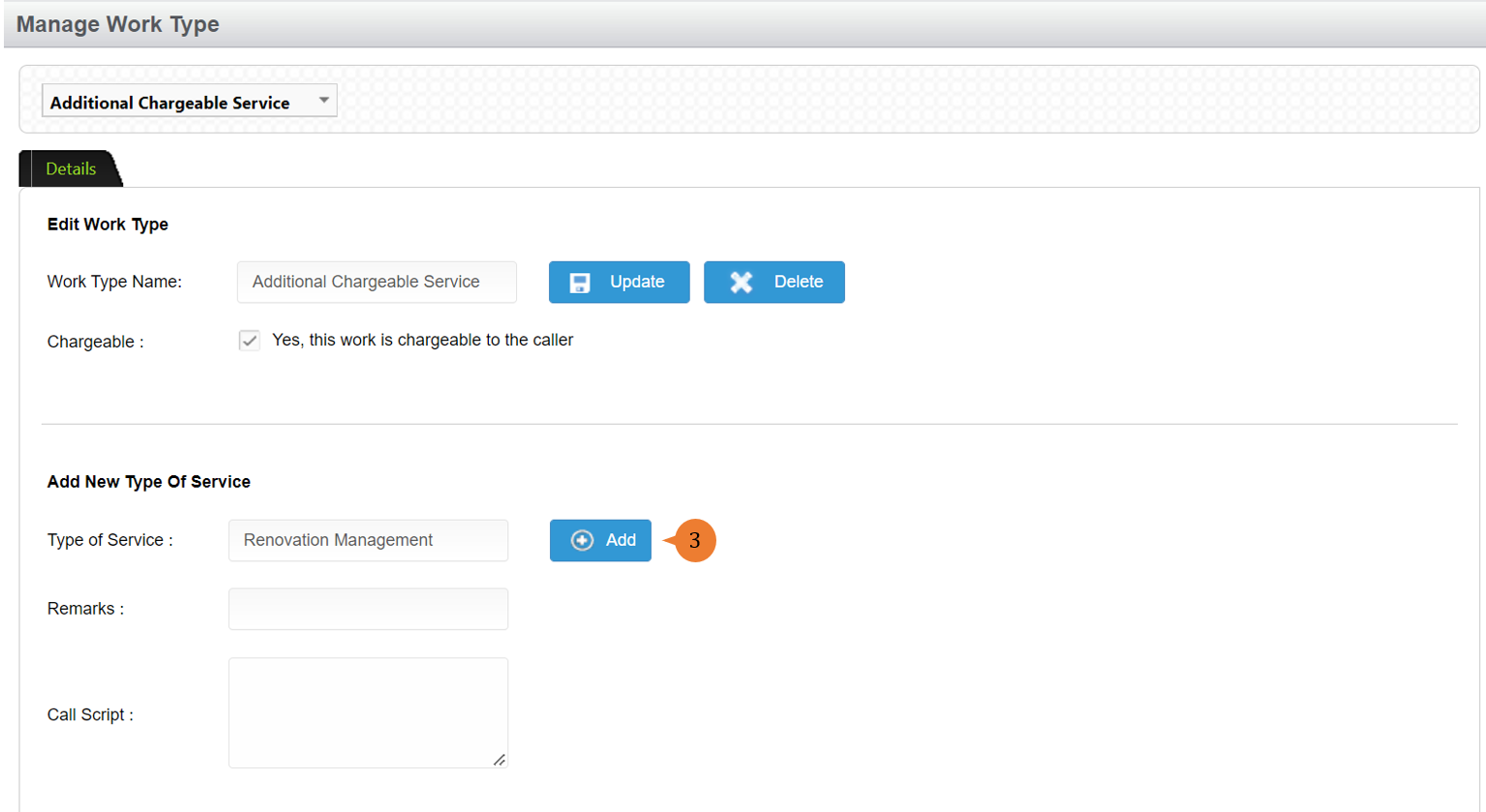
- Input the Type of Service name and click on the Add button.
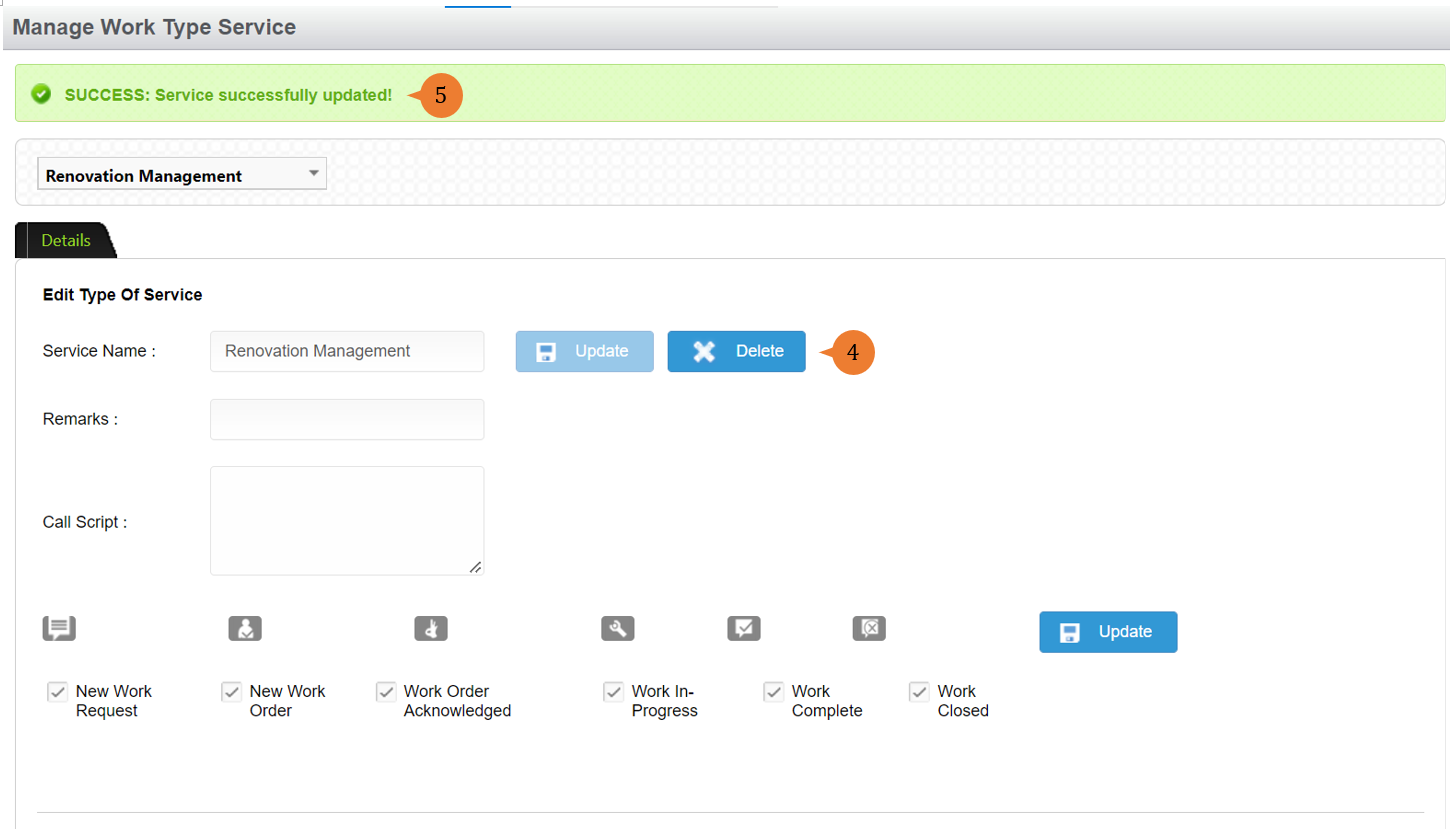
- Update the service name and status if necessary then click on the Update button.
- When the service name is successfully updated, a success message will appear below the page title.
To manage work types
- Select Work Types under Setup from the Menu.
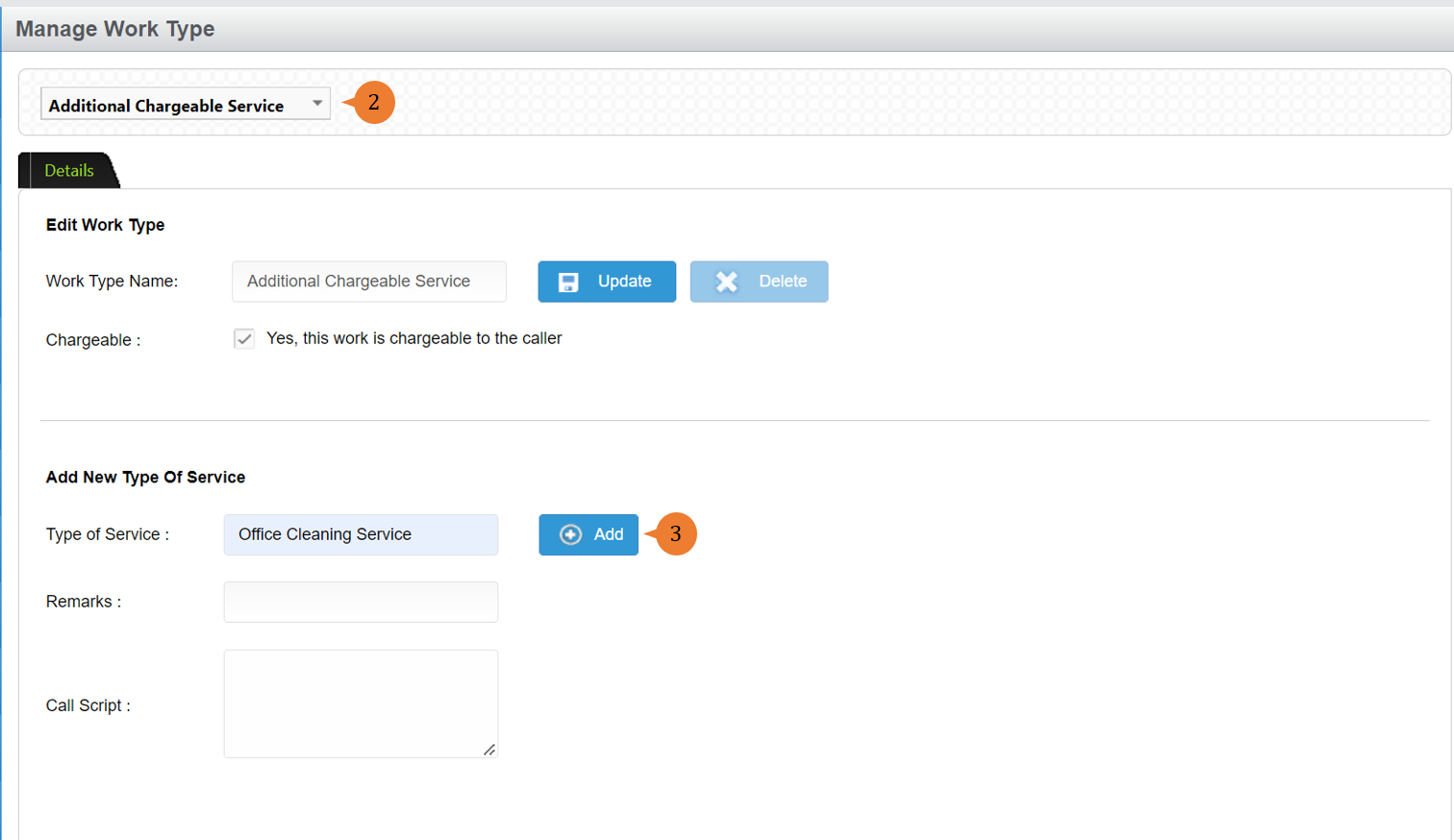
- Select the Work Type or Type of Service that you would like to edit.
- To add a new type of service to the work type, input the Type of Service and click on the Add button.
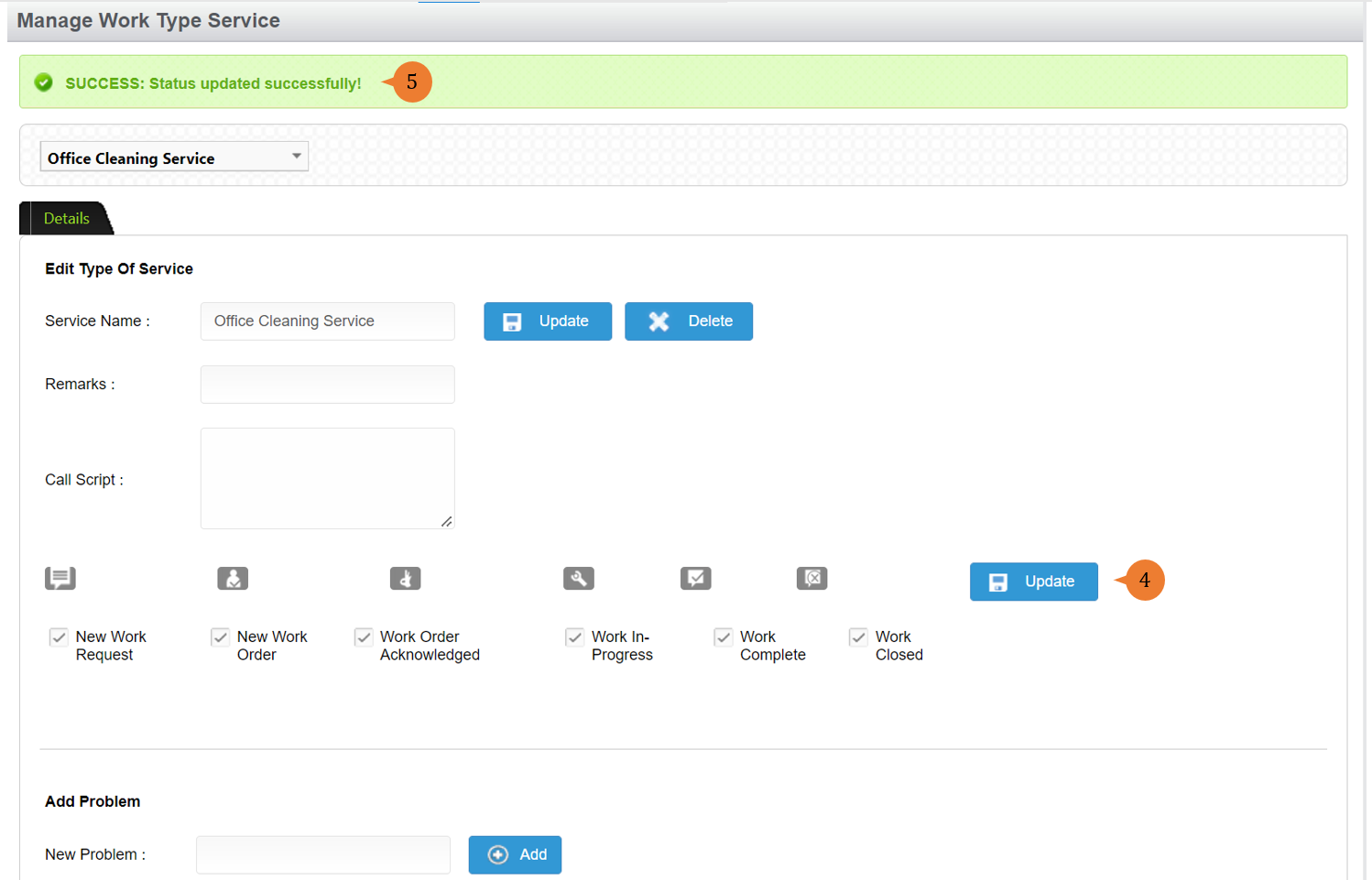
- Update the service name and status if necessary then click on the Update button.
- When the service name is successfully updated, a success message will appear below the page title.
More on this topic 
- For step-by-step guides to using the Setup, see Set Up.