Generating Expenditure External WO Report
How to generate Expenditure External WO report?
Expenditure External WO Report will show the list of PR/PO No. based on the work done period selected and the location that you are given access to. It will also exclude any PR/PO that is in Modify PO/New status.
To generate Expenditure External WO report
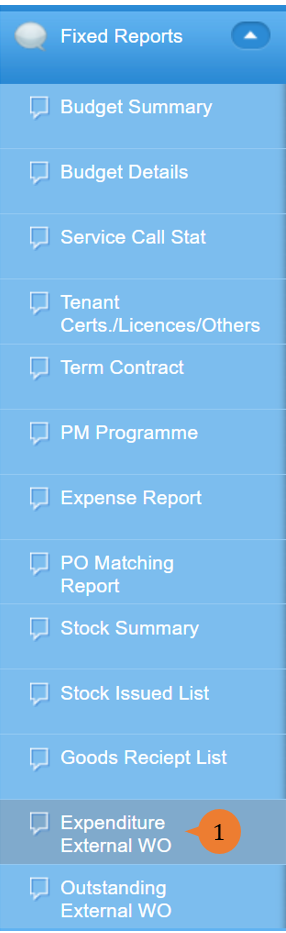
- Select Expenditure External WO under Fixed Report from the Menu.
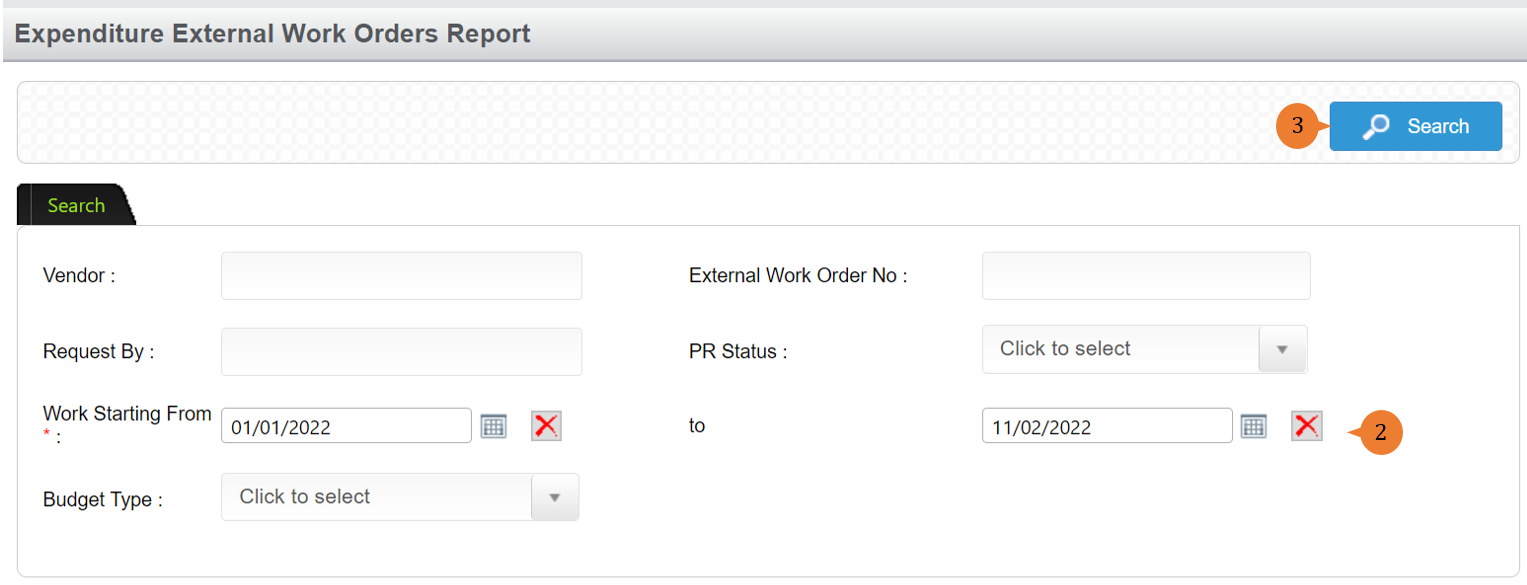
- Select the Work Starting From and To and any other search criteria if necessary.
- Click on the Search button.
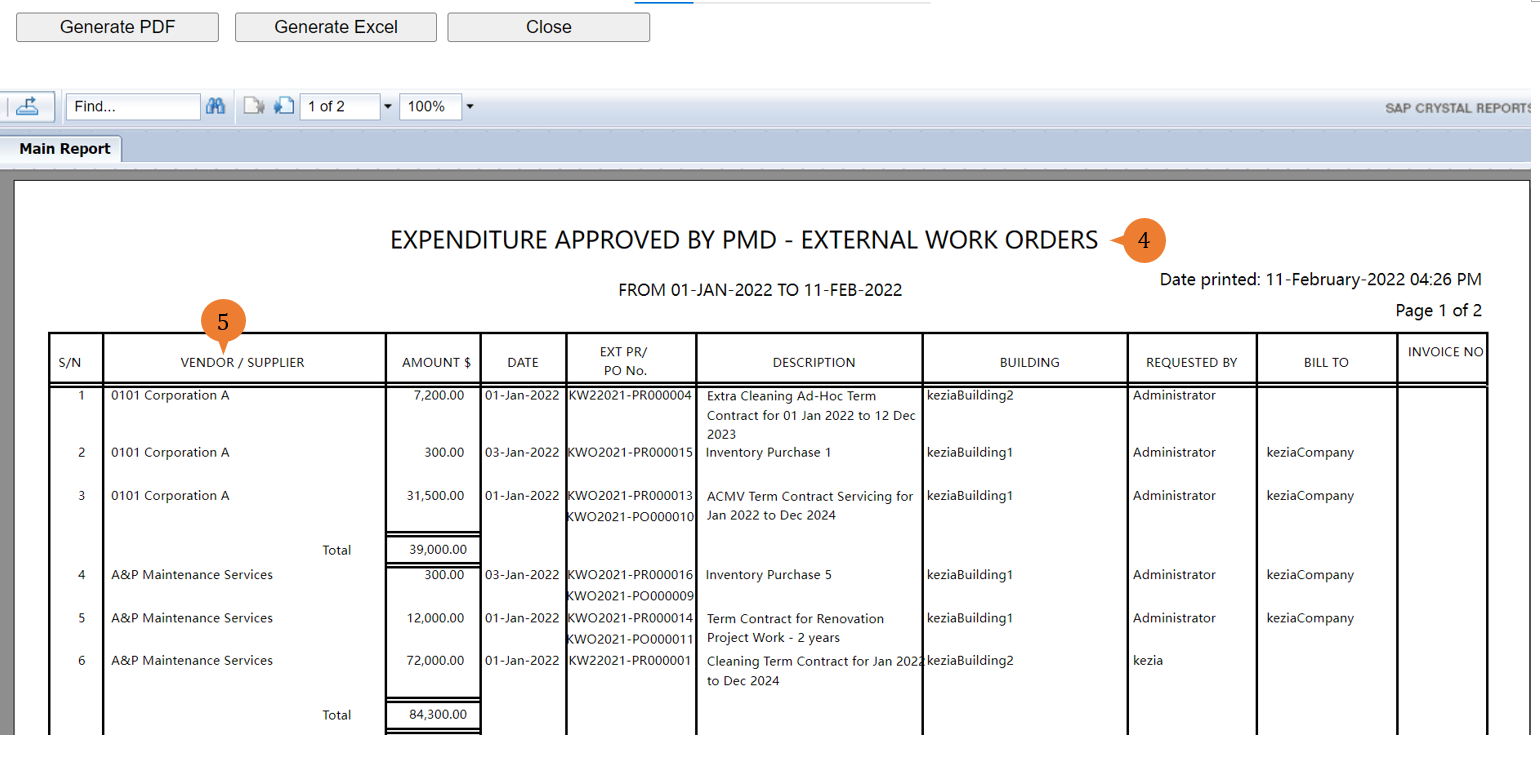
- A new tab will appear that contains the Expenditure External Work Orders Report based on the search criteria.
- The report will entail the following:
- S/N – The sequential number of records.
- VENDOR/ SUPPLIER – The vendor/supplier of the PR/PO for this transaction record.
- AMOUNT $ – The total amount reflected in the PR/PO.
- DATE – The work start date indicated in the PR/PO.
- EXT PR/ PO No. – The PR/PO number of this transaction.
- DESCRIPTION – The description of what the PR/PO is for.
- BUILDING – The location/area that the PR/PO is raised for.
- REQUESTED BY – The person that creates this PR/PO.
- BILL TO – This PR/PO amount will be billed to.
- INVOICE NO – The invoice number that is for this PR/PO.
More on this topic 
- For step-by-step guides to using the Fixed Reports module, see Fixed Reports Module.