Search for Document
How to search for documents?
Search for documents that you are given access to.
To search for documents
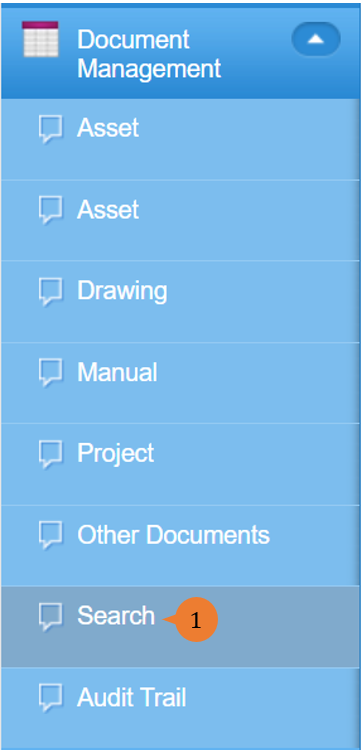
- Select Search under Document Management from the Menu.
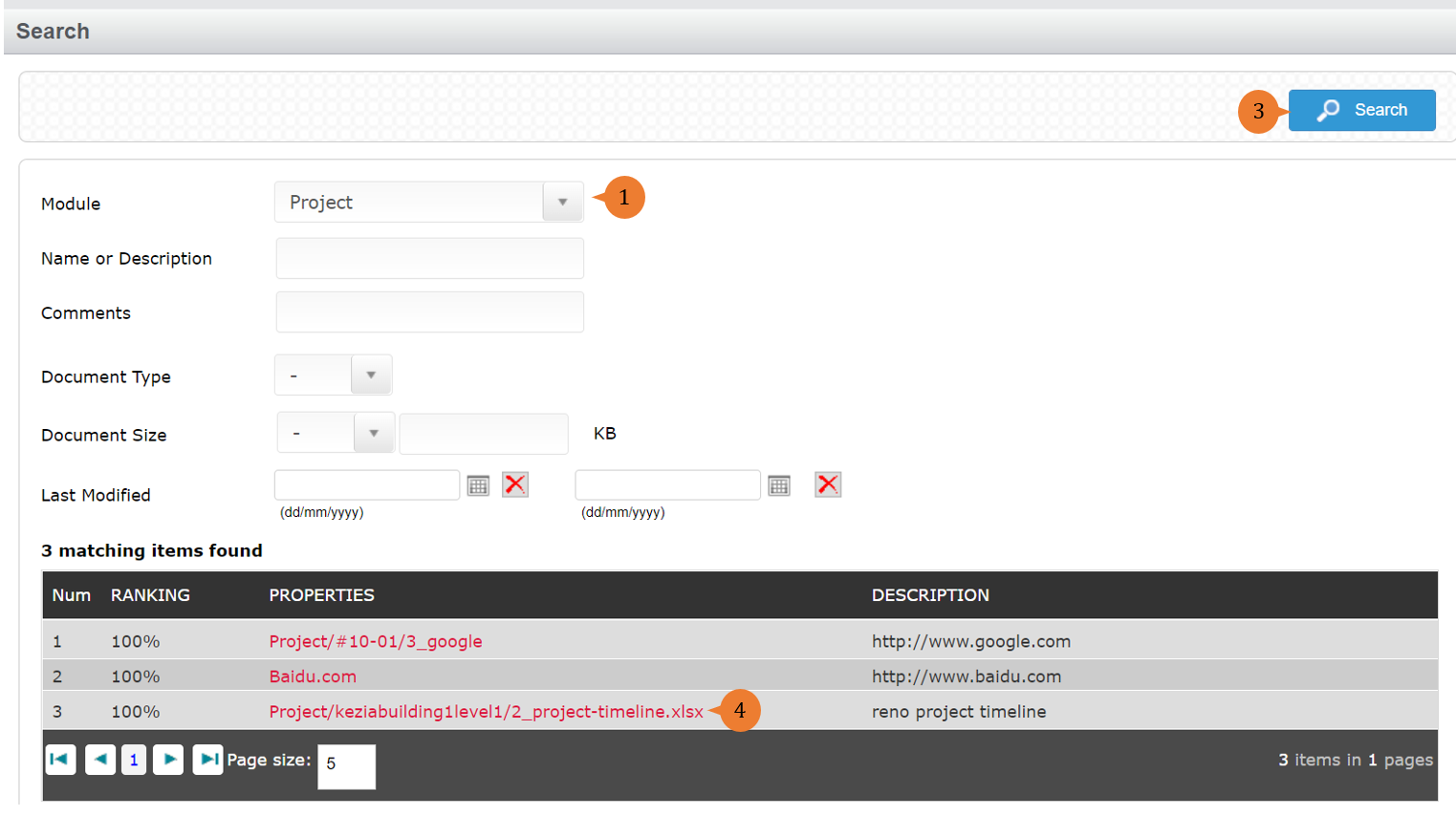
- Select the module and fill in the search filter.
- Click on the Search button.
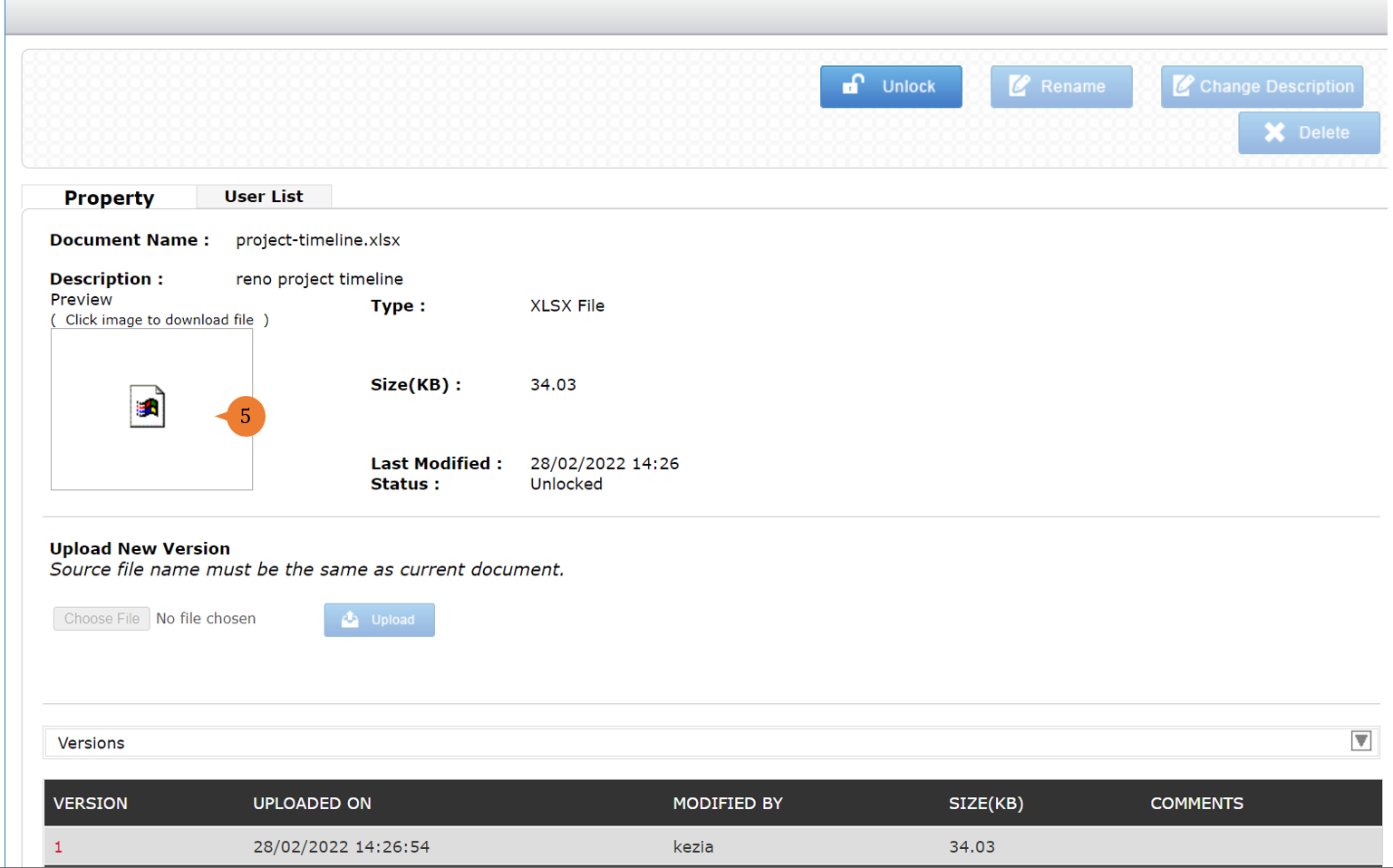
- The search listing will appear in the table. You may click on the file to view more information.
- You may click on the image to download the file.
More on this topic 
- For step-by-step guides to using the Document Management module, see Document Management Module.