How to Manage Area Type?
Jump to
How to add Sub-Area Type? 
To add Sub-Area Type
- Select Area Types under Location/ Asset Management from the Menu.
- Select the building type.
- Input the Sub Area Type name.
- Click on the Add button.
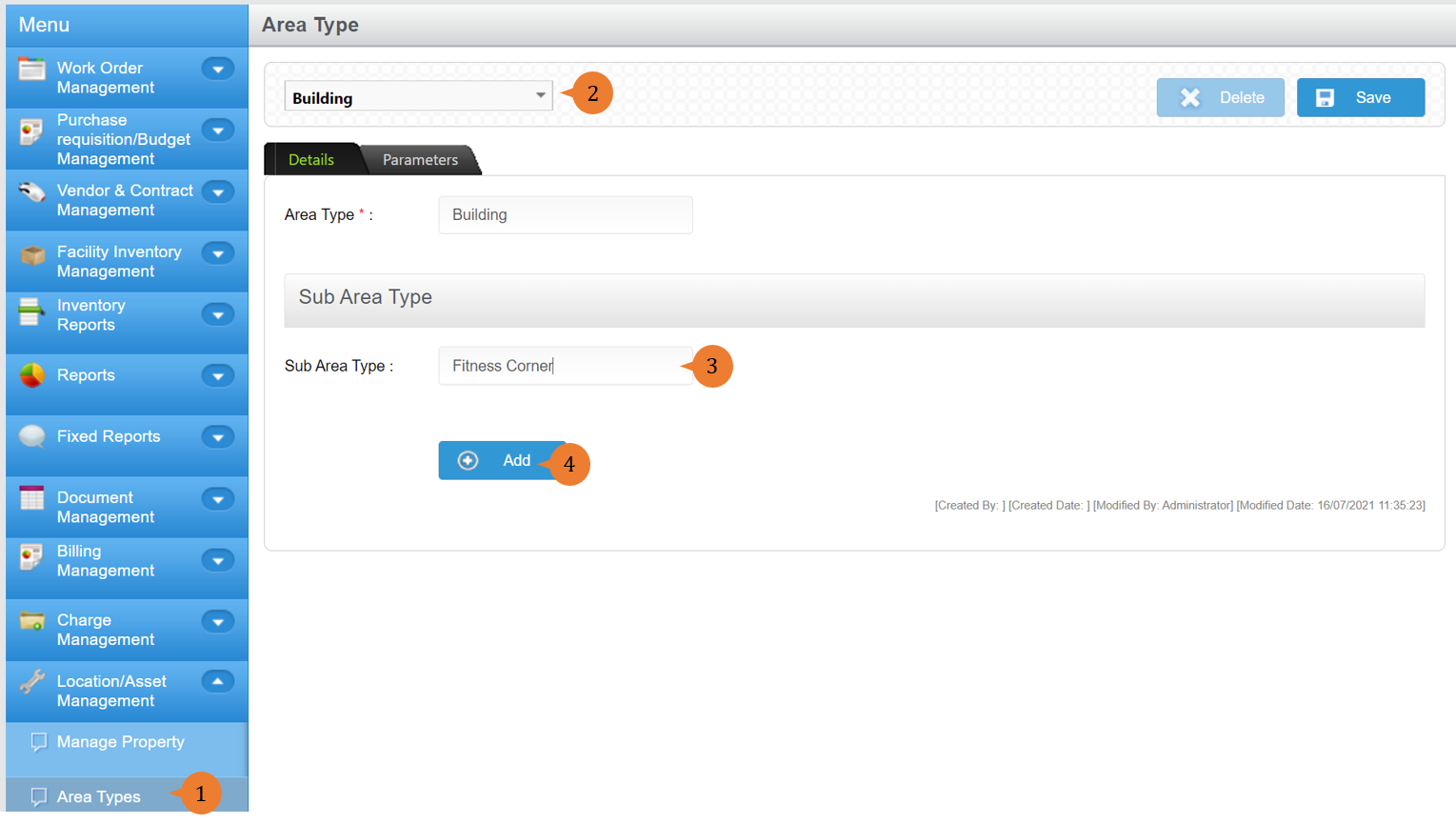
- When the Sub-Area is successfully added, a success message will appear below the page title

How to edit Area Type?
To edit Area Type
- Select Area Types under Location/ Asset Management from the Menu.
- Select the building type.
- Amend the name of the area type.
- Click on the Save button.
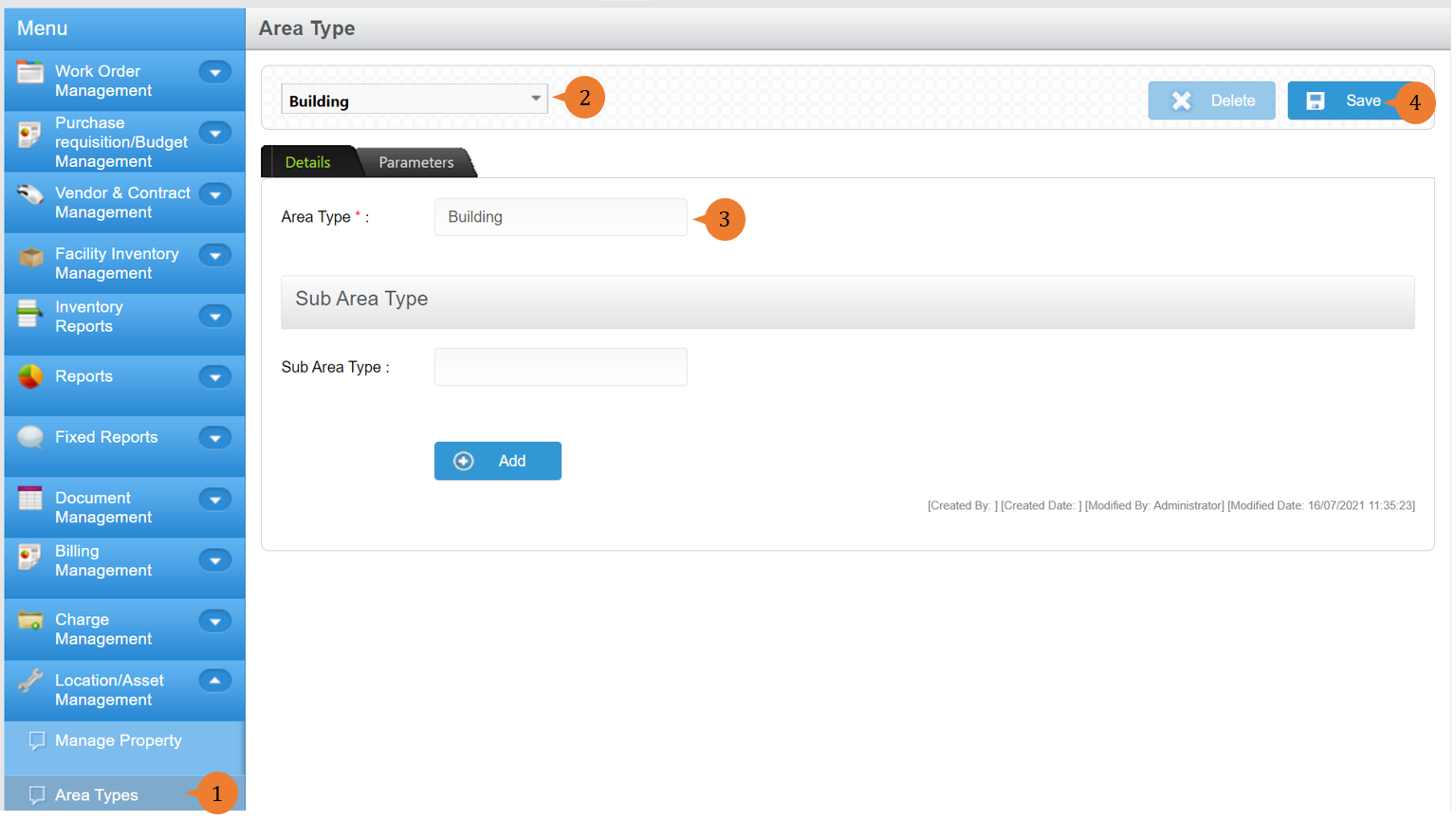
- When the Area is successfully amended, a success message will appear below the page title

How to delete Area/ Sub-Area Type?
To delete Area/ Sub-Area Type
- Select Area Types under Location/ Asset Management from the Menu.
- Select the building type.
- Click on the Delete button.
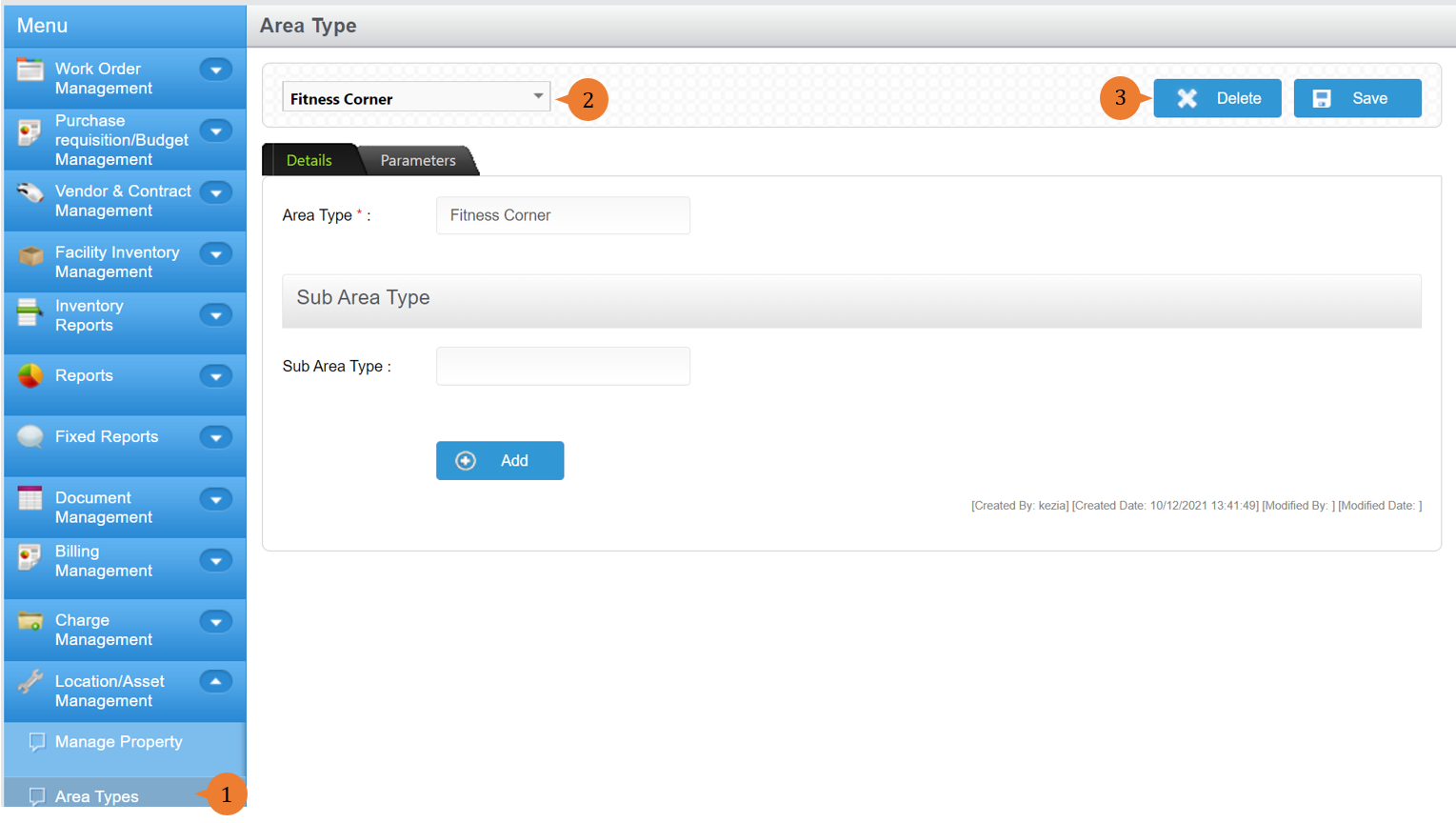
- A delete confirmation pop-up will appear. To proceed, click on OK.
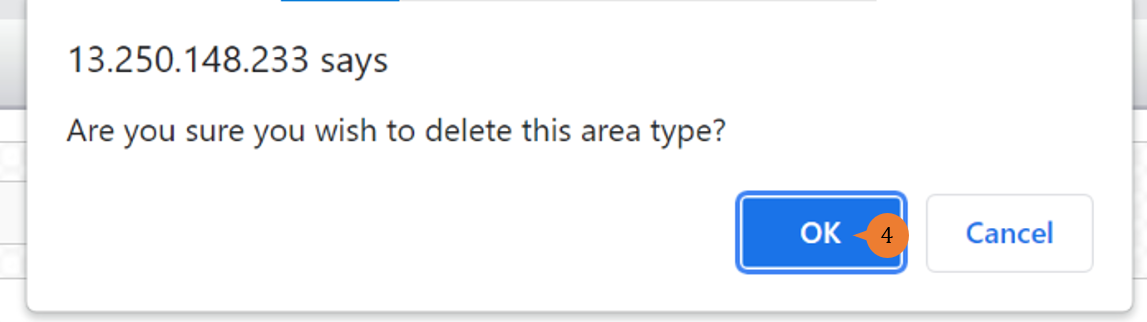
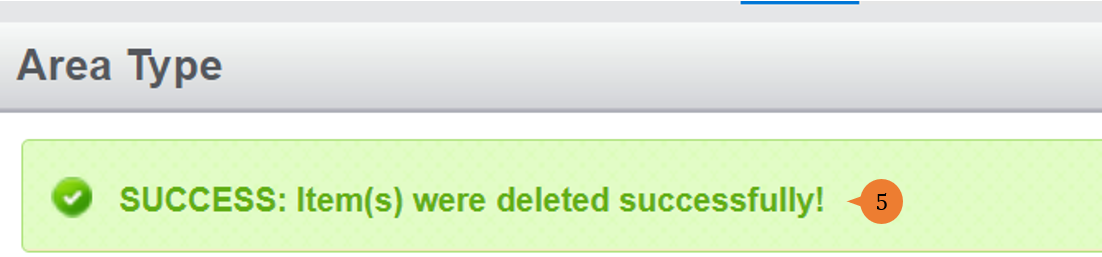
- When the Expenses is successfully deleted, a success message will appear below the page title
More on this topic
- For step-by-step guides to adding asset types, see How to Manage Asset Types?.
- For step-by-step guides to adding property, see How to Manage Property?.
- For step-by-step guides to using the Location/ Asset Management module, see Location/ Asset Management Module.