How to add calendar?
How to add a calendar?
A calendar is used by the system for the planning of scheduled works based on the user.
To add a calendar
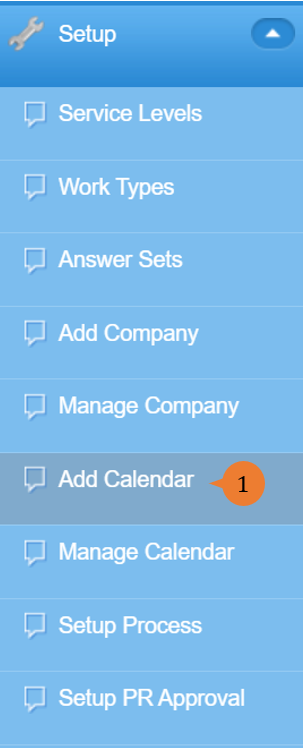
- Select Add Calendar under Setup from the Menu.
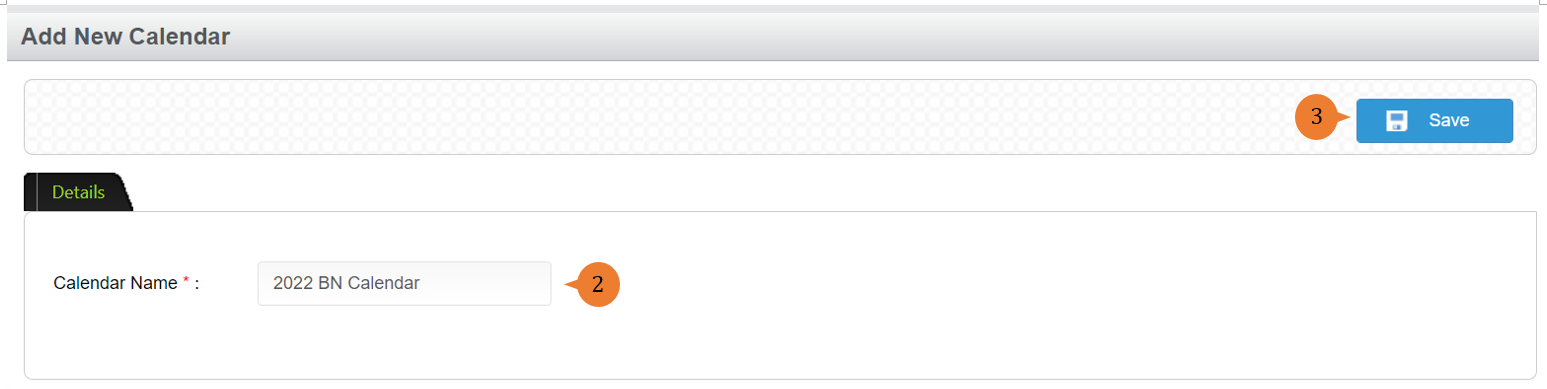
- Input the Calendar Name.
- Click on the Save button.
- Select the Work Days.
- Input the Holiday Names and Holiday Dates and click on the Add button.
- When the holiday is successfully added, a success message will appear below the page title.
- Upon adding all holidays to the calendar, click on the Save button.
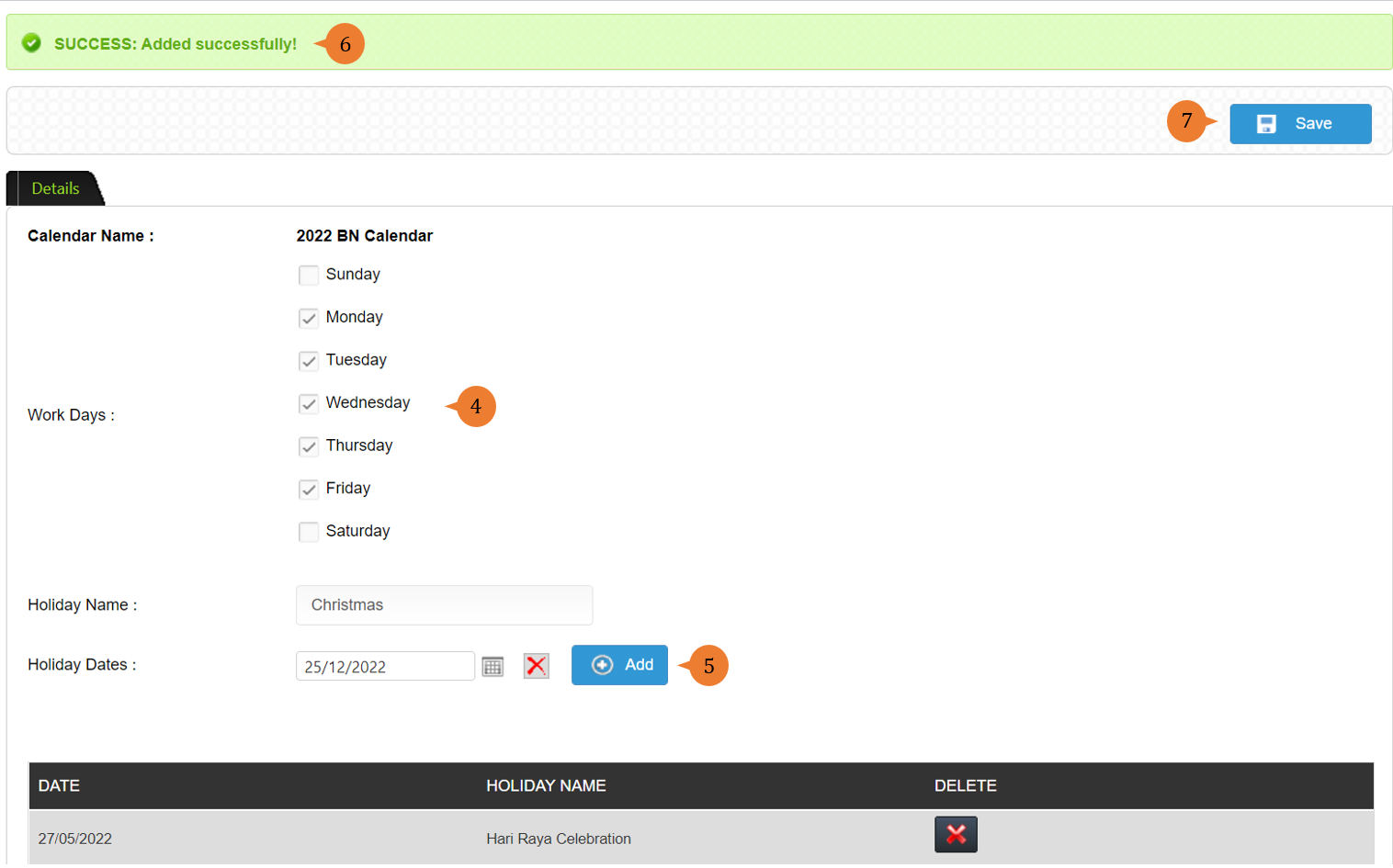
- When the calendar is successfully added, a success message will appear below the page title.

More on this topic 
- For step-by-step guides to using the Setup, see Set Up.