How to perform My Work Order?
Jump to
How to perform My Work Order on web browser?
Perform My Work Order is designed for technicians to carry out their assigned tasks.
To update a Work Order on web browser as you perform the work
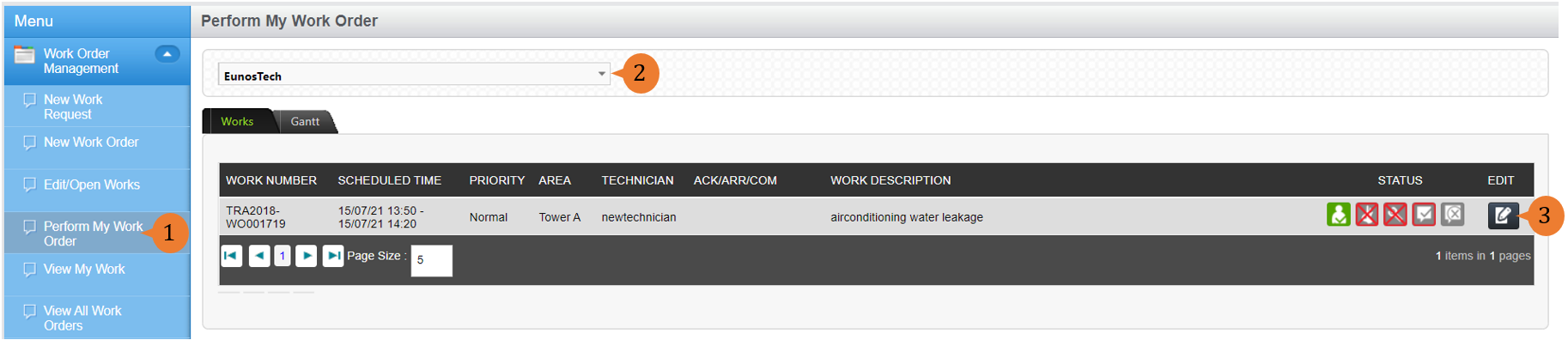
- Select Perform My Work Order under Work Order Management module from the menu.
- Select the Location of concern from the location tree. A list of Work Orders at that location that are assigned to you will be displayed.
- To update the progress of a Work Order, select the EDIT icon
 .
.
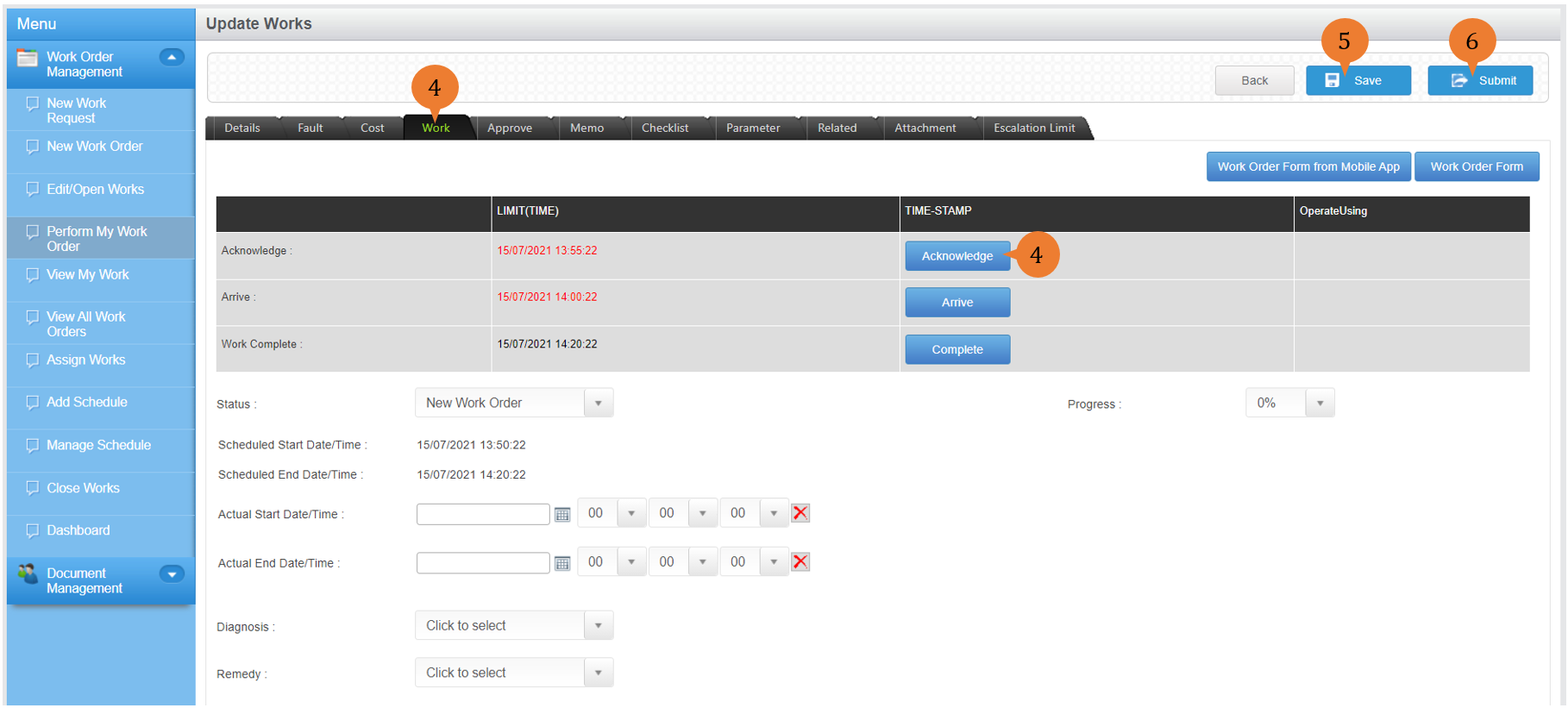
- Under the Work tab, to record the timestamp for when you Acknowledge, Arrive, or Complete the work, select Acknowledge, Arrive, or Complete.
- To save the timestamp, select Save.
- To submit the completed Work Order for closure, select Submit.
- A dialogue box will appear to prompt you to confirm your submission. To submit the Work Order, select OK.

More on this topic
- For a step-by-step guide to updating a Work order on BUILDFOLIO II mobile app, see How to update a Work Order on BUILDFOLIO II mobile app.
- For more step-by-step guides to using Work Order Management module, see Work Order Management Module.