How to manage Store?
Jump to
How to manage Store?
The store is usually managed by the Procurement department with the creation of bins for end-users to access the items required and also add catalog items into the store.
How to create bins in the store?
To create bins in the store
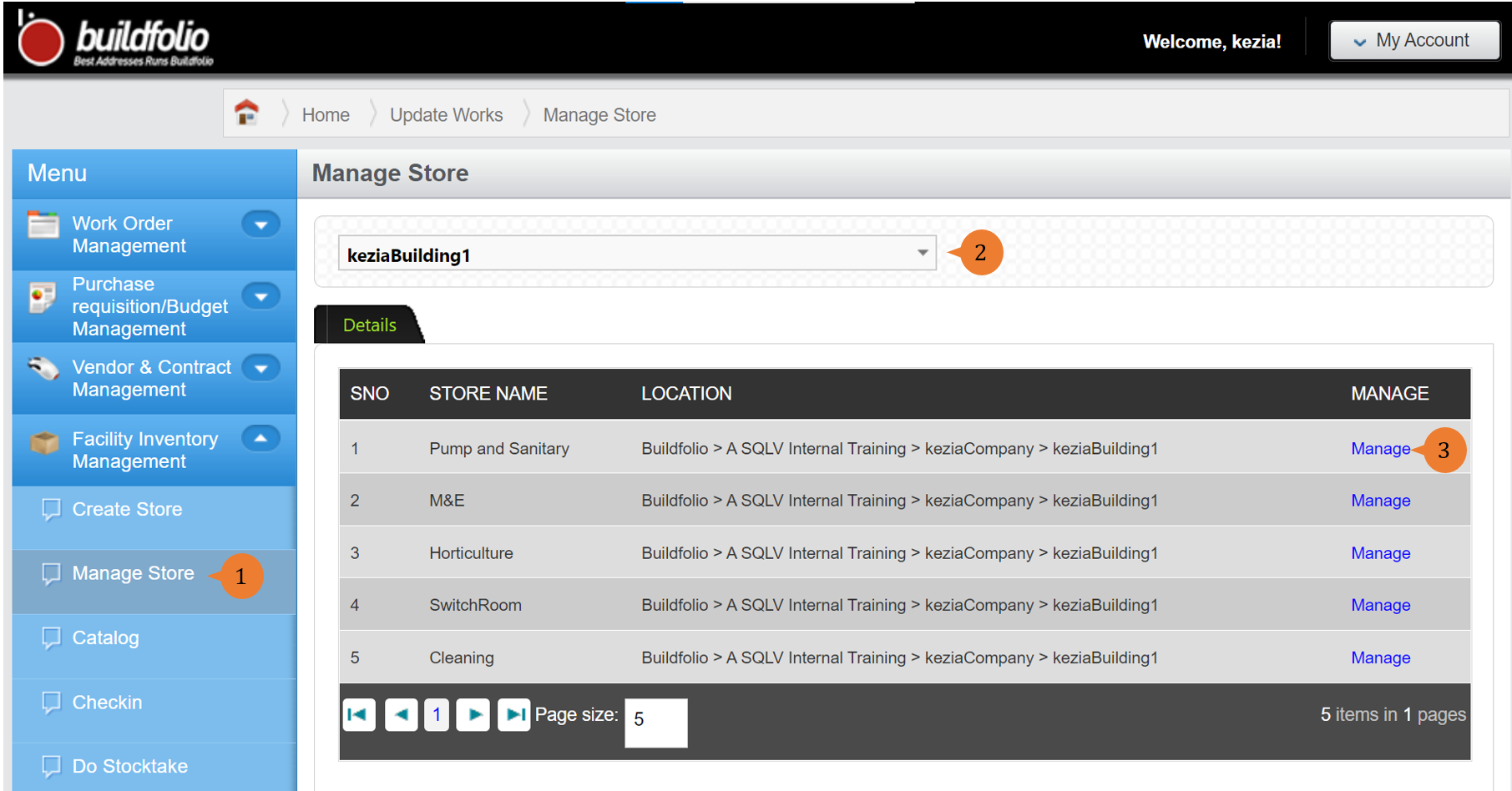
- Select Manage Store under Facility Inventory Management from the Menu.
- Select the location in Choose a location that you wish to manage the store.
- To create the Bin for the Store, click on Manage beside the store.
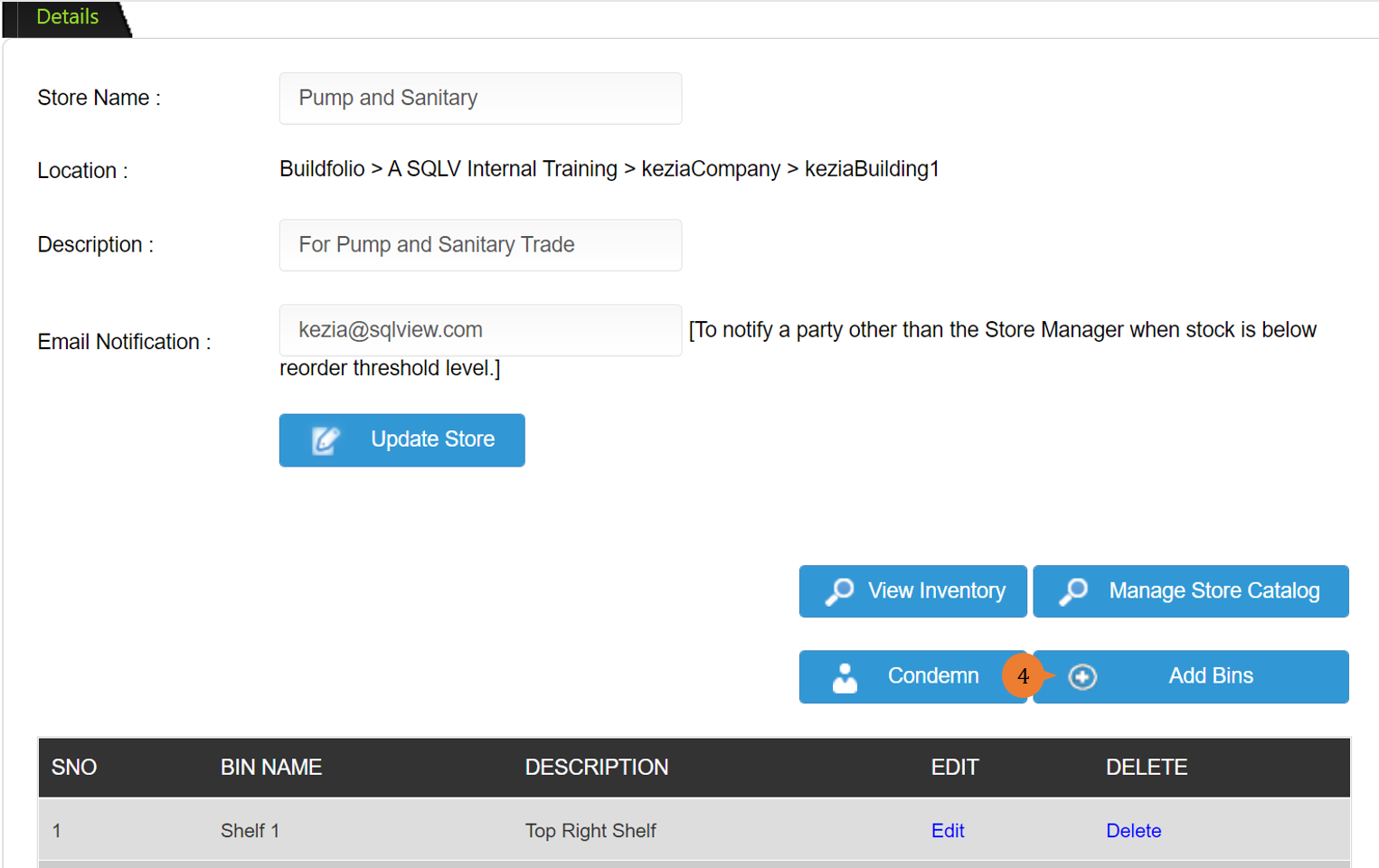
- To create a new Bin, click on Add Bin.
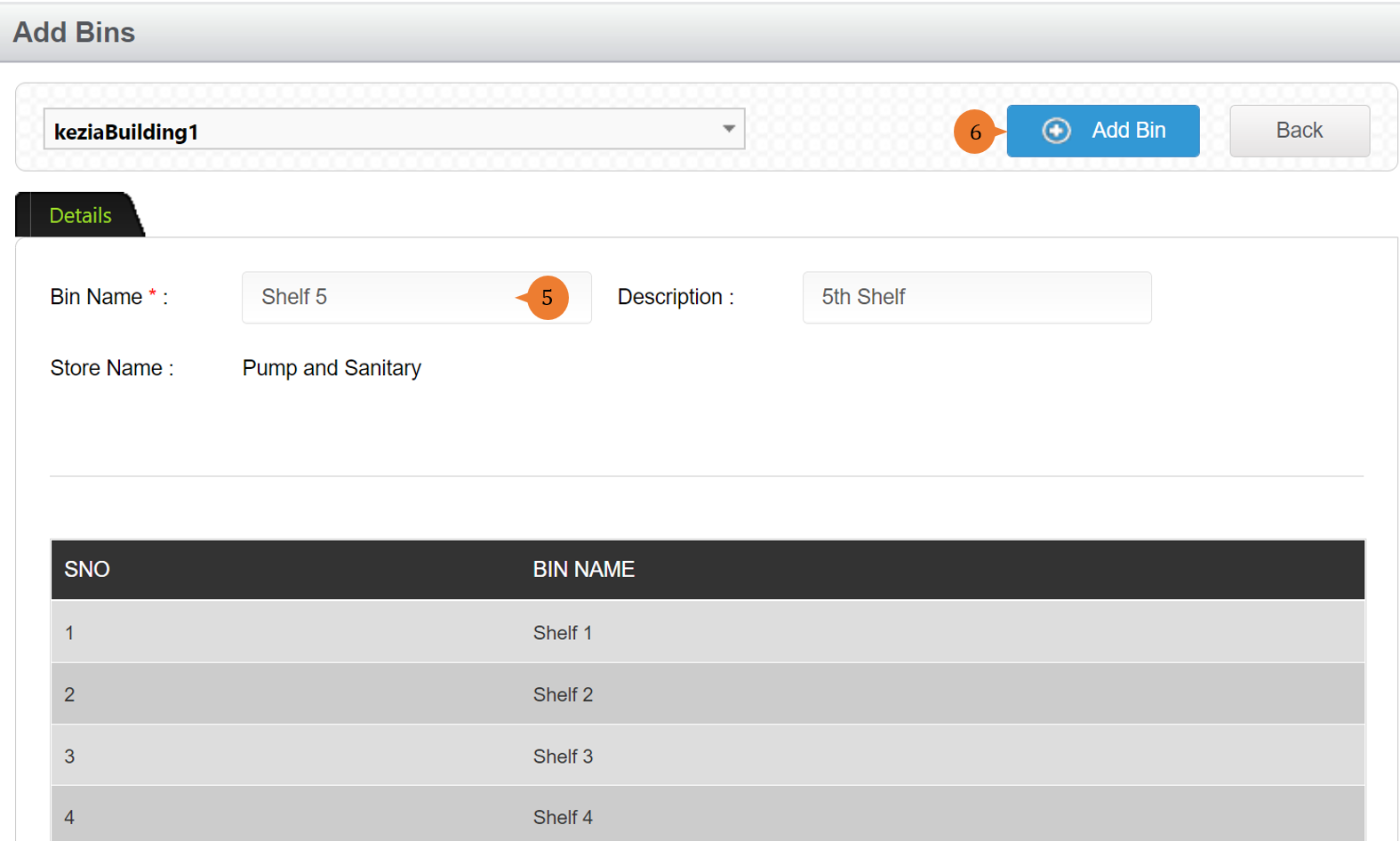
- Fill in the compulsory fields marked with *.
- Click on the Add Bin button to complete the bin creation process.
- Once the bin is successfully created, a success message will appear below the page title.

How to manage store catalog?
To manage store catalog for the store,
- Select Manage Store under Facility Inventory Management from the Menu.
- Select the location in Choose a location that you wish to manage the store catalog.
- To manage store catalog, click on Manage beside the store.
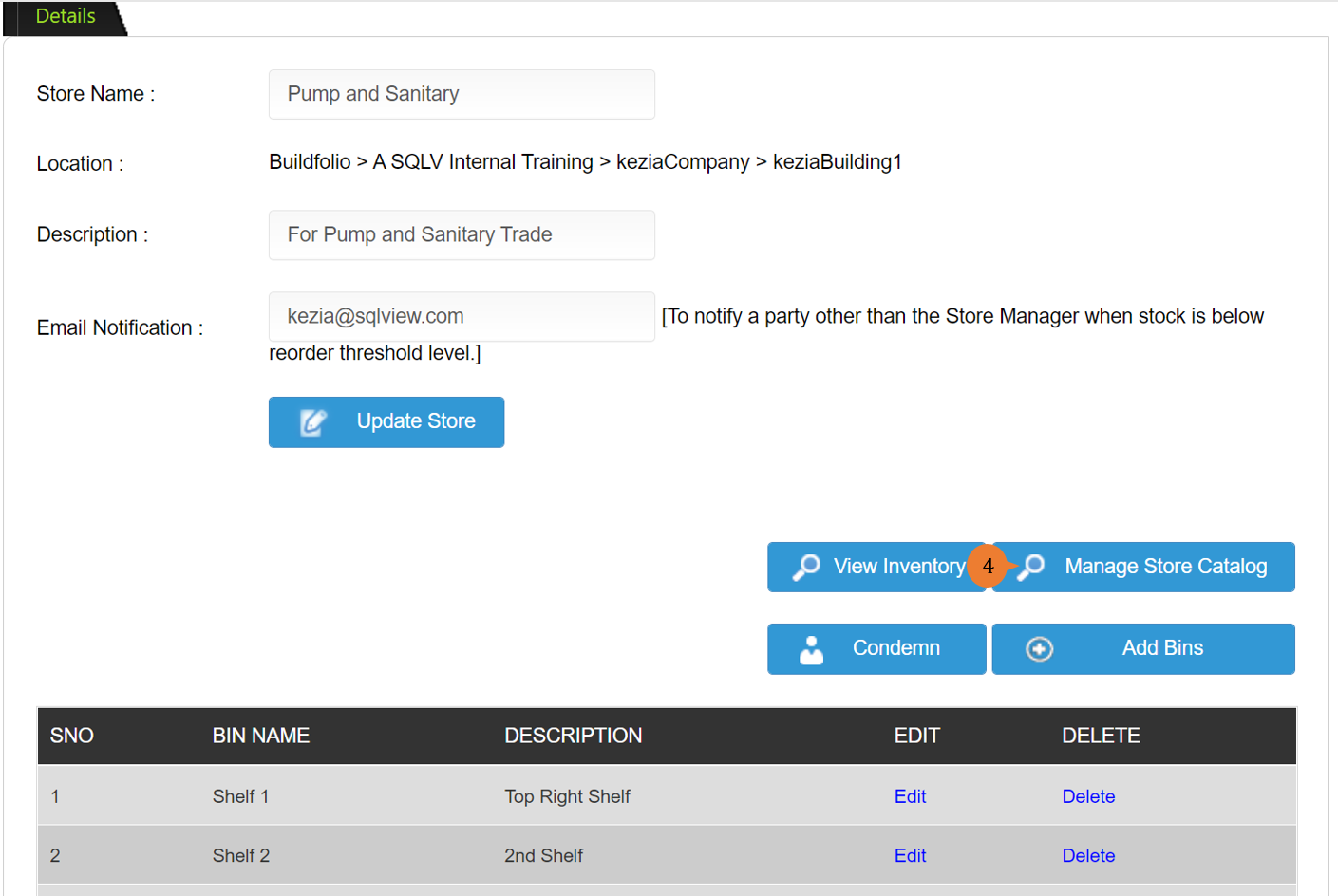
- To manage the store catalog, click on the Manage Store Catalog button to add items to exist in the store.
- To find the catalog item, key in keywords to shorten the list of search results.
- Click the Search icon to list out catalog items that contain the keywords.
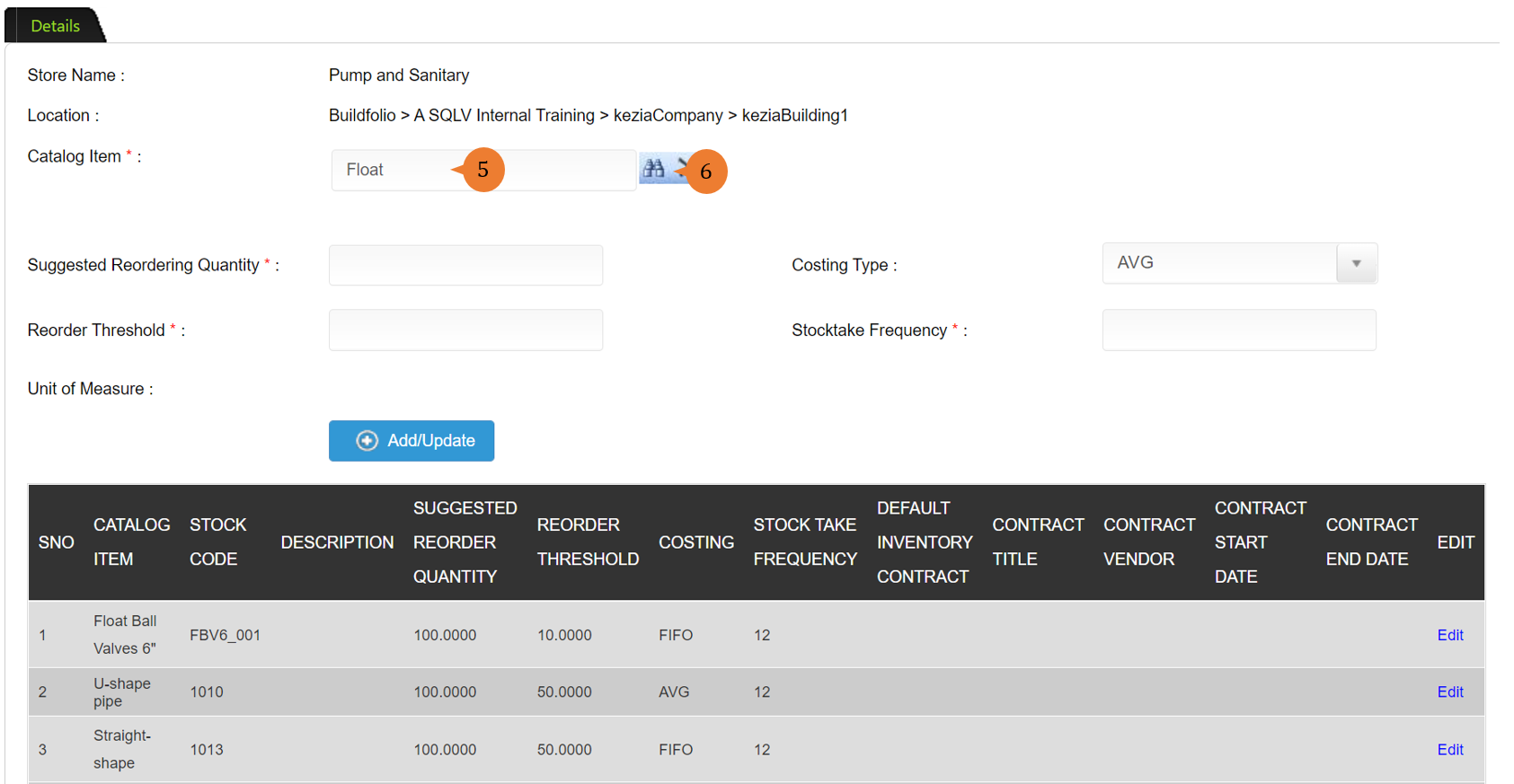
- Select the catalog item that you preferred to add.
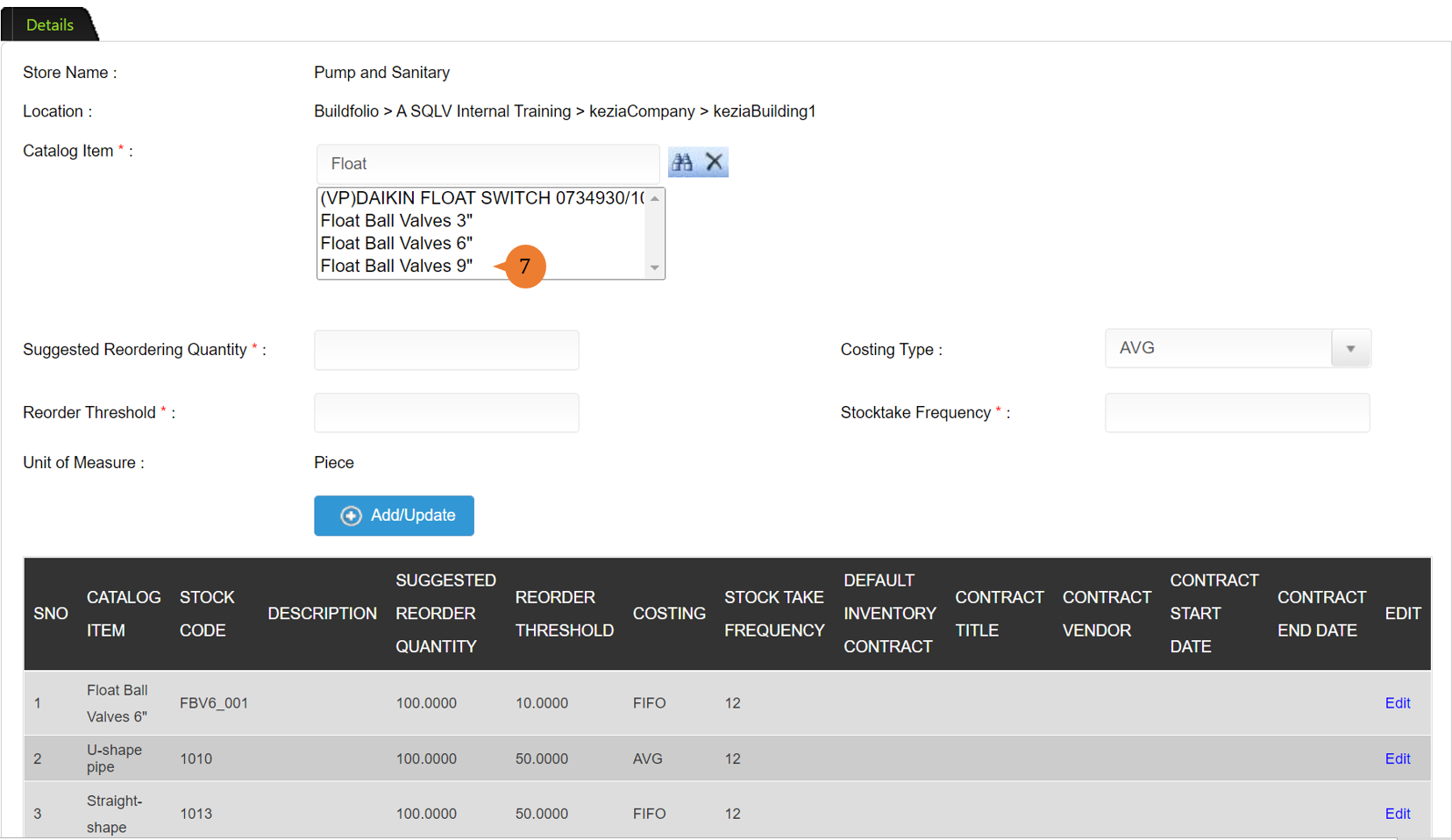
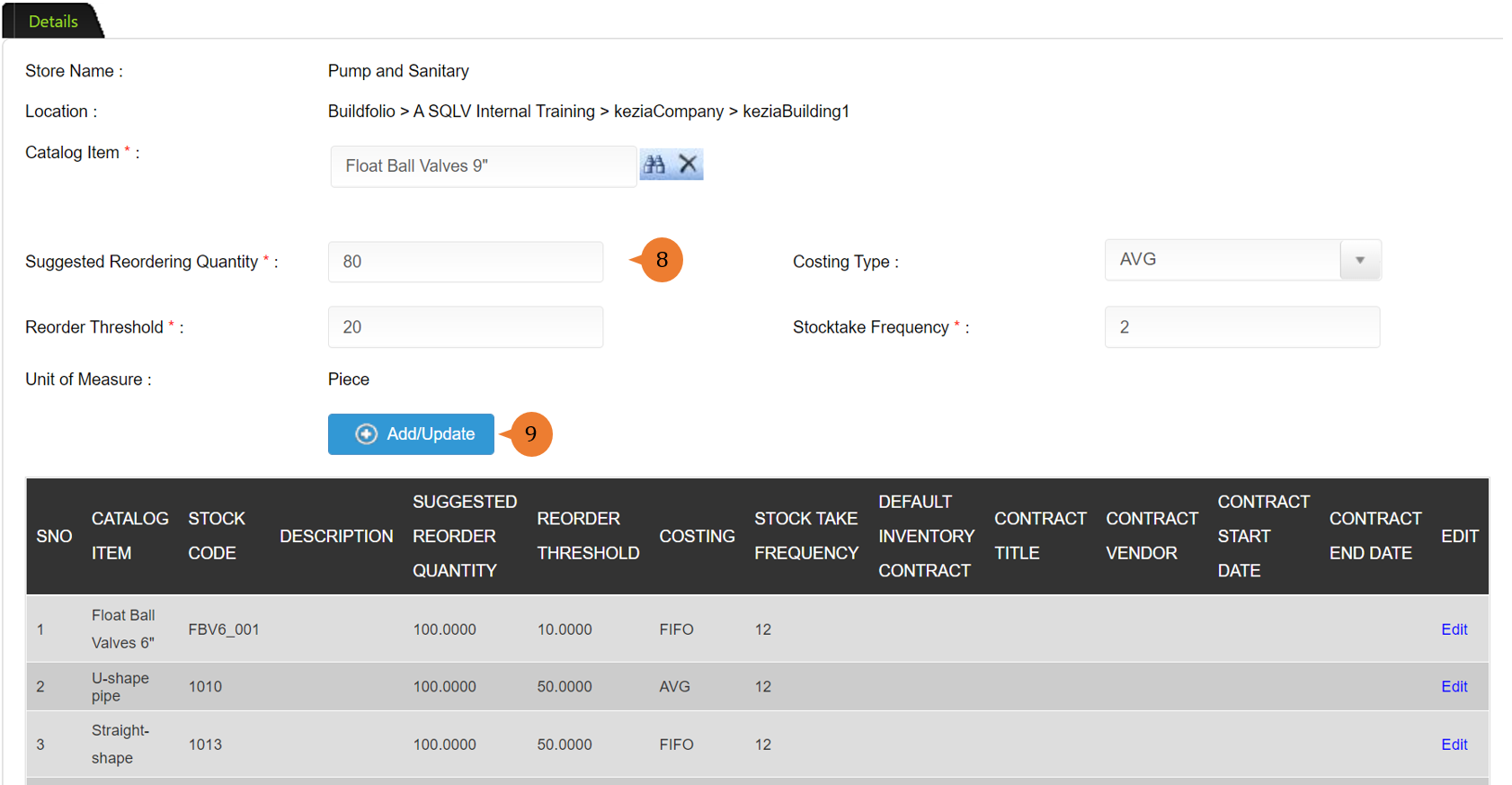
- Fill in the compulsory fields marked with *.
- Suggested Reordering Quantity refers to the minimum ordering quantity of the items.
- Reorder Threshold refers to that if the store reaches this quantity for the item, it will require the procurement team to place an order to get new supplies.
- Stocktake Frequency refers to the number of times that stocktake will occur to account for the stock quantity balance.
- To add/amend the catalog item for the store, click on Add/Update button.
How to view inventory?
To view inventory in the store,
- Select Manage Store under Facility Inventory Management from the Menu.
- Select the location in Choose a location that you wish to view its inventory.
- To view inventory, click on Manage beside the store.
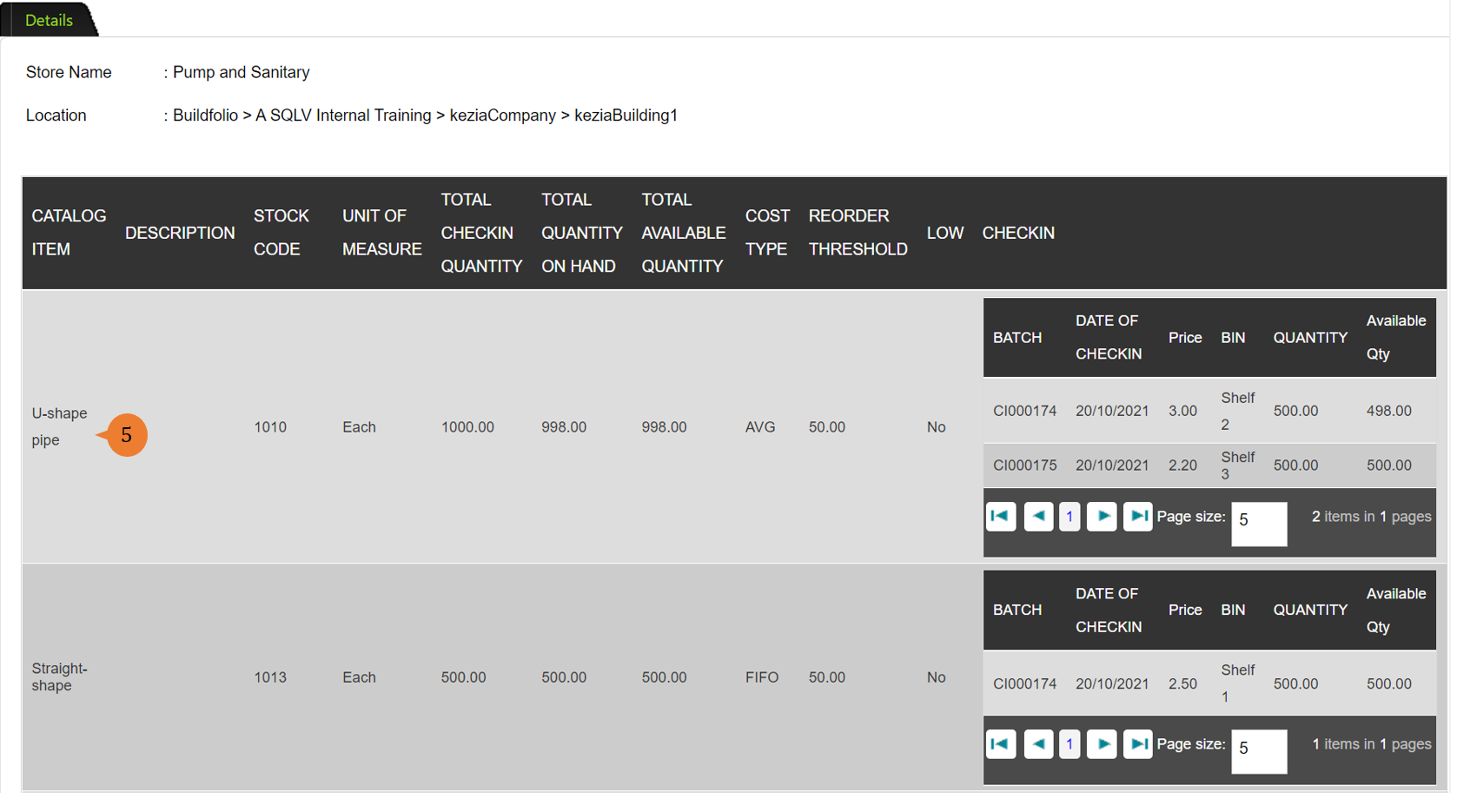
- To view Inventory, click on the View Inventory button.
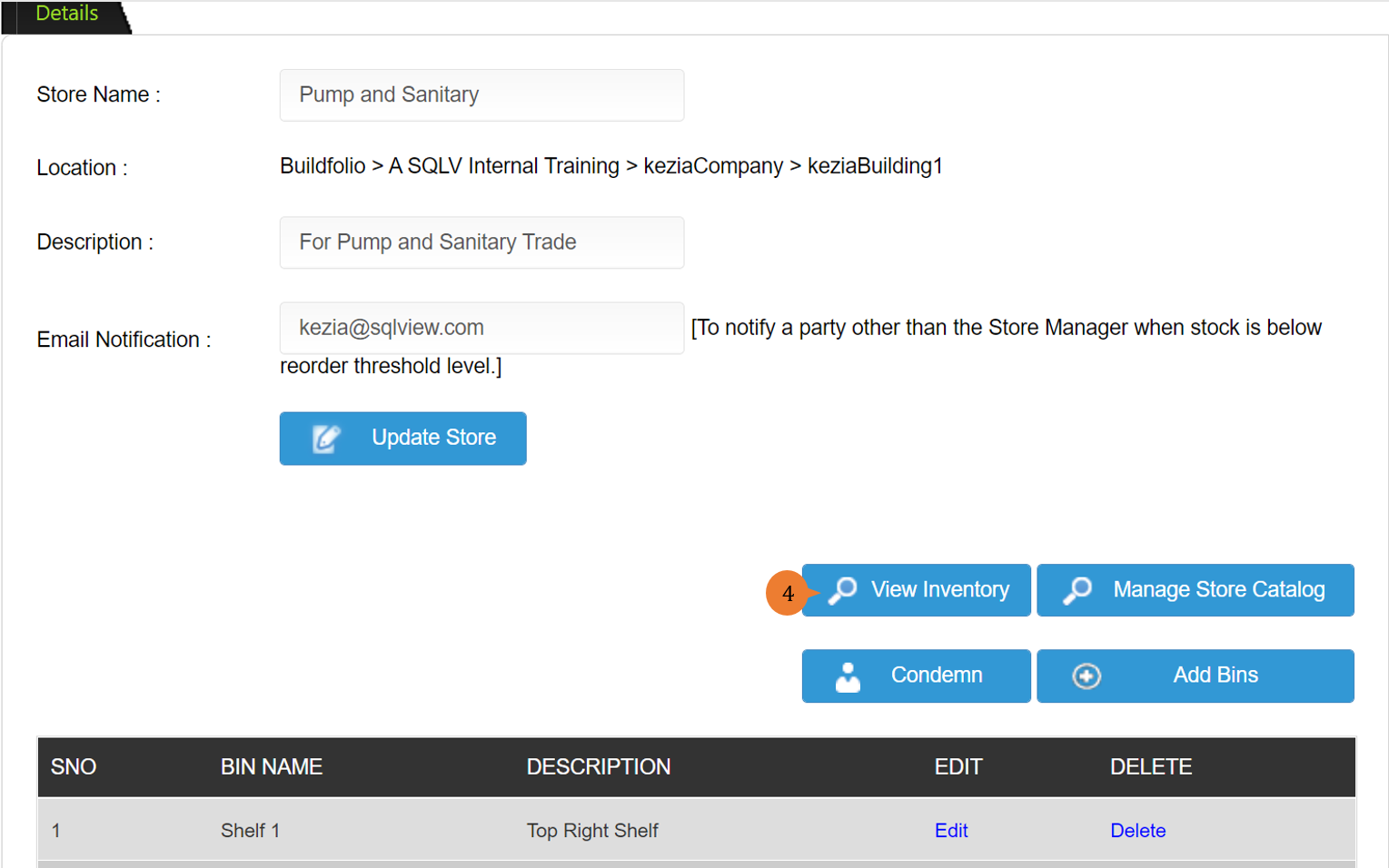
- It will show the inventory information of the store.
More on this topic
- For a step-by-step guide to check-in and check-out of inventory, see How to check-in and check-out of Inventory?.
- For step-by-step guides to using the Facility Inventory Management module, see Facility Inventory Management Module.