Generating Billing Advice Report
How to generate a billing advice report?
Building Advice Report will show the list of work orders that meet both the following conditions:
- It is chargeable.
- The bill to address is selected and tenant code and group are available.
It will contain information regarding the work order number, location, chargeable amount and so on.
To generate a billing advice report
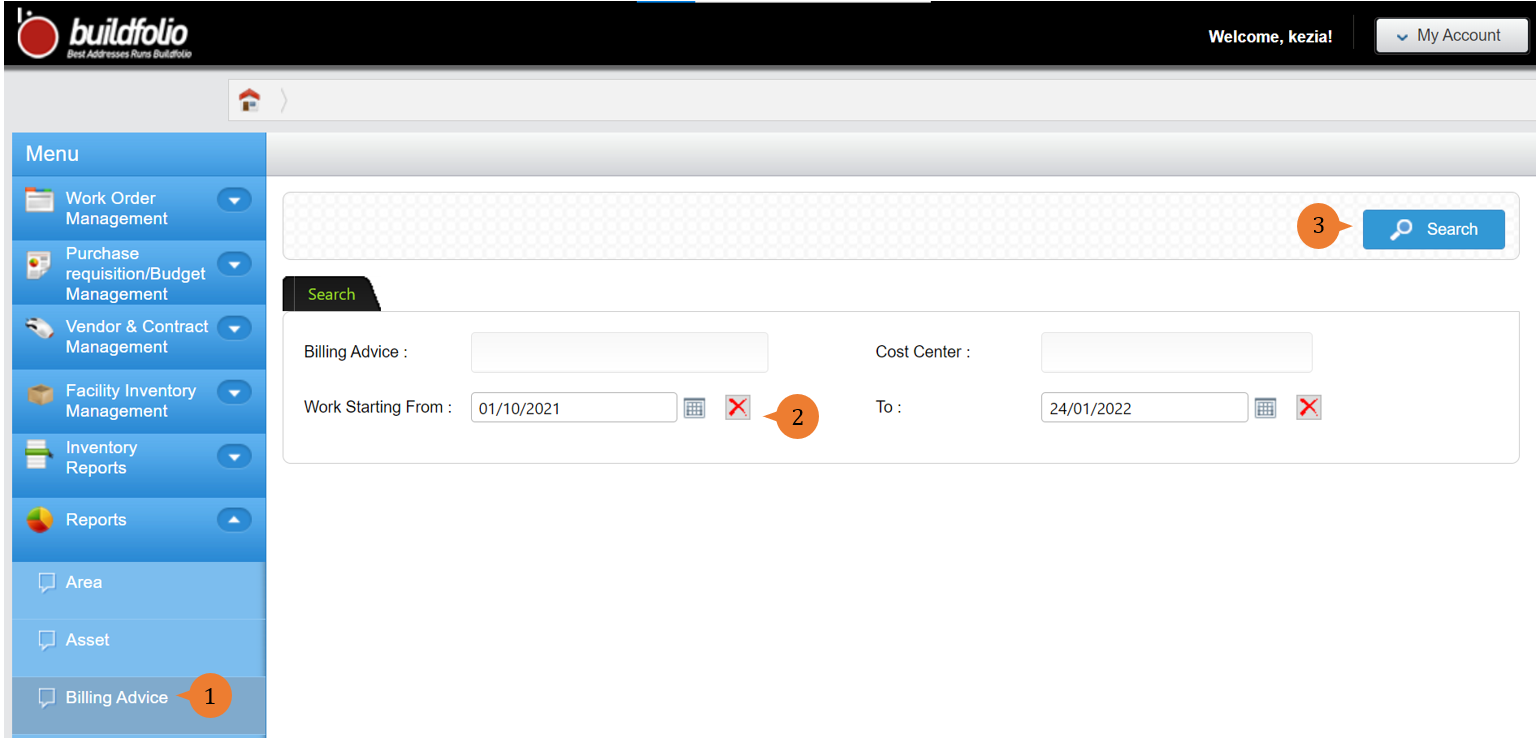
- Select Billing Advice under Report from the Menu.
- Input the search criteria that you preferred such as Work Starting From and To that will assist to helps to limit the reports’ results.
- Click on the Search button.
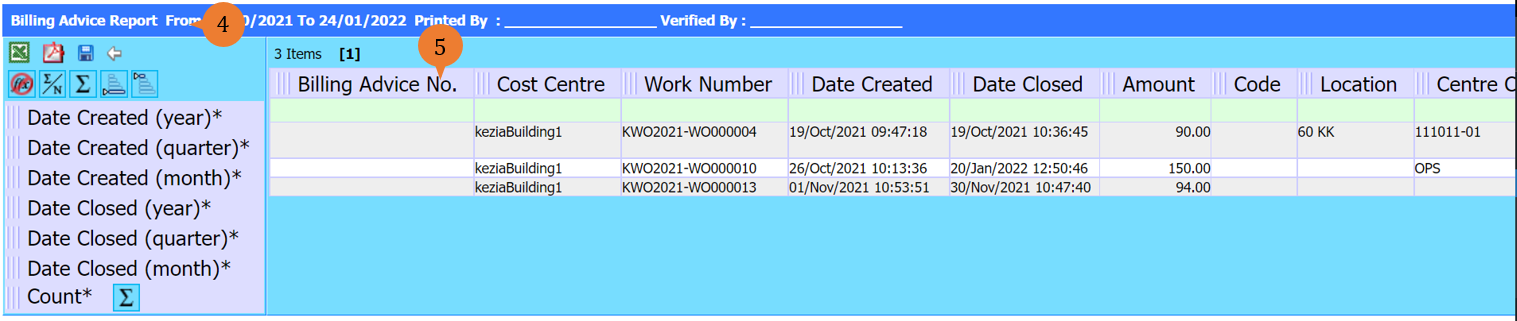
- A new tab will appear that contains the billing advice report based on the search criteria.
- The report will entail the following:
- Billing Advice No. [The Billing Advice Number on the Billing Report will only appear when a work order has been processed for billing.]
- Cost Centre
- Work Number
- Date Created
- Date Closed
- Amount
- Code
- Location
- Centre Code
- Bill to
More on this topic 
- For step-by-step guides to using the Reports module, see Reports Module.