Edit Aircon Charge
How to edit the aircon charge?
The aircon charge is for one to add the rates for aircon services rendered to tenants in order to generate a billing report.
To edit the aircon charge
- Select Edit Aircon Charge under Charge Management from the Menu.
- Select the location.
- Select the Asset ID.
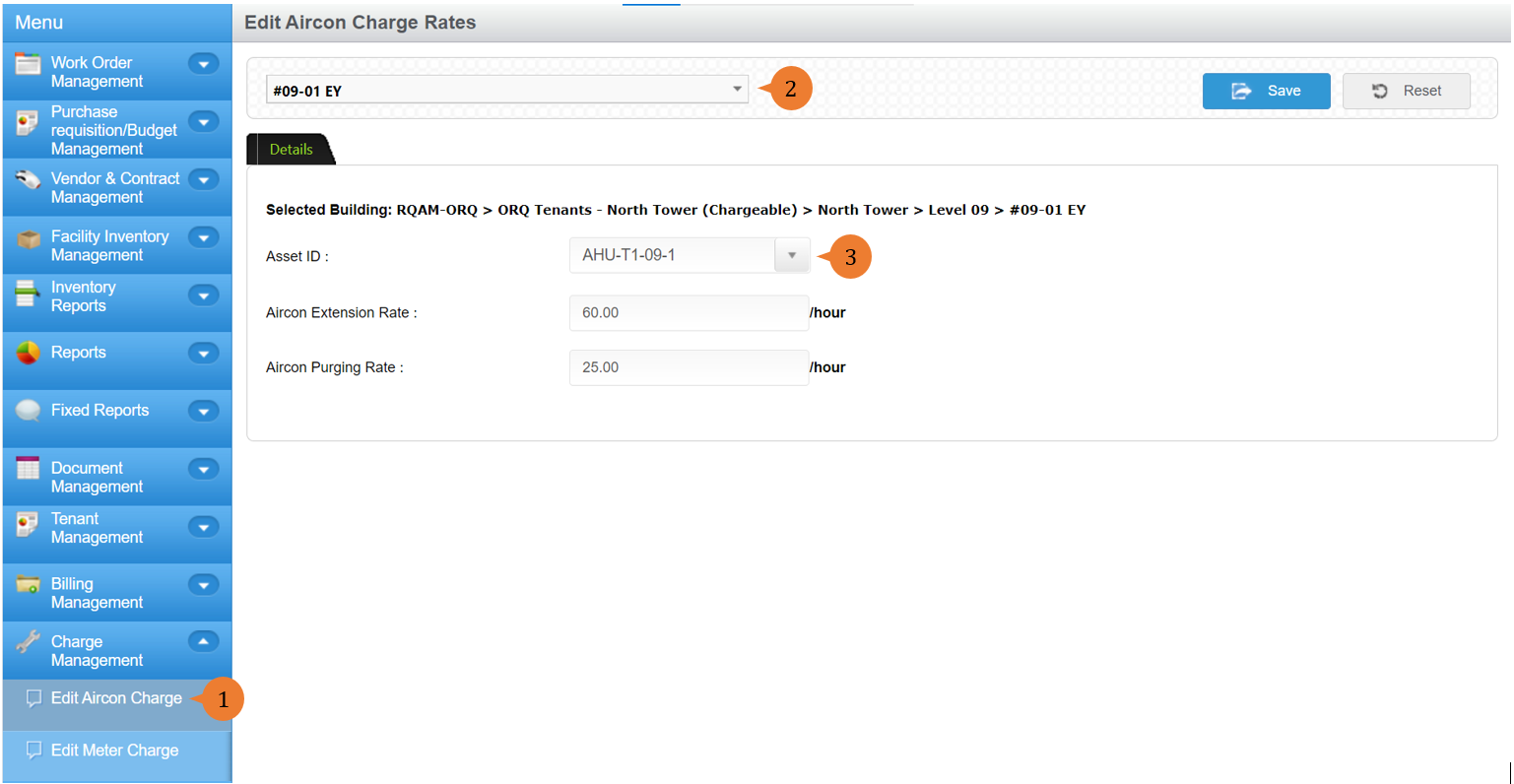
- Add in the rates for aircon extension and aircon purging.
- Click on the Save button.
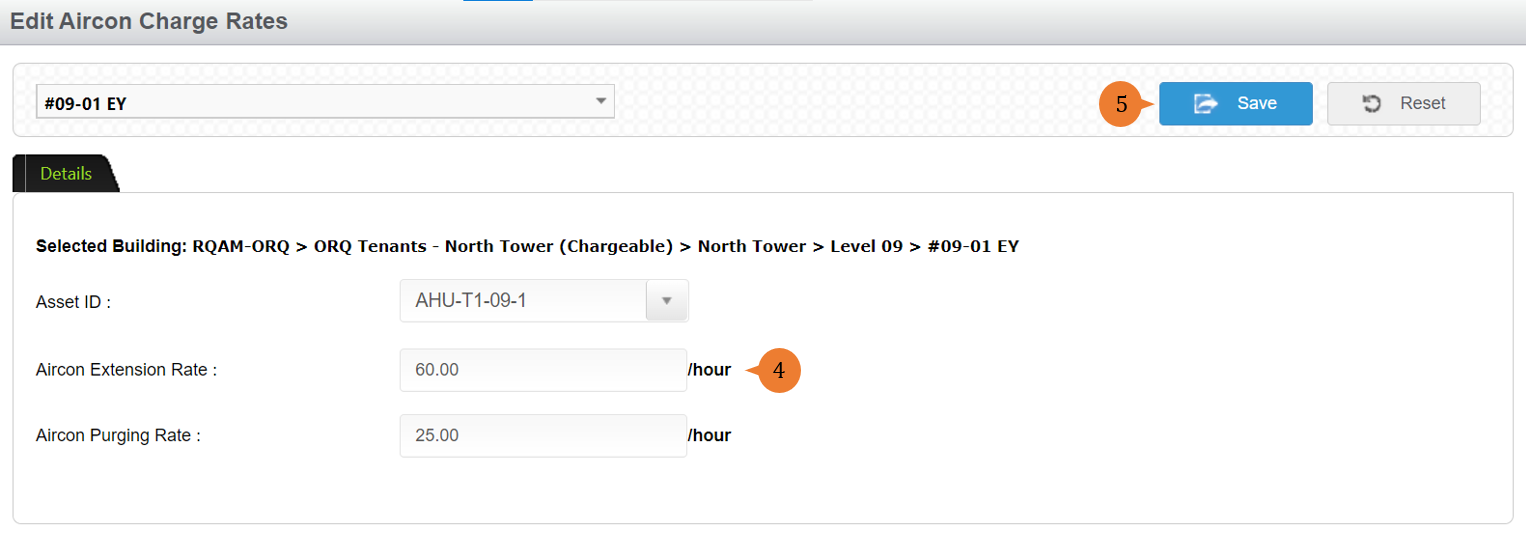
- When the aircon rate is successfully added, a success message will appear below the page title.

More on this topic 
- For step-by-step guides to using the Charge Management module, see Charge Management Module.