Adding Drawing Document
How to add a drawing document?
Drawing documents can be the façade design, structural design, floor plans and so on.
To add a drawing document
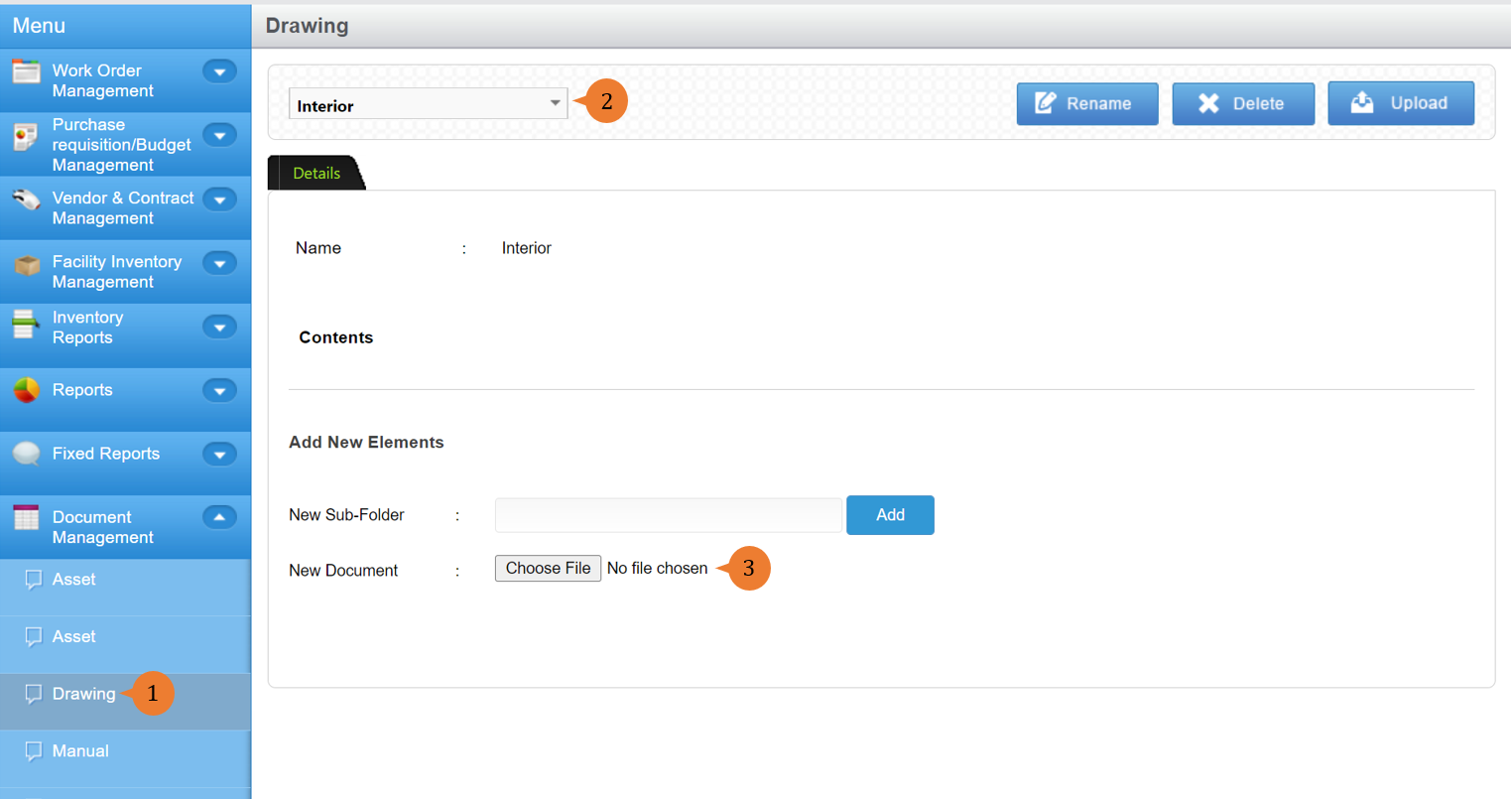
- Select Drawing under Document Management from the Menu.
- Select the relevant folder.
- Click on Choose File to select the document to attach.
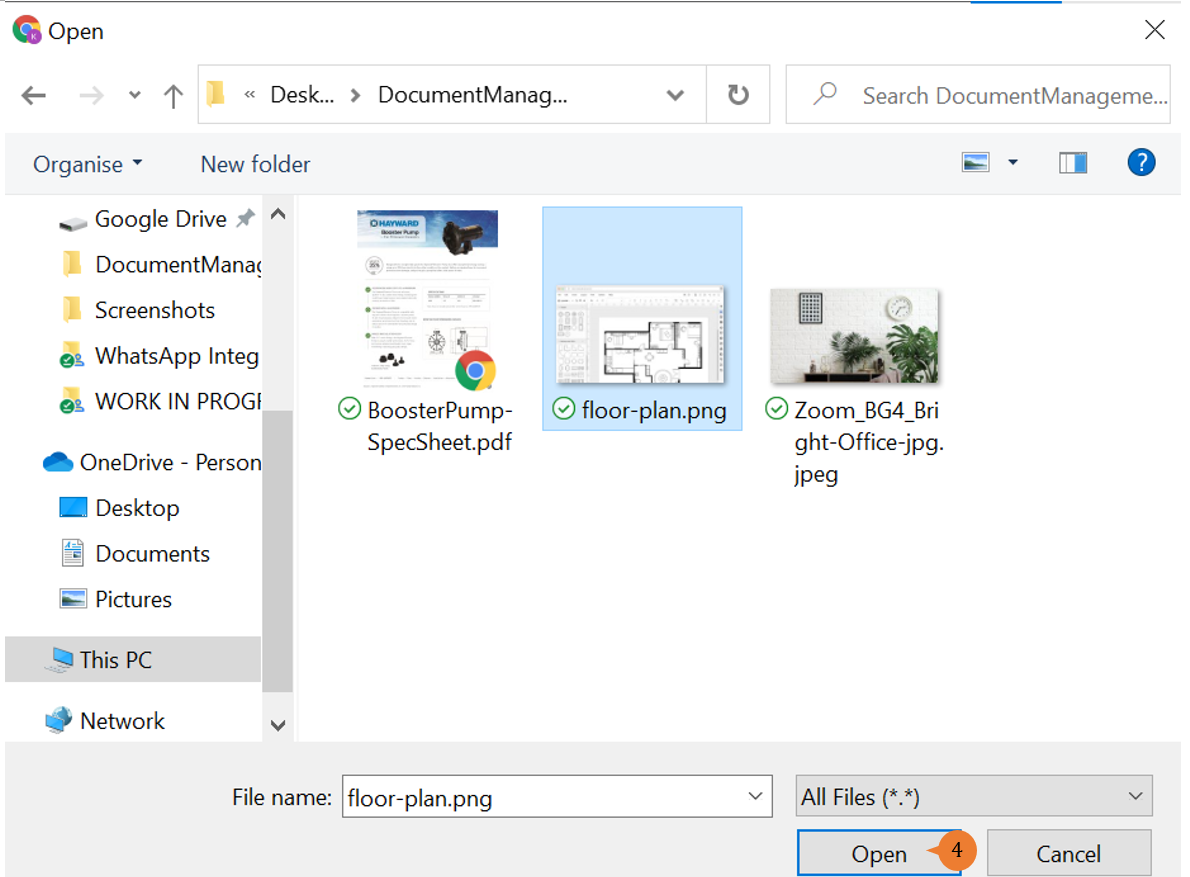
- Select the document that you wish to attach.
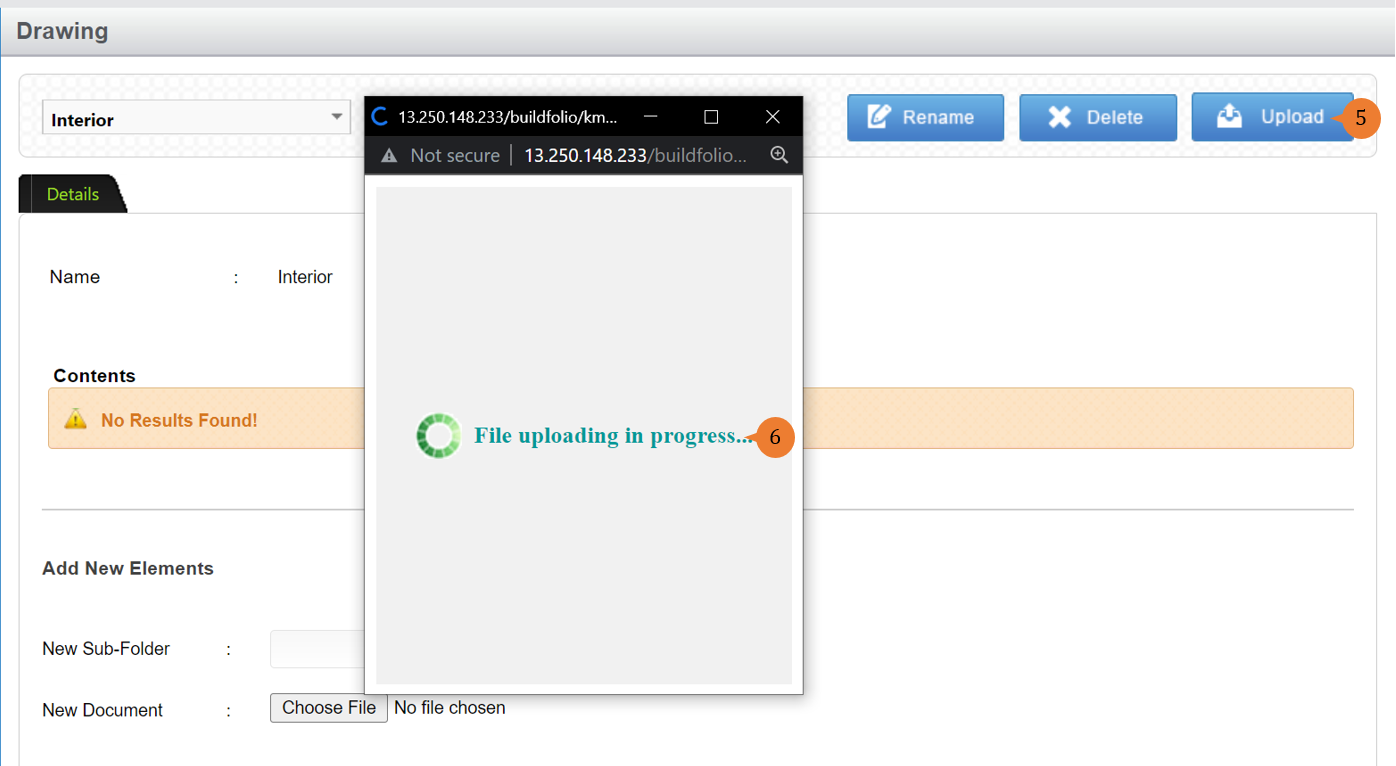
- Click on the Upload button.
- A pop-up screen will appear with a loading circle indicator and with “File uploading in progress…”. This might take a while depending on the file size.
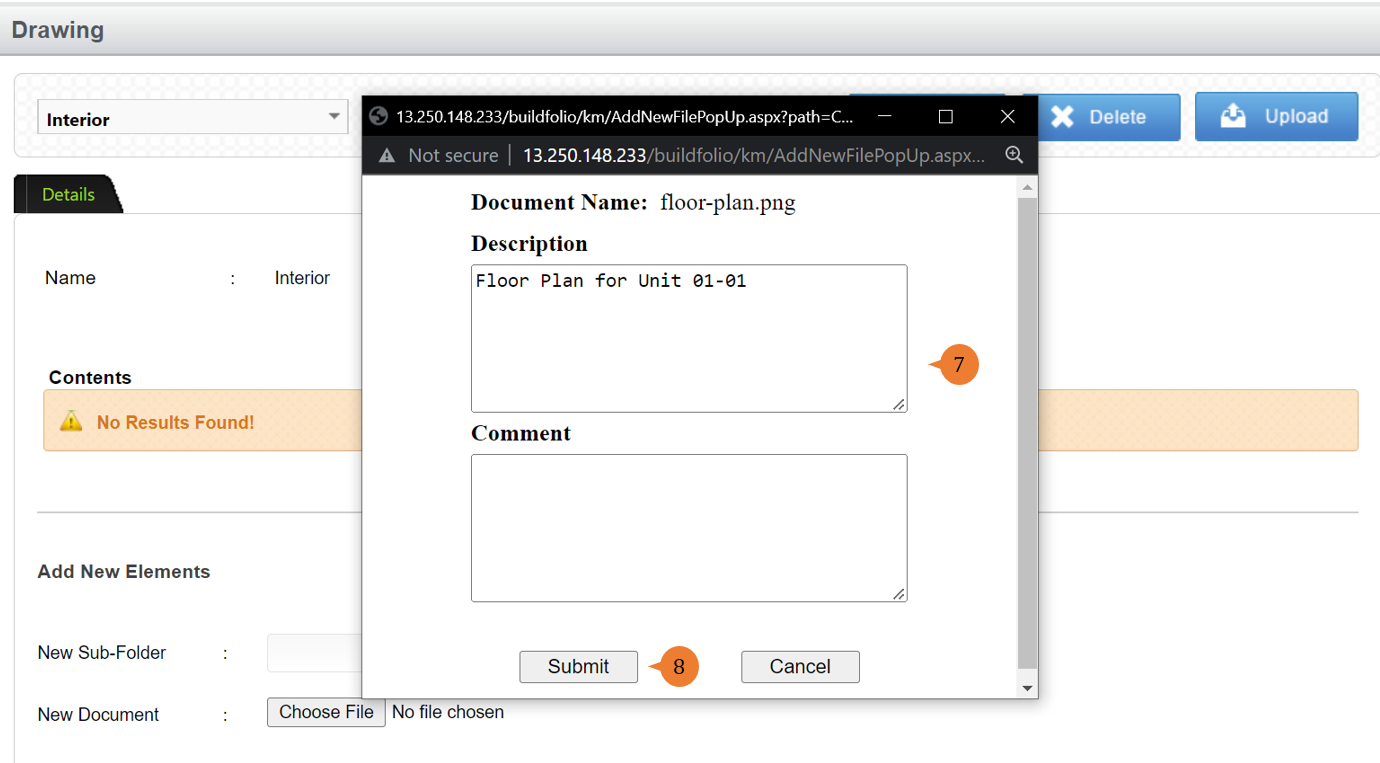
- Once the document is successfully uploaded, it will show the file name. It will provide a Description and Comment field for you to input details of the file.
- Click on the Submit button to complete the document upload.
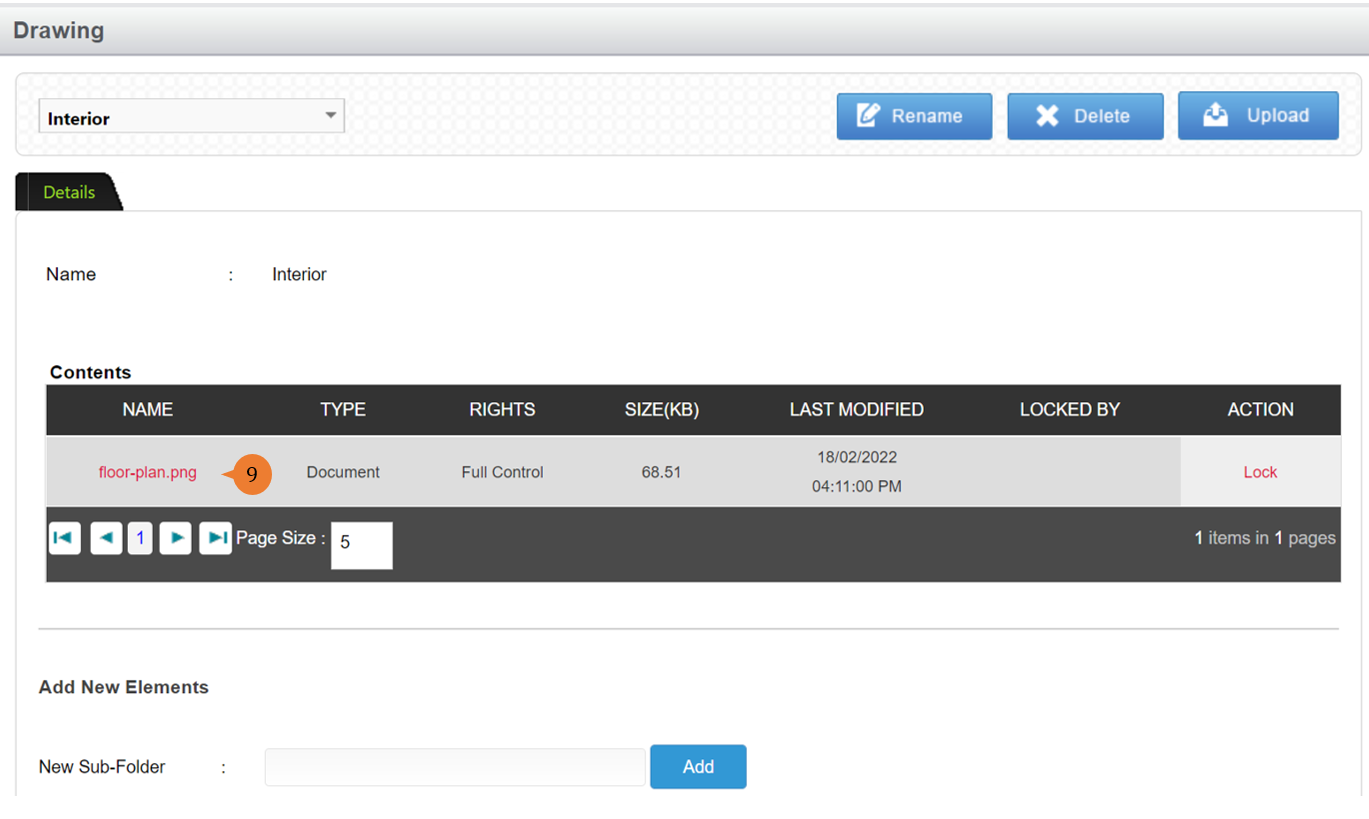
- The document will be reflected under the Contents.
More on this topic 
- For step-by-step guides to using the Document Management module, see Document Management Module.