How to add Expenses?
How to add Expenses? 
Expenses are usually performed by the Facility Manager to record any spending that is small that does not have an invoice or PO, an example will be Staff Welfare etc.
To add Expenses
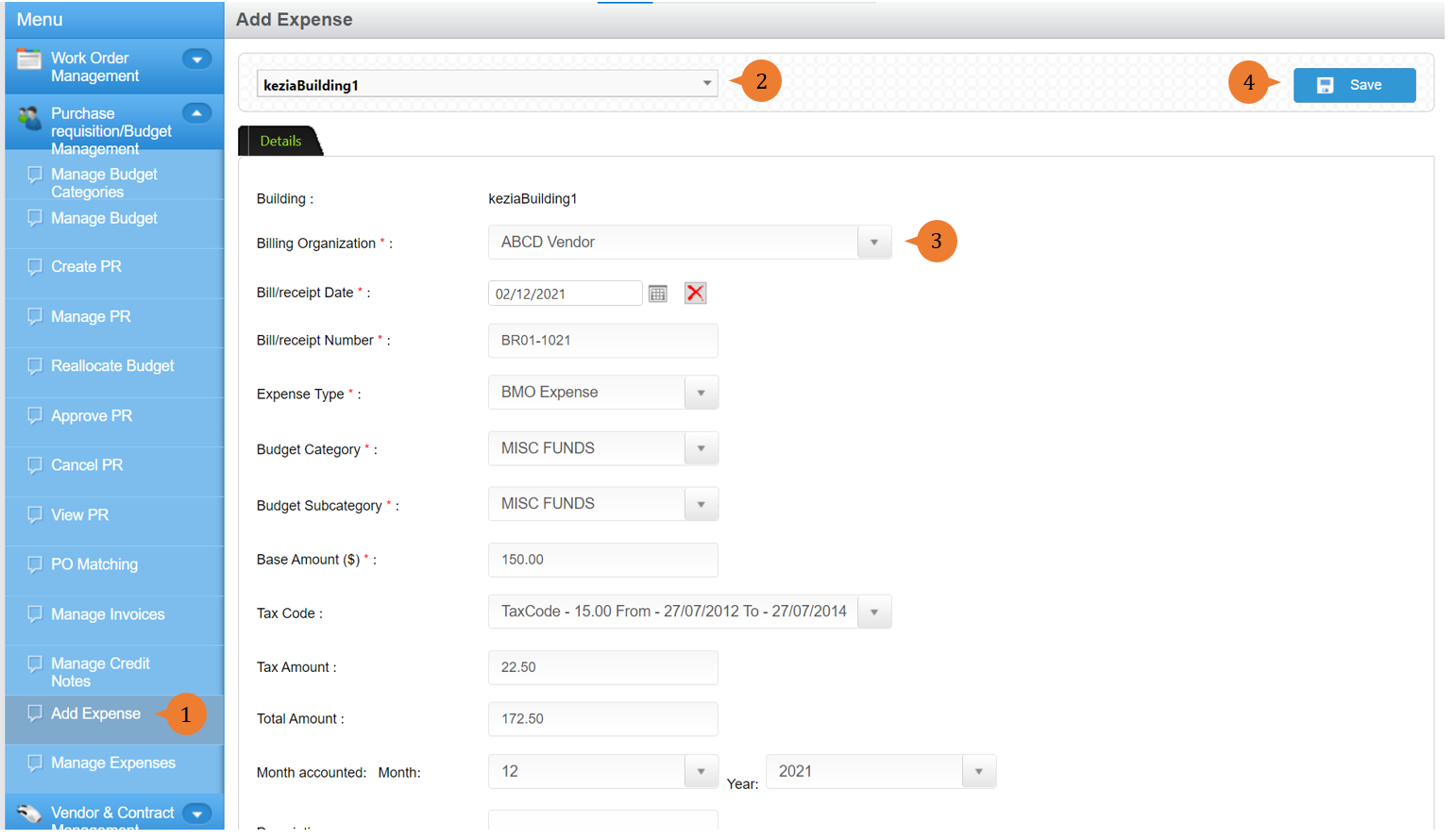
- Select Add Expenses under Purchase requisition/Budget Management from the Menu.
- Select the location.
- Fill in all the * fields.
- To add the expenses, click on the Save button.
- When the Expenses is successfully created, a success message will appear below the page title

More on this topic
- For a step-by-step guide to manage expenses, see How to manage expenses?.
- For step-by-step guides to using Purchase Requisition/Budget Management module, see Purchase Requisition/Budget Management Module.