How to (re)assign a supervisor to a Work Order?
Jump to
How to re-assign a supervisor to a Work Order on web browser?
Note: This is usually performed by the Work Manager role or anyone given access to.
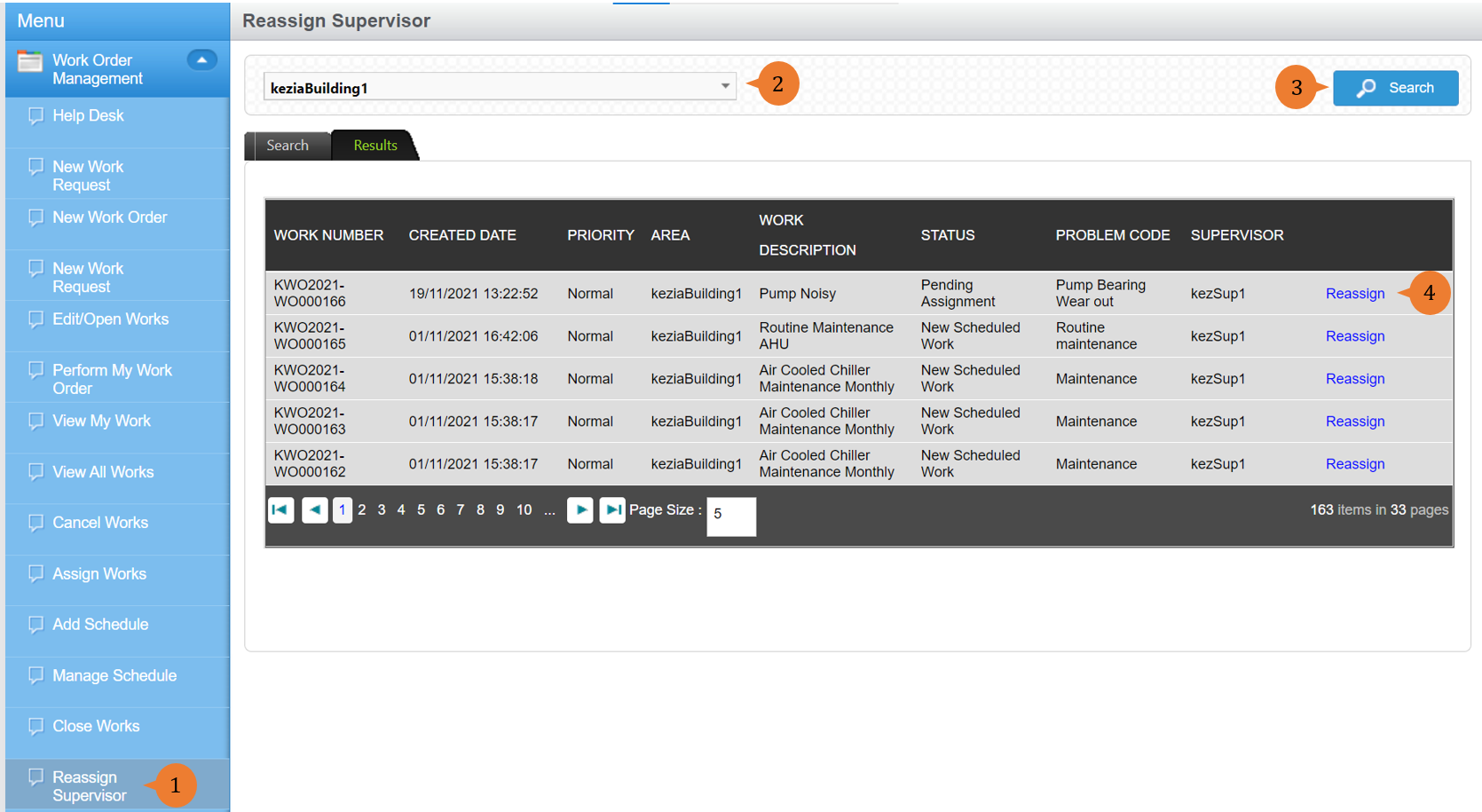
- Select Reassign Supervisor under the Work Order Management module from the menu.
- Select the Location of concern from the location tree.
- Click on Search. A list of Work Orders under your supervision will be displayed.
- To reassign a supervisor to the Work order, select Reassign.
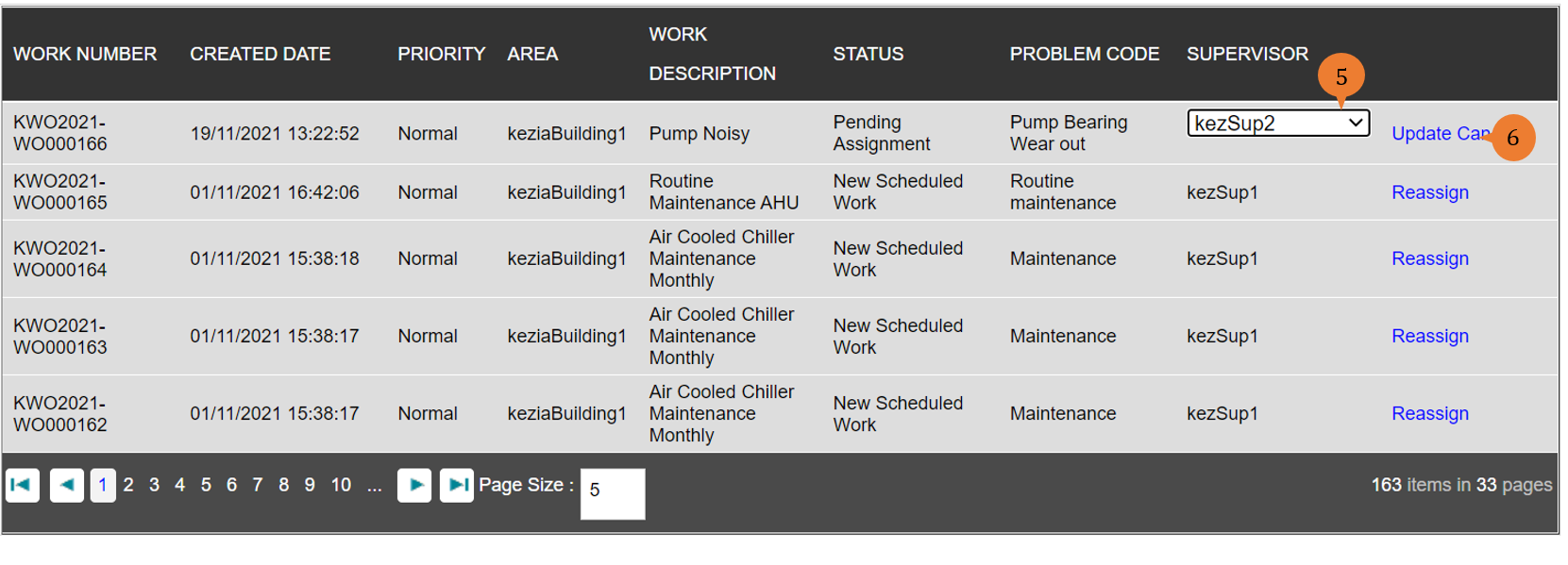
- To select the new supervisor you wish to assign this Work Order, select the dropdown menu arrow.
- To confirm the re-assignment to the new supervisor, select Update.
When the supervisor is successfully assigned to the Work Order, a success message will appear below the page title.

More on this topic
- For a step-by-step guide to (re)assigning a supervisor to a Work Order on BUILDFOLIO II mobile app, see How to re-assign a supervisor to a Work Order on BUILDFOLIO II mobile app?
- For a step-by-step guide to updating a Work Order, see How to update a Work Order?
- For more step-by-step guides to using Work Order Management module, see Work Order Management Module.