Generating Costs of Stock Report
How to generate the costs of stock report?
Costs of Stock Report will list out all the costs of the stock that is being check-in into the store.. This report is useful for both the procurement department and the facility manager.
To generate the costs of stock report report
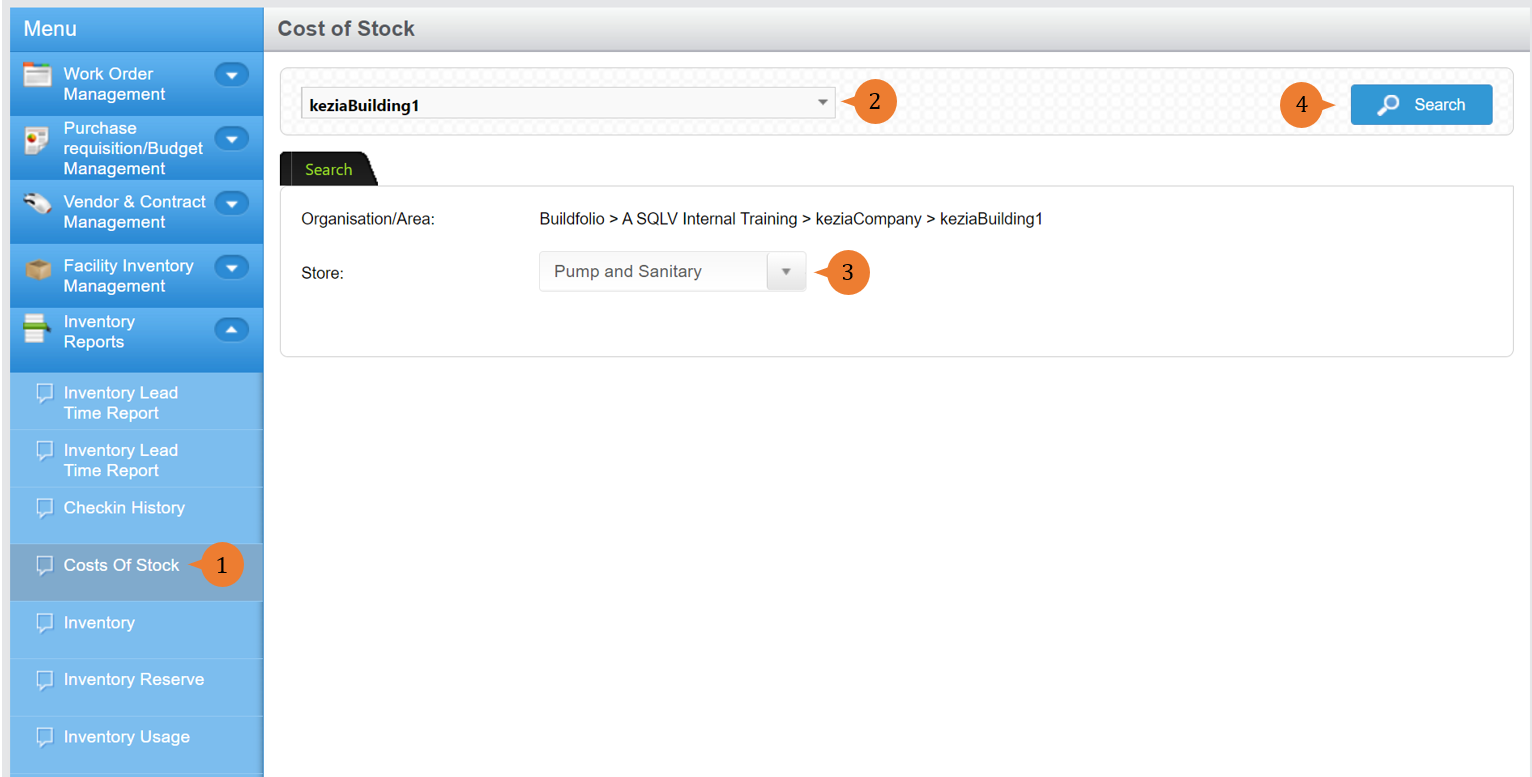
- Select Costs of Stock under Inventory Reports from the Menu.
- Select the location that you wish to search the check-in history report for.
- Select the Store.
- Click on the Search button.
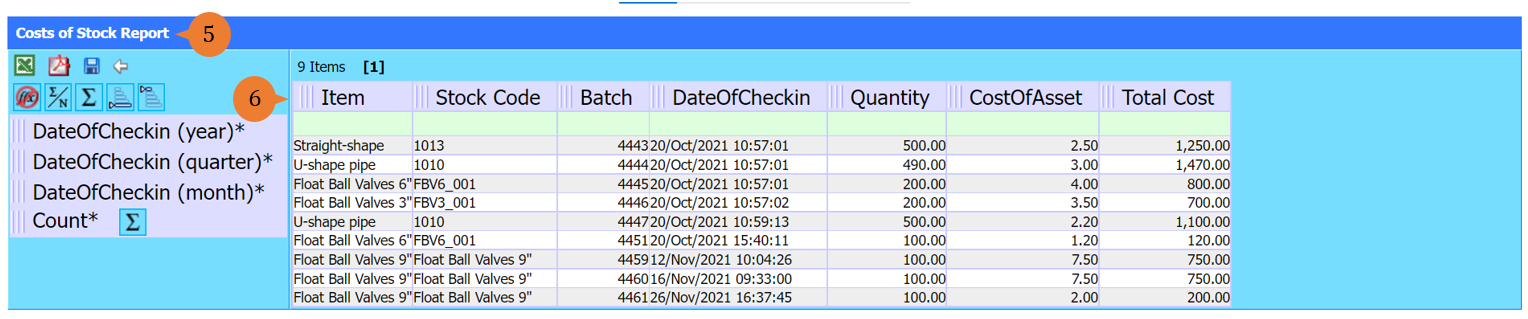
- A new tab will appear that contains the costs of stock report based on the store selected.
- The report will entail the following:
- Item – The inventory item name that is being check-in.
- Stock Code – The inventory stock code number that is being check-in.
- Batch – The batch number of the stock being check-in.
- Stock Description – The inventory item description that is being check-in.
- Quantity – The total number of inventory items being check-in.
- CostOfAsset – The unit price for the inventory items being check-in.
- Total Cost- The amount for these inventory items transactions.
More on this topic 
- For step-by-step guides to using the Inventory Reports module, see Inventory Reports Module.