Adding Project Document
How to add a project document?
Project documents can be any documents that are related to projects of the building such as building renovation projects, security enhancement project and even software upgrading projects.
To add a project document
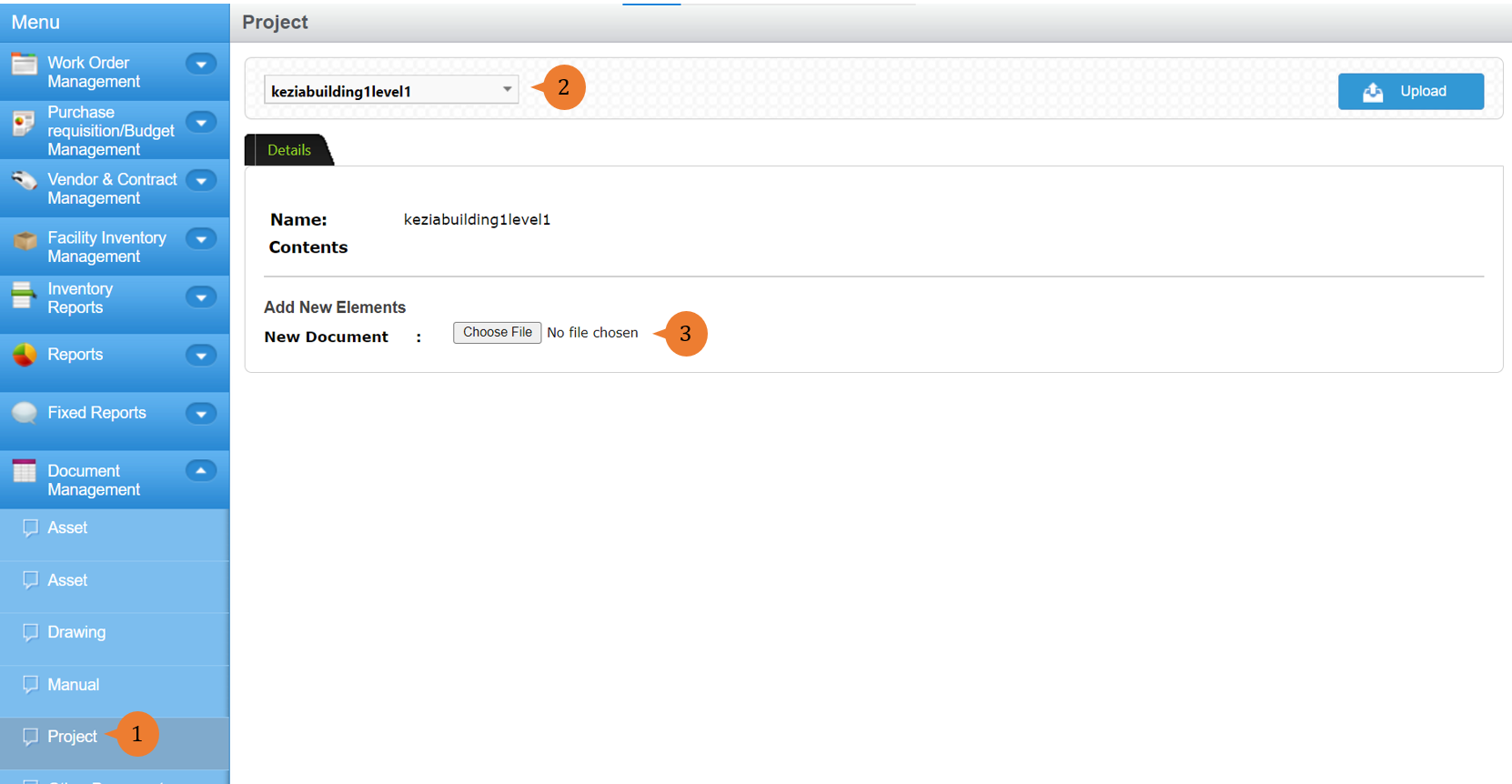
- Select Project under Document Management from the Menu.
- Select the relevant location.
- Click on Choose File to select the document to attach.
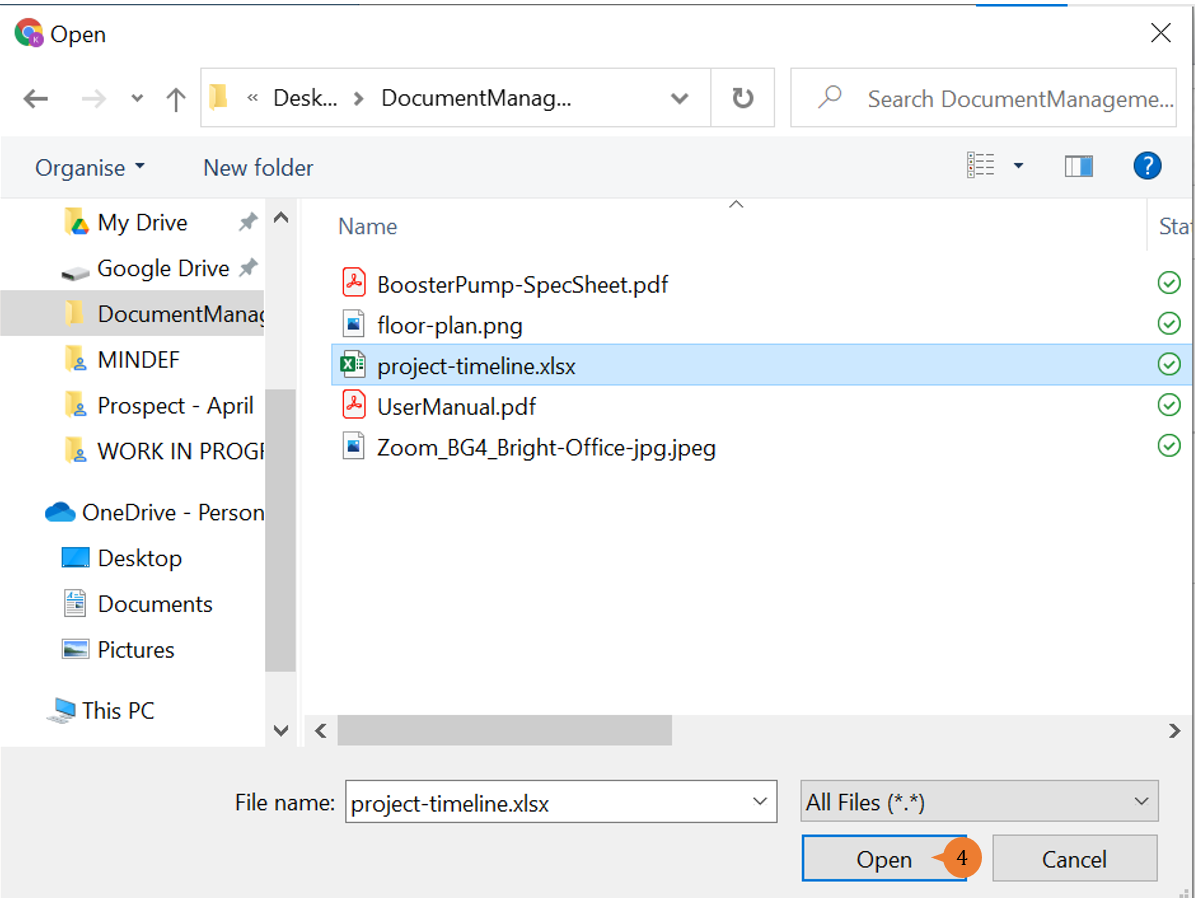
- Select the document that you wish to attach.
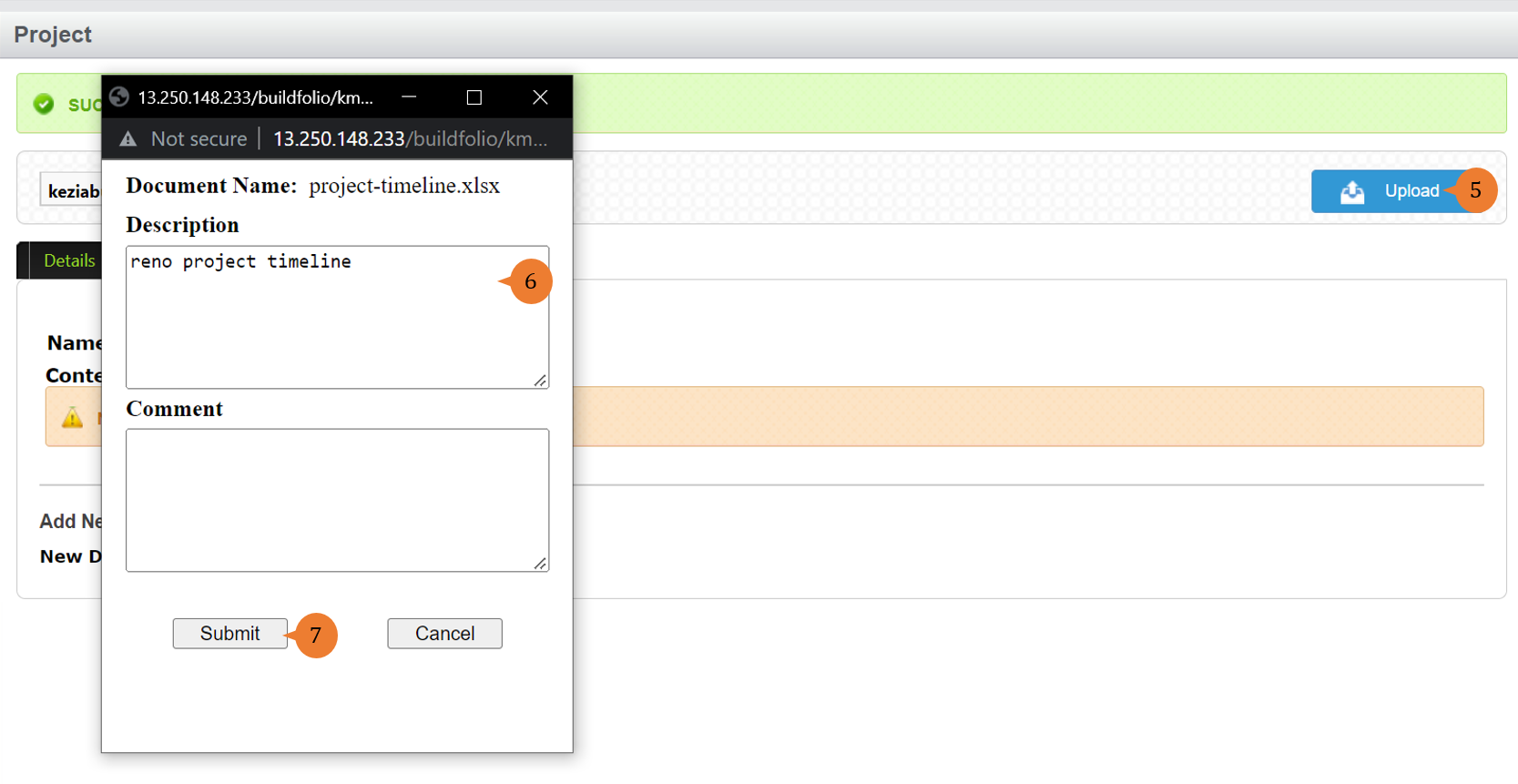
- Click on the Upload button.
- Once the document is successfully uploaded, it will show the file name. It will provide a Description and Comment field for you to input details of the file.
- Click on the Submit button to complete the document upload.
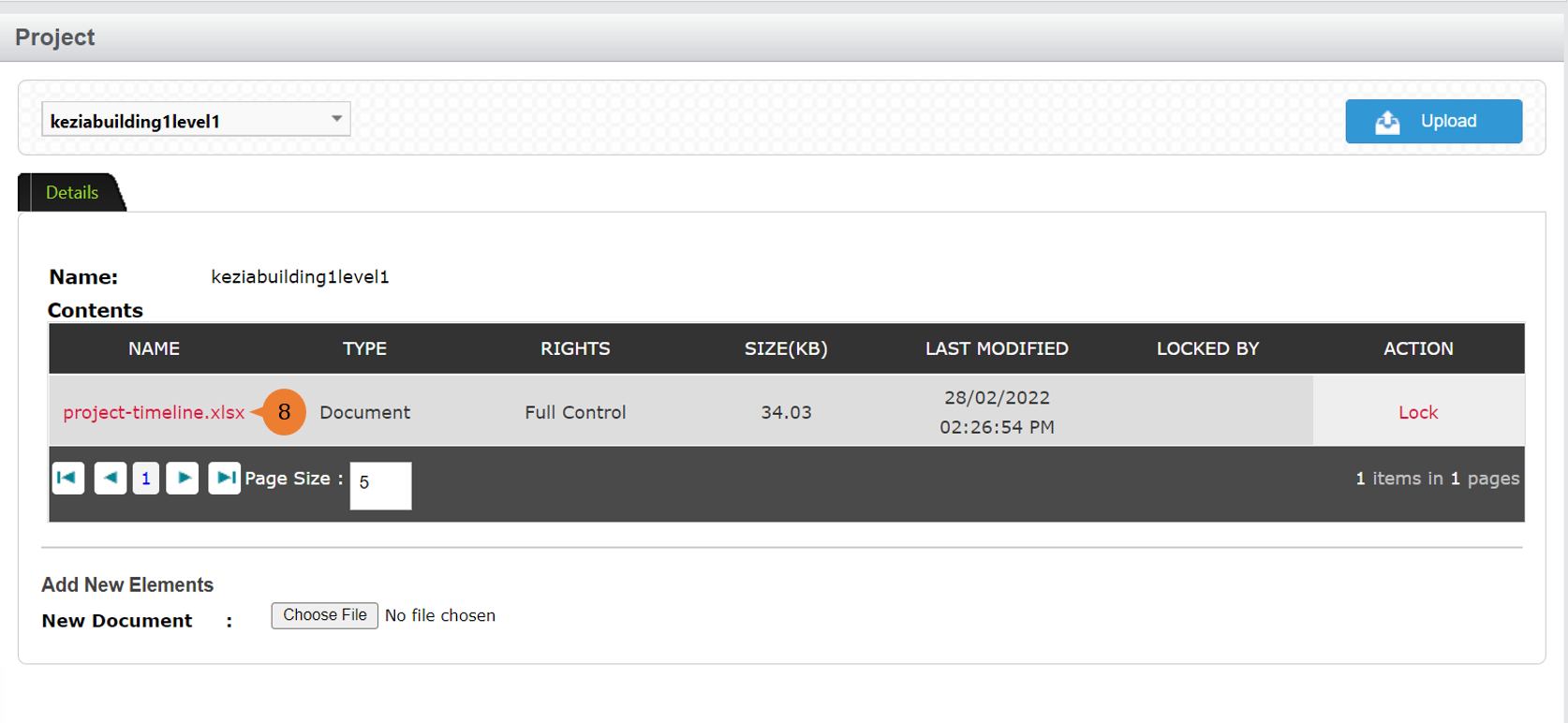
- The document will be reflected under the Contents.
More on this topic 
- For step-by-step guides to using the Document Management module, see Document Management Module.