How to Manage a schedule?
How to Manage a Schedule?
Note: Manage Schedule is for users to view the schedule details and work orders associated with. It also provides an option for the user to stop a schedule for any valid reason.
To Manage a Schedule
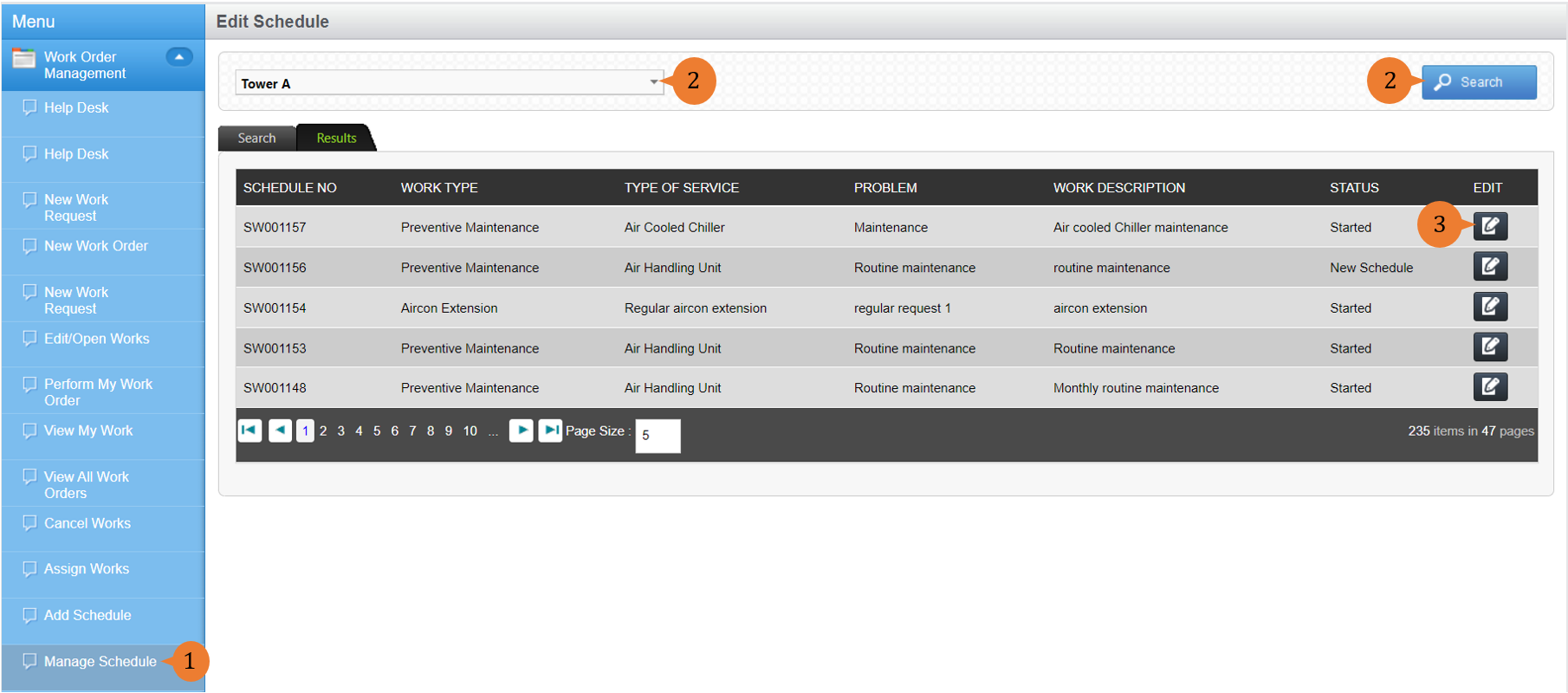
- Select Manage Schedule under Work Order Management module from the menu.
- Select a Location from the location tree and run a Search. A list of Schedules for this Location will be displayed.
- For the Schedule, you wish to edit, select the Edit icon.
- To save the changes you have made, select Save.
When the changes are successfully saved, a success message will appear.

More on this topic
- For a step-by-step guide to Starting the Schedule that you have Created, see How to Add and Start a new Schedule?
- For more step-by-step guides to using Work Order Management module, see Work Order Management Module.