How to manage vendor type?
How to manage vendor type?
Vendor type is to differentiate the type of vendors that have business transactions with the company. It can be your Inventory Vendor, Term Contract Vendor and so on.
To add a vendor type
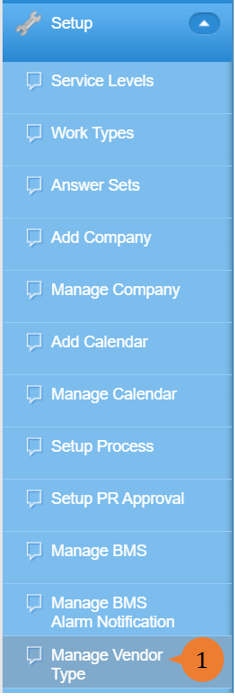
- Select Manage Vendor Type under Setup from the Menu.
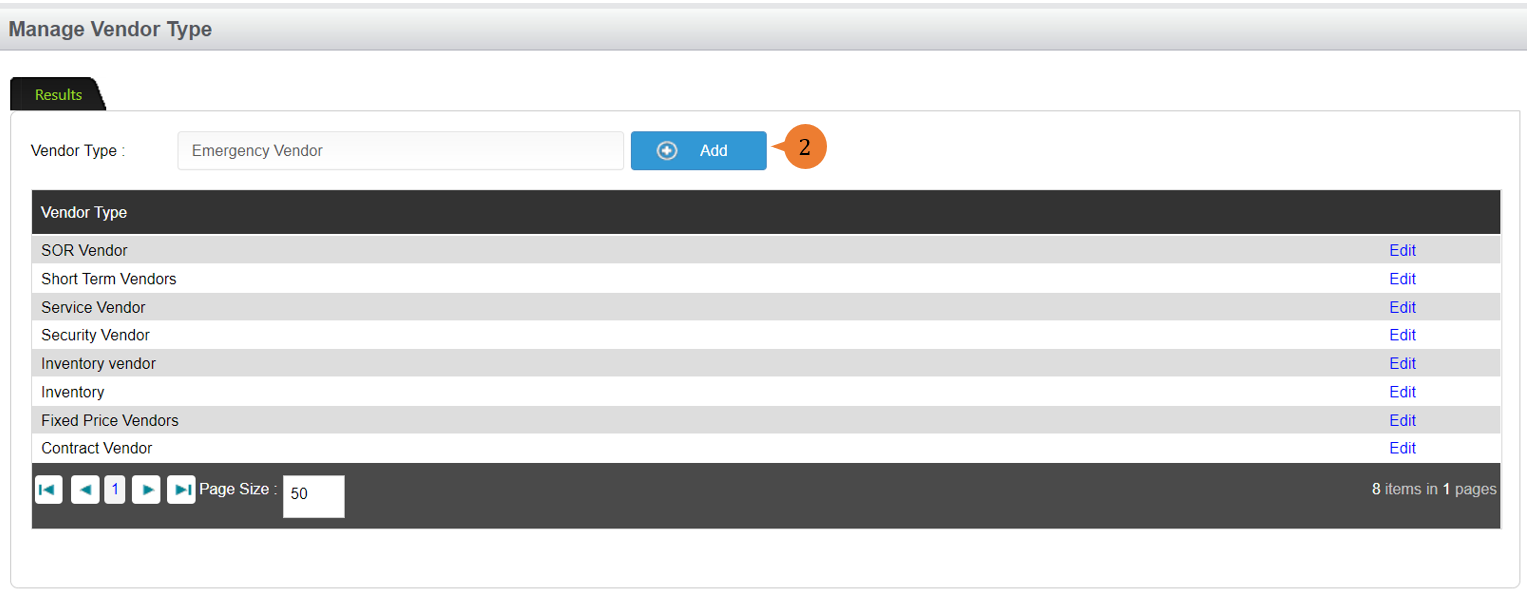
- Input the Vendor Type name and click on the Add button.
To Edit a vendor type
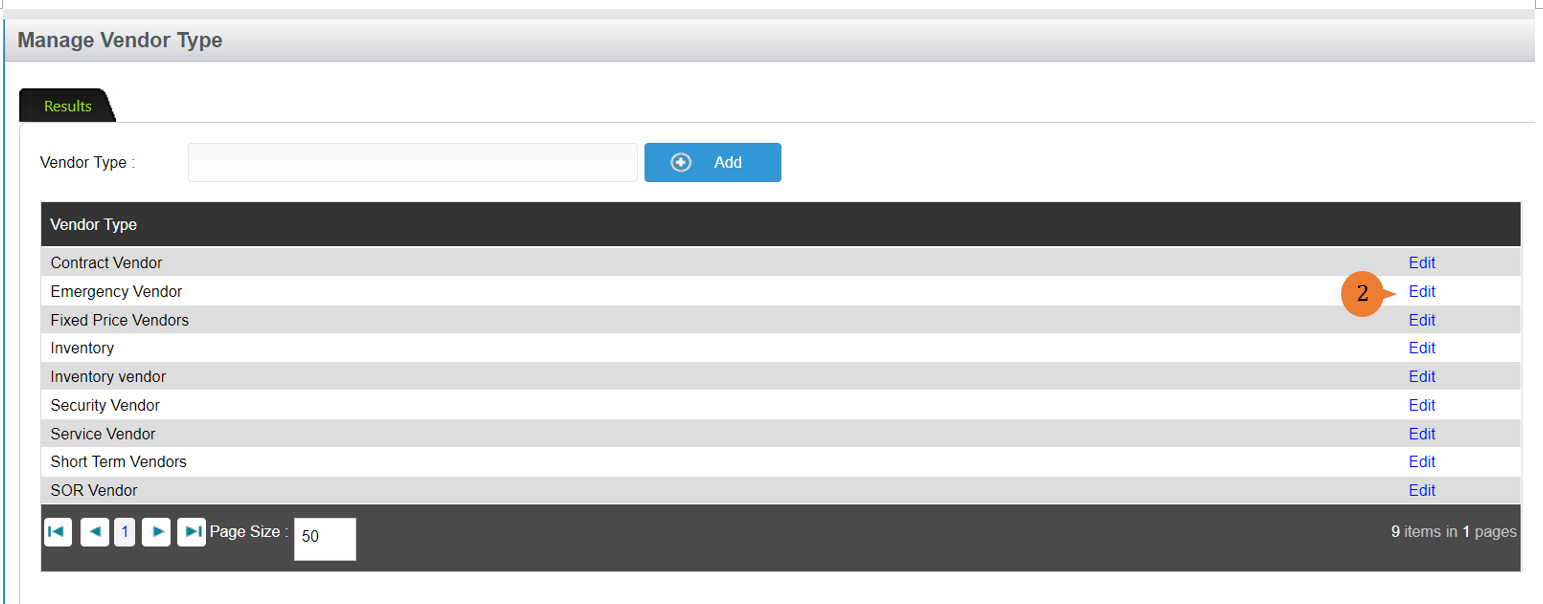
- Select Manage Vendor Type under Setup from the Menu.
- Select the vendor type that you wish to edit, and click on the Edit button.
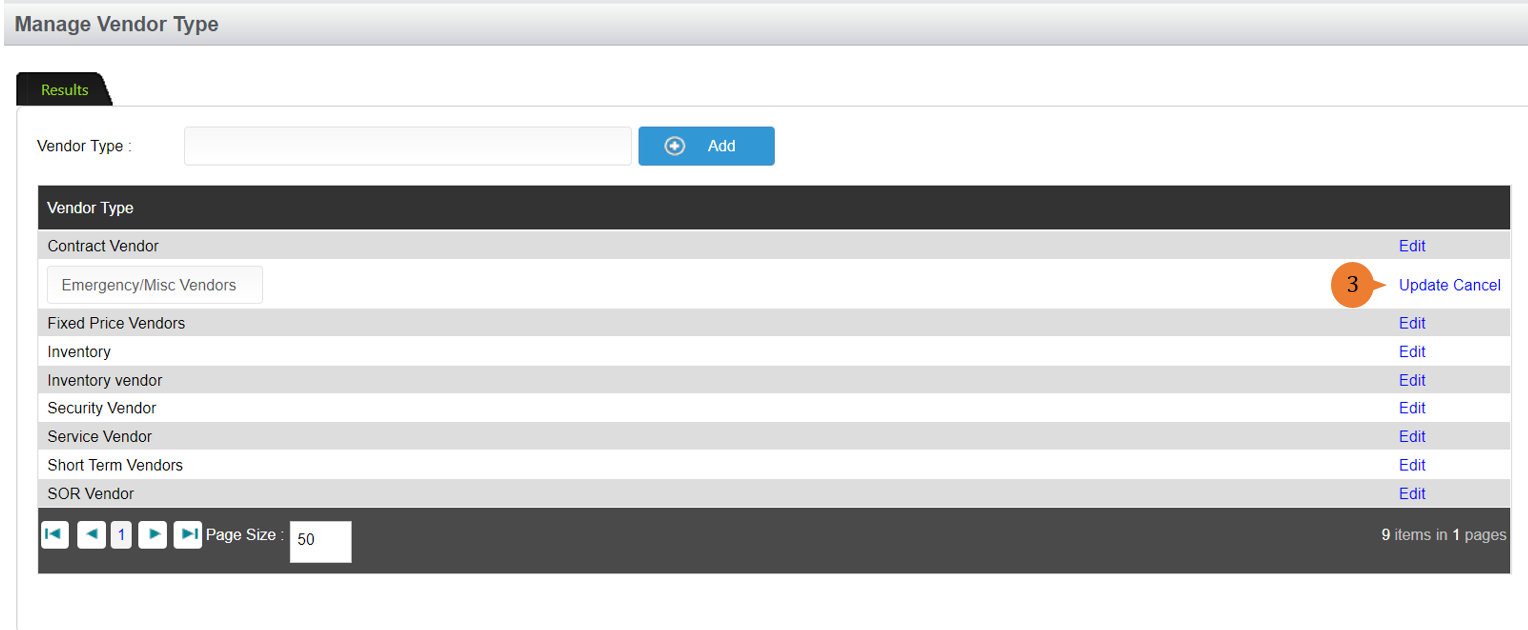
- Once you amended, click on the Update button to save the changes.
More on this topic 
- For step-by-step guides to using the Setup, see Set Up.