Generating Misc. Charges (Handyman) Report
How to generate the Misc. Charges (Handyman) billing report?
Misc. Charges (Handyman) billing report is extracted from Work Orders that are related to “Handyman” services which are extra services provided to tenants that are chargeable. An example will be the replacement of faulty light bulbs in their unit and so on.
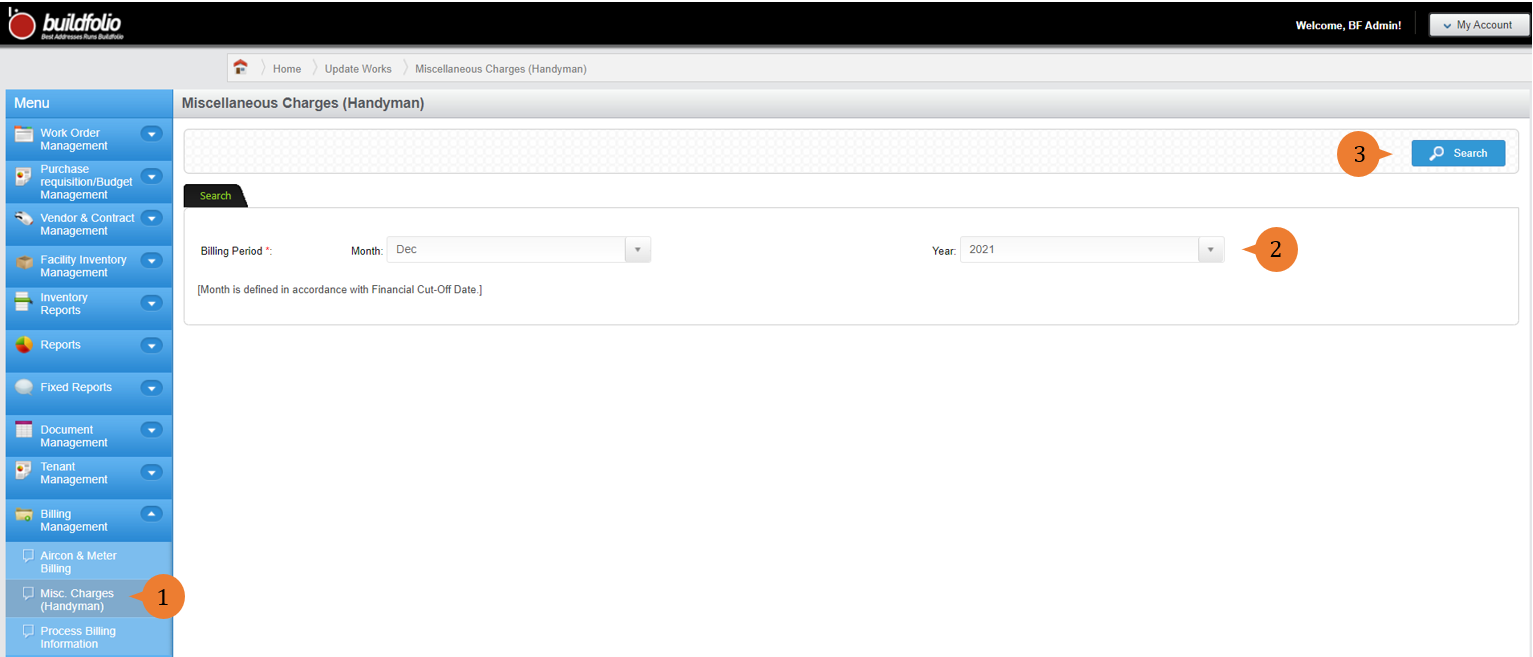
To generate the misc. charges (handyman) report
- Select Misc. Charges (Handyman) under Billing Management from the Menu.
- Select the billing period month and year preferred.
- Click on the Search button.
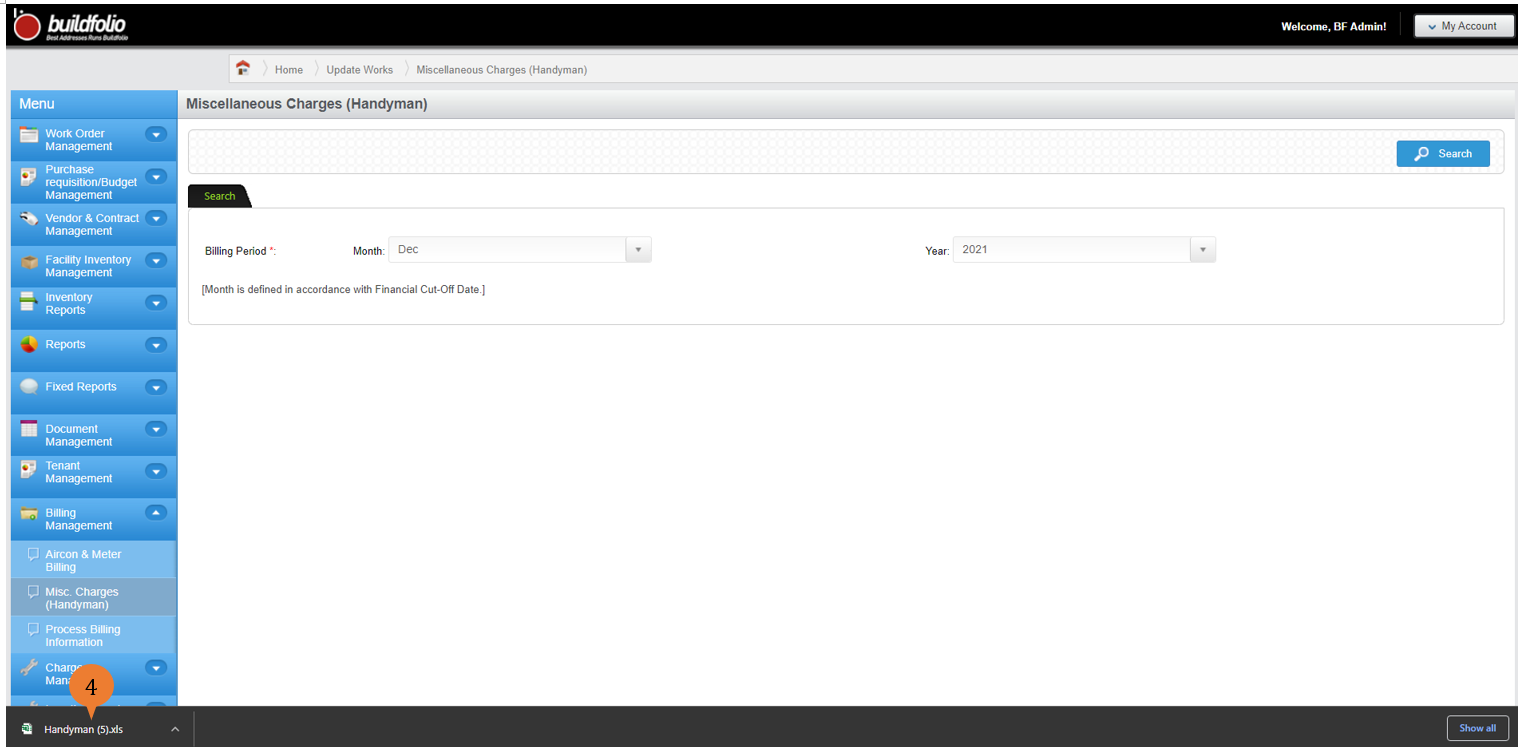
- Upon the excel is ready, double click on the excel to open the file.
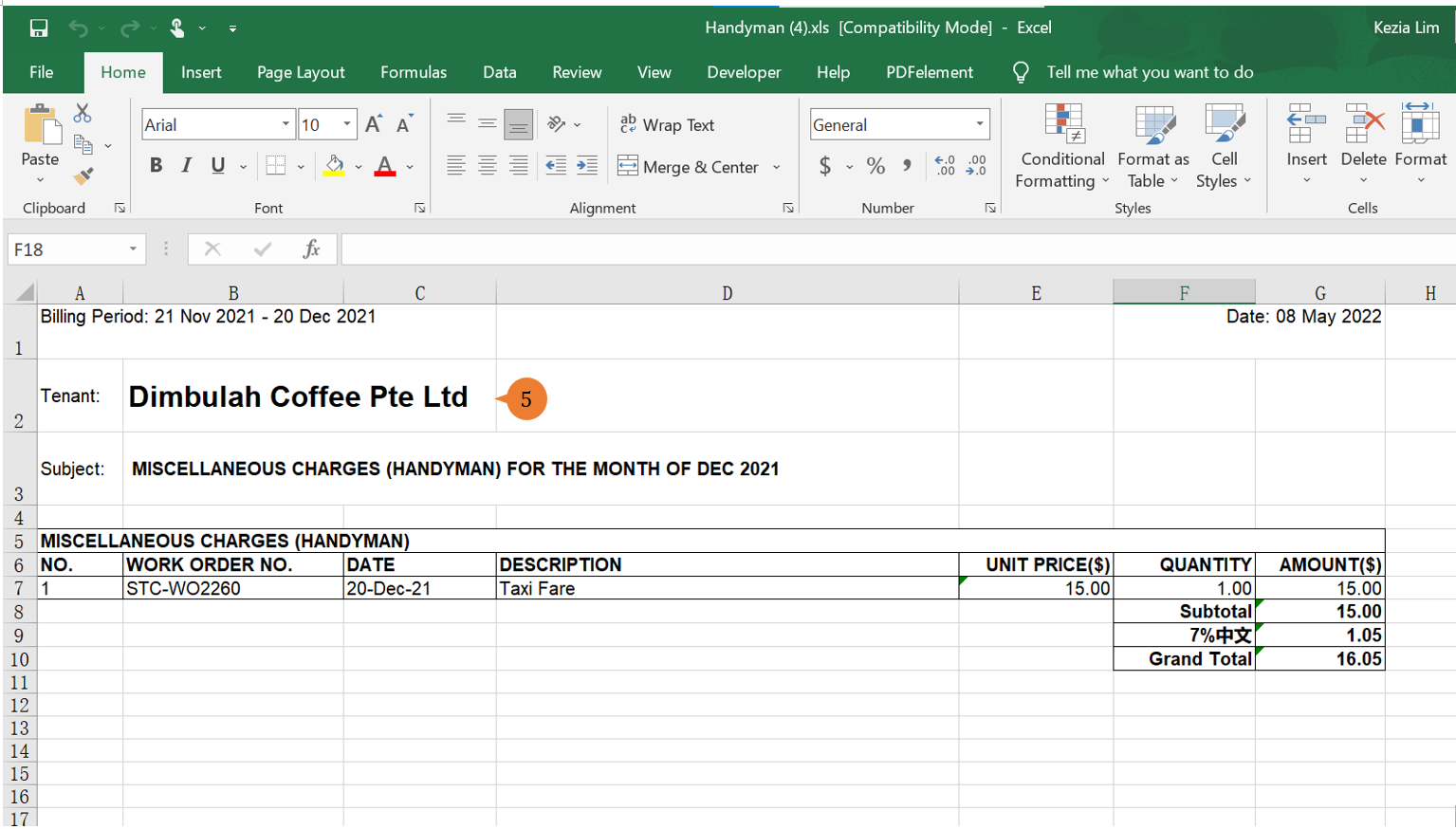
- The excel report will show those tenants that will require handyman billing.
More on this topic 
- For step-by-step guides to using the Billing Management module, see Billing Management Module.