How to create a new Work Order on BUILDFOLIO II mobile app?
Jump to
How to create a new Work Order on BUILDFOLIO II?
To create a new Work Order on BUILDFOLIO II
-
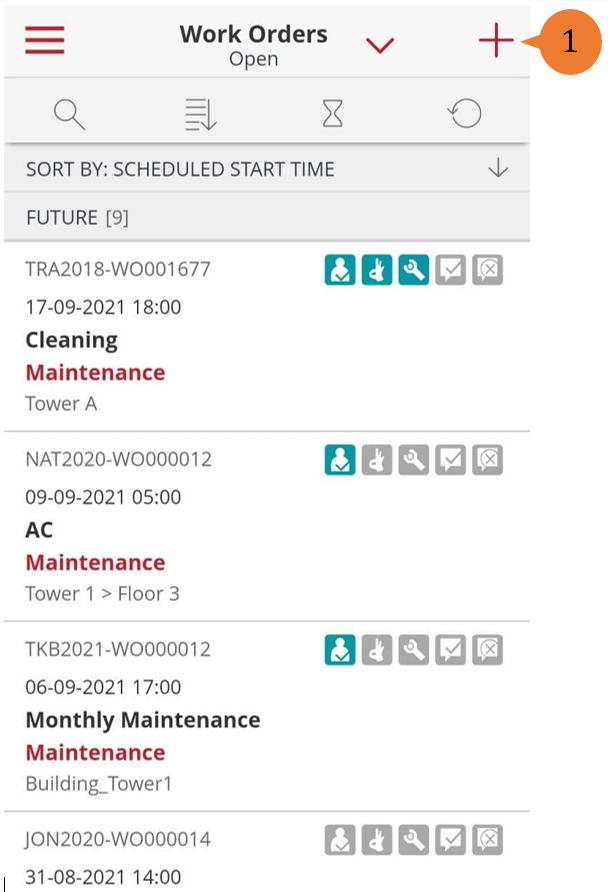
- On the Home page, select the + icon.
-
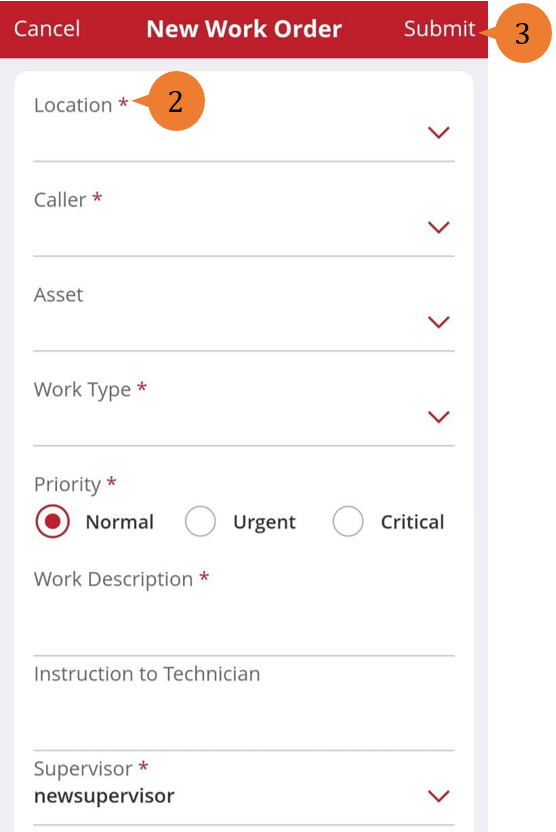
- In the New Work Order page, fill in the compulsory fields marked with *.
- To submit your Work Order, select Submit.
-
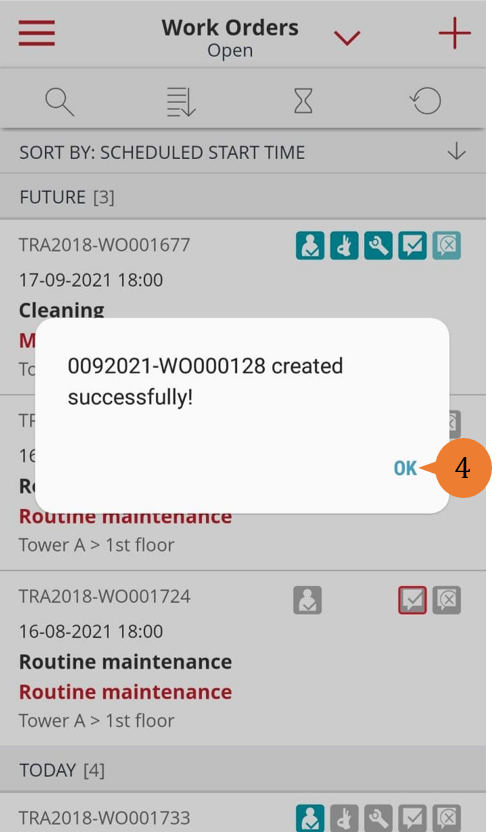
- When the Work Order is successfully submitted, a success message will appear. To close the success message, select OK.
More on this topic
- For a step-by-step guide to creating a new Work Order on web browser, see How to create a new Work Order?
- For step-by-step guides to editing, updating, cancelling, or assigning a technician to the Work Orders you have created, see Create and Manage Work Orders on BUILDFOLIO II mobile app.
- For more step-by-step guides to using BUILDFOLIO II mobile app, see BUILDFOLIO II mobile app.