How to create Master Catalog and its items?
Jump to
How to create a Master Catalog and its item?
The master catalog and its items are used for the entire company to maintain its extensive list of items categories and items that require inventories to be kept for their operation usage. It is usually managed by the Procurement department.
How to create a catalog sub-group?
To create a catalog sub-group
- Select Catalog under Facility Inventory Management from the Menu.
- Select the catalog group in Choose Catalog that you wish to create sub group in.
- The details of the chosen catalog will appear below.
- Click on Add Sub Group button.
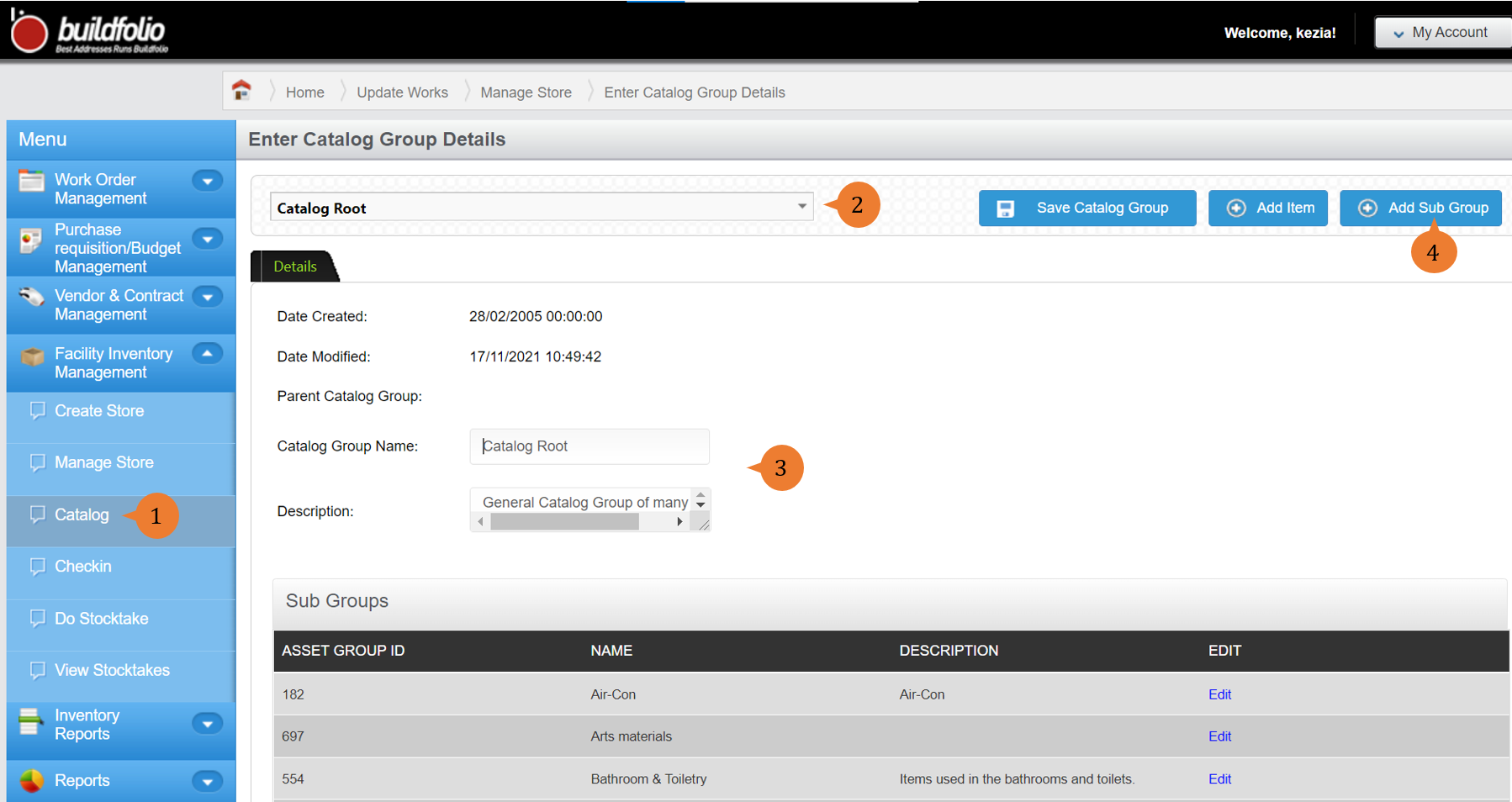
- Fill in the compulsory fields marked with *.
- Click on the Add Catalog Group button to complete the catalog group creation process.
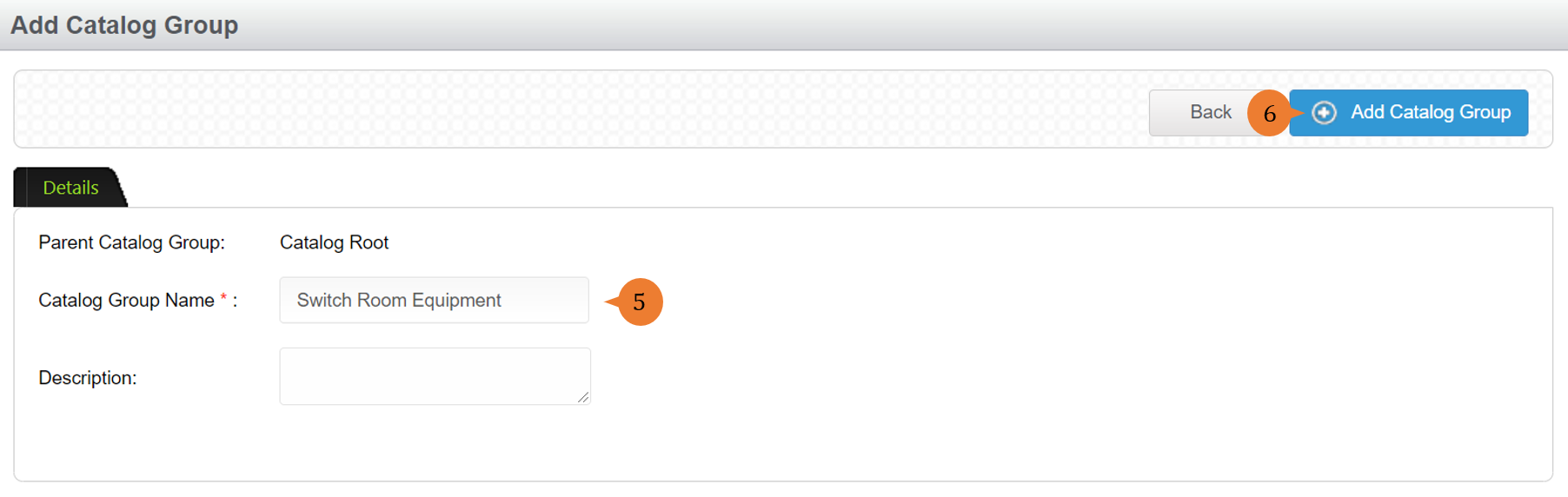
- Once Catalog Group is successfully created, a success message will appear below the page title.

How to add catalog items?
To add the catalog items,
- Select Catalog under Facility Inventory Management from the Menu.
- Select the catalog in Choose Catalog that you wish to create items in.
- The details of the chosen catalog will appear below.
- Click on Add Catalog Item button.
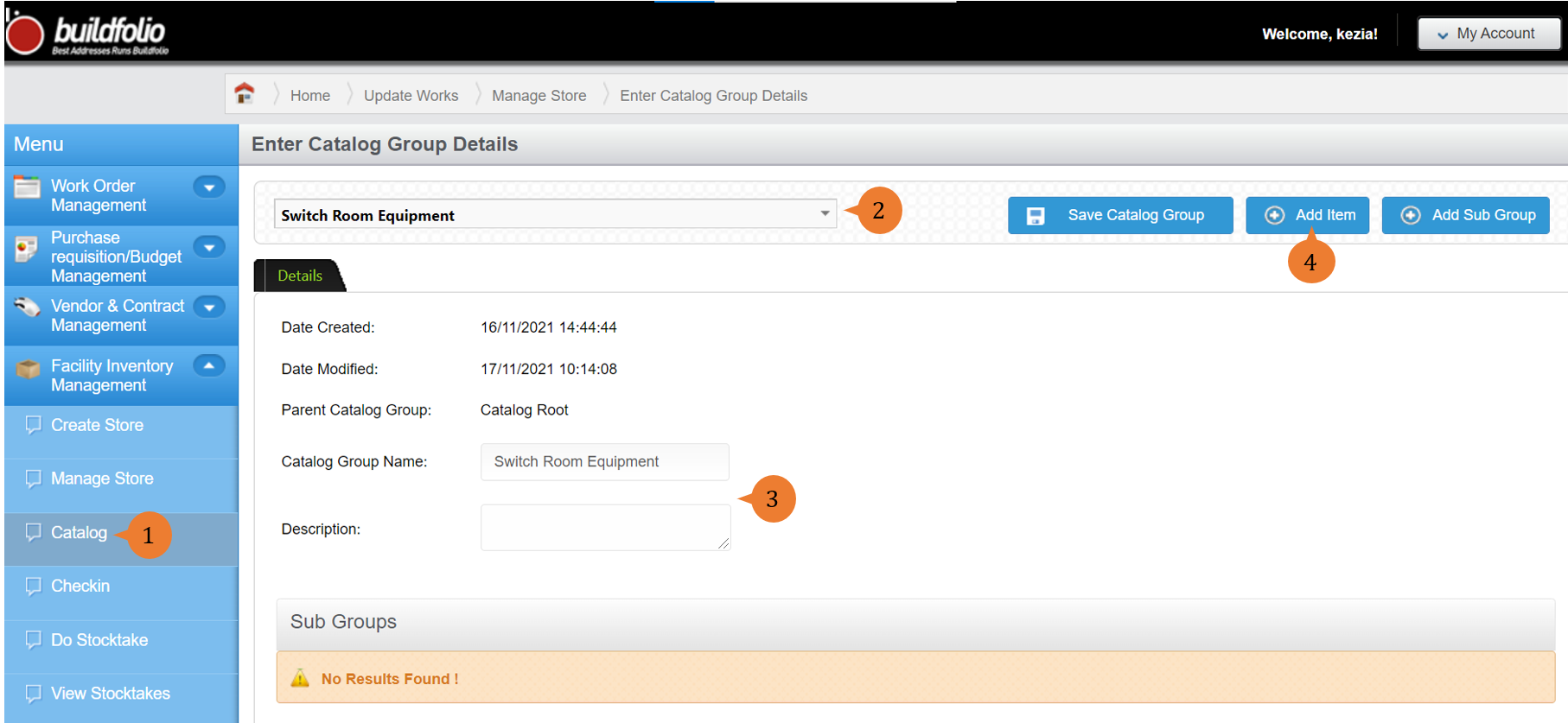
- Fill in the compulsory fields marked with *.
- Click on the Add Catalog Item button to complete the catalog item creation process.
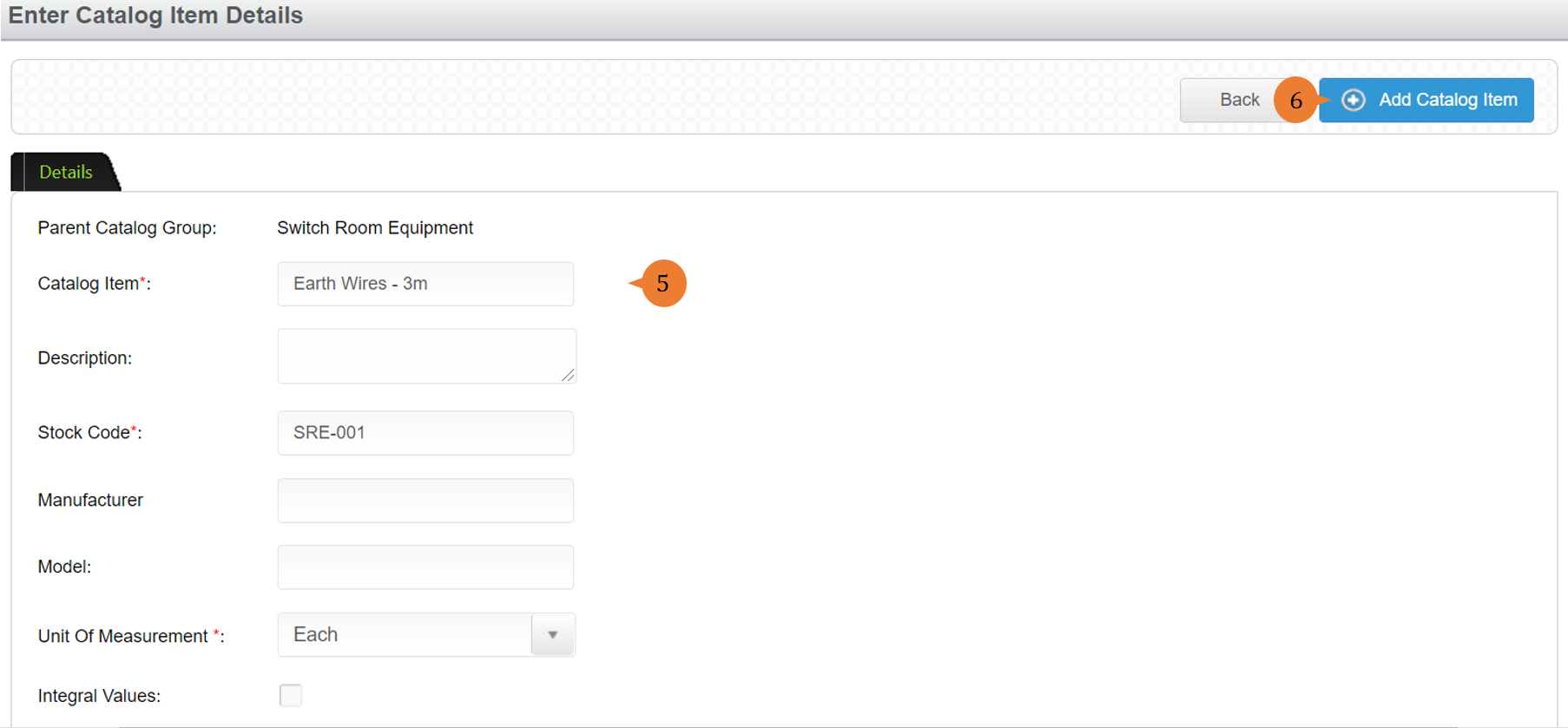
- Once Catalog Item is successfully created, a success message will appear below the page title.

More on this topic
-
- For a step-by-step guide to adding a Store, see How to create a store?.
- For step-by-step guides to using the Facility Inventory Management module, see Facility Inventory Management Module.