How to manage Contract?
How to manage Contract on the web browser?
Note: This is usually created by the procurement team. The system sends reminder and expiry notifications to the Contract Manager.
To edit the Contract
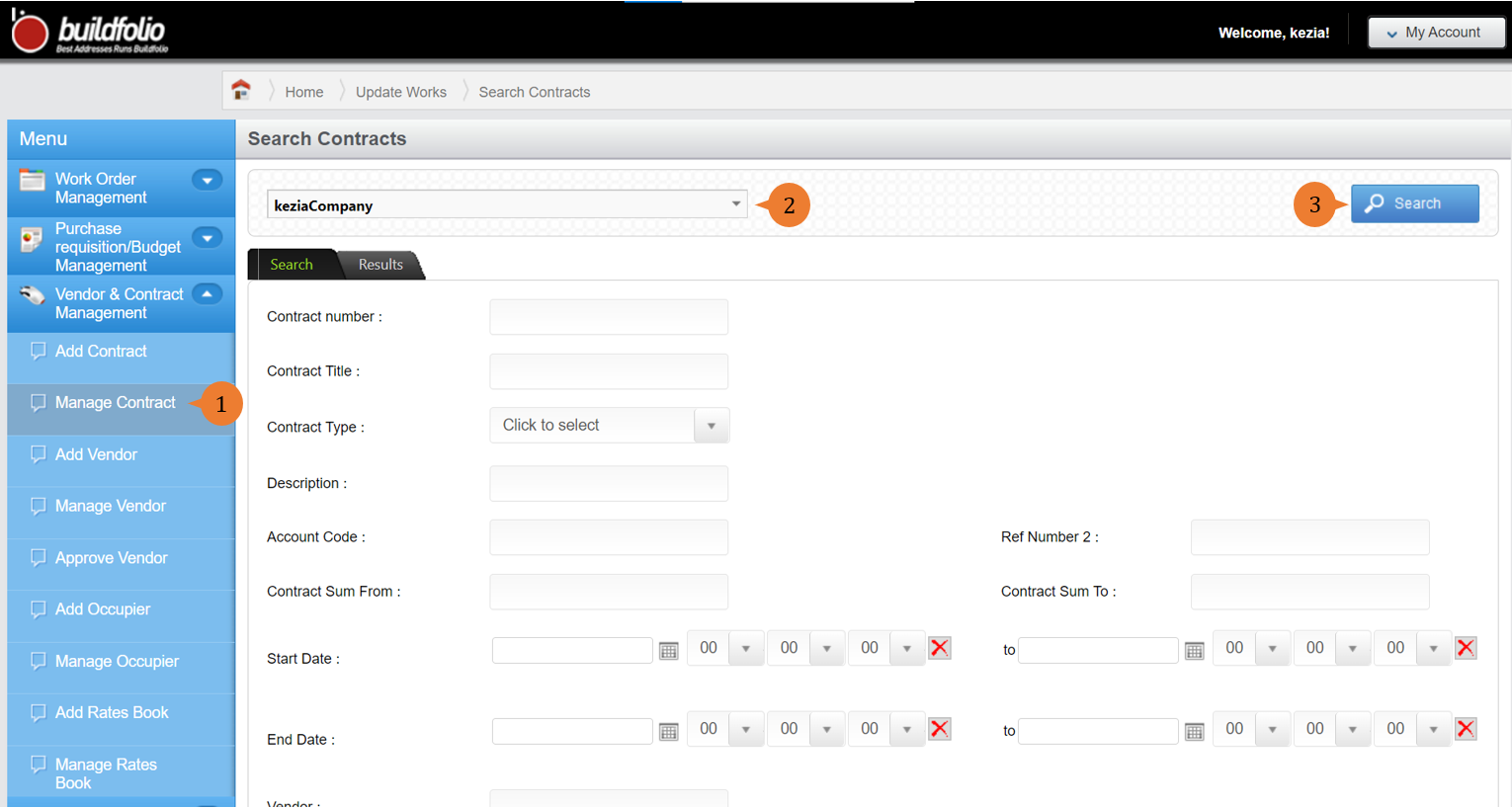
- Select Manage Contract under Vendor & Contract Management from the Menu.
- Select the location that you are interested in for the search filter to appear.
- To list out the contracts for the location, click on the Search button.
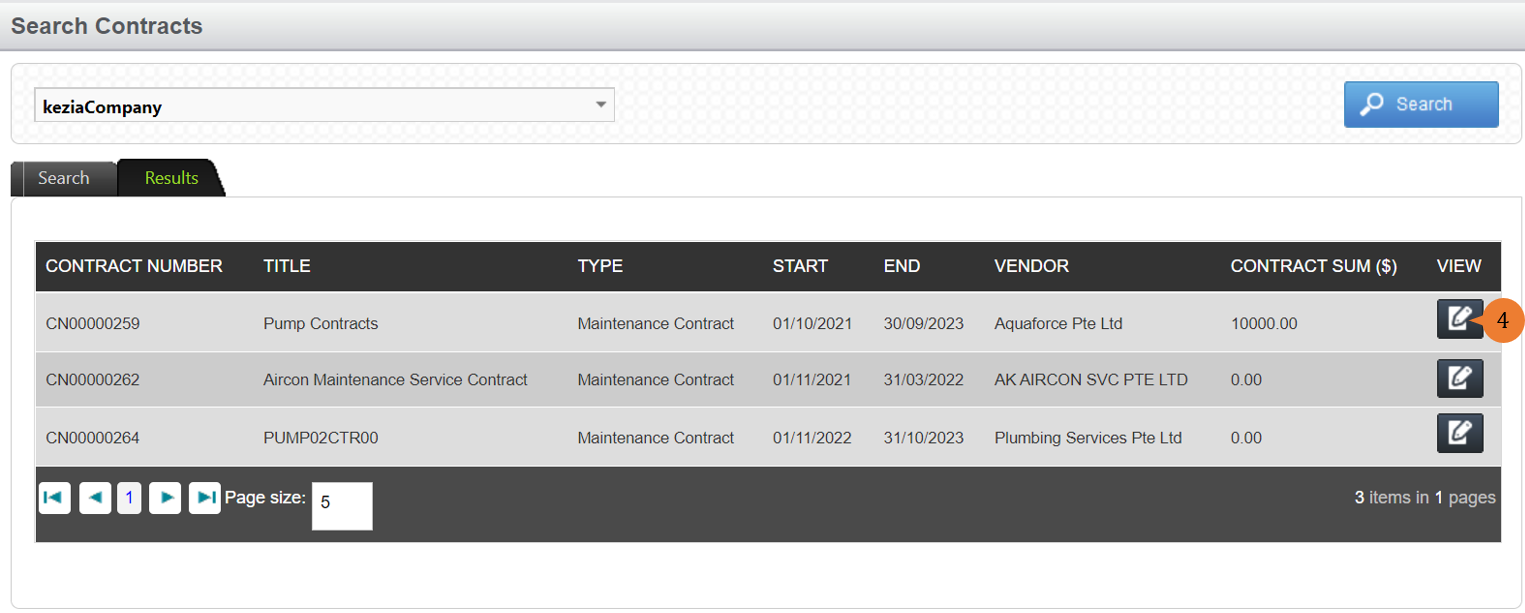
- To edit the Contract, select the EDIT icon
 .
.
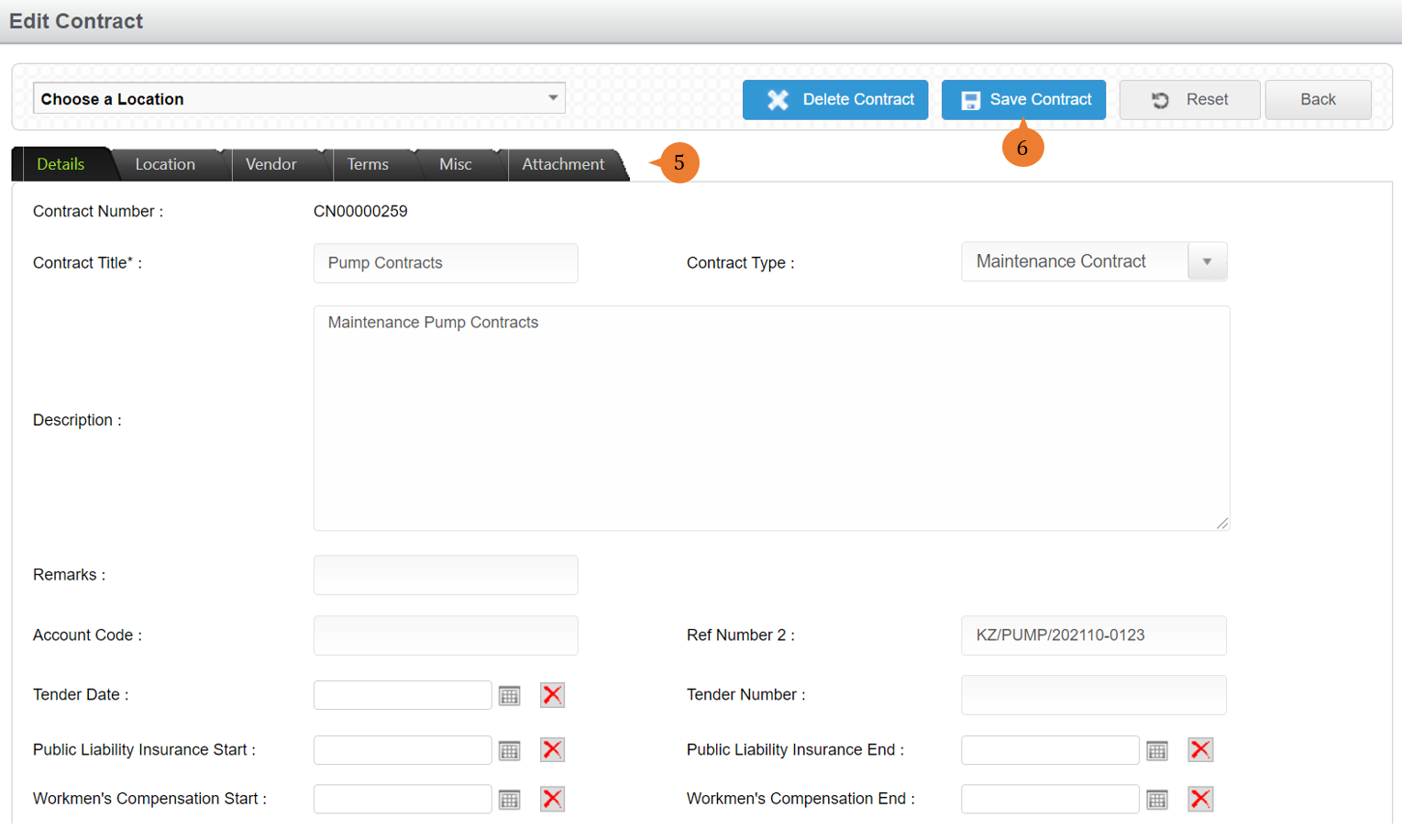
- To edit the details, select the respective tab and edit the information as necessary.
- To save the amended contract, click on the Save Contract button.
- Once the contract is created, a successful message will appear under the header.

More on this topic 
- For a step-by-step guide to manage the contract, see How to manage the contract on the web browser?.
- For step-by-step guides to using Vendor & Contract Management module, see Vendor & Contract Management Module.