Generating Stock Issued List Report
How to generate Stock Issued List report?
Stock Issued List Report will show the list of inventory in the chosen store based on the search criteria. It will list out the inventory code, description, balance b/d (unit, unit price, amount), inward (unit, amount), issued (unit, amount) and total b/f (unit, unit price, amount).
To generate Stock Issued List Report
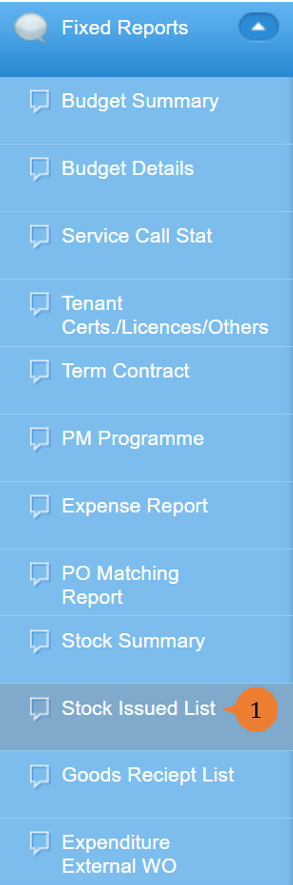
- Select Stock Issued List under Fixed Report from the Menu.
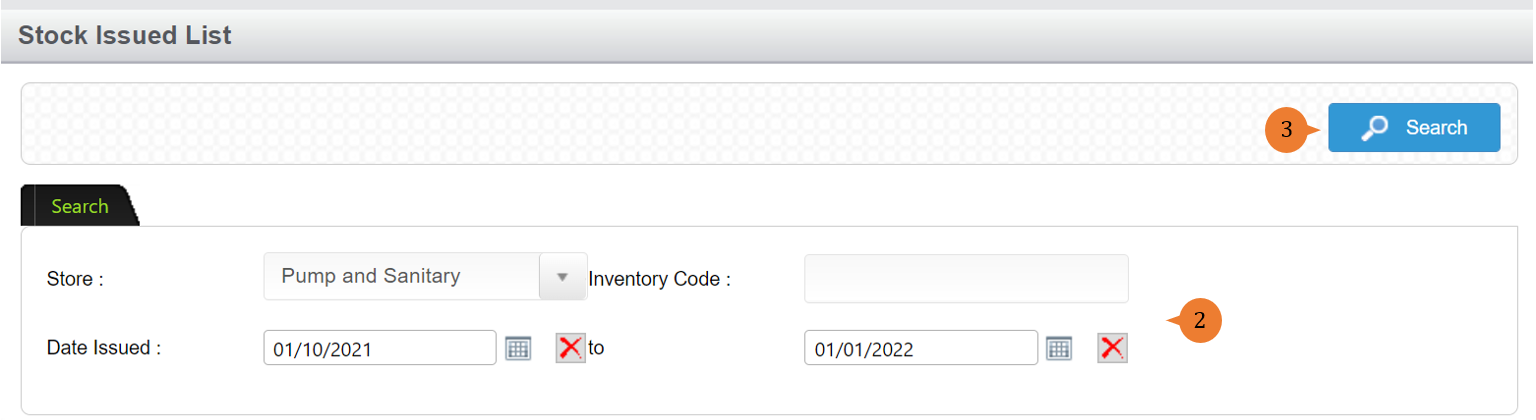
- Select the store, Date Issued period and other search criteria.
- Click on the Search button.
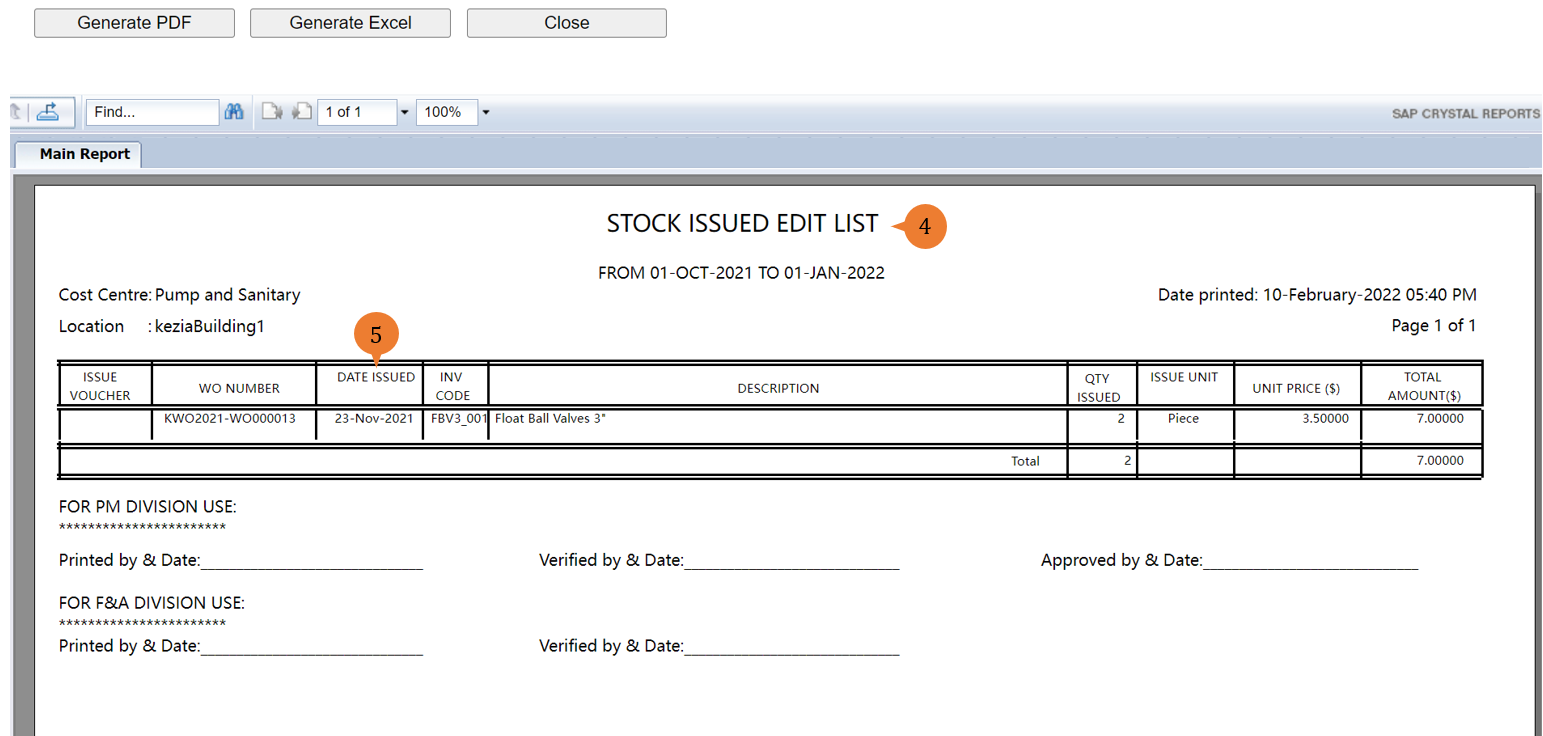
- A new tab will appear that contains the Stock Issued List Report based on the search criteria.
- The report will entail the following:
- ISSUE VOUCHER – The voucher number in the Work Order for finance purposes.
- WO NUMBER – The Work Order number that utilises this inventory.
- DATE ISSUED – The date that the inventory check-out of the store.
- INV CODE – The inventory code.
- DESCRIPTION – The name of the inventory item.
- QTY ISSUED – The number of inventory quantity that has been check-out.
- ISSUE UNIT – The unit of measurement for the inventory.
- UNIT PRICE ($) – The unit price for each piece of inventory.
- TOTAL AMOUNT ($) – The total amount of the inventory that check-out.
More on this topic 
- For step-by-step guides to using the Fixed Reports module, see Fixed Reports Module.