Edit Meter Charge
How to edit the meter charge?
The meter charge is for one to add the rates for the meter and discount if applicable for the entire building or each tenant.
To edit the meter charge
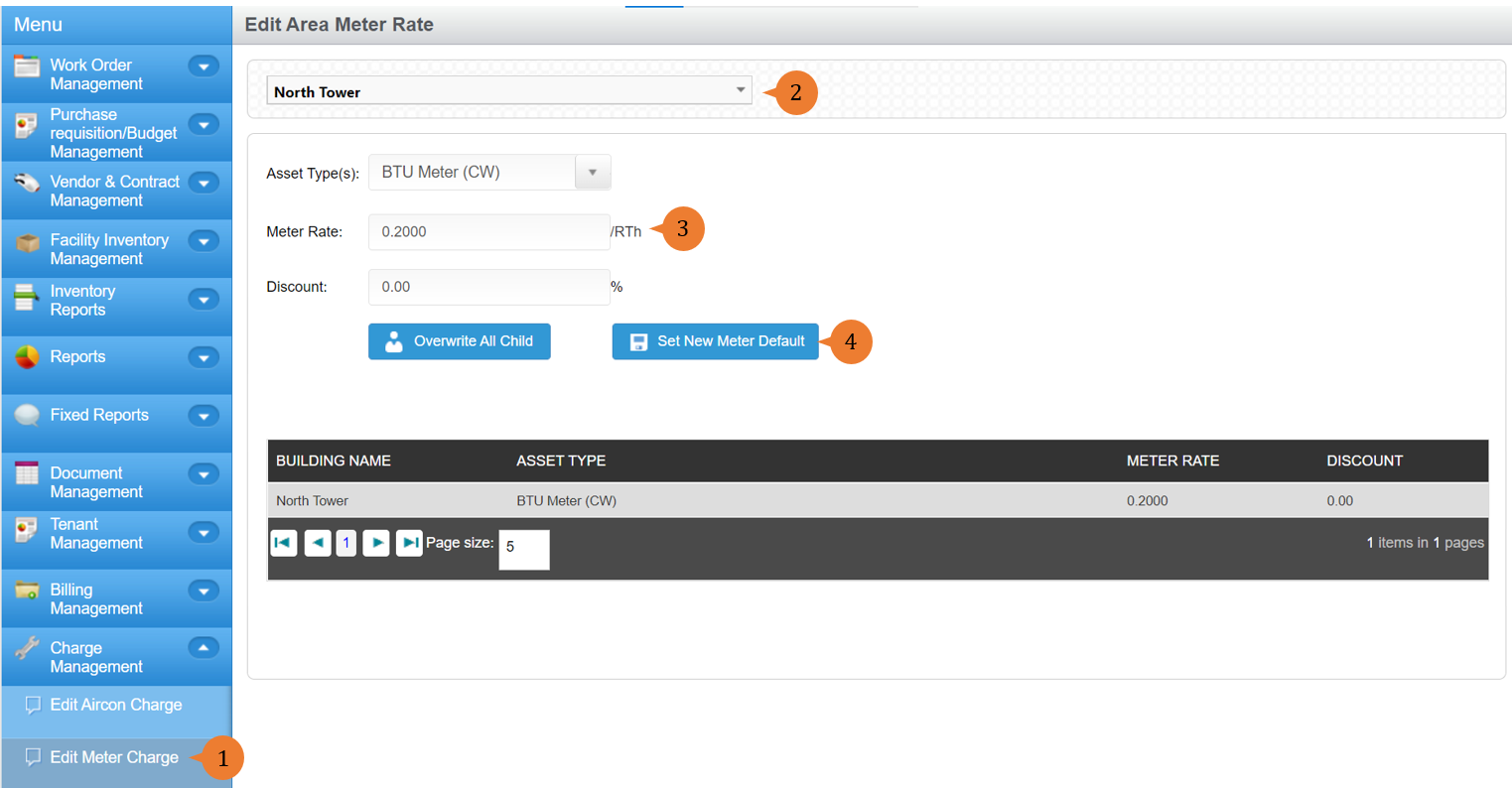
- Select Edit Meter Charge under Charge Management from the Menu.
- Select the location.
- Select the Asset Type.
- Add in the meter rate and discount.
- Click on the Set New Meter Default button to save it for the location chosen.
- When the meter rate is successfully added, a success message will appear below the page title.

More on this topic 
- For step-by-step guides to using the Charge Management module, see Charge Management Module.