How to add and manage answer sets?
How to add and manage answer sets?
Answer sets are a pre-set list of answers used for checklist creation. This is to facilitate and streamline the service report submitted by your technician while performing the routine jobs.
To add answer sets
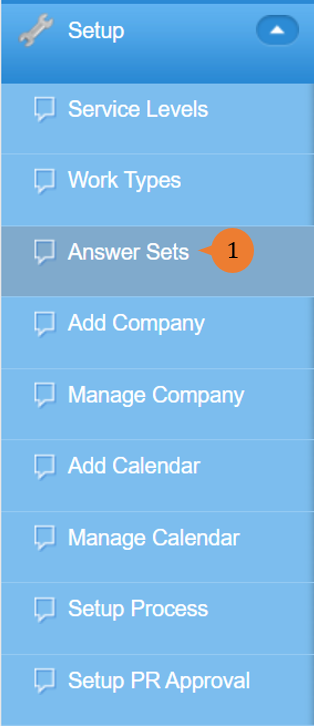
- Select Answer Sets under Setup from the Menu.
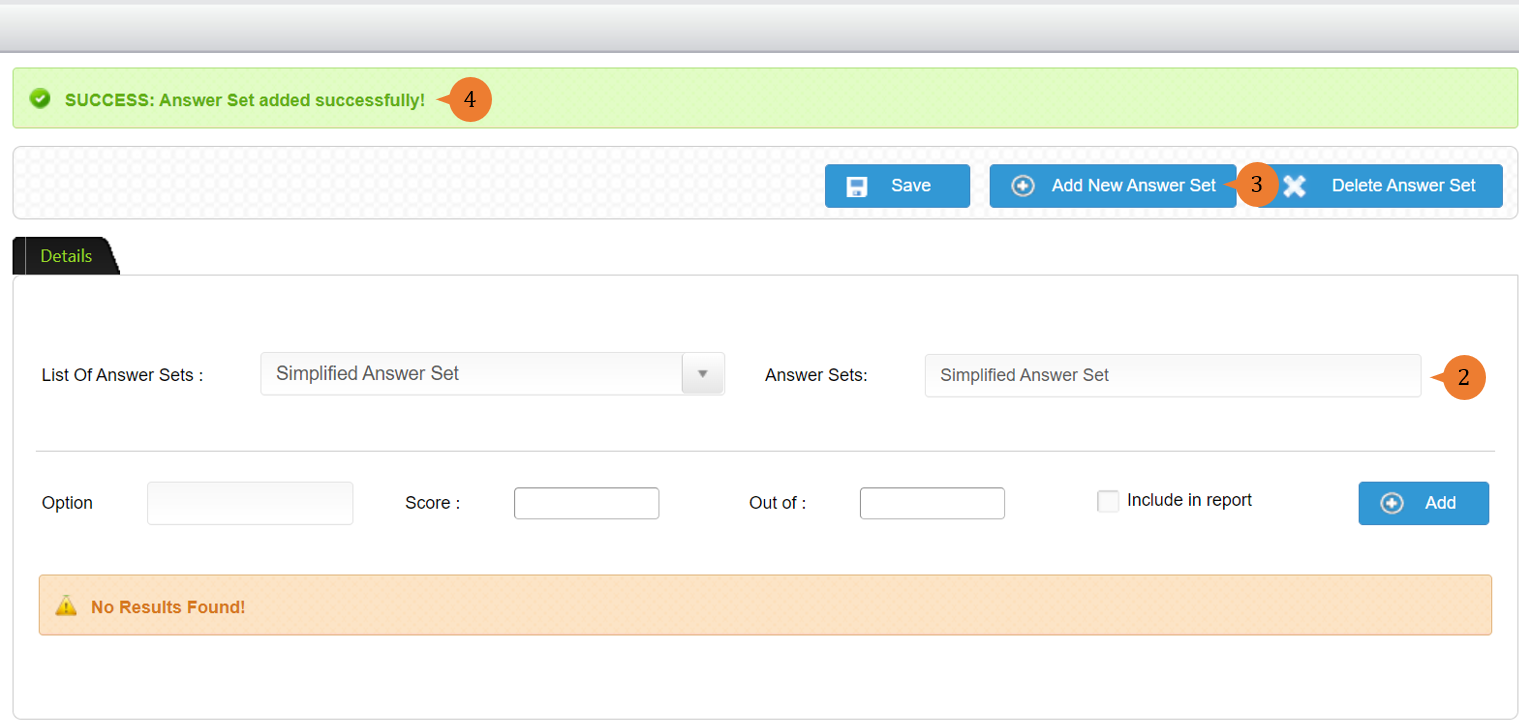
- Input the Answer Sets name.
- Click on the Add New Answer Set button.
- When the answer set is successfully added, a success message will appear below the page title.
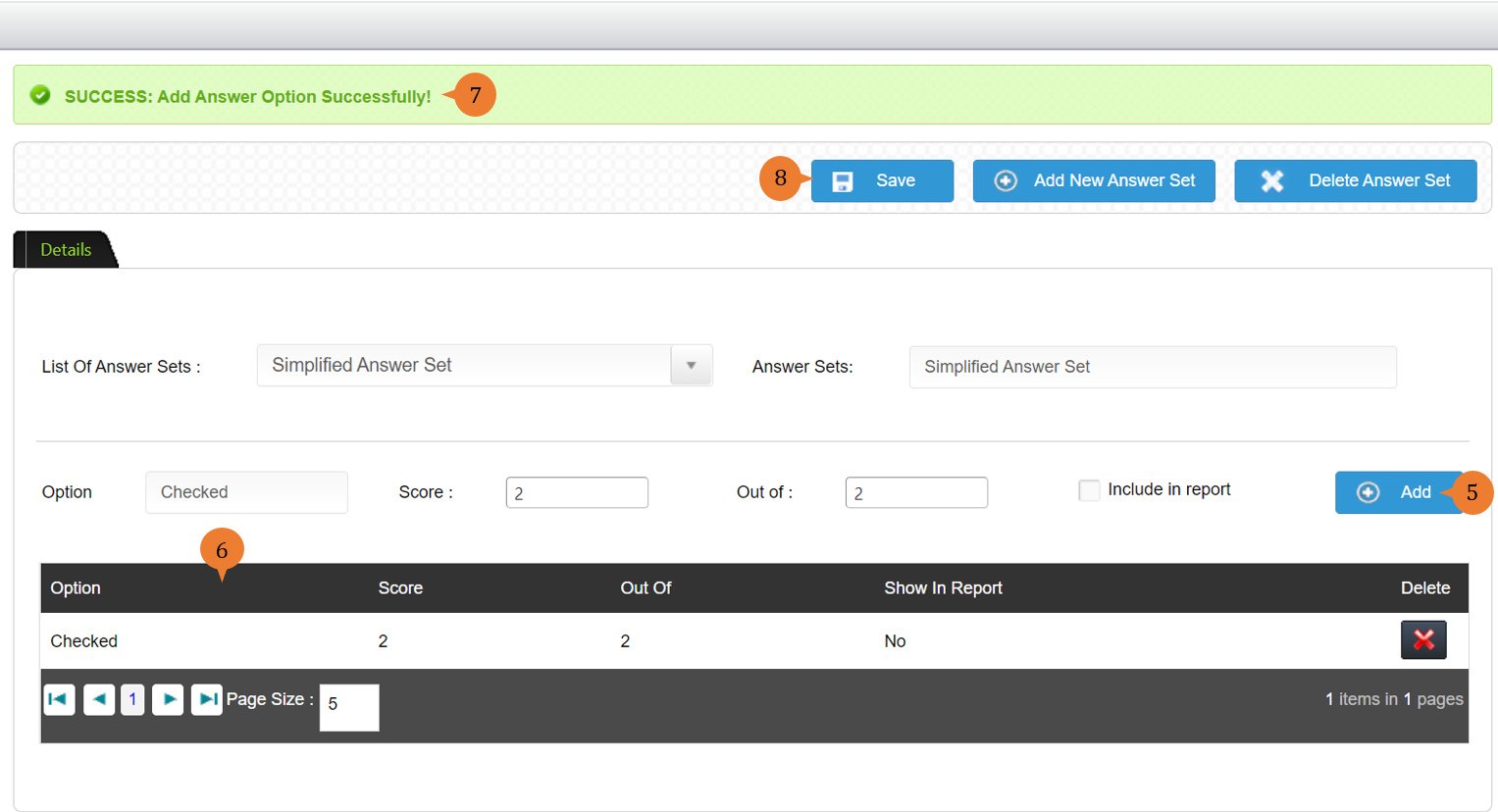
- Input the Option name and score and click on the Add button.
- The options will appear in the table.
- When the option is successfully added, a success message will appear below the page title.
- Repeat step 5 to create other options. Then, click on the Save button.
To manage answer sets
- Select Answer Sets under Setup from the Menu.
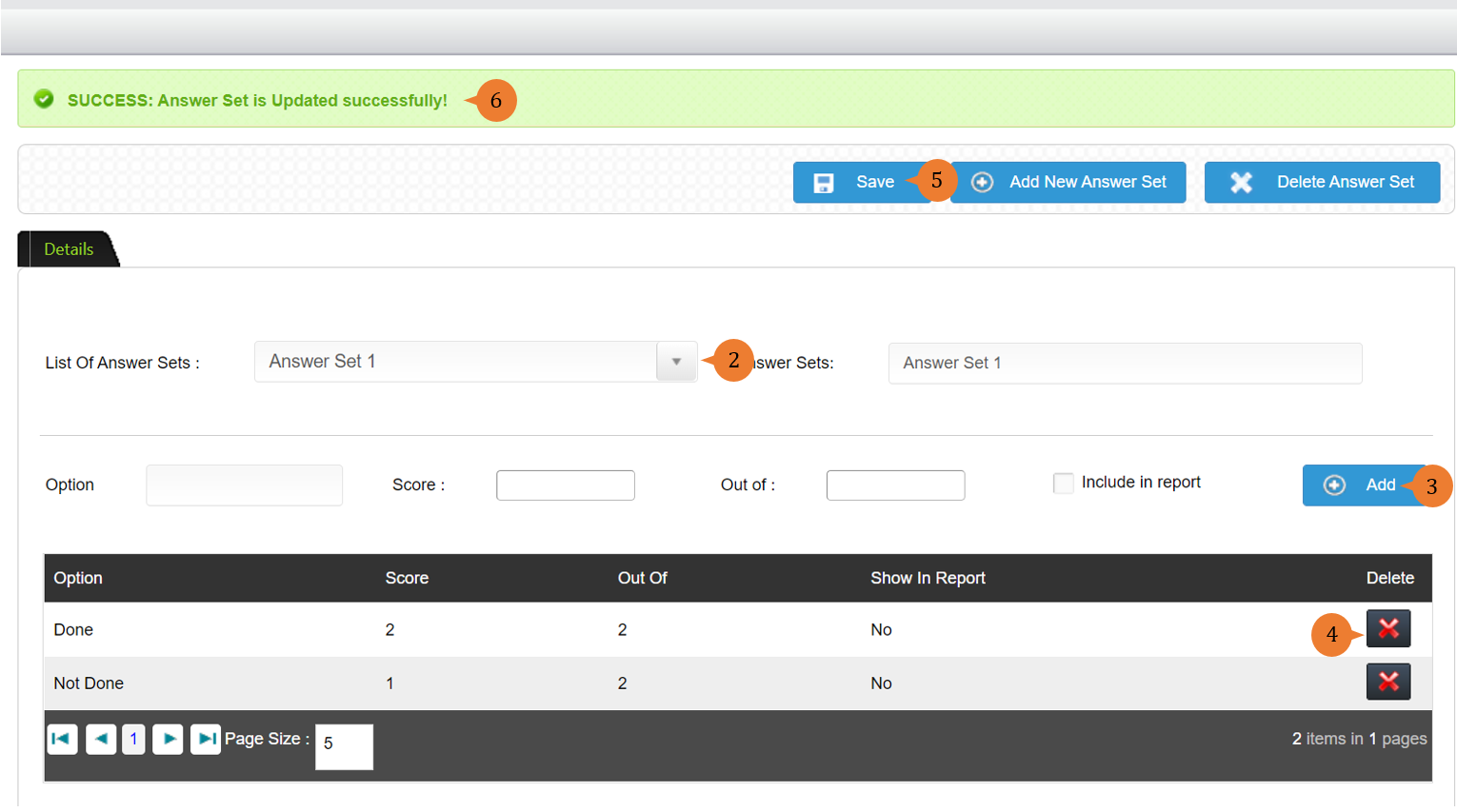
- Select the answer sets from the List of Answer Sets that you would like to edit.
- To add a new Option name and score and click on the Add button.
- To delete the Option, click on the cross button under the Delete column.
- Upon completion of the amendment of answer sets, click on the Save button.
- When the answer set is successfully updated, a success message will appear below the page title.
More on this topic 
- For step-by-step guides to using the Setup, see Set Up.