Generating Service Call Stat Report
How to generate a service call stat report?
Service Call Stat Report will show the work order breakdown by type of service for each month based on the chosen building, year and work type.
To generate a service call stat report
- Select Service Call Stat under Fixed Report from the Menu.
- Input the search criteria that you preferred such as building, year and work type.
- Click on the Search button.
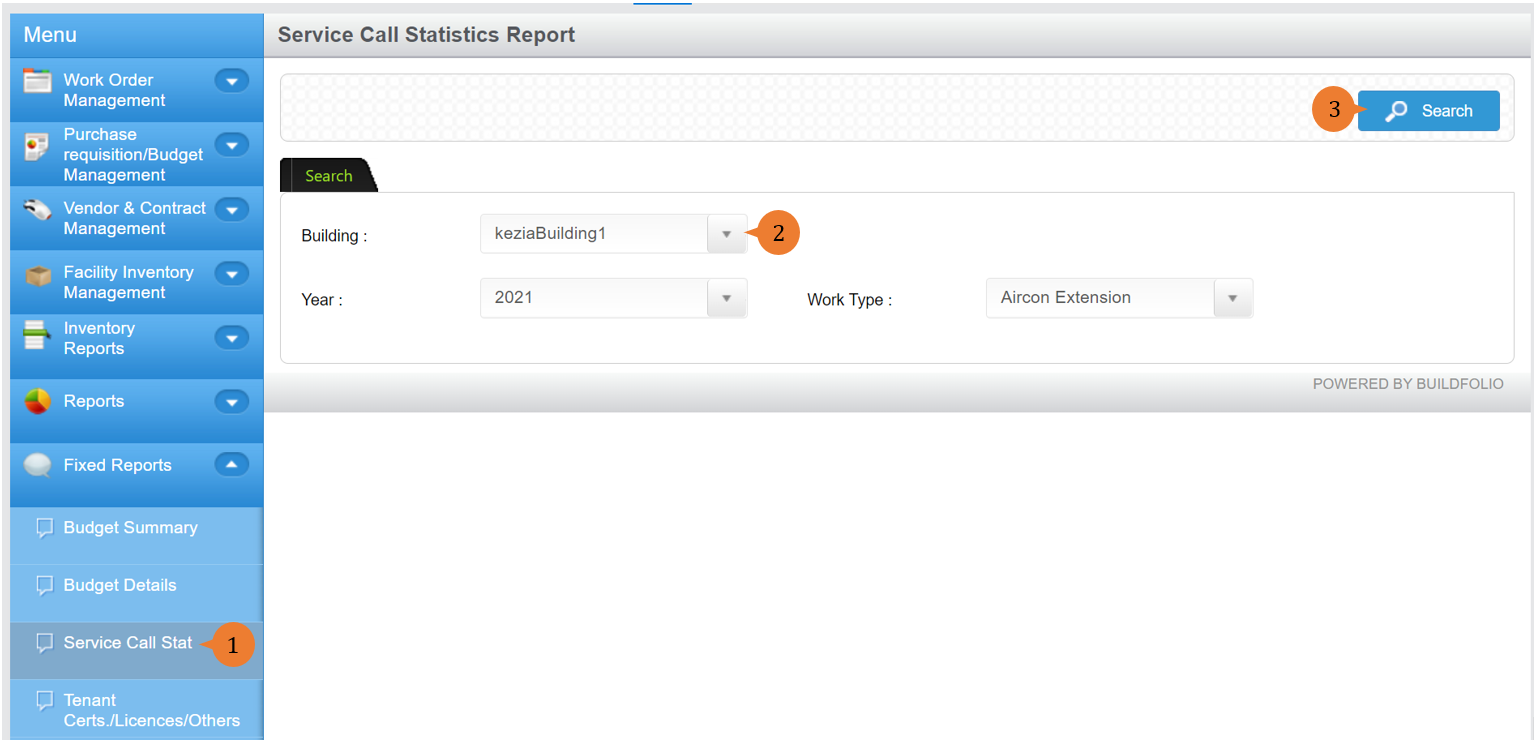
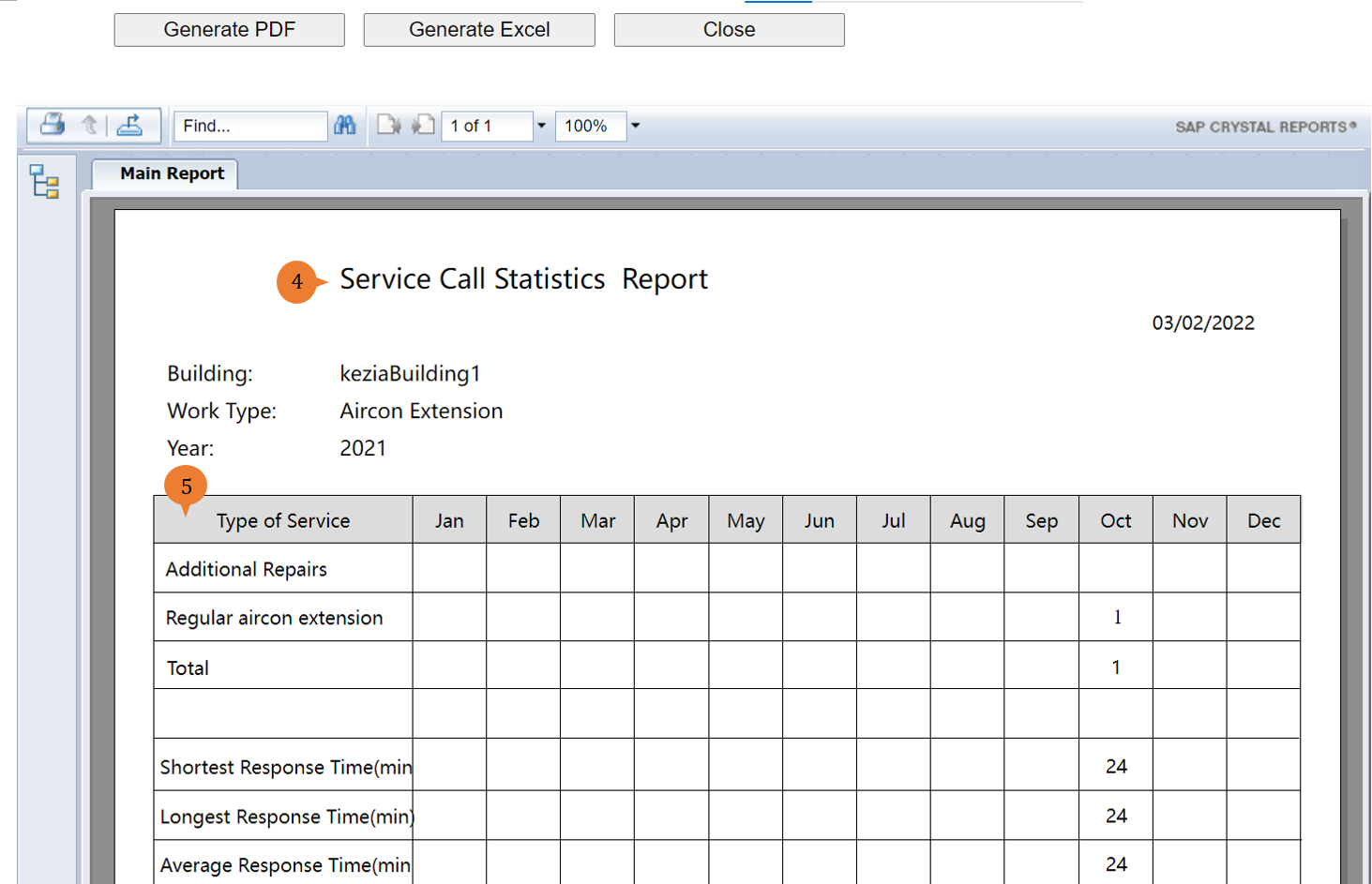
- A new tab will appear that contains the service call stat report based on the search criteria.
- The report will entail the following:
- Type of Service – This will show the list of the type of service for the work trade and it will display the counts of work done pertaining to the type of service in monthly view.
- Shortest Response Time(min) – This will show the shortest response time that it took the technician to perform the job.
- Longest Response Time(min) – This will show the longest response time that it took the technician to perform the job.
- Average Response Time(min) – This will show the average response time that it took the technician to perform the job.
More on this topic 
- For step-by-step guides to using the Fixed Reports module, see Fixed Reports Module.