How to update a Work Order on BUILDFOLIO II mobile app?
Jump to
How to update a Work Order on BUILDFOLIO II mobile app
To update a Work Order on BUILDFOLIO II mobile app
- Select the relevant Work Order.
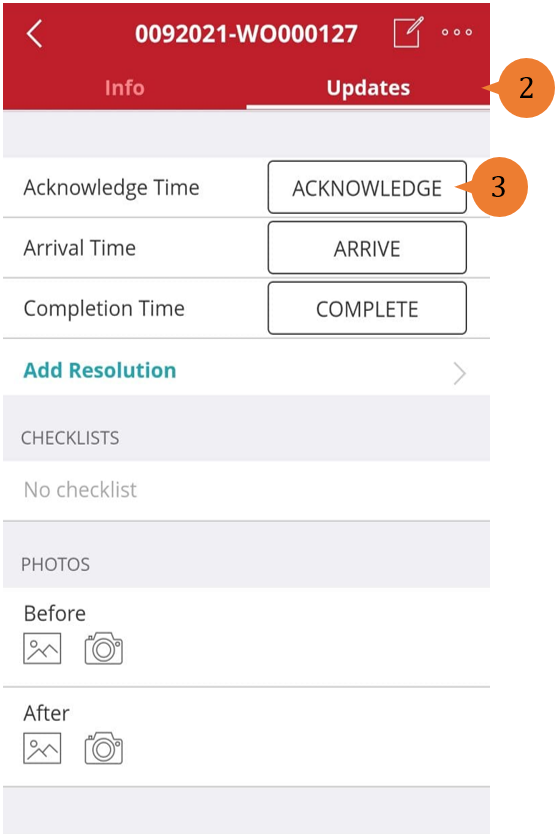
- Select the Updates tab.
- To acknowledge, record the Arrival Time, or record the Completion Time, select ACKNOWLEDGE, ARRIVE, or COMPLETE.
How to add Before and After pictures?
To add Before and After pictures,
- To upload a picture from your device’s gallery, select the Gallery icon
 .
. - To take and upload a new picture, select the Camera icon
 .
.
More on this topic
- For a step-by-step guide to updating a Work Order on web browser, see How to update a Work Order.
- For a step-by-step guide to submitting a Work Order for Closure on BUILDFOLIO II mobile app, see How to Submit a Work Order for Closure on BUILDFOLIO II mobile app?
- For a step-by-step guide to using BUILDFOLIO II mobile app, see BUILDFOLIO II mobile app.