How to setup vendor approval process?
How to set up the vendor approval process?
The vendor approval process is to establish an authorising officer/s to accept vendors that can have transactions with the organisation. This is to facilitate establishing transparency in procurement.
PS: This will only need to be set up if your organisation practice the vendor approval process and if you are using Vendor & Contract Management module.
To set up the vendor approval process
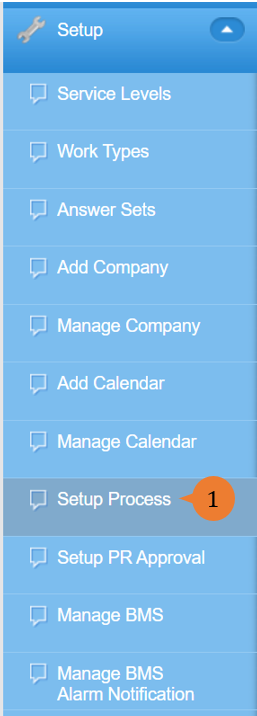
- Select Setup Process under Setup from the Menu.
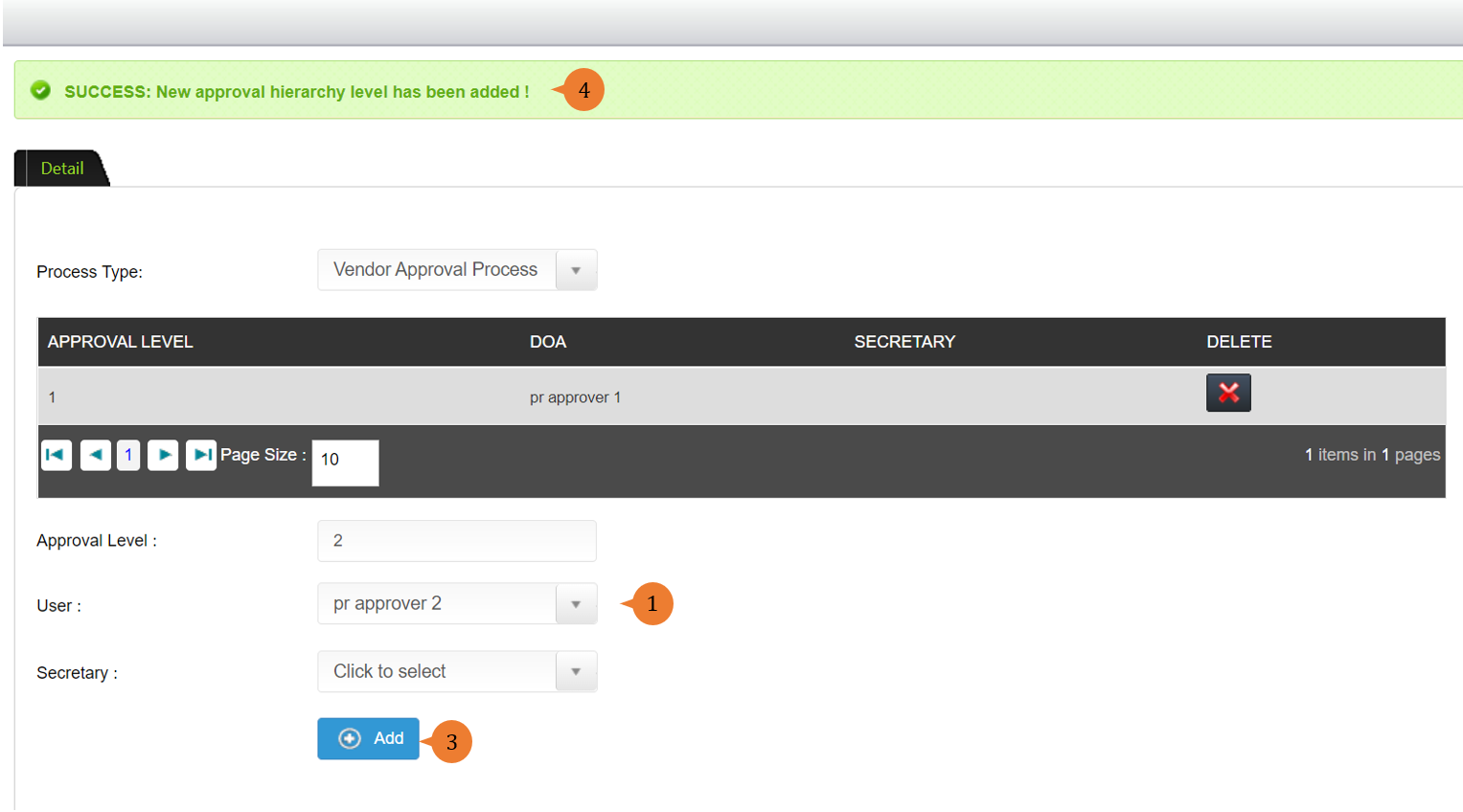
- Select the User that will perform the approval. You can also choose his/her secretary to do the approval on behalf of the user.
- Click on the Add button.
- When the approval hierarchy is successfully saved, a success message will appear below the page title.
More on this topic 
- For step-by-step guides to using the Setup, see Set Up.