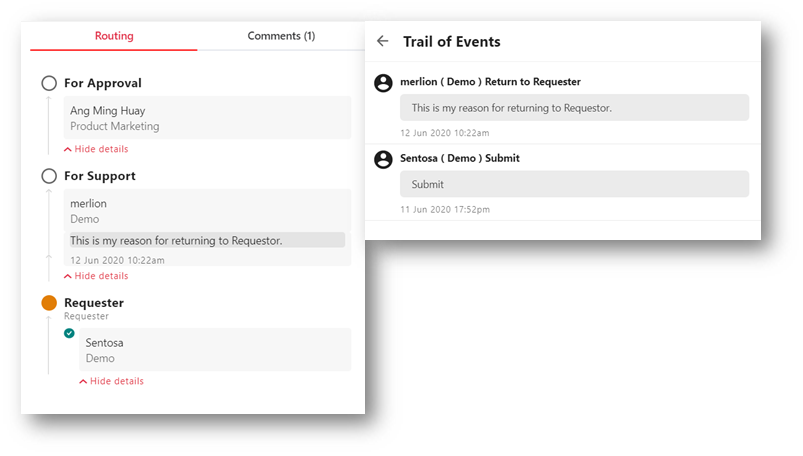
Returning to Requester for Rework
As the Supporting/Approving Party, you can send the submission back to user for rework and resubmit again once he is done.
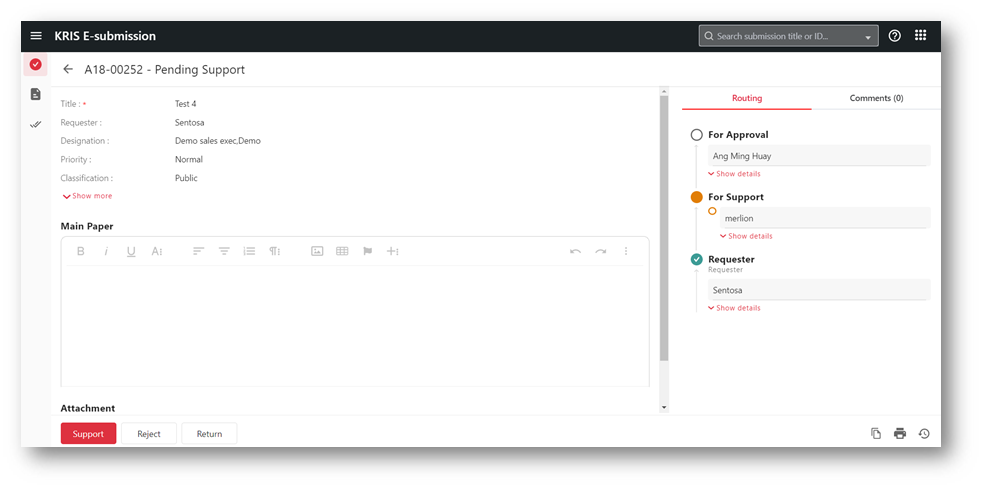
- Open the submission from the email notification that have received.
- Alternatively, you can find such submission My Tasks section in E-Submission module.
- Click on the Return button in the Submission page.
- Enter your comments if any and click on the Return button to continue
- It is mandatory if you are supporting the submission.
- Click the Close icon to view current submission or the Process Next Submissions link to continue with the next submission.
The submission will reset back to Requester stage is completed and it will be removed from My Tasks list. The requester and users at the current stage will be notified via email.
The comments will appear in the Trail of Events and the Routing Profile.